


 Home
HomeSave and search with Stacks



Helps TikTok sellers, brands, MCNs, and TAPs discover winning products and find creators.

HelpLook is an AI-powered all-in-one knowledge base tool that helps businesses quickly build knowledge bases, help centers, and...

Your AI Workspace

302.AI is an enterprise-grade AI resource platform with pay-as-you-go pricing, API access to a full range of AI models, and ready-to-use online applications.

剧火AI — AI Screenwriter + Director, a One-Person Short Drama Studio In one sentence, what is it?
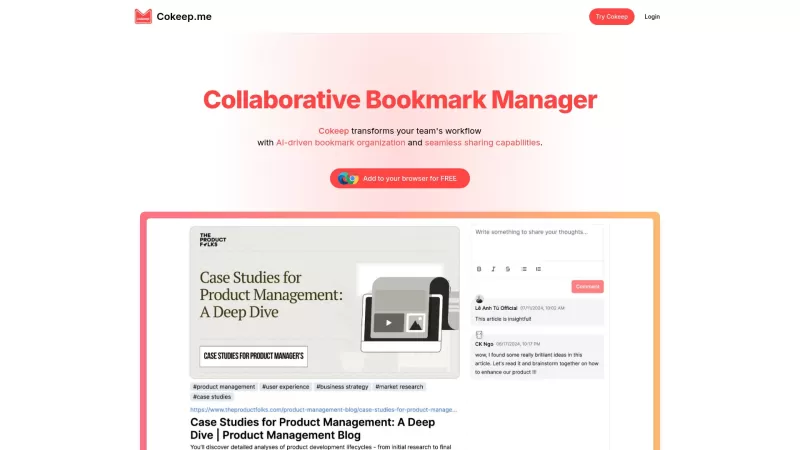
Ever found yourself drowning in a sea of bookmarks, wishing there was a better way to manage them? Enter Cokeep, your new best friend in the world of collaborative bookmark management. This isn't just any old bookmark tool; it's powered by AI to make your
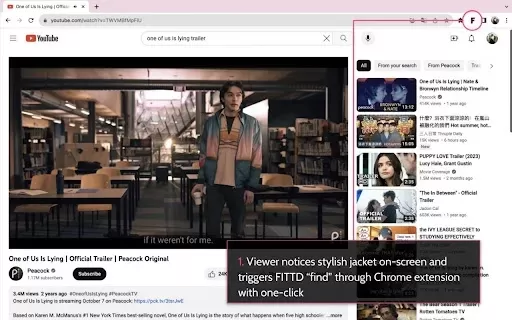
What is FITTD?FITTD is a powerful Chrome extension designed to help you get more done online. It provides a suite of features for managing tasks and automating workflows, keeping you organized and on track. From organizing bookmarks and tracking proj

What is Bookly?Bookly is a handy Chrome extension that helps you manage your bookmarks more effectively using AI-powered summaries. Whenever you bookmark a webpage, Bookly automatically creates a summary for it, no matter which folder you place it in
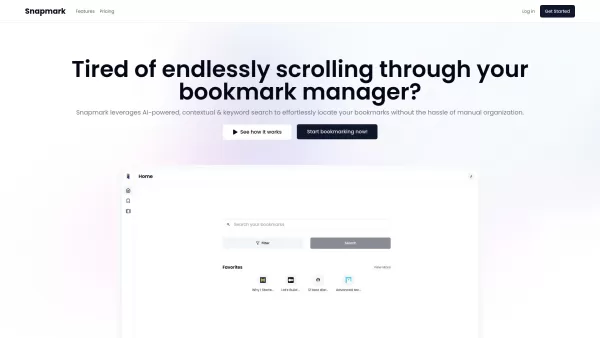
Ever find yourself drowning in a sea of bookmarks, struggling to find that one site you saved ages ago? Enter Snapmark—the innovative search engine designed specifically for your bookmarks. It's not just another tool; it's a game-changer that lets yo
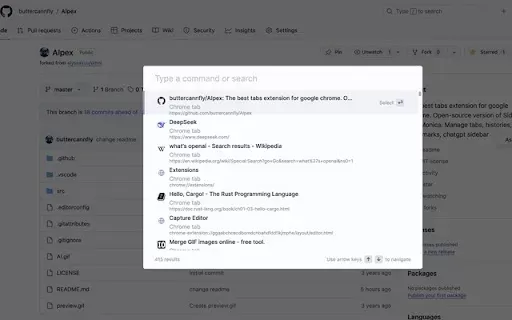
What is AIpex – Your AI-Powered Tab & History Manager?AIpex is a robust Chrome extension designed to streamline your tab and browsing history management. It enables effortless tab switching, opening, and closing, along with restoring closed tabs and
Save and search with Stacks Product Information
What is Save and Search with Stacks?
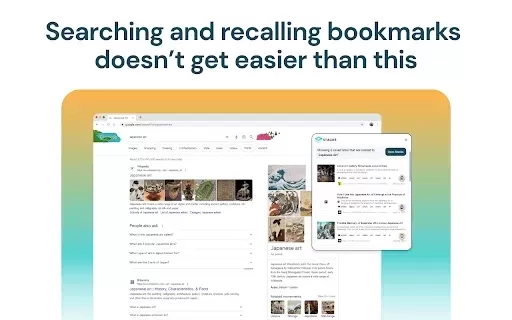
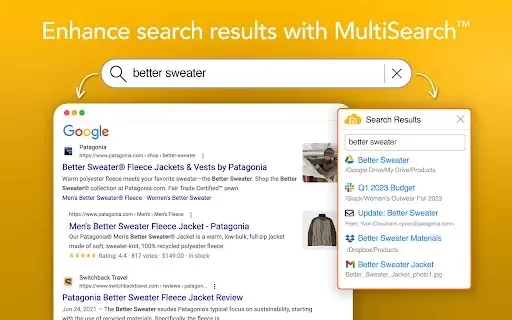
Save and Search with Stacks changes how you manage bookmarks in your browser. Acting as a personal search engine, it helps you quickly find and remember bookmarks you often lose track of. The extension collects and organizes your bookmarks, making searching and accessing them efficient. If you've ever had trouble remembering where you saved a particular bookmark, this tool simplifies the process, ensuring all your important links are just a few clicks away.
Who will use Save and Search with Stacks?
- Students
- Professionals
- Researchers
- Casual Browsers
How to use the Save and Search with Stacks?
- Step1: Install the Save and Search with Stacks extension from the Chrome Web Store.
- Step2: Bookmark your favorite pages as usual.
- Step3: Access the Stacks interface via the extension icon.
- Step4: Use the search bar to instantly find your bookmarks.
- Step5: Organize bookmarks into categories for easier access.
Platform
- Chrome
Save and Search with Stacks's Core Features & Benefits
The Core Features
- Automatic bookmark recall
- Personal search engine
- Efficient bookmarking and organization
The Benefits
- Never lose track of a bookmark again
- Quick access to saved resources
- Improved productivity
Save and Search with Stacks's Main Use Cases & Applications
- Helps students manage research links
- Helps professionals save and categorize resources
FAQs of Save and Search with Stacks
Is this extension free?
Yes, Save and Search with Stacks is available for free on the Chrome Web Store.
Can I organize my bookmarks?
Yes, you can categorize your bookmarks for better organization.
Is it safe to use?
Yes, the extension prioritizes user data security and privacy.
What if I forget my bookmarks?
The extension helps you easily recall bookmarks you might have forgotten.
Do I need an account to use this extension?
No account setup is required; just install and start bookmarking.
Can I access my bookmarks from any device?
Currently, it's only accessible through Chrome on the device it's installed.
Does it slow down my browser?
No, it's designed to run efficiently without affecting browser performance.
Can I search within categories?
Yes, you can search within specific categories of bookmarks.
How do I install it?
Simply download it from the Chrome Web Store and follow the installation prompts.
How does Save and Search with Stacks work?
It functions as a personal search engine for your bookmarks, enabling easy recall.
Save and Search with Stacks Company Information
Save and search with Stacks Screenshot

2026 Latest Best AI Comic Generators for Webtoon Creators! XIX.AI has curated a top-rated list of powerful, game-changing tools that help creators boost productivity significantly. You’ll find detailed weekly updated rankings, free vs paid comparison, and real-world tests to help you choose the perfect fit. Must-try options are available to overcome creation bottlenecks and deliver high-quality content faster. Explore now to Discover your perfect tool for smarter comic making!
 9 tools
 xix.ai

2026 Latest Best Top-rated AI Illustration Tools for Digital Artists! XIX.AI has curated a powerful, game-changing collection of top tools designed to help artists unlock their full creative potential. These best options feature weekly updated rankings, real-world tests, and free vs paid comparison details to help you find the perfect fit for boosting your workflow efficiency. Must-try choices across all skill levels are here—Explore now to Discover your perfect tool!
17 tools
xix.ai

2026 Latest Best Top-Rated AI Manga Layout Tools for Webtoon Creators! XIX.AI has curated a powerful, game-changing collection of must-try tools that go through rigorous real-world tests. You’ll find detailed weekly updated rankings, free vs paid comparison info, and insights on how these tools can boost your workflow, help you create high-quality content faster, and unlock your full creative potential. Explore now to discover your perfect tool!
9 tools
xix.ai

2026 Latest Best AI Dashboard Wireframing Tools for B2B SaaS, Admin Panels, and Data-Heavy Products! XIX.AI has curated a top-rated list of powerful game-changing tools that go through rigorous real-world tests to deliver exceptional results. You’ll find detailed free vs paid comparison data, comprehensive rankings, and useful insights to help you choose the perfect solution for boosting productivity and streamlining your workflow. Explore now to unlock your AI edge!
8 tools
xix.ai

2026 Latest Best AI Sleep Insight Tools for Better Recovery Habits are here on XIX.AI! This curated list features top-rated, powerful solutions that offer real-world tests and weekly updated rankings. You’ll find a free vs paid comparison to help you choose the must-try option that boosts productivity and helps you build consistent recovery habits. Explore now to unlock your AI edge!
7 tools
xix.ai

2026 Latest Best Top-rated AI Research Assistants for Streamlining Literature Reviews and Citation Tracking. XIX.AI curates a powerful game-changing selection, backed by rigorous real-world tests and weekly updated rankings. You’ll find must-try options that boost productivity significantly, helping you overcome research bottlenecks faster. Explore now to discover your perfect tool and unlock your AI edge in academic work.
10 tools
xix.ai


