


 Home
HomeRedmo
Redmo: Prompt Templates with Variables & API Support



Helps TikTok sellers, brands, MCNs, and TAPs discover winning products and find creators.

HelpLook is an AI-powered all-in-one knowledge base tool that helps businesses quickly build knowledge bases, help centers, and...

Your AI Workspace

302.AI is an enterprise-grade AI resource platform with pay-as-you-go pricing, API access to a full range of AI models, and ready-to-use online applications.

剧火AI — AI Screenwriter + Director, a One-Person Short Drama Studio In one sentence, what is it?
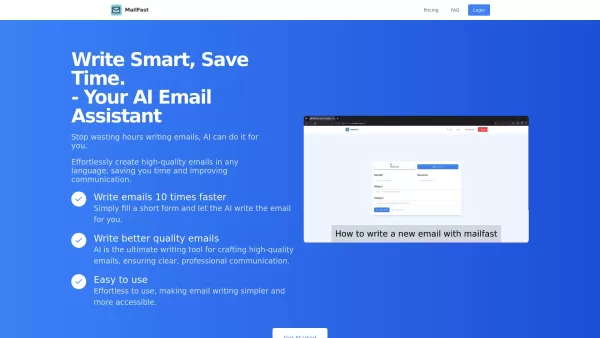
Ever found yourself staring at a blank email, wondering how to get your point across without sounding like a robot? Enter MailFast—an AI-powered email writing tool that's here to save the day. It's like having a personal email assistant that whips up high

Ever found yourself staring at a blank email draft, struggling to find the right words? Enter Type.AI, the Chrome extension that turns your spoken words into polished emails. It's like having a personal assistant who can take your ramblings and turn them

Ever heard of HumNod? It's this cool offline AI assistant that's all about helping you with writing, coding, and boosting your productivity, all without needing to hop online. What's great about it is that it keeps your data safe by working entirely on your device. No cloud, no worries. You can mana
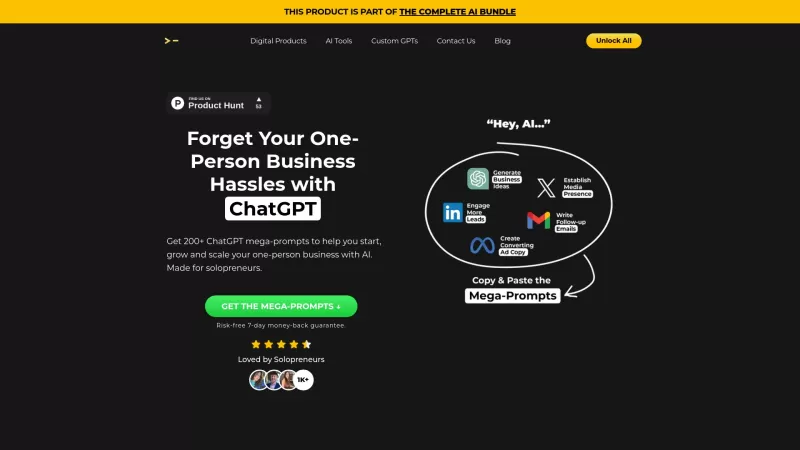
Ever felt overwhelmed running your one-person business? Well, you're not alone, and that's where the 200+ ChatGPT Mega-Prompts for Solopreneurs come into play. This isn't just another tool; it's your ultimate sidekick designed to make your solopreneur jou

Ever found yourself staring at a blank screen, struggling to craft the perfect email? Well, let me introduce you to AI Mailer, a game-changer in the world of email communication. This isn't just another tool; it's a revolution powered by GPT technology, d
Redmo Product Information
What Exactly is Redmo?
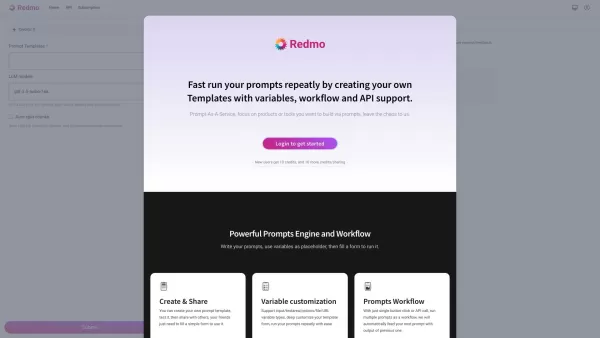
Ever wished you could automate those repetitive prompt creations? That's where Redmo comes in - it's like having a smart assistant for generating customized prompts. Imagine being able to create template prompts where certain parts automatically fill in based on variables or API calls. That's the magic of Redmo. Whether you're building chatbots, automating responses, or creating dynamic content, Redmo gives you the tools to make it happen without reinventing the wheel every time.
Getting Started with Redmo
Ready to dive in? Here's how simple it is:
- First, create your account - just the usual email and password routine
- Once you're in, head to the template builder (you'll find it easily)
- Start crafting your template by mixing fixed text with variables (think of them as placeholders)
- Want to pull live data? Connect your API endpoints right there
- Save it, test it, and boom - you've got yourself an automated prompt generator
The interface is designed to be intuitive, so you won't need a PhD to figure it out. And if you do get stuck? Their documentation's actually helpful (shocking, I know).
Why Redmo Stands Out
- Template Wizardry: Build once, use endlessly with different variable inputs
- API Superpowers: Connect to your data sources for real-time information
- Variable Flexibility: Mix and match placeholders like a pro
- Clean Dashboard: No clutter, just what you need to work efficiently
- Actual Support: Documentation that doesn't make you want to scream
Where Redmo Shines
Here's where people are getting the most mileage:
- Customer support teams automating frequent responses
- Marketing folks creating personalized email campaigns
- Developers populating databases with structured prompts
- Product teams sending dynamic notifications
Redmo FAQ
- Is there a free tier?
- You'll need to check their pricing page for current offerings
- How steep is the learning curve?
- Most users find they can create basic templates within minutes
- Can I use my own API endpoints?
- Absolutely - that's where the real power comes in
- Is there team collaboration?
- Yes, you can share and collaborate on templates
Redmo Pricing
For the latest pricing details and plans, visit: Redmo Pricing Page
One thing to note - they frequently update their offerings, so what's available today might get even better tomorrow. Worth keeping an eye on if you're serious about prompt automation.
Redmo Screenshot

2026 Latest Best Top-rated AI Prompt Optimizers for Marketing and Support! XIX.AI curates a powerful game-changing collection of must-try tools, regularly updated weekly. These tools help you boost writing efficiency, create high-quality content faster, and streamline marketing campaigns as well as customer support tasks. Get a free vs paid comparison along with real-world tests and detailed rankings. Explore now to Discover your perfect tool for boosting productivity!
 9 tools
 xix.ai

2026 Latest Best ChatGPT Prompt Libraries for Marketing, Support, and Internal Knowledge Teams! XIX.AI has curated a top-rated list of powerful game-changing tools that help teams boost writing efficiency, generate high-quality content fast, and streamline workflows. Each option goes through real-world tests to ensure reliability, with a free vs paid comparison included. Explore now to Discover your perfect tool and Unlock your AI edge.
14 tools
xix.ai
Discover the 2026 best AI prompt framework creators for generating reusable few-shot and chain-of-thought (CoT) templates. Our curated, top-rated selection helps you build powerful, game-changing prompts to boost productivity and streamline complex reasoning tasks. Explore weekly updated rankings and free vs paid comparisons to unlock your perfect AI workflow tool on XIX.AI.
10 tools
xix.ai


Redmo sounds like a game-changer for prompt automation! 🚀 I've been manually tweaking prompts for different scenarios, and it's a pain. Having a smart assistant that fills in variables automatically? Yes please! Hope it's as intuitive as it sounds, though I'm a bit worried about learning curve. Still, definitely gonna try it out. 🤔


