


 Home
HomeProject Plan 365 Assistant
AI Gantt Charts: Project Management Simplified



Helps TikTok sellers, brands, MCNs, and TAPs discover winning products and find creators.

HelpLook is an AI-powered all-in-one knowledge base tool that helps businesses quickly build knowledge bases, help centers, and...

Your AI Workspace

302.AI is an enterprise-grade AI resource platform with pay-as-you-go pricing, API access to a full range of AI models, and ready-to-use online applications.

剧火AI — AI Screenwriter + Director, a One-Person Short Drama Studio In one sentence, what is it?

SalesRobot isn't just another tool in your sales arsenal—it's your new best friend in the world of automated outreach. This cloud-based gem lets you juggle multiple cold outreach campaigns on LinkedIn and through email, all while sipping your morning
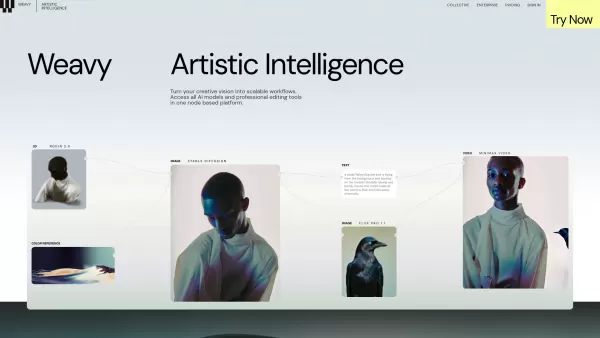
What is Weavy? Weavy is a node-based design platform built for creative professionals. It brings together a wide range of AI models and professional editing tools into one unified canvas, enabling users to turn their creative ideas into efficient, sc
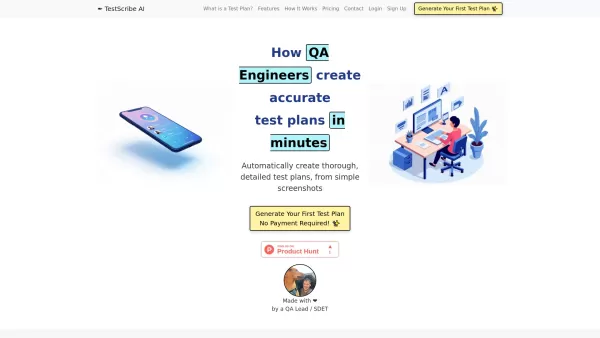
What is TestScribe AI? TestScribe AI revolutionizes software testing by automatically creating comprehensive test plans through artificial intelligence. This cloud-based solution helps testing teams and developers save countless hours on documentatio
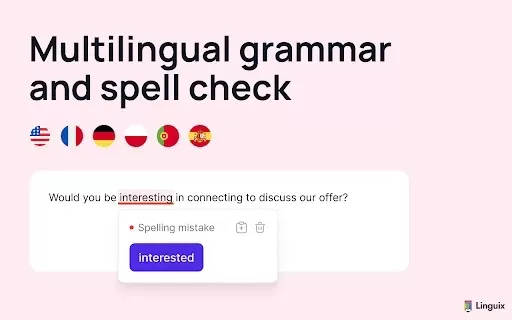
What is Linguix — Grammar Checker and AI Writing App?Linguix is an all-in-one grammar checker and AI-powered writing assistant that elevates your text across websites and applications. It supports multiple languages such as English, French, German, S
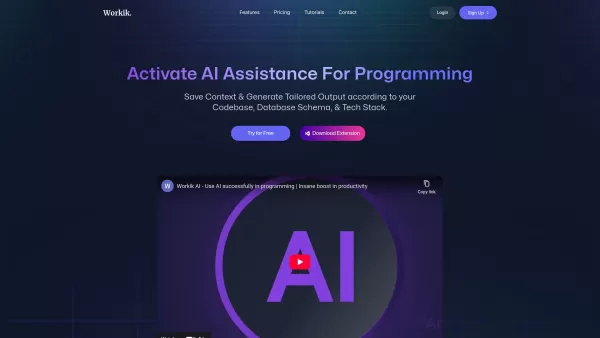
Workik isn't just another tool in the developer's arsenal; it's a game-changer. Imagine having an AI-powered sidekick that's all about speeding up your backend and frontend code development. That's Workik for you. It's not just about generating code; it's
Project Plan 365 Assistant Product Information
What is Project Plan 365 Assistant?
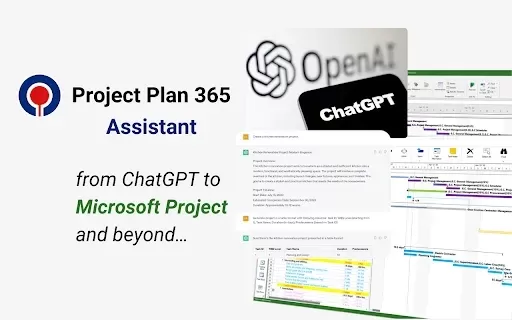
Project Plan 365 Assistant is an innovative Chrome extension that streamlines project management by integrating directly with ChatGPT. Effortlessly build, visualize, and share Gantt charts. It enables real-time team collaboration and lets you download project plans in multiple formats like MPP. Ideal for individuals and teams, this AI-powered tool simplifies project workflows and boosts productivity.
Who will use Project Plan 365 Assistant?
- Project Managers
- Team Leaders
- Freelancers
- Small Business Owners
- Students
How to use the Project Plan 365 Assistant?
- Step 1: Install the extension from the Chrome Web Store.
- Step 2: Launch the tool and link it to your Microsoft Project account.
- Step 3: Leverage ChatGPT to create or adjust project plans and tasks.
- Step 4: View your project timeline with interactive Gantt charts.
- Step 5: Share plans with collaborators or download them as MPP files.
Platform
- Web
- Chrome
Project Plan 365 Assistant's Core Features & Benefits
The Core Features
- ChatGPT integration for intelligent planning support
- Create and share dynamic Gantt charts
- Export projects as MPP and other file types
- Real-time team collaboration tools
- Intuitive, user-friendly interface
The Benefits
- Boosts project planning efficiency
- Improves team coordination and communication
- Simplifies updating and sharing project data
- Harnesses AI for smarter planning decisions
- Accessible on any device with the Chrome browser
Project Plan 365 Assistant's Main Use Cases & Applications
- Developing and monitoring project timelines
- Team-based collaborative project planning
- Managing student and academic projects
- Overseeing freelance project workloads
- Tracking business project milestones
FAQs of Project Plan 365 Assistant
What is Project Plan 365 Assistant?
A Chrome extension that uses ChatGPT to provide powerful project management assistance.
How do I install the extension?
Install it directly from the official Chrome Web Store.
Can I use it without Microsoft Project?
It is designed for optimal use with Microsoft Project, but some features may be accessible without it.
Is it free to use?
A free version with core features is available, with advanced options offered via subscription.
Can I collaborate with my team?
Yes, it includes features for seamless real-time teamwork.
What formats can I download my project in?
Projects can be downloaded in MPP format and several other common file types.
Is there a mobile app available?
It is currently available exclusively as a Chrome extension.
How does ChatGPT integration work?
ChatGPT helps you draft, refine, and optimize project tasks and overall plans.
Can I use it for educational projects?
Absolutely, it is well-suited for academic and professional project planning.
Is training required to use this tool?
No special training is needed thanks to its straightforward, intuitive design.
Project Plan 365 Assistant Company Information
Website:
https://projectplan365.comCompany Name:
Project Plan 365, Inc.Support Email:
Facebook:
NAX(Twitter):
NAYouTube:
NAInstagram:
NATiktok:
NALinkedIn:
NA
Project Plan 365 Assistant Screenshot

2026 Latest Top-rated AI Illustration Tools: Our curated list features the best powerfully designed tools for creating stunning editorial scenes and eye-catching cover art quickly. Each option has gone through rigorous real-world tests, offering a free vs paid comparison to help you find the perfect match for your workflow. Try these must-try solutions today to unlock your AI edge and boost your creative productivity. Explore now at XIX.AI.
 10 tools
 xix.ai

2026 Latest Top-Rated Best AI Tutors for Exam Prep are here on XIX.AI! Our curated list features powerful game-changing tools that offer free vs paid comparison, real-world tests, and weekly updated rankings. They help boost your writing efficiency, simplify complex topic learning, and unlock your academic potential. Explore now to Discover your perfect exam prep tool and Start creating today to Unlock your AI edge!
10 tools
xix.ai

2026 Latest Best Top-Rated AI Budget Planning Tools for Personal Money Management are here on XIX.AI! This curated collection features powerful, game-changing solutions that help you conduct real-world tests, understand spending habits, and create personalized plans to boost productivity. Enjoy a free vs paid comparison along with detailed rankings. Must-try tools designed to simplify money management and unlock your AI edge. Explore now!
11 tools
xix.ai

2026 Latest Best Top-Rated AI Sleep Tracking Assistants curated for ultimate recovery. This fully updated weekly guide features powerful tools that deliver real-world tests, free vs paid comparison, and detailed rankings to help you find the must-try solution that boosts sleep quality and supports better bedtime habits. Explore now at XIX.AI to Unlock your AI edge.
10 tools
xix.ai

2026 Latest Best Top-Rated AI SQL Copilots for Product and Revenue Analytics! XIX.AI has curated a powerful, game-changing collection of must-try tools that undergo real-world tests through weekly updated rankings. These tools help users boost productivity significantly by accelerating data analysis, streamlining complex queries, and generating accurate insights to drive smarter business decisions. Explore now to Discover your perfect tool for unlocking your AI edge!
14 tools
xix.ai

2026 Latest Best Top-Rated AI Homework Helpers That Teach Core Concepts Not Just Answers Powerful Tools for Students Must-Try Curated List Weekly Updated Free vs Paid Comparison Real-World Tests Accurate Rankings to Help You Unlock Your Full Learning Potential Explore now to Discover your perfect tool for smarter studying.
10 tools
xix.ai


这个扩展真不错!和ChatGPT集成后做项目甘特图方便多了,团队协作更顺畅了。不过有点担心免费版会不会突然收费,毕竟现在AI工具都这个套路😅 建议增加导出格式选项!


