


 Home
HomePluck



Helps TikTok sellers, brands, MCNs, and TAPs discover winning products and find creators.

HelpLook is an AI-powered all-in-one knowledge base tool that helps businesses quickly build knowledge bases, help centers, and...

Your AI Workspace

302.AI is an enterprise-grade AI resource platform with pay-as-you-go pricing, API access to a full range of AI models, and ready-to-use online applications.

剧火AI — AI Screenwriter + Director, a One-Person Short Drama Studio In one sentence, what is it?
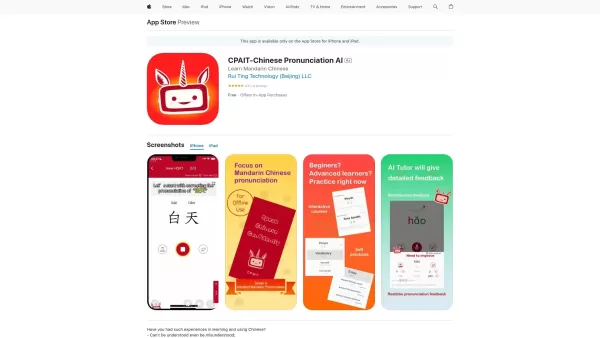
What is the CPAIT app?CPAIT is a comprehensive mobile application crafted to elevate your Mandarin Chinese pronunciation. It leverages artificial intelligence as your personal tutor, delivering instant feedback on your initials, finals, and tones. Th
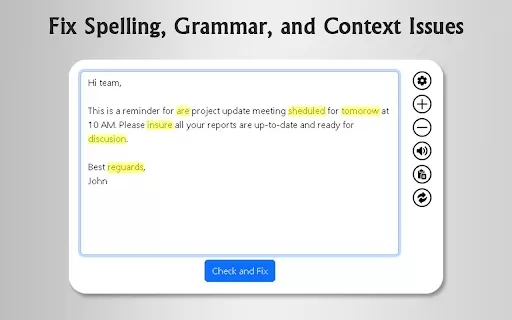
What is GrammFix?GrammFix is a cutting-edge browser extension that helps users elevate their writing. Leveraging advanced AI, it instantly identifies and fixes grammar, spelling, and punctuation errors. Ideal for students, professionals, and anyone l
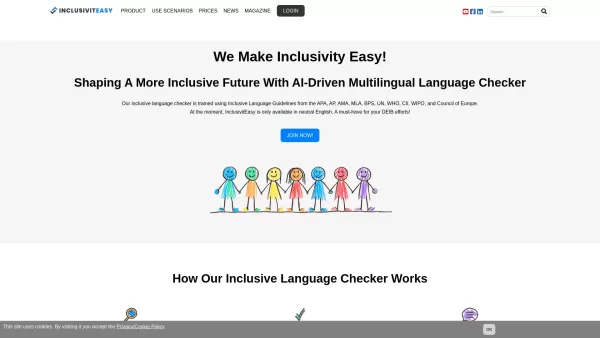
What Is InclusivitEasy?InclusivitEasy is more than just a tool—it’s your personal guide to fostering inclusivity in every word you write. Designed to spot and refine non-inclusive language, it helps ensure your messages resonate positively across diverse
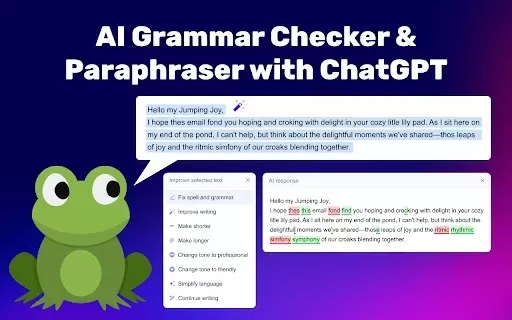
What is our Grammar Check & Paraphrasing Tool?This tool helps you enhance your writing by identifying grammatical mistakes and offering better phrasing options. It uses advanced AI technology, powered by ChatGPT, to provide instant feedback in more t
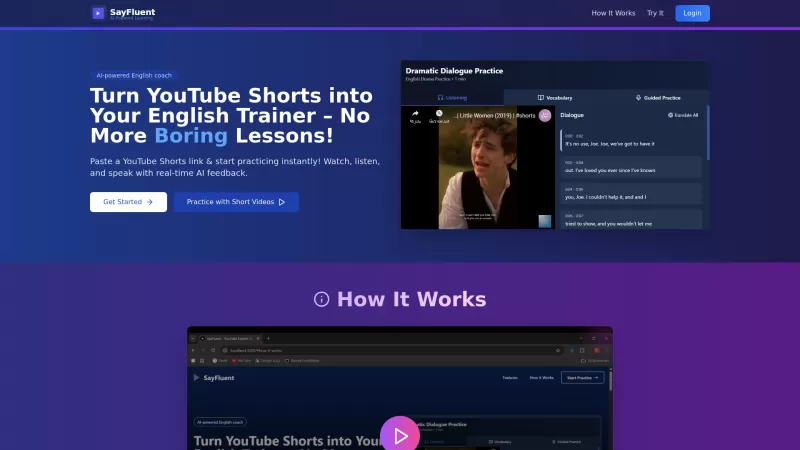
SayFluent isn't just another English learning app—it's a game-changer. Imagine diving into the world of YouTube Shorts to brush up on your English. That's right, SayFluent harnesses the power of these short, snappy videos to help you sharpen your speaking, vocabulary, and dialogue comprehension skil
Pluck Product Information
What is Pluck?
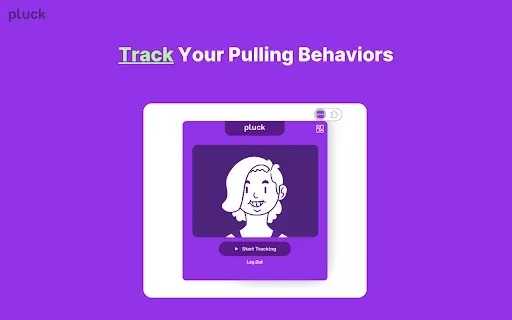
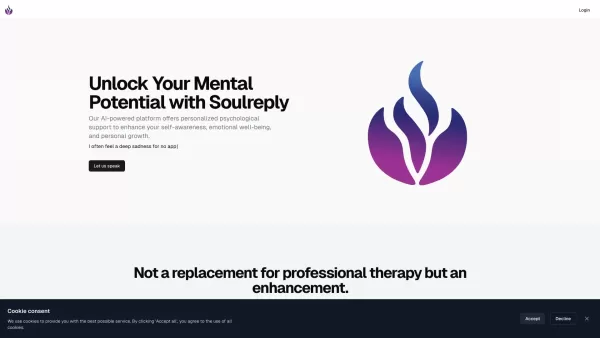
Pluck is a Chrome extension designed to support individuals managing Trichotillomania, a condition characterized by hair-pulling. It utilizes computer vision to monitor for and detect behaviors involving eyelashes, eyebrows, or scalp hair. Upon detection, it offers immediate, gentle feedback to help interrupt the action. The tool includes a personal dashboard for tracking progress, setting goals, and celebrating milestones. Pluck also connects users to a compassionate community for sharing experiences and encouragement, fostering a supportive environment for recovery.
Who will use Pluck?
- Individuals living with Trichotillomania
- Anyone looking to manage hair-pulling urges
- Mental health advocates and supporters
- Support groups and community members
How to use the Pluck?
- Step 1: Install Pluck from the Chrome Web Store.
- Step 2: Enable the extension and grant the required permissions.
- Step 3: Allow Pluck to access your webcam for activity monitoring.
- Step 4: Review your dashboard for real-time insights and progress tracking.
- Step 5: Connect with the community for shared support and practical tips.
Platform
- chrome
Pluck's Core Features & Benefits
The Core Features
- Real-time behavioral feedback
- Progress tracking dashboard
- Integrated community support
- Computer vision monitoring
The Benefits
- Greater awareness of pulling habits
- Timely intervention to reduce episodes
- Tools for setting and achieving personal goals
- Access to a supportive network for motivation
Pluck's Main Use Cases & Applications
- Helping individuals with Trichotillomania recognize their patterns
- Providing instant intervention to curb hair-pulling
- Enabling progress tracking and personalized goal setting
- Building connections within a supportive community
FAQs of Pluck
What is Pluck?
Pluck is a Chrome extension that assists people with Trichotillomania by using computer vision to provide real-time feedback on hair-pulling behaviors.
How does Pluck work?
Pluck employs computer vision technology to identify hair-pulling activities and delivers instant feedback to help increase awareness and discourage the habit.
Who can use Pluck?
Pluck is created for those experiencing Trichotillomania, as well as anyone seeking to understand and reduce hair-pulling behaviors.
What are the main features of Pluck?
Pluck provides real-time feedback, a progress-tracking dashboard, community support, and is powered by computer vision.
Is Pluck safe to use?
Yes, Pluck is safe to use and is committed to your privacy; it does not sell or misuse your personal data.
Do I need a webcam to use Pluck?
Yes, a webcam is required for Pluck to effectively monitor and detect hair-pulling activities.
Is Pluck available on other platforms?
Currently, Pluck is available exclusively as a Chrome extension.
Can I track my progress with Pluck?
Yes, Pluck features a comprehensive dashboard where you can monitor your progress, set goals, and acknowledge your achievements.
Does Pluck support a community feature?
Yes, Pluck includes a community feature where users can exchange tips and receive support from others on a similar journey.
How do I get started with Pluck?
To begin, install the extension from the Chrome Web Store, enable it, provide the necessary permissions, and start exploring its features.
Pluck Company Information
Pluck Screenshot

2026 Latest Top-rated AI Illustration Tools: Our curated list features the best powerfully designed tools for creating stunning editorial scenes and eye-catching cover art quickly. Each option has gone through rigorous real-world tests, offering a free vs paid comparison to help you find the perfect match for your workflow. Try these must-try solutions today to unlock your AI edge and boost your creative productivity. Explore now at XIX.AI.
 10 tools
 xix.ai

2026 Latest Top-Rated Best AI Tutors for Exam Prep are here on XIX.AI! Our curated list features powerful game-changing tools that offer free vs paid comparison, real-world tests, and weekly updated rankings. They help boost your writing efficiency, simplify complex topic learning, and unlock your academic potential. Explore now to Discover your perfect exam prep tool and Start creating today to Unlock your AI edge!
10 tools
xix.ai

2026 Latest Best Top-Rated AI Budget Planning Tools for Personal Money Management are here on XIX.AI! This curated collection features powerful, game-changing solutions that help you conduct real-world tests, understand spending habits, and create personalized plans to boost productivity. Enjoy a free vs paid comparison along with detailed rankings. Must-try tools designed to simplify money management and unlock your AI edge. Explore now!
11 tools
xix.ai

2026 Latest Best Top-Rated AI Sleep Tracking Assistants curated for ultimate recovery. This fully updated weekly guide features powerful tools that deliver real-world tests, free vs paid comparison, and detailed rankings to help you find the must-try solution that boosts sleep quality and supports better bedtime habits. Explore now at XIX.AI to Unlock your AI edge.
10 tools
xix.ai

2026 Latest Best Top-Rated AI SQL Copilots for Product and Revenue Analytics! XIX.AI has curated a powerful, game-changing collection of must-try tools that undergo real-world tests through weekly updated rankings. These tools help users boost productivity significantly by accelerating data analysis, streamlining complex queries, and generating accurate insights to drive smarter business decisions. Explore now to Discover your perfect tool for unlocking your AI edge!
14 tools
xix.ai

2026 Latest Best Top-Rated AI Homework Helpers That Teach Core Concepts Not Just Answers Powerful Tools for Students Must-Try Curated List Weekly Updated Free vs Paid Comparison Real-World Tests Accurate Rankings to Help You Unlock Your Full Learning Potential Explore now to Discover your perfect tool for smarter studying.
10 tools
xix.ai


