


 Home
HomePalzin Monitor



Helps TikTok sellers, brands, MCNs, and TAPs discover winning products and find creators.

HelpLook is an AI-powered all-in-one knowledge base tool that helps businesses quickly build knowledge bases, help centers, and...

Your AI Workspace

302.AI is an enterprise-grade AI resource platform with pay-as-you-go pricing, API access to a full range of AI models, and ready-to-use online applications.

剧火AI — AI Screenwriter + Director, a One-Person Short Drama Studio In one sentence, what is it?
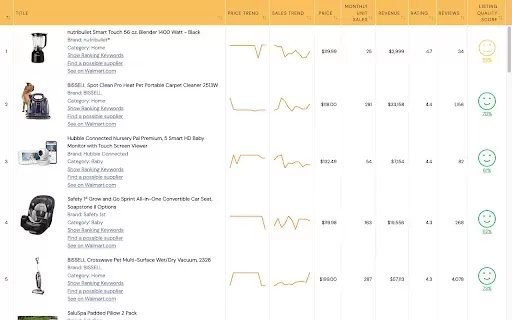
What is WallySmarter?WallySmarter is an all-in-one platform that empowers Walmart sellers to effortlessly analyze product performance, estimate sales, and conduct keyword research. By aggregating data from Walmart's vast inventory, this tool helps us
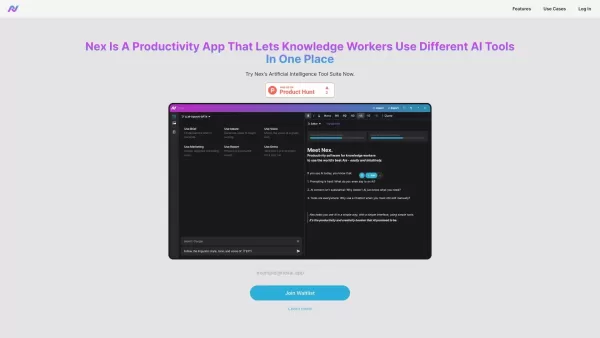
What is Nex AI?Nex AI is an innovative AI platform that empowers users to manage and analyze diverse data types like documents, PDFs, and spreadsheets. Its advanced technology synthesizes complex information seamlessly, enabling smarter, data-driven

What is Tambo?Tambo is a comprehensive, end-to-end platform for building, deploying, and managing AI agents across your entire organization. Get started by choosing from a library of ready-to-use agent templates or designing a custom workflow in the
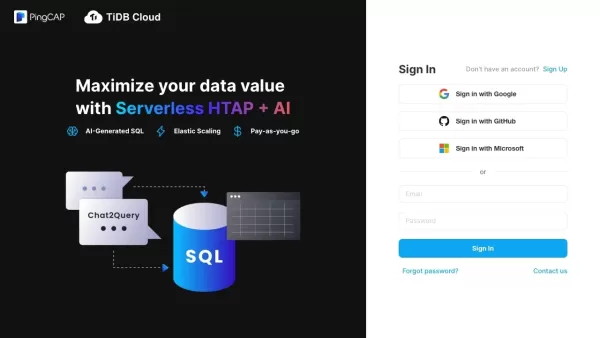
What is TiDB Cloud?TiDB Cloud is a fully-managed Database-as-a-Service (DBaaS) delivering a scalable, distributed SQL platform with MySQL compatibility. It provides auto-scaling for dynamic workloads, integrated monitoring for instant analytics, and

What is Yala?Yala is an intelligent AI assistant that creates authentic, human-like conversations. Powered by sophisticated natural language processing algorithms, it understands user queries and delivers customized responses to meet specific require
Palzin Monitor Product Information
What is Palzin Monitor?
Palzin Monitor is a sophisticated monitoring platform that delivers real-time visibility into the performance and health of your websites and applications. It captures all relevant data without requiring any code changes, enabling in-depth analysis and troubleshooting. The platform supports uptime, SSL, API, DNS, ping, and port monitoring to ensure reliable and secure operations. Its versatility is enhanced through integrations with leading cloud services and tools like DataDog and New Relic.
Who uses Palzin Monitor?
- Web Developers
- IT Administrators
- Businesses of All Sizes
- Cloud Service Providers
- DevOps Teams
How to use Palzin Monitor
- Step 1: Create a Palzin Monitor account on their official website.
- Step 2: Add your websites or applications to the monitoring dashboard.
- Step 3: Configure the monitoring types you need, such as uptime, SSL, or API checks.
- Step 4: Set up alert notifications via email, SMS, or voice calls.
- Step 5: Connect with third-party tools and services like DataDog or AWS.
- Step 6: View real-time performance metrics and response data on your dashboard.
- Step 7: Analyze detailed reports and take action to optimize performance and security.
Platform
- Web
- Windows
- Linux
- iOS
- Android
Palzin Monitor's Core Features & Benefits
Core Features
- Uptime Monitoring
- SSL Monitoring
- API Monitoring
- DNS Monitoring
- Ping Monitoring
- Port Monitoring
- Incident Management
Benefits
- Real-time performance insights
- No code changes required
- Smooth integration with popular tools
- Instant alert notifications
- Comprehensive analysis reports
Palzin Monitor's Main Use Cases & Applications
- Website Monitoring
- Application Performance Tracking
- SSL Health Checks
- Server and Network Device Monitoring
- API Endpoint Monitoring
- Port Status Checks
Palzin Monitor's Pros & Cons
Pros
Comprehensive monitoring covering uptime, SSL, ping, ports, DNS, errors, and application performance.
Integrates with major monitoring and cloud platforms for centralized management.
Real-time alerts across multiple channels including phone, SMS, Slack, and Teams.
Incident AI Assistant speeds up incident overview and resolution.
Mobile apps available for iOS and Android.
Advanced incident management with escalation policies, on-call scheduling, and postmortems.
Reduces false positives by verifying incidents from multiple locations.
Cons
No indication of open-source availability.
Pricing details and free tier limits are not clearly stated on the main page.
No mention of Chrome Web Store extensions, Discord, or Telegram integration.
Beginners may find the wide range of features complex.
Palzin Monitor Pricing
Has free plan | Yes |
|---|---|
Free trial details | 30-day free trial |
Pricing model | Free Trial |
Is credit card required | No |
Paid from | $8 USD |
Has lifetime plan | No |
Billing frequency | Monthly |
Pricing Plan Details
Starter
$8 USD
- 10-50 Monitors
- Includes 10-20 credits, replenished monthly
- Additional credits: $10.00 per 50 SMS/Voice Calls
- 0 to 10K Transactions with optional extra purchase
- No Login account included; available as an add-on
- No Notify account included; available as an add-on
Growth
$34 USD
- 100 Monitors
- Includes 30 credits, replenished monthly
- Additional credits: $10.00 per 50 SMS/Voice Calls
- 0 to 10K Transactions with optional extra purchase
- 3-5 Login accounts included; extra available for purchase
- 3-5 Notify accounts included; extra available for purchase
Business
$90 USD
- 200 Monitors
- Includes 50 credits, replenished monthly
- Additional credits: $10.00 per 50 SMS/Voice Calls
- 0 to 30K Transactions with optional extra purchase
- 5-10 Login accounts included; extra available for purchase
- 5-10 Notify accounts included; extra available for purchase
Enterprise
$300 USD
- 300-1000 Monitors
- Includes 50-200 credits, replenished monthly
- Additional credits: $10.00 per 50 SMS/Voice Calls
- 30K to 50K Transactions with optional extra purchase
- 10-15 Login accounts included; extra available for purchase
- 5-10 Notify accounts included; extra available for purchase
Discounts:
Discounts are available for eligible organizations, including startups, healthcare providers, non-profits, and educational institutions.
For the most current pricing, visit: https://palzin.app/pricing
Palzin Monitor FAQs
What is Palzin Monitor?
Palzin Monitor is a platform that provides real-time monitoring for website and application performance without requiring code modifications.
How do I set up Palzin Monitor?
Sign up on their website, add your sites or applications, configure your monitoring preferences, and set up alert notifications.
What types of monitoring does Palzin offer?
It provides uptime, SSL, API, DNS, ping, and port monitoring.
Can I integrate Palzin Monitor with other tools?
Yes, Palzin Monitor integrates with tools like DataDog, New Relic, Grafana, Prometheus, and various cloud platforms.
Does Palzin Monitor support alert notifications?
Yes, it sends alerts via email, SMS, or voice calls.
Is there a mobile app for Palzin Monitor?
Yes, Palzin Monitor offers mobile apps for Android and iOS.
What platforms does Palzin Monitor support?
It supports web, Android, iOS, Windows, Linux, and macOS.
What are the core benefits of using Palzin Monitor?
It offers real-time insights, smooth integrations, instant alerts, and detailed analysis reports.
How can I receive voice call alerts?
Verify your contact number and ensure you have enough balance units for voice calls in the 'My Profile' section.
Is any code modification required for monitoring?
No, Palzin Monitor collects all necessary data without any code changes.
Palzin Monitor Company Information
Website:
https://palzin.appCompany Name:
Palzin Private LimitedSupport Email:
Facebook:
Not AvailableX (Twitter):
Not AvailableYouTube:
Not AvailableInstagram:
Not AvailableTikTok:
Not AvailableLinkedIn:
Not Available
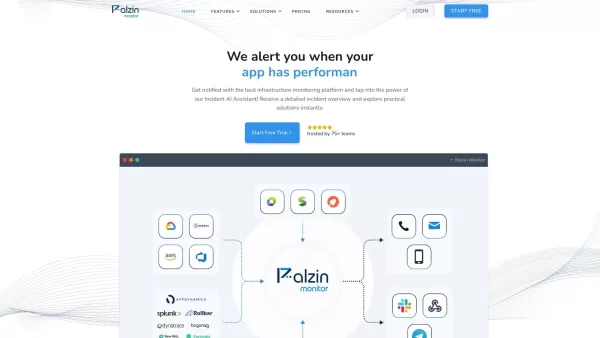
Palzin Monitor Screenshot


2026 Latest Best Top-Rated AI Melody Writing Tools for Song Drafts! XIX.AI has curated a highly powerful game-changing collection that goes through rigorous real-world tests to deliver the best writing experience. You can find detailed free vs paid comparisons, accurate rankings, and must-try options designed to help you create stunning song drafts effortlessly and boost your creative productivity significantly. Explore now to discover your perfect tool!
 8 tools
 xix.ai

2026 Latest Best Top-rated AI Conversation Trainer Tools for Interview Practice are here on XIX.AI! This curated collection features powerful, game-changing tools that go through rigorous real-world tests to deliver accurate feedback. You’ll find a free vs paid comparison and detailed rankings to help you choose the must-try option that boosts your confidence and skills. Explore now to Discover your perfect tool for interview success!
12 tools
xix.ai

2026 Latest Best Top-rated AI Style Transfer Tools for Creative Experiments! XIX.AI has curated a powerful, game-changing collection of must-try tools that deliver exceptional results through real-world tests and rigorous rankings. These top solutions help creatives boost productivity significantly by accelerating content creation and unlocking endless creative possibilities. Explore now to discover your perfect tool and start creating today!
9 tools
xix.ai

2026 Latest Best Top-Rated AI Dialogue Bubble Tools for Visual Storytelling are here on XIX.AI! This curated collection features powerful, game-changing tools that help creators boost productivity and overcome creative bottlenecks. Get a free vs paid comparison, see real-world tests, and check the latest rankings to find the must-try solutions perfect for crafting engaging visual narratives. Explore now to discover your ideal tool!
10 tools
xix.ai

2026 Latest Top-Rated Best AI Meeting Summary Tools for Clear Decision Tracking and Effortless Follow-Ups. This curated list showcases powerful, game-changing solutions that boost productivity dramatically by automating meeting notes, identifying key action items, and streamlining team coordination across all projects. Get a free vs paid comparison along with real-world tests and weekly updated rankings to help you find the perfect tool. Explore now to unlock your AI edge!
9 tools
xix.ai

2026 Latest Best Top-rated AI Data Cleaning Tools for quick fixing of missing values and duplicates. This curated list showcases powerful, game-changing solutions that boost productivity significantly. Each option has undergone rigorous real-world tests to ensure reliability. Get a free vs paid comparison and discover the must-try tool that fits your needs best. Explore now at XIX.AI to Unlock your AI edge.
11 tools
xix.ai


