


 Home
HomeOutworks AI



What is Originality?Originality.AI is an advanced AI-powered platform built to identify AI-generated text and detect plagiarism. It serves writers, publishers, and educators by verifying the authenticity and originality of content. The tool utilizes
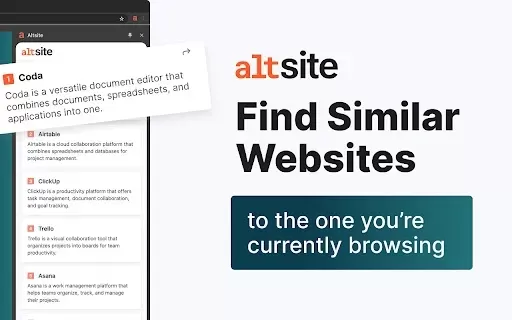
What is Altsite?Altsite is a browser extension that helps users find websites similar to the one they're currently visiting. Using advanced AI technology, it analyzes website content and instantly generates a list of related sites. This tool is ideal

What is Lilybank AI? Lilybank AI is a game-changer in the world of content creation. It's like having a team of AI wizards at your fingertips, ready to churn out high-quality content faster than you can say "publish." From crafting compelling blog posts t
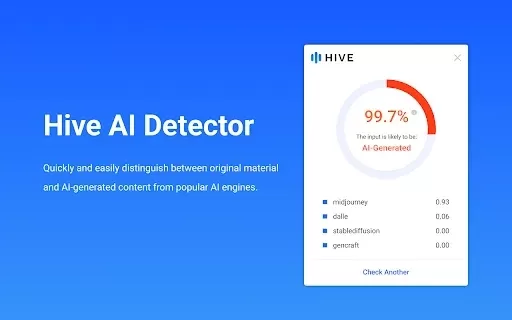
What is Hive AI Detector?Hive AI Detector uses advanced machine learning to analyze various types of media and determine whether they were generated or altered by artificial intelligence. This tool is ideal for journalists, educators, marketers, and
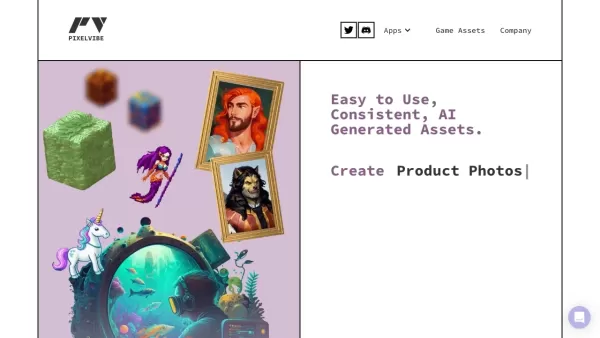
What is Rosebud?Rosebud.ai is a cutting-edge platform that uses generative AI to streamline the game development workflow. It offers a suite of tools to produce game assets—including characters, environments, and textures—and to animate avatars using
Outworks AI Product Information
What is Outworks AI?
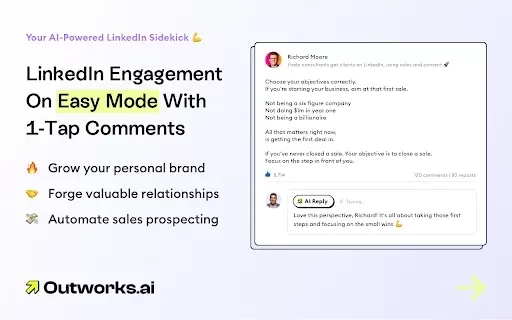
Outworks AI leverages advanced artificial intelligence to craft personalized, engaging comments designed specifically for LinkedIn posts. This platform generates authentic, human-like responses, ensuring your communication is not only relevant but also resonates with your target audience. By automating the comment creation process, Outworks AI enables users to concentrate on fostering meaningful relationships, eliminating the effort of drafting the ideal response.
Who Outworks AI is for
- B2B professionals
- Social media marketers
- Sales teams
- Freelancers
- Brand managers
How to use Outworks AI
- Step 1: Install the Outworks AI extension from the Chrome Web Store.
- Step 2: Log in with your LinkedIn account credentials.
- Step 3: Navigate to a LinkedIn post where you want to engage.
- Step 4: Click the Outworks AI icon to automatically generate a comment.
- Step 5: Review and customize the suggested comment if needed.
- Step 6: Publish the comment directly to the LinkedIn post.
Platform
- Web
- Chrome
Outworks AI's Core Features & Benefits
Core Features
- One-click comment generation
- Authentic, human-like responses
- Customizable comment options
Key Benefits
- Saves significant time on social media engagement
- Elevates the quality of your communication
- Boosts interaction rates on your LinkedIn posts
Main Use Cases & Applications
- Enhancing LinkedIn engagement for business professionals.
- Streamlining the commenting process for sales teams.
- Strengthening personal and corporate branding efforts.
FAQs of Outworks AI
How does Outworks AI generate comments?
Outworks AI uses sophisticated algorithms to analyze post content and context, producing relevant and natural comments.
Is Outworks AI free to use?
Outworks AI provides a free tier with a limited number of daily comments.
Can I customize the comments generated?
Yes, users have full control to review and edit all generated comments before posting.
Is my LinkedIn information safe with Outworks AI?
Absolutely. Outworks AI follows strict data protection and privacy protocols.
What types of comments can Outworks AI generate?
It produces professional, context-appropriate, and friendly comments ideal for business networking.
Does Outworks AI support other social media platforms?
Currently, its primary focus and functionality are dedicated to LinkedIn.
How can I install Outworks AI?
Simply visit the Chrome Web Store and search for "Outworks AI" to add the extension.
What are the system requirements for Outworks AI?
You need a compatible browser that supports extensions, such as Google Chrome.
Can Outworks AI help with networking on LinkedIn?
Yes, it's specifically designed to enhance networking by generating genuine, engaging comments.
Is there a limit on the number of comments I can generate?
Yes, usage limits apply and vary depending on your chosen subscription plan.
Outworks AI Company Information
Website:
https://www.outworks.ai/Company Name:
Outworks AISupport Email:
Facebook:
NAX(Twitter):
NAYouTube:
NAInstagram:
NATiktok:
NALinkedIn:
NA
Outworks AI Screenshot

Discover the 2026 best AI language exchange bots for instant, native-level conversation practice in 50+ languages. Explore our top-rated, curated list with free vs paid comparisons and real-world tests. Find your perfect practice partner and unlock fluency faster at XIX.AI.
 10 tools
 xix.ai

Discover the 2026 best AI realistic face generators at XIX.AI. Our top-rated, curated list features powerful tools for crafting virtual models and identity portraits from text. Compare free vs paid options with real-world tests. Unlock your creative potential today!
10 tools
xix.ai

Discover the 2026 best AI background removers at XIX.AI. Our curated list features top-rated, game-changing tools for flawless one-click edits—perfect for erasing complex backgrounds and tricky flyaway hair. Compare free vs paid options with real-world tests. Find your perfect editor and unlock professional results today.
10 tools
xix.ai

Discover the 2026 latest top-rated AI PDF chatbots for researchers. XIX.AI's curated list features powerful, game-changing tools to extract methodology and data from journals fast. Compare free vs paid options with real-world tests. Unlock your research edge today.
10 tools
xix.ai

Discover the 2026 best AI data cleaning tools for Excel on XIX.AI. Our curated, top-rated list features powerful solutions to automate spreadsheet workflows and complex regex tasks. Compare free vs paid options with real-world tests. Unlock your data productivity edge today.
9 tools
xix.ai

Discover the 2026 guide to ethical AI companionship. Explore our curated, top-rated analysis of data handling and safety standards. Compare free vs paid options and understand real-world privacy protections. Find your trusted, secure companion with XIX.AI's expert rankings.
10 tools
xix.ai


