


 Home
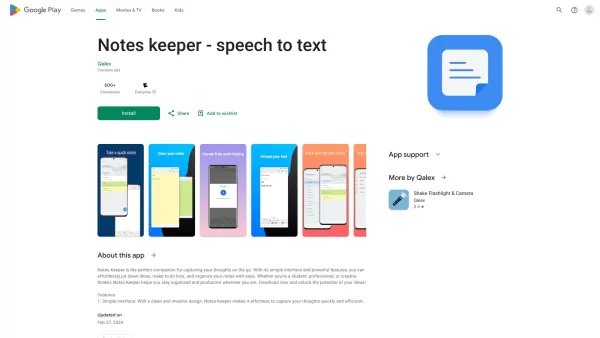
HomeNotes keeper - speech to text



Helps TikTok sellers, brands, MCNs, and TAPs discover winning products and find creators.

HelpLook is an AI-powered all-in-one knowledge base tool that helps businesses quickly build knowledge bases, help centers, and...

Your AI Workspace

302.AI is an enterprise-grade AI resource platform with pay-as-you-go pricing, API access to a full range of AI models, and ready-to-use online applications.

剧火AI — AI Screenwriter + Director, a One-Person Short Drama Studio In one sentence, what is it?

What is Undressbaby AI?Undressbaby is a cutting-edge, AI-driven platform that lets users creatively alter their photos and videos. From swapping faces to trying on virtual outfits, it offers a simple yet powerful solution. Just upload your media, and

What is GPT2Markdown?GPT2Markdown is a Chrome extension that streamlines the process of exporting your ChatGPT conversations into Markdown format. With a single click, it allows you to download your chat history as a Markdown (.md) file directly to y

What is xPage?xPage leverages AI to simplify the creation of professional eCommerce landing pages. It provides a wide selection of expert-designed templates that you can tailor to your brand. After choosing your template, the AI engine produces a dyn

What is Lyvia AI?Lyvia is a powerful platform featuring an uncensored AI image generator and versatile face swap tools for both photos and videos. Accessible on your mobile, tablet, or computer, it’s designed to evolve with you through regular update
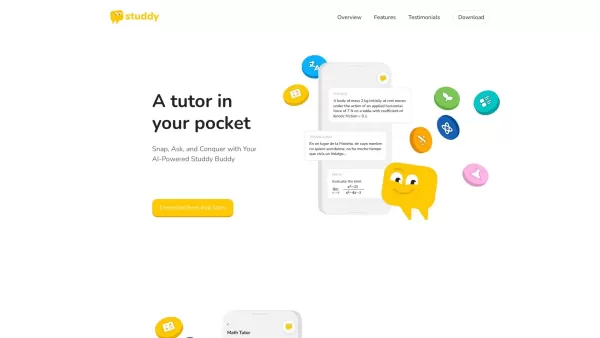
What is Studdy?Studdy AI is an intelligent tutoring app that helps students complete homework, grasp difficult subjects, and improve their grades. Leveraging advanced AI, it offers immediate support for math, science, reading, and other areas. The ap
Notes keeper - speech to text Product Information
Understanding Notes Keeper: Speech-to-Text Note Taking
Notes Keeper is a powerful yet simple note-taking app designed to help users create, organize, and manage their thoughts effortlessly. With an intuitive interface, it offers customizable formatting, color coding, and tagging features to keep your notes structured. Enjoy peace of mind with secure backup and restore capabilities, making it an ideal tool for both personal journaling and professional task management.
Who Should Use Notes Keeper?
- Students looking to organize lecture materials
- Professionals managing daily tasks and meetings
- Writers capturing ideas and drafts
- Anyone seeking a streamlined, organized note-taking experience
How to Get Started with Notes Keeper
- Step 1: Download and install the Notes Keeper app from your device's app store.
- Step 2: Launch the app, then either create a new account or log in to your existing one.
- Step 3: Begin taking notes by tapping the 'New Note' button.
- Step 4: Personalize your notes using color tags, headings, and various formatting tools.
- Step 5: Keep your notes tidy by organizing them into folders or applying specific tags for quick access.
- Step 6: Utilize the backup feature to ensure your notes are safely stored and easily recoverable.
Supported Platforms
- iOS
- Android
Key Features and Advantages of Notes Keeper
Core Functionality
- Flexible note customization options
- Visual organization through color coding and tags
- Reliable backup and data restoration
- Fast and effective search capabilities
- Built-in to-do list creation
User Benefits
- Enhanced productivity and better organization
- Seamless access to notes across devices
- Intuitive and easy-to-navigate interface
- Streamlined task management
- Robust security for your personal data
Primary Use Cases
- Capturing lecture notes in real-time
- Managing daily to-do lists and priorities
- Jotting down creative ideas and inspirations
- Planning and tracking personal projects
- Organizing and reviewing meeting minutes
Frequently Asked Questions About Notes Keeper
How do I add tags to my notes?
You can easily assign tags while creating or editing any note.
What is the process for creating a new note?
Simply tap the 'New Note' button located on the home screen.
Is color coding available for notes?
Absolutely. The app supports color coding to help you visually categorize your notes.
Is my data secure within the app?
Yes, your notes are securely backed up and protected against loss.
Can I view my notes without an internet connection?
Yes, the app allows full offline access to your notes.
Are there restrictions on the number of notes I can create?
No, there is no limit. You can create as many notes as required.
Is it possible to share notes with others?
Yes, you can easily share individual notes with friends or colleagues.
Does the application offer a dark mode?
Yes, dark mode is available and can be enabled in the settings.
Is customer support available?
Yes, dedicated customer support is accessible directly through the app.
Can I export my notes to other formats?
Yes, the app includes a convenient export feature for your notes.
About the Developer: Notes Keeper
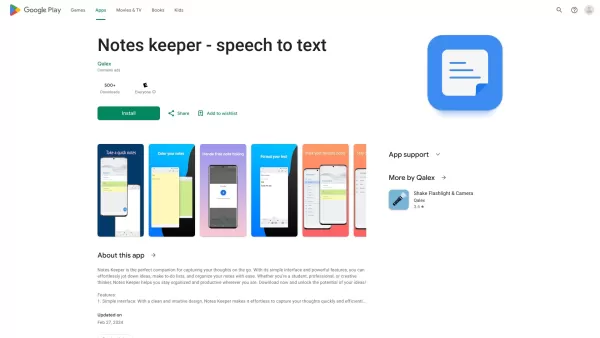
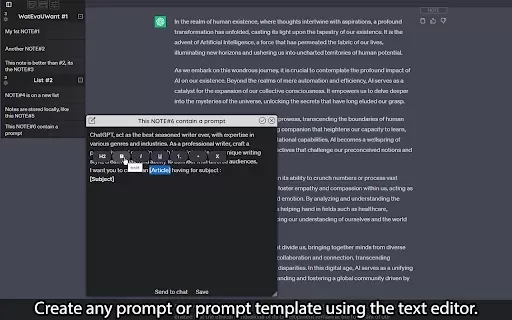
Notes keeper - speech to text Screenshot

2026 Latest Best Top-rated AI Fraud Detection Tools curated by XIX.AI offer powerful game-changing solutions to spot suspicious patterns swiftly and prevent costly losses. Get a free vs paid comparison, real-world tests, and detailed rankings to help you choose the must-try option that boosts your security efficiency. Explore now to Unlock your AI edge.
 10 tools
 xix.ai

2026 Latest Best Top-Rated AI Wellness Companions Ranked by Experts. This curated list features powerful game-changing tools that offer daily mindfulness support to help users reduce stress, boost focus, and improve overall well-being through real-world tests. Get a free vs paid comparison to find your perfect match. Explore now at XIX.AI to unlock your AI edge.
9 tools
xix.ai
2026 Latest Best Top-Rated AI Speech Styling Tools for Natural Voice Output are here on XIX.AI. This curated collection features powerful, game-changing tools that deliver highly customizable voice tones, perfect for boosting writing efficiency and creating engaging content. We conduct real-world tests to provide accurate weekly updated rankings, along with a free vs paid comparison to help you choose the best fit for your needs. Explore now to Discover your perfect tool and Unlock your AI edge.
20 tools
xix.ai

2026 Latest Best Top-rated AI Rank Tracking Tools for Google, AI Overviews, and Answer Engine Visibility are here on XIX.AI. This curated list features powerful game-changing tools that go through rigorous real-world tests to deliver accurate rankings data. Get a free vs paid comparison, see top performers, and discover must-try options to boost your content’s visibility across search engines. Explore now to find the perfect tool for your needs.
10 tools
xix.ai
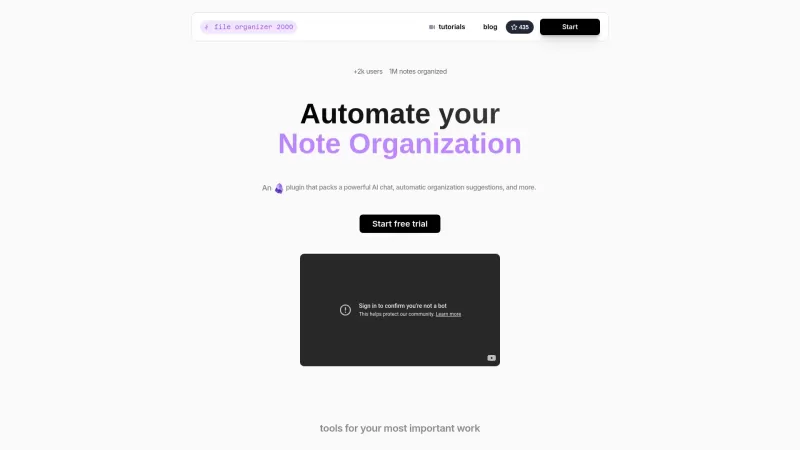
2026 Latest Best Top-Rated AI Second-Brain Organizers for Notes and Tasks! XIX.AI has curated a highly powerful game-changing collection, featuring weekly updated rankings, free vs paid comparison, and real-world tests to help you find the perfect tool that boosts productivity dramatically. Explore now to unlock your AI edge!
11 tools
xix.ai

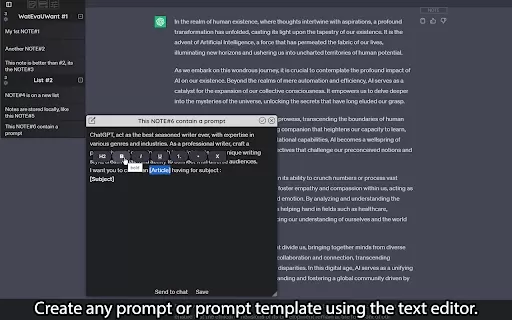
2026 Latest Best Top-Rated AI Prompt Testing Platforms for ChatGPT and Claude Workflows! XIX.AI curates a powerful game-changing collection, featuring weekly updated rankings, free vs paid comparison, real-world tests, and detailed feature breakdowns to help you identify the must-try tools that boost productivity and deliver flawless outputs. Explore now to discover your perfect solution and unlock your AI edge. (249 characters)
9 tools
xix.ai


