


 Home
HomeMIA: AI-Powered Writing Assistant - Chrome Extension
AI Writing Assistant for LinkedIn & Medium Content



Helps TikTok sellers, brands, MCNs, and TAPs discover winning products and find creators.

HelpLook is an AI-powered all-in-one knowledge base tool that helps businesses quickly build knowledge bases, help centers, and...

Your AI Workspace

302.AI is an enterprise-grade AI resource platform with pay-as-you-go pricing, API access to a full range of AI models, and ready-to-use online applications.

剧火AI — AI Screenwriter + Director, a One-Person Short Drama Studio In one sentence, what is it?

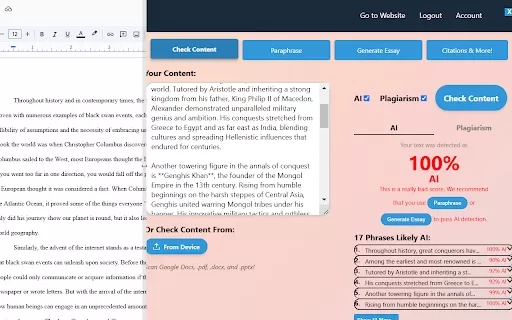
What is Originality?Originality.AI is an advanced AI-powered platform built to identify AI-generated text and detect plagiarism. It serves writers, publishers, and educators by verifying the authenticity and originality of content. The tool utilizes

What is PaperRed? PaperRed is a game-changer in the world of academic tools. It’s a free online plagiarism checker powered by AI technology, designed to help students, writers, and researchers ensure their work is original and polished. Think of it as you
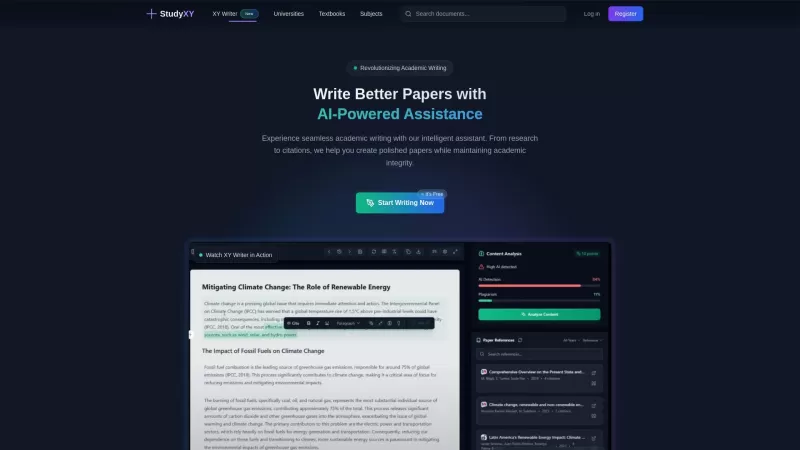
What is XYWriter?XYWriter is your go-to AI-powered academic writing assistant. It's designed to make life easier for students and researchers by helping with everything from managing citations to checking for plagiarism. Plus, it's all about keeping things honest and academically sound.How to Use XY
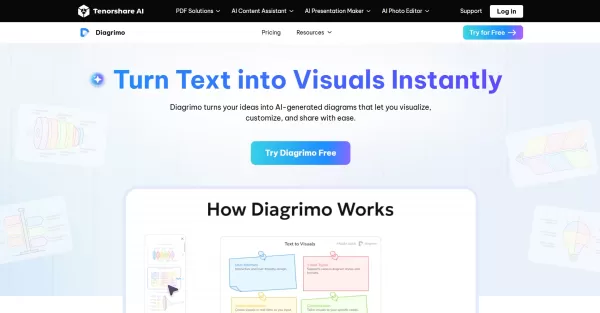
What is Diagrimo?Diagrimo is an AI-powered text-to-visual tool that helps users transform text or concepts into structured diagrams like flowcharts, SWOT analyses, pyramids, and infographics. It supports users in organizing ideas, planning projects,
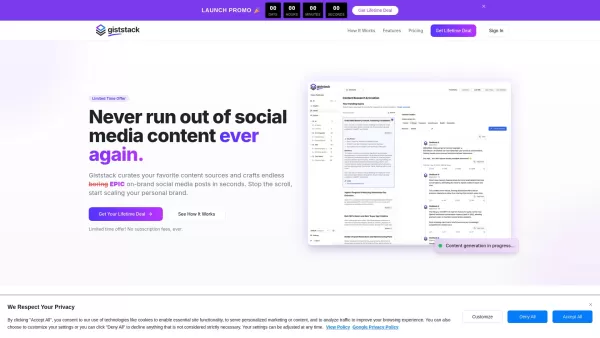
What is Giststack? Giststack is an AI-driven platform that assists users, especially solopreneurs and marketers, in tackling the hurdles of social media content creation. It gathers content from your preferred websites and newsletters, spots trending
MIA: AI-Powered Writing Assistant - Chrome Extension Product Information
What is the MIA AI Writing Assistant Chrome Extension?
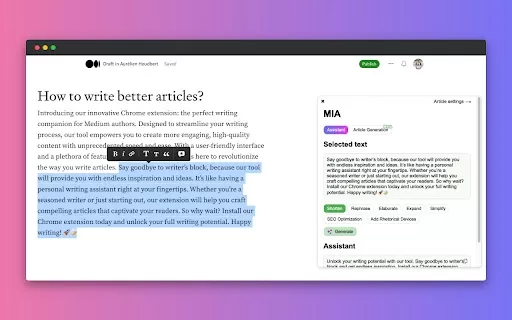
MIA is an AI-powered writing assistant built for content creators on platforms like LinkedIn and Medium. It enables users to effortlessly refine, enhance, and transform their content. Running on OpenAI technology, MIA offers tools such as content transformation, style adjustment, and fast-track editing to optimize your workflow.
How to Use the MIA AI Writing Assistant Chrome Extension
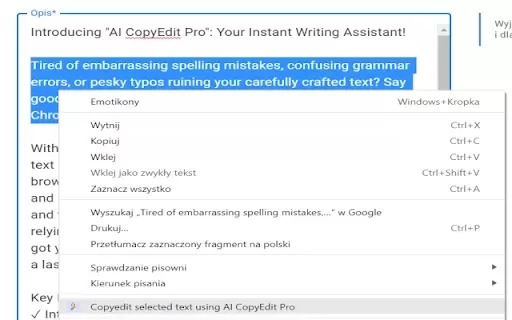
To get started with MIA, simply highlight any text on LinkedIn or Medium, click the MIA extension icon, adjust your preferred tone and style, choose an enhancement like 'Shorten' or 'Elaborate,' and see your writing evolve instantly.
Core Features of MIA AI Writing Assistant
Content Transformation (shorten, elaborate, rephrase, expand)
Style Tuning (adjust tone and style)
Fast-Track Medium Editing
MIA AI Writing Assistant Use Cases
Improving LinkedIn posts for higher engagement
Polishing Medium articles for better readability
Generating multiple versions of existing content quickly
MIA AI Writing Assistant FAQ
What is MIA?
Do I need to pay to use MIA?
Is my data secure with MIA?
Can I customize MIA's suggestions?
Is MIA affiliated with LinkedIn, Medium or OpenAI?
MIA: AI-Powered Writing Assistant - Chrome Extension Screenshot

2026 Latest Best Top-Rated AI Melody Writing Tools for Song Drafts! XIX.AI has curated a highly powerful game-changing collection that goes through rigorous real-world tests to deliver the best writing experience. You can find detailed free vs paid comparisons, accurate rankings, and must-try options designed to help you create stunning song drafts effortlessly and boost your creative productivity significantly. Explore now to discover your perfect tool!
 8 tools
 xix.ai

2026 Latest Best Top-rated AI Conversation Trainer Tools for Interview Practice are here on XIX.AI! This curated collection features powerful, game-changing tools that go through rigorous real-world tests to deliver accurate feedback. You’ll find a free vs paid comparison and detailed rankings to help you choose the must-try option that boosts your confidence and skills. Explore now to Discover your perfect tool for interview success!
12 tools
xix.ai

2026 Latest Best Top-rated AI Style Transfer Tools for Creative Experiments! XIX.AI has curated a powerful, game-changing collection of must-try tools that deliver exceptional results through real-world tests and rigorous rankings. These top solutions help creatives boost productivity significantly by accelerating content creation and unlocking endless creative possibilities. Explore now to discover your perfect tool and start creating today!
9 tools
xix.ai

2026 Latest Best Top-Rated AI Dialogue Bubble Tools for Visual Storytelling are here on XIX.AI! This curated collection features powerful, game-changing tools that help creators boost productivity and overcome creative bottlenecks. Get a free vs paid comparison, see real-world tests, and check the latest rankings to find the must-try solutions perfect for crafting engaging visual narratives. Explore now to discover your ideal tool!
10 tools
xix.ai

2026 Latest Top-Rated Best AI Meeting Summary Tools for Clear Decision Tracking and Effortless Follow-Ups. This curated list showcases powerful, game-changing solutions that boost productivity dramatically by automating meeting notes, identifying key action items, and streamlining team coordination across all projects. Get a free vs paid comparison along with real-world tests and weekly updated rankings to help you find the perfect tool. Explore now to unlock your AI edge!
9 tools
xix.ai

2026 Latest Best Top-rated AI Data Cleaning Tools for quick fixing of missing values and duplicates. This curated list showcases powerful, game-changing solutions that boost productivity significantly. Each option has undergone rigorous real-world tests to ensure reliability. Get a free vs paid comparison and discover the must-try tool that fits your needs best. Explore now at XIX.AI to Unlock your AI edge.
11 tools
xix.ai


