


 Home
HomeMagic Tool AI
Boost your productivity with AI-powered tools.



Helps TikTok sellers, brands, MCNs, and TAPs discover winning products and find creators.

HelpLook is an AI-powered all-in-one knowledge base tool that helps businesses quickly build knowledge bases, help centers, and...

Your AI Workspace

302.AI is an enterprise-grade AI resource platform with pay-as-you-go pricing, API access to a full range of AI models, and ready-to-use online applications.

剧火AI — AI Screenwriter + Director, a One-Person Short Drama Studio In one sentence, what is it?
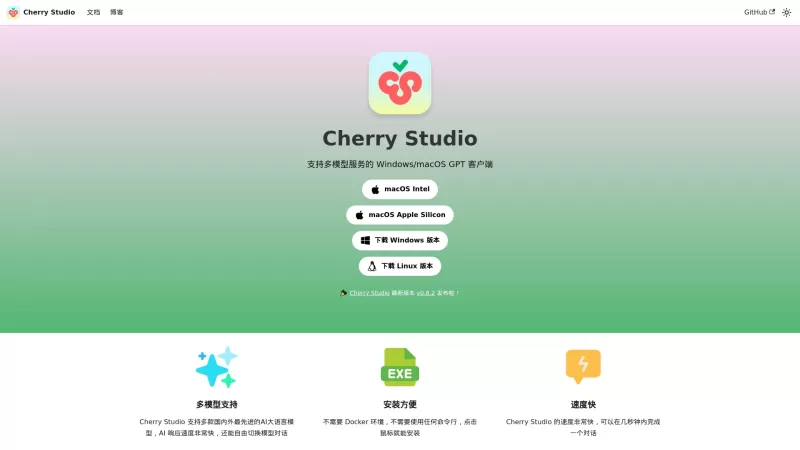
Ever stumbled upon Cherry Studio AI and wondered what it's all about? Well, let me break it down for you. Cherry Studio AI isn't just another run-of-the-mill AI tool; it's a powerhouse desktop client that lets you dive into advanced AI interactions across

Discover Plume AI: Your Ultimate Academic Writing AssistantAre you tired of struggling with your academic writing? Well, say hello to Plume AI, the innovative AI assistant that's here to revolutionize the way you write! Designed with students in mind, Plume AI harnesses the power of cutting-edge art
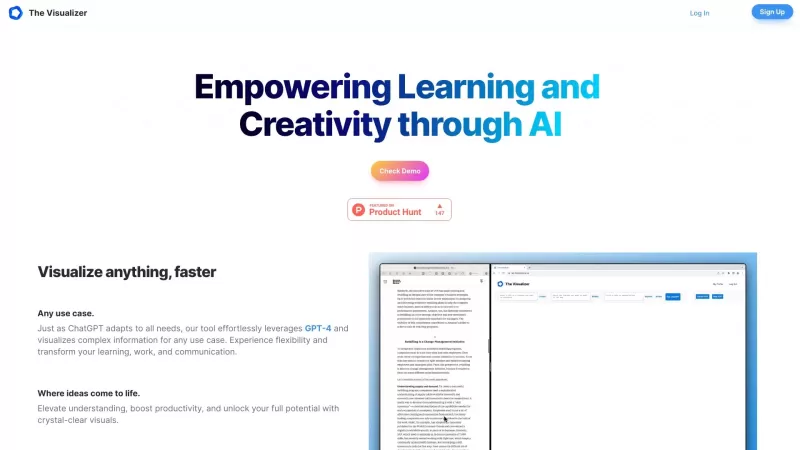
Ever wondered how to turn your jumbled thoughts and complex queries into something you can actually grasp? Enter The Visualizer, your new best friend in the world of learning and creativity. This nifty tool takes your written queries, URLs, and even PDFs,

Ever wished for a trusty sidekick to help you navigate the digital world with ease? Enter Sider, your personal AI companion designed to seamlessly blend into your daily routine. Starting off as a handy Chrome/Edge extension, Sider transforms your browsing

Ever wondered what Ninja AI is all about? Well, let me tell you, it's like having a Swiss Army knife for your digital needs! Ninja AI isn't just another AI tool; it's a powerhouse that brings together over 24 top-notch Large Language Models (LLMs) to help
Magic Tool AI Product Information
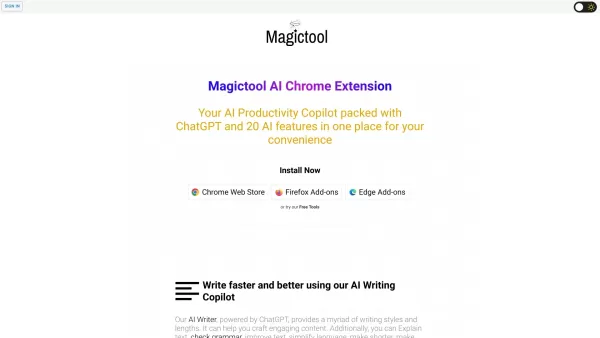
Magic Tool AI is not just another tool; it's a suite of productivity-enhancing features that promises to turbocharge your efficiency. Imagine having a Swiss Army knife for your digital life—that's what Magic Tool AI feels like. It's designed to make you more productive, and let me tell you, it does a pretty darn good job at it.
How to Use Magic Tool AI?
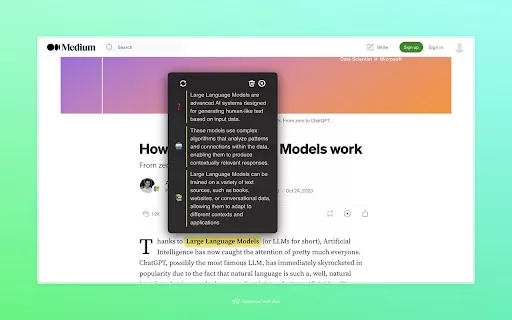
Getting started with Magic Tool AI is as easy as pie. Just install the browser extension, and bam! You've got 20 AI features at your fingertips. Want to write faster and better? Check. Need to summarize that endless YouTube video? Done. How about generating AI images or chatting with your PDFs? Yup, it's all there. Plus, you can extract data from webpages, use an AI-powered text editor, and dive into clutter-free reading with Reader Mode. It's like having a superpower in your browser.
Magic Tool AI's Core Features
AI Writing Copilot
Ever wished for a writing buddy who never sleeps? The AI Writing Copilot is that friend, helping you craft emails, articles, or anything else with ease.
YouTube Video Summarizer & AI Video Dubbing
Got no time to watch that 45-minute tutorial? No problem. Let the YouTube Video Summarizer give you the gist in a snap. And with AI Video Dubbing, you can even translate and dub videos into different languages. How cool is that?
ChatGPT and GPT4
These aren't just buzzwords; they're your new best friends for answering questions and generating content. Whether you're curious about something or need to create, they've got you covered.
Generate AI Images
From text to image, this feature lets you create visuals that match your wildest dreams. Perfect for when you need a quick graphic or just want to play around.
Chat with and Summarize PDFs
Reading long PDFs can be a drag. But with Magic Tool AI, you can chat with them or get a summary in no time. It's like having a personal assistant for your documents.
Data Scraping and Extraction
Need to pull data from a webpage? This tool makes it as easy as pie, saving you hours of manual work.
Magic Editor and Magic Shortcut
The Magic Editor is your AI-powered text editor, making writing and editing a breeze. And with Magic Shortcuts, you can streamline your workflow like never before.
Reader Mode
Say goodbye to cluttered webpages. Reader Mode strips away the distractions, letting you focus on what matters—the content.
Magic Tool AI's Use Cases
Improve Writing Efficiency
Whether you're drafting an email or a report, Magic Tool AI helps you write faster and better, turning hours of work into minutes.
Quickly Summarize YouTube Videos
No more watching long videos to get the gist. Summarize them in seconds and move on with your day.
Find Accurate Information and Summarize Articles
Need to sift through articles for research? Let Magic Tool AI do the heavy lifting, finding and summarizing the info you need.
Generate AI Images from Text
Turn your words into stunning visuals. It's perfect for creating quick graphics or just having fun with AI.
Extract Data from Webpages
Save time by extracting data from webpages effortlessly. It's like having a data miner at your fingertips.
Efficient PDF Reading and Summarizing
Reading PDFs doesn't have to be a chore. Chat with them or get a quick summary to stay on top of your game.
FAQ from Magic Tool AI
- What is Magic Tool AI?
- Magic Tool AI is a suite of productivity tools designed to enhance your efficiency and productivity with AI-powered features.
- How do I install the Magic Tool AI browser extension?
- Installing the Magic Tool AI browser extension is straightforward. Just visit the extension store, search for Magic Tool AI, and click 'Add to Browser'.
- Are there any free tools available?
- Yes, Magic Tool AI offers some free tools. Check out the pricing page for more details on what's available for free and what requires a subscription.
- Can I use Magic Tool AI for data analysis?
- While Magic Tool AI isn't primarily a data analysis tool, its data scraping and extraction features can certainly help with gathering data for analysis.
- Is there a dark mode feature?
- Yes, Magic Tool AI includes a dark mode feature for those who prefer a darker interface.
Magic Tool AI Discord is the place to be if you want to chat with other users, get support, or just hang out. For more Discord messages, click here.
Need help? Reach out to Magic Tool AI's support team via email. For more contact options, visit the contact us page.
Magic Tool AI is brought to you by Magictool AI. Curious about the company? Check out their 'About Us' page for more details.
Already a user? Log in to Magic Tool AI to access your tools and features.
Interested in the pricing? Head over to Magic Tool AI's pricing page to see what plans are available.
Want to see Magic Tool AI in action? Check out their YouTube channel for tutorials and demos.
Stay updated with the latest news and tips by following Magic Tool AI on Twitter.
Magic Tool AI Screenshot




2026 Latest Top-rated AI Illustration Tools: Our curated list features the best powerfully designed tools for creating stunning editorial scenes and eye-catching cover art quickly. Each option has gone through rigorous real-world tests, offering a free vs paid comparison to help you find the perfect match for your workflow. Try these must-try solutions today to unlock your AI edge and boost your creative productivity. Explore now at XIX.AI.
 10 tools
 xix.ai

2026 Latest Top-Rated Best AI Tutors for Exam Prep are here on XIX.AI! Our curated list features powerful game-changing tools that offer free vs paid comparison, real-world tests, and weekly updated rankings. They help boost your writing efficiency, simplify complex topic learning, and unlock your academic potential. Explore now to Discover your perfect exam prep tool and Start creating today to Unlock your AI edge!
10 tools
xix.ai

2026 Latest Best Top-Rated AI Budget Planning Tools for Personal Money Management are here on XIX.AI! This curated collection features powerful, game-changing solutions that help you conduct real-world tests, understand spending habits, and create personalized plans to boost productivity. Enjoy a free vs paid comparison along with detailed rankings. Must-try tools designed to simplify money management and unlock your AI edge. Explore now!
11 tools
xix.ai

2026 Latest Best Top-Rated AI Sleep Tracking Assistants curated for ultimate recovery. This fully updated weekly guide features powerful tools that deliver real-world tests, free vs paid comparison, and detailed rankings to help you find the must-try solution that boosts sleep quality and supports better bedtime habits. Explore now at XIX.AI to Unlock your AI edge.
10 tools
xix.ai

2026 Latest Best Top-Rated AI SQL Copilots for Product and Revenue Analytics! XIX.AI has curated a powerful, game-changing collection of must-try tools that undergo real-world tests through weekly updated rankings. These tools help users boost productivity significantly by accelerating data analysis, streamlining complex queries, and generating accurate insights to drive smarter business decisions. Explore now to Discover your perfect tool for unlocking your AI edge!
14 tools
xix.ai

2026 Latest Best Top-Rated AI Homework Helpers That Teach Core Concepts Not Just Answers Powerful Tools for Students Must-Try Curated List Weekly Updated Free vs Paid Comparison Real-World Tests Accurate Rankings to Help You Unlock Your Full Learning Potential Explore now to Discover your perfect tool for smarter studying.
10 tools
xix.ai


Just tried Magic Tool AI and wow, it actually feels like a digital Swiss Army knife! The automation features saved me an hour on reports today. My only worry is getting too dependent on it 😅 Definitely a game-changer for productivity nerds like me. #EfficiencyBoost


