


 Home
HomeMaestro
Automated Mobile & Web App Testing Desktop



Helps TikTok sellers, brands, MCNs, and TAPs discover winning products and find creators.

HelpLook is an AI-powered all-in-one knowledge base tool that helps businesses quickly build knowledge bases, help centers, and...

Your AI Workspace

302.AI is an enterprise-grade AI resource platform with pay-as-you-go pricing, API access to a full range of AI models, and ready-to-use online applications.

剧火AI — AI Screenwriter + Director, a One-Person Short Drama Studio In one sentence, what is it?

Ever stumbled upon CapCut and wondered what it's all about? Well, let me tell you, CapCut isn't just another app—it's a powerhouse of creativity fueled by AI. Whether you're on your browser, rocking a Windows or Mac, or using your Android or iOS device, C
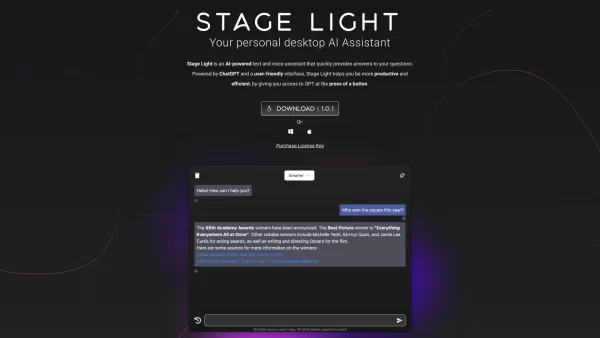
The OpenAI Desktop App is a dynamic tool designed for both Windows and macOS users, offering direct access to OpenAI's powerful models with just a keystroke. This app features a sleek popup window that enhances your interaction experience, and it also com

What is Miaoyan? Miaoyan AI Voice Input is a desktop application for Windows and macOS, designed specifically for Chinese users who frequently write, code, or communicate. Unlike standard speech-to-text tools, Miaoyan specializes in real-time, AI-ass

Ever found yourself in a situation where you desperately needed to understand a foreign language, but Google Translate just wasn't cutting it? Enter Lingvanex, your new best friend in the world of translation. This isn't just another translation tool; it's a full-blown suite designed to make your li

Ever wished for a personal assistant that's not just smart but also tailored to your needs? Enter Alice App - Your private AI Assistant, a desktop application that's here to make your life easier and your work more efficient.Getting Started with Alice App
Maestro Product Information
What is Maestro?
Maestro is a unified desktop application that automates end-to-end testing for both mobile and web apps. Based on the open-source Maestro framework, it enables users to quickly create, execute, and scale tests without needing command-line tools or complex IDE configurations. Suitable for developers and non-technical team members alike, Maestro simplifies UI testing for efficiency.
How to use Maestro?
You can run tests locally via the Maestro CLI or the Maestro Studio desktop application. Maestro Studio offers a visual interface to inspect elements, record actions to generate test commands, and interact with MaestroGPT—an AI assistant for command creation and support. Scale your testing by running tests in parallel on Maestro’s cloud infrastructure and integrate them into CI/CD pipelines for continuous validation.
Maestro's Core Features
Dedicated all-in-one IDE built for testers
Visual testing to locate elements and build tests visually
Cross-platform testing for iOS, Android, and Web applications (supporting frameworks like React Native, Flutter, and SwiftUI)
AI-assisted testing using MaestroGPT for command generation and support
Element inspector for easy UI element identification
Action recording to automatically produce test commands
CI/CD pipeline integration for shift-left testing
Parallel test execution on enterprise-grade cloud infrastructure
Comprehensive test reporting and flow analysis
Maestro's Use Cases
Automating end-to-end UI tests for mobile and web applications.
Creating and executing tests in minutes with minimal setup.
Scaling test execution through cloud-based parallel runs.
Empowering non-technical team members to write and maintain tests.
Integrating automated tests into CI/CD workflows (e.g., pre-release, nightly builds, pull request checks).
Ensuring quality control and catching issues early in the development cycle.
FAQ from Maestro
What is Maestro?
Is Maestro free to use?
What platforms does Maestro support for testing?
Can non-technical users create tests with Maestro?
How does Maestro integrate with CI/CD pipelines?
Maestro Support Email & Customer service contact & Refund contact etc.
Maestro Company
Company name: Mobile Dev Inc. .
Maestro Login
Maestro login link: https://signin.maestro.dev/sign-up
Maestro Sign up
Maestro sign-up link: https://signin.maestro.dev/sign-up
Maestro Twitter
Maestro Twitter link: https://x.com/maestro__dev
Maestro Github
Maestro GitHub link: https://github.com/mobile-dev-inc/maestro
Maestro Screenshot

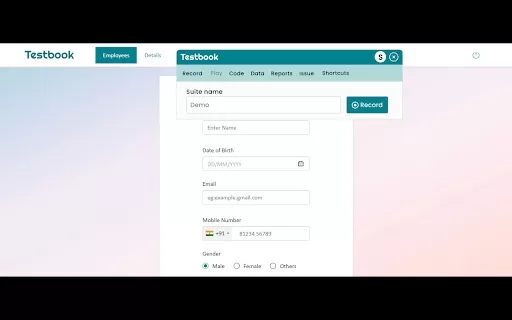
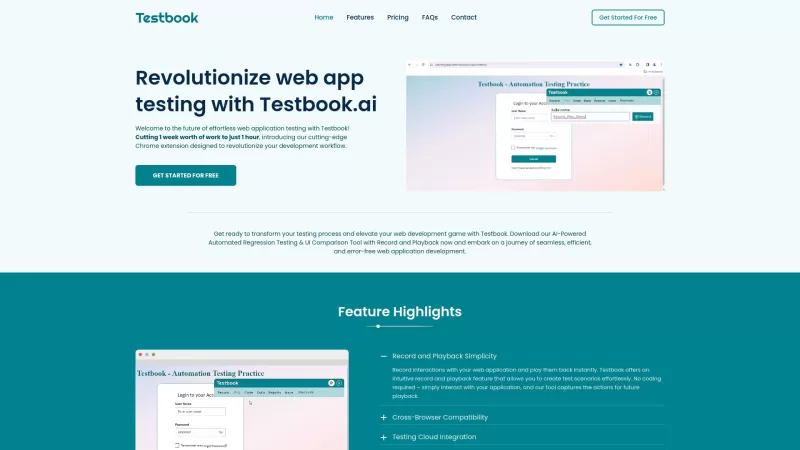


2026 Latest Best All-in-One AI App Development Tools: Uncover our Top-rated curated picks. These game-changing suites handle your entire workflow, from design to deployment. Compare free vs paid options with our weekly updated rankings. Unlock your AI edge with XIX.AI
 10 tools
 xix.ai


Maestro looks like a dream for QA folks who hate juggling multiple tools! 🎯 The fact it's unified and based on the open-source framework means I can finally ditch all those CLI scripts. Curious how well it handles complex mobile gestures though. Hope it doesn't turn into another bloated mess! 😅


