


 Home
HomeKeep It Shot
AI Mac Screenshot Renamer Organizer



Helps TikTok sellers, brands, MCNs, and TAPs discover winning products and find creators.

HelpLook is an AI-powered all-in-one knowledge base tool that helps businesses quickly build knowledge bases, help centers, and...

Your AI Workspace

302.AI is an enterprise-grade AI resource platform with pay-as-you-go pricing, API access to a full range of AI models, and ready-to-use online applications.

剧火AI — AI Screenwriter + Director, a One-Person Short Drama Studio In one sentence, what is it?

What is AI Dream Factory (Unlimited AI Girlfriend Chinese Version)?Botur Game Factory presents an AI-powered virtual girlfriend, crafted to deliver an immersive and interactive conversational experience. Powered by advanced AI algorithms, this virtua
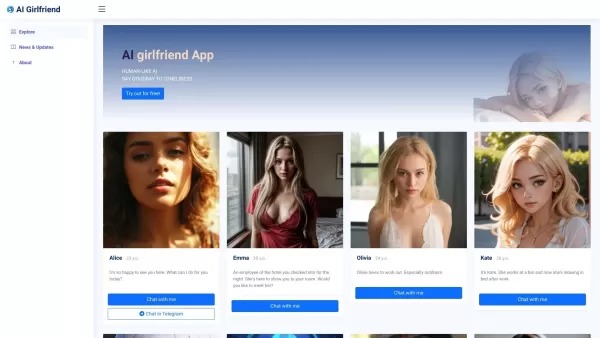
What is AI Girlfriend Alice?AI Girlfriend Alice bridges technology and human connection by offering a customizable virtual partner. Powered by advanced AI, this platform provides a secure and private space for companionship. Users can personalize the
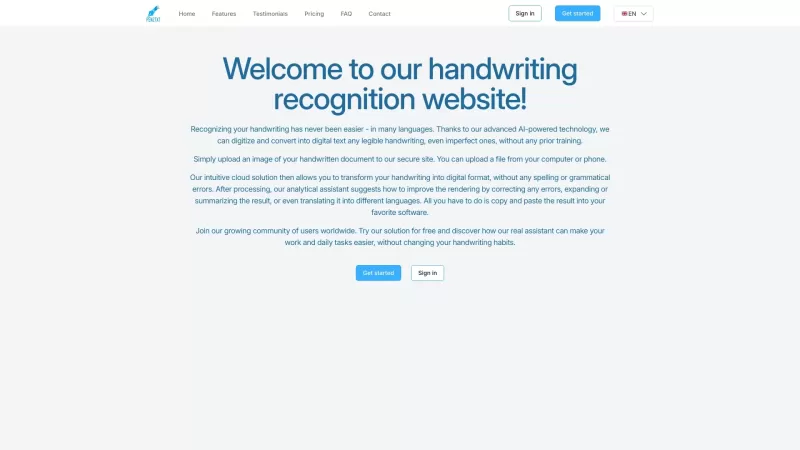
Ever wished you could magically turn your scribbled notes into neat, digital text? That's where Pen2txt comes in—a handy tool that transforms your handwritten notes into editable digital format using cutting-edge Handwritten Text Recognition (HTR) technology. How to Use Pen2txt? Getting started wit
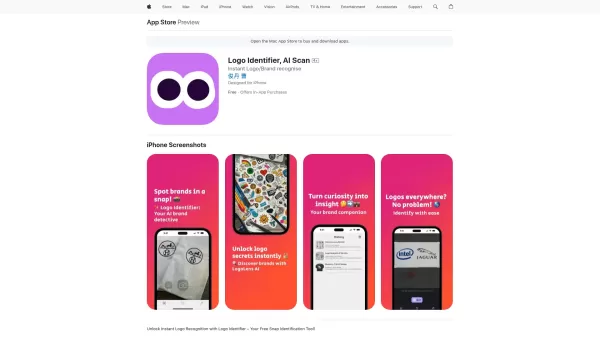
Ever wondered what that cool logo you spotted on your shopping spree or while flipping through a magazine actually represents? Enter Logo Identifier, the nifty AI-powered app that's like having a brand-savvy friend in your pocket. With just a snap of your
Are you gearing up for your DSE oral exams and feeling a bit nervous about your English speaking skills? Fear not! The DSE Speaking Assistant is here to help you ace those exams with confidence. This AI-powered tool is like having a personal tutor at your
Keep It Shot Product Information
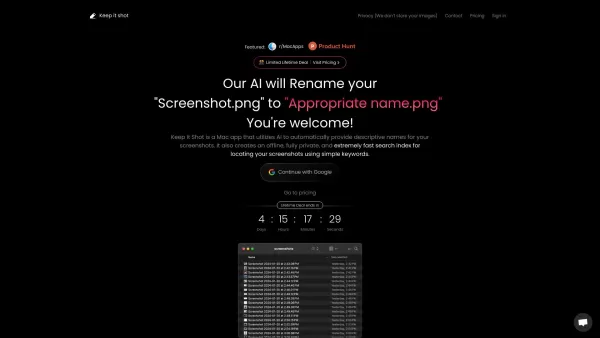
Ever found yourself lost in a sea of screenshots on your Mac, struggling to find that one image you need? Enter Keep It Shot, a game-changer for Mac users. This nifty app harnesses the power of AI to give your screenshots descriptive names automatically. Not only does it rename your screenshots, but it also builds an offline, ultra-private, and lightning-fast search index. Now, you can locate your screenshots with ease using simple keywords. Isn't it about time your Mac got a bit smarter about handling your screenshots?
How to Use Keep It Shot?
Getting started with Keep It Shot is a breeze. Just download and install the app on your Mac. Once it's up and running, it will start renaming your screenshots with those handy descriptive names and build that private search index for you. But wait, there's more! You can tweak the renaming preferences to suit your taste or revert to the original names if the new ones don't quite hit the mark. It's all about making your life easier, one screenshot at a time.
Keep It Shot's Core Features
Automatic Renaming of Screenshots
Say goodbye to the hassle of manually renaming screenshots. Keep It Shot does the heavy lifting for you, ensuring your images are named in a way that makes sense to you.
Effortless Batch Renaming
Got a bunch of screenshots to sort out? No problem. Keep It Shot can handle batch renaming with ease, saving you time and frustration.
Tailored Renaming Preferences
Customize the way your screenshots are named. Whether you prefer dates, descriptions, or a mix of both, Keep It Shot lets you set the rules.
Fast and Private Offline Search
Need to find a screenshot in a hurry? Keep It Shot's offline search is not only quick but also keeps your data private and secure.
Keep It Shot's Use Cases
Organizing Cluttered Screenshots
Turn your screenshot chaos into order. Keep It Shot helps you organize your digital snapshots, making it easier to manage your growing collection.
Quickly Finding Specific Screenshots
Whether it's for work or personal use, finding that specific screenshot is a snap with Keep It Shot's powerful search capabilities.
Keeping Screenshots as a Second Brain
Use your screenshots as a visual memory aid. With Keep It Shot, your screenshots become an extension of your brain, helping you recall important information at a glance.
FAQ from Keep It Shot
- What does Keep It Shot do?
- Keep It Shot uses AI to automatically rename your screenshots and create a fast, private search index for them.
- Is Keep It Shot compatible with all Mac devices?
- Yes, Keep It Shot is designed to work seamlessly with all Mac devices.
- Can I customize the renaming preferences?
- Absolutely! You can tailor the renaming preferences to fit your needs.
- Does Keep It Shot store my images?
- No, Keep It Shot does not store your images. It only renames them and creates a search index locally on your device.
- How fast is the offline search feature?
- The offline search feature is incredibly fast, allowing you to find your screenshots in no time.
- Can I revert back to the original names if I don't like the new ones?
- Yes, you can easily revert to the original names if the new ones don't suit you.
Want to dive deeper into what users think about Keep It Shot? Check out the discussion on Reddit: Keep It Shot Reddit.
Need help or have a question? Reach out to Keep It Shot's support team at [email protected].
Ready to log in and start organizing your screenshots? Visit the Keep It Shot Login page.
Curious about the cost? Take a look at the Keep It Shot Pricing details.
Stay updated with the latest on Keep It Shot by following their Twitter feed.
Keep It Shot Screenshot


2026 Latest Top-rated AI Illustration Tools: Our curated list features the best powerfully designed tools for creating stunning editorial scenes and eye-catching cover art quickly. Each option has gone through rigorous real-world tests, offering a free vs paid comparison to help you find the perfect match for your workflow. Try these must-try solutions today to unlock your AI edge and boost your creative productivity. Explore now at XIX.AI.
 10 tools
 xix.ai

2026 Latest Top-Rated Best AI Tutors for Exam Prep are here on XIX.AI! Our curated list features powerful game-changing tools that offer free vs paid comparison, real-world tests, and weekly updated rankings. They help boost your writing efficiency, simplify complex topic learning, and unlock your academic potential. Explore now to Discover your perfect exam prep tool and Start creating today to Unlock your AI edge!
10 tools
xix.ai

2026 Latest Best Top-Rated AI Budget Planning Tools for Personal Money Management are here on XIX.AI! This curated collection features powerful, game-changing solutions that help you conduct real-world tests, understand spending habits, and create personalized plans to boost productivity. Enjoy a free vs paid comparison along with detailed rankings. Must-try tools designed to simplify money management and unlock your AI edge. Explore now!
11 tools
xix.ai

2026 Latest Best Top-Rated AI Sleep Tracking Assistants curated for ultimate recovery. This fully updated weekly guide features powerful tools that deliver real-world tests, free vs paid comparison, and detailed rankings to help you find the must-try solution that boosts sleep quality and supports better bedtime habits. Explore now at XIX.AI to Unlock your AI edge.
10 tools
xix.ai

2026 Latest Best Top-Rated AI SQL Copilots for Product and Revenue Analytics! XIX.AI has curated a powerful, game-changing collection of must-try tools that undergo real-world tests through weekly updated rankings. These tools help users boost productivity significantly by accelerating data analysis, streamlining complex queries, and generating accurate insights to drive smarter business decisions. Explore now to Discover your perfect tool for unlocking your AI edge!
14 tools
xix.ai

2026 Latest Best Top-Rated AI Homework Helpers That Teach Core Concepts Not Just Answers Powerful Tools for Students Must-Try Curated List Weekly Updated Free vs Paid Comparison Real-World Tests Accurate Rankings to Help You Unlock Your Full Learning Potential Explore now to Discover your perfect tool for smarter studying.
10 tools
xix.ai


Love how this app names my screenshots automatically with AI! Saved me so much time searching through endless folders. Though the AI isn't always accurate, it's still handy for quickly finding stuff. Works great 80% of the time! 😄 Will recommend to friends who struggle with this too.
Keep It Shot 덕분에 스크린샷 정리가 쉬워졌어요! AI가 자동으로 이름을 붙여주니 찾기 편해요. 다만, 가끔 이름이 틀리는 게 아쉽네요. 그래도 맥 사용자라면 꼭 써보세요! 👍
Keep It Shot es un salvavidas para mi carpeta de capturas de pantalla desordenada. Ahora puedo encontrar lo que necesito fácilmente con nombres generados por IA. No es perfecto, a veces los nombres están un poco mal, pero sigue siendo de gran ayuda. ¡Definitivamente lo recomiendo para cualquier usuario de Mac que se ahogue en capturas de pantalla! 🚀
Keep It Shotのおかげで、スクリーンショットの整理が楽になりました!AIが自動で名前をつけてくれるので、探す手間が省けます。ただ、たまに名前がズレることがあるのが残念。でも、Macユーザーにはぜひ使ってほしいですね!👍
Keep It Shot é um salva-vidas para minha pasta de capturas de tela cheia! Agora posso encontrar o que preciso facilmente com nomes gerados por IA. Não é perfeito, às vezes os nomes estão um pouco errados, mas ainda é uma grande ajuda. Recomendo para qualquer usuário de Mac que esteja afogado em capturas de tela! 🚀


