


 Home
HomeHiFun



Helps TikTok sellers, brands, MCNs, and TAPs discover winning products and find creators.

HelpLook is an AI-powered all-in-one knowledge base tool that helps businesses quickly build knowledge bases, help centers, and...

Your AI Workspace

302.AI is an enterprise-grade AI resource platform with pay-as-you-go pricing, API access to a full range of AI models, and ready-to-use online applications.

剧火AI — AI Screenwriter + Director, a One-Person Short Drama Studio In one sentence, what is it?

What is Deepfake Maker? Deepfake Maker is a comprehensive, browser-based AI tool for creating deepfakes, tailored for creators, marketers, and designers who need striking visuals without complicated software. It combines multiple AI capabilities: adv
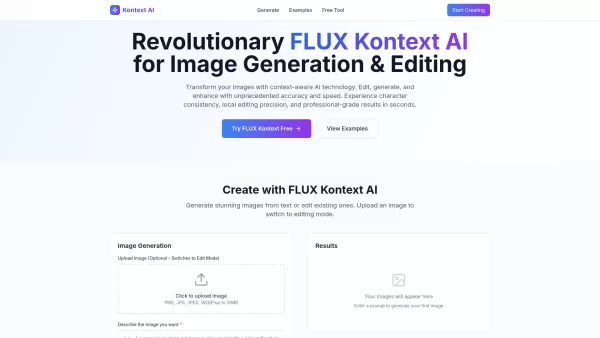
What is Kontext AI? Kontext AI is a cutting-edge, free image generation and editing tool powered by FLUX Kontext technology. It uses context-aware artificial intelligence to produce, alter, and improve images with remarkable speed and precision. The
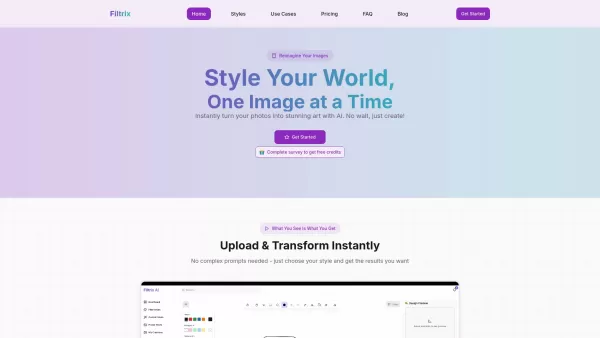
What is Filtrix AI? Filtrix AI is an intuitive AI image editor and generator that turns everyday photos into exceptional visual creations. It leverages artificial intelligence to manage the technical complexities, empowering users to concentrate on c

What is Nano Banana | Nanana AI? Nanana AI is the leading AI image generator and AI image editor on the market. It taps into the full potential of Google's revolutionary Nano Banana model to offer unmatched image creation and editing power. As an ear
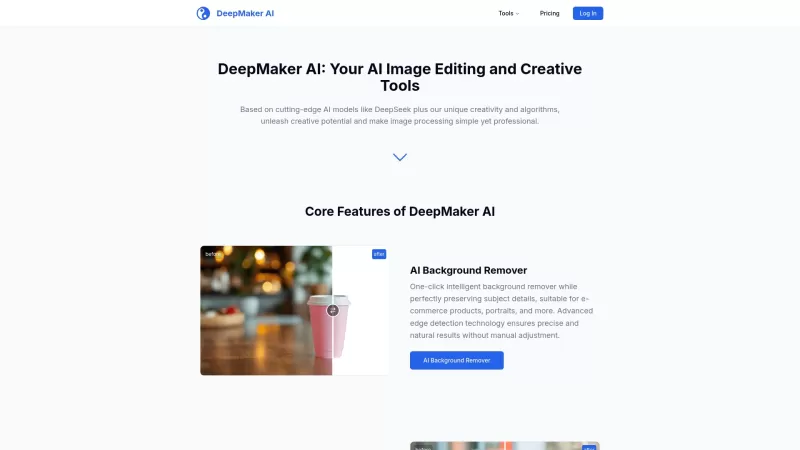
DeepMaker AI is your go-to platform for transforming your images and videos with the latest AI technology. From removing backgrounds to generating stunning tattoos, this service has it all. What sets DeepMaker AI apart is its pay-as-you-go model—no subscr
HiFun Product Information
What Is HiFun?
Hifun AI is a free, unrestricted AI-powered image editor that enables users to modify specific regions of their photos. Users only need to describe their desired outcome in text, customize various styles, and instantly generate high-resolution images. This tool offers fast processing speeds, top-notch quality, and affordable pricing, making advanced image editing accessible to everyone. Its intelligent AI technology handles auto-masking and enhances prompt accuracy to ensure optimal results.
How to Use HiFun?
To get started with Hifun AI, first upload the image you want to edit and use the masking tool to select the exact areas that need changing. Next, provide a detailed text description of the image effect you have in mind, including elements such as scenes, objects, styles, colors, and overall mood. Finally, click “Create” to begin the editing process, which usually takes just a few seconds. Once completed, you can view and download your edited image.
HiFun’s Core Features
AI-Powered Image Editing
Auto Mask (intelligent AI identifies and selects editing areas)
Smart Prompt Enhancement (AI optimizes input for best results)
Fast Cloud Processing
High-Quality Image Output
HiFun’s Use Cases
Changing elements such as clothing to something like a bikini or replacing backgrounds with scenes like a beach.
Creatively altering images for use in professional design work or personal projects.
Generating unique visual effects based solely on textual descriptions.
FAQ from HiFun
What Is the Hifun AI Image Editor?
The Hifun AI Image Editor is an AI-driven tool that allows users to transform selected parts of their images through text prompts, delivering high-resolution results.
What Image Formats Is It Compatible With?
Hifun AI Image Editor supports JPEG, PNG, GIF, and WebP file formats.
How Long Does the Editing Process Take?
The image editing process typically completes in just a few seconds.
Can I Use the Edited Images for Commercial Purposes?
The platform states that its high-quality outputs are “suitable for both professional design and personal projects,” which suggests commercial use is permitted.
HiFun Support Email & Customer Service Contact & Refund Contact etc.
For more contact information, visit the contact us page(https://hifun.ai/contact).
HiFun Company
The name of HiFun’s company is Hifun AI .
HiFun’s company address is not publicly listed.
To learn more about HiFun, please visit the about us page(https://hifun.ai/about).
HiFun Login
The link to log in to HiFun is: https://hifun.ai/login
HiFun Sign up
The link to sign up for HiFun is: https://hifun.ai/register
HiFun Pricing
The link to view HiFun’s pricing details is: https://hifun.ai/pricing
HiFun Screenshot




2026 Latest Best Top-rated AI Competitive Research Tools for Small Businesses! XIX.AI has curated a highly powerful game-changing collection, updated weekly with rigorous real-world tests and detailed rankings. You can find a comprehensive free vs paid comparison to help you identify the must-try tools that boost your productivity and give you a competitive edge. Explore now to discover your perfect tool!
 9 tools
 xix.ai

2026 Latest Best Photoshop AI retouch tools for ecommerce apparel, skin cleanup, and color consistency! This top-rated curated list features powerful game-changing solutions that help you boost writing efficiency, streamline content creation, and achieve perfect visual results effortlessly. Each tool has undergone real-world tests through weekly updated rankings, complete with free vs paid comparison details. Backed by XIX.AI, it’s the must-try guide for anyone aiming to unlock your AI edge. Explore now!
10 tools
xix.ai

2026 Latest Best Top-Rated AI Prompt Libraries for optimizing all types of ChatGPT workflows. XIX.AI has curated a powerful, game-changing collection that goes through rigorous real-world tests to ensure top performance. You can find detailed free vs paid comparisons and expert rankings to help you choose the must-try tools that boost your productivity and unlock your AI edge. Explore now!
11 tools
xix.ai

2026 Latest Best AI Quiz Builder Platforms for Teachers, Tutors, and Cohort-Based Learning Programs! XIX.AI has curated a top-rated list of powerful game-changing tools that go through real-world tests to deliver accurate rankings. These must-try platforms help boost writing efficiency, streamline content creation, and simplify quiz design across all learning scenarios. Explore now to discover your perfect tool for unlocking your AI edge in teaching!
13 tools
xix.ai

2026 Latest Best AI Pull Request Review Tools for GitHub Teams are here on XIX.AI! This top-rated curated list showcases powerful game-changing solutions that streamline refactoring, bug fixing, and security gap detection across all team workflows. Enjoy a free vs paid comparison along with real-world tests and detailed rankings to help you find the perfect tool that boosts productivity significantly. Explore now to unlock your AI edge!
12 tools
xix.ai

2026 Latest Best Top-rated AI Text to Speech Tools for Natural Voiceovers are here on XIX.AI! This curated list features powerful, game-changing options that deliver crystal-clear voices for every use case, backed by real-world tests and weekly updated rankings. Get a free vs paid comparison to find the must-try solution that boosts your productivity instantly. Explore now to Unlock your AI edge!
11 tools
xix.ai


