


 Home
HomeGPT Image 1.5 AI



Helps TikTok sellers, brands, MCNs, and TAPs discover winning products and find creators.

HelpLook is an AI-powered all-in-one knowledge base tool that helps businesses quickly build knowledge bases, help centers, and...

Your AI Workspace

302.AI is an enterprise-grade AI resource platform with pay-as-you-go pricing, API access to a full range of AI models, and ready-to-use online applications.

剧火AI — AI Screenwriter + Director, a One-Person Short Drama Studio In one sentence, what is it?

What is Banana AI - Free AI Photo Editor?Banana AI is a free, AI-driven photo editor that uses Google's Nano Banana technology (Gemini 2.5 Flash Image) to transform your pictures with simple text commands. Easily remove unwanted objects, swap backgro

What is Line Art Maker?Line Art Maker is an intuitive application that effortlessly transforms your photos into stunning line drawings. Powered by sophisticated algorithms, it precisely identifies outlines and turns your images into detailed sketches

What is Nano Banana | Nanana AI? Nanana AI is the leading AI image generator and AI image editor on the market. It taps into the full potential of Google's revolutionary Nano Banana model to offer unmatched image creation and editing power. As an ear

What is TranslateImages?AI Image Translator is an advanced tool that precisely translates text embedded in images, keeping the original layout and format intact. It supports over a dozen languages, such as English, Hindi, Arabic, Chinese, Japanese, K

What is Deepfake Maker Nano Banana AI? Nano Banana AI is an advanced artificial intelligence platform that generates stunning images from text descriptions and facilitates seamless image-to-image transformations. This cutting-edge AI model revolution
GPT Image 1.5 AI Product Information
What Is GPT Image 1.5 AI?
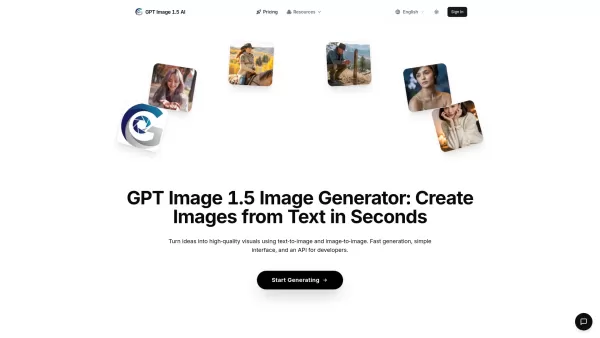
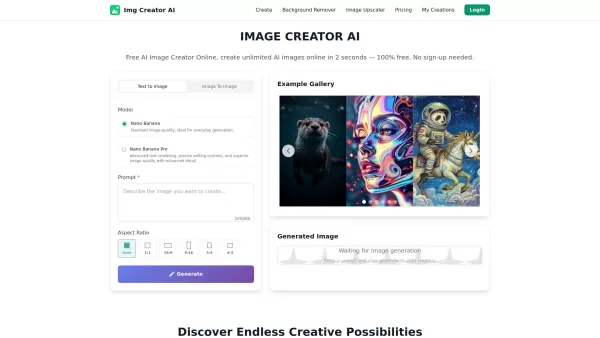
The GPT Image 1.5 AI Image Generator is a tool designed to create stunning, high-quality images from text in seconds. It is fast, simple, and developer-friendly, offering both text-to-image and image-to-image capabilities, along with API access. Powered by Google's GPT Image 1.5 model, it allows users to transform ideas into professional-grade visuals for various applications, from concept art to marketing campaigns.
How to Use GPT Image 1.5 AI
Generating images with GPT Image 1.5 involves three simple steps: 1. Enter Your Prompt: Describe your vision in natural language, being as creative or specific as you like. 2. AI Generation: GPT Image 1.5 processes your prompt and generates high-quality images in seconds. 3. Download & Use: Download your images instantly and use them anywhere, including the web, social media, or print.
Core Features of GPT Image 1.5 AI
Ultra-Fast Generation (in seconds)
High-Quality Outputs (sharp, detailed visuals)
SEO-Optimized Images (lightweight, web-optimized)
Easy-to-Use Interface (beginner-friendly)
Multi-Platform Ready Images
Text-to-Image Generation
Image-to-Image Generation
API Access
Use Cases for GPT Image 1.5 AI
Digital Art & Design (create concept art, illustrations, and visual designs)
E-commerce & Products (generate product mockups, lifestyle images, and visual content for stores)
Marketing & Ads (produce eye-catching visuals for campaigns, social media, and advertisements)
Gaming & Entertainment (design characters, environments, and assets for games and creative projects)
Frequently Asked Questions about GPT Image 1.5 AI
What is Google's latest GPT Image 1.5 model for AI image generation?
The GPT Image 1.5 model is Google's newest AI architecture for image generation, designed to produce highly detailed visuals with faster performance and lower computational cost. It powers the GPT Image 1.5 Image Generator on our platform, allowing users to create professional-quality images instantly.
Is the GPT Image 1.5 Image Generator free to use?
We offer a free trial with limited credits so you can experience the capabilities of the GPT Image 1.5 model. For unlimited access and advanced features, upgrade to one of our premium plans.
Can I switch plans or cancel anytime?
Yes. Switch plans or cancel at any time from the billing dashboard. Upgrades apply instantly with prorated billing, while downgrades or cancellations take effect at the end of the current cycle, and you keep any unused credits.
What is your refund policy?
We offer a 7-day no-questions-asked refund window on new subscriptions. For renewals, reach out within 72 hours if something went wrong, and the team will review the charge with you.
What happens if I exceed my credits?
Your Kling 2.6 jobs pause when the balance reaches zero. Reload with pay-as-you-go credits for immediate restarts, or upgrade your subscription for a larger monthly allocation.
GPT Image 1.5 AI Support Email, Customer Service Contact, and Refund Contact
Here is the GPT Image 1.5 AI support email for customer service: [email protected]. For more contact options, visit the contact us page (mailto:[email protected])
GPT Image 1.5 AI Company
GPT Image 1.5 AI Company name: GPT Image 1.5 AI.
GPT Image 1.5 AI Company address: .
For more about GPT Image 1.5 AI, please visit the about us page ().
GPT Image 1.5 AI Login
GPT Image 1.5 AI Login link: https://gptimage15.ai/
GPT Image 1.5 AI Sign Up
GPT Image 1.5 AI Sign up link:
GPT Image 1.5 AI Pricing
GPT Image 1.5 AI Pricing link: https://gptimage15.ai/pricing
GPT Image 1.5 AI Twitter
GPT Image 1.5 AI Twitter link: https://twitter.com/gptimage15.ai
GPT Image 1.5 AI Screenshot

2026 Latest Top-rated AI Illustration Tools: Our curated list features the best powerfully designed tools for creating stunning editorial scenes and eye-catching cover art quickly. Each option has gone through rigorous real-world tests, offering a free vs paid comparison to help you find the perfect match for your workflow. Try these must-try solutions today to unlock your AI edge and boost your creative productivity. Explore now at XIX.AI.
 10 tools
 xix.ai

2026 Latest Top-Rated Best AI Tutors for Exam Prep are here on XIX.AI! Our curated list features powerful game-changing tools that offer free vs paid comparison, real-world tests, and weekly updated rankings. They help boost your writing efficiency, simplify complex topic learning, and unlock your academic potential. Explore now to Discover your perfect exam prep tool and Start creating today to Unlock your AI edge!
10 tools
xix.ai

2026 Latest Best Top-Rated AI Budget Planning Tools for Personal Money Management are here on XIX.AI! This curated collection features powerful, game-changing solutions that help you conduct real-world tests, understand spending habits, and create personalized plans to boost productivity. Enjoy a free vs paid comparison along with detailed rankings. Must-try tools designed to simplify money management and unlock your AI edge. Explore now!
11 tools
xix.ai

2026 Latest Best Top-Rated AI Sleep Tracking Assistants curated for ultimate recovery. This fully updated weekly guide features powerful tools that deliver real-world tests, free vs paid comparison, and detailed rankings to help you find the must-try solution that boosts sleep quality and supports better bedtime habits. Explore now at XIX.AI to Unlock your AI edge.
10 tools
xix.ai

2026 Latest Best Top-Rated AI SQL Copilots for Product and Revenue Analytics! XIX.AI has curated a powerful, game-changing collection of must-try tools that undergo real-world tests through weekly updated rankings. These tools help users boost productivity significantly by accelerating data analysis, streamlining complex queries, and generating accurate insights to drive smarter business decisions. Explore now to Discover your perfect tool for unlocking your AI edge!
14 tools
xix.ai

2026 Latest Best Top-Rated AI Homework Helpers That Teach Core Concepts Not Just Answers Powerful Tools for Students Must-Try Curated List Weekly Updated Free vs Paid Comparison Real-World Tests Accurate Rankings to Help You Unlock Your Full Learning Potential Explore now to Discover your perfect tool for smarter studying.
10 tools
xix.ai


