


 Home
HomeGempix 2



Helps TikTok sellers, brands, MCNs, and TAPs discover winning products and find creators.

HelpLook is an AI-powered all-in-one knowledge base tool that helps businesses quickly build knowledge bases, help centers, and...

Your AI Workspace

302.AI is an enterprise-grade AI resource platform with pay-as-you-go pricing, API access to a full range of AI models, and ready-to-use online applications.

剧火AI — AI Screenwriter + Director, a One-Person Short Drama Studio In one sentence, what is it?

What is Banana AI - Free AI Photo Editor?Banana AI is a free, AI-driven photo editor that uses Google's Nano Banana technology (Gemini 2.5 Flash Image) to transform your pictures with simple text commands. Easily remove unwanted objects, swap backgro

What is Nano Banana | Nanana AI? Nanana AI is the leading AI image generator and AI image editor on the market. It taps into the full potential of Google's revolutionary Nano Banana model to offer unmatched image creation and editing power. As an ear

What is Line Art Maker?Line Art Maker is an intuitive application that effortlessly transforms your photos into stunning line drawings. Powered by sophisticated algorithms, it precisely identifies outlines and turns your images into detailed sketches

What is TranslateImages?AI Image Translator is an advanced tool that precisely translates text embedded in images, keeping the original layout and format intact. It supports over a dozen languages, such as English, Hindi, Arabic, Chinese, Japanese, K

What is Deepfake Maker Nano Banana AI? Nano Banana AI is an advanced artificial intelligence platform that generates stunning images from text descriptions and facilitates seamless image-to-image transformations. This cutting-edge AI model revolution
Gempix 2 Product Information
What Is Gempix 2?
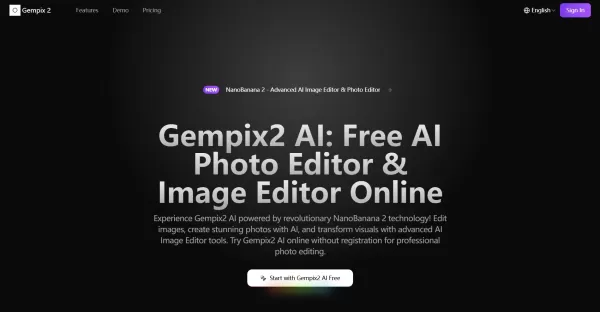
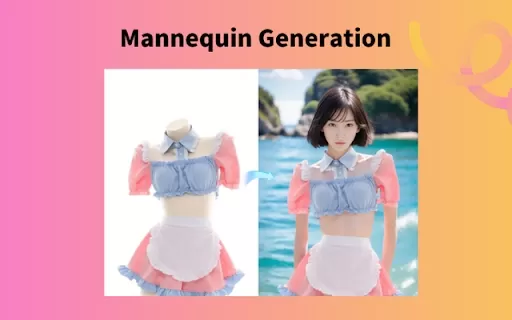
Gempix2 AI is a sophisticated AI-powered image and photo editor that leverages the advanced NanoBanana 2 technology. It enables users to make precise edits such as changing clothing, applying makeup, replacing backgrounds, performing fast image-to-image transformations, creating text-to-image content, processing multiple images at once, and removing objects intelligently. Available entirely via a web interface, it requires no downloads or sign-ups, offering instant access to professional-level photo enhancement tools for a wide range of creative projects.
Who Will Use Gempix 2?
- Professional photographers
- Social media content creators
- Marketers and advertisers
- Artists and graphic designers
- E-commerce businesses
How to Use the Gempix 2?
- Step 1: Go to the official Gempix2 AI website.
- Step 2: Upload an image or enter a text prompt if you want to generate content.
- Step 3: Utilize the AI editing tools to enhance, transform, or create new images.
- Step 4: Apply filters, remove unwanted objects, or process multiple images simultaneously as needed.
- Step 5: Download your edited or generated images right away without having to register.
Platform
- Web-based
Gempix 2’s Core Features & Benefits
The Core Features
- Precise AI editing powered by NanoBanana 2
- Text-to-image and text-to-video content generation
- Image-to-image transformation with style transfer capabilities
- Smart object removal along with intelligent fill functions
- Batch image processing
- Real-time AI processing along with immediate preview
The Benefits
- It is completely free and requires no registration
- Professional-grade editing tools accessible directly in a browser
- Fast and accurate enhancements driven by advanced AI
- Allows commercial use while delivering high-quality results
- Intuitive design with one-click editing options
- Versatile enough for numerous creative applications
Gempix 2’s Main Use Cases & Applications
- Professional photo editing and enhancement
- Creating compelling social media content
- Producing marketing and advertising visuals
- Carrying out artistic photo transformations for creative projects
- Optimizing e-commerce product photos
Gempix 2’s Pros & Cons
The Pros
It is available free of charge, with optional paid plans available for those who need more resources.
No software installation or registration is required to get started.
It features cutting-edge AI technology packed with advanced functionalities.
Batch processing and commercial use are both supported.
Image processing is fast and happens in real time.
The Cons
It is currently only available as a web platform, so there are no mobile or desktop app versions.
No mobile or desktop apps exist for the service.
A credits system may impose limits on free usage.
The source code is not publicly available — it is not open source.
Gempix 2’s Pricing
Does it offer a free plan? | YES |
|---|---|
Details about the free trial | Free starter credits are provided for AI generation, and no credit card is required. |
Pricing model | Freemium |
Is a credit card necessary? | No |
What is the starting price? | 9.5 USD |
Is there a lifetime plan? | No |
How often is billing done? | Monthly |
Details of Pricing Plan
Basic Plan
9.5 USD
- 1,500 credits per month
- Commercial license included
- Priority queue access
- No watermark on outputs
- 1080p HD quality results
- Batch generation capability
Plus Plan
19.5 USD
- 7,500 credits per month
- Commercial license included
- Priority queue access
- No watermark on outputs
- 1080p HD quality results
- Batch generation capability
Enterprise Plan
49.5 USD
- 30,000 credits per month
- Commercial license included
- Priority queue access
- No watermark on outputs
- 1080p HD quality results
- Batch generation capability
- API access provided
- Dedicated support with a 2-hour response time
- Custom enterprise services available
Discount:
You can save 20% by choosing annual billing.
To view the most up-to-date pricing information, visit: https://gempix2ai.ai/pricing
FAQs of Gempix 2
Is technical expertise needed to use Gempix2 AI?
No, Gempix2 AI is designed for users of all skill levels, from beginners to professionals, and it doesn’t require any technical knowledge.
Is Gempix2 AI completely free?
Yes, it offers a free tier with starter credits, along with paid plans for those who need more resources.
What image formats is Gempix2 AI compatible with?
It supports common formats such as JPG, PNG, WebP, and AVIF.
How accurate is the AI’s photo editing capability?
The AI utilizes NanoBanana 2 technology to deliver professional-level, highly precise edits.
Can I use Gempix2 AI for commercial projects?
Yes, it allows commercial use under the provided licensing terms.
How fast is image processing with Gempix2 AI?
Most edits are completed within 30 to 60 seconds thanks to its optimized AI technology.
Why choose Gempix2 AI over other photo editors?
It offers superior AI technology, is free to use, runs entirely in a browser, and requires no installation.
Is registration necessary to use Gempix2 AI?
No, users can start editing immediately without signing up or providing any personal information.
Does Gempix2 AI support batch processing?
Yes, it enables editing of multiple images at the same time while maintaining consistent results.
Are there any platform limitations?
Gempix2 AI functions in all modern web browsers; dedicated mobile or desktop apps are not available.
Gempix 2 Company Information
- Gempix 2 AI
- https://gempix2ai.ai

How to install?
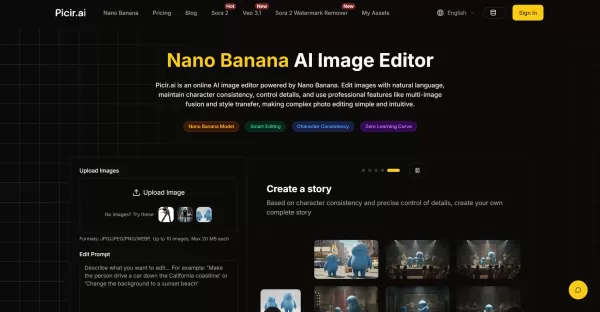
Gempix 2 Screenshot

2026 Latest Top-rated AI Illustration Tools: Our curated list features the best powerfully designed tools for creating stunning editorial scenes and eye-catching cover art quickly. Each option has gone through rigorous real-world tests, offering a free vs paid comparison to help you find the perfect match for your workflow. Try these must-try solutions today to unlock your AI edge and boost your creative productivity. Explore now at XIX.AI.
 10 tools
 xix.ai

2026 Latest Top-Rated Best AI Tutors for Exam Prep are here on XIX.AI! Our curated list features powerful game-changing tools that offer free vs paid comparison, real-world tests, and weekly updated rankings. They help boost your writing efficiency, simplify complex topic learning, and unlock your academic potential. Explore now to Discover your perfect exam prep tool and Start creating today to Unlock your AI edge!
10 tools
xix.ai

2026 Latest Best Top-Rated AI Budget Planning Tools for Personal Money Management are here on XIX.AI! This curated collection features powerful, game-changing solutions that help you conduct real-world tests, understand spending habits, and create personalized plans to boost productivity. Enjoy a free vs paid comparison along with detailed rankings. Must-try tools designed to simplify money management and unlock your AI edge. Explore now!
11 tools
xix.ai

2026 Latest Best Top-Rated AI Sleep Tracking Assistants curated for ultimate recovery. This fully updated weekly guide features powerful tools that deliver real-world tests, free vs paid comparison, and detailed rankings to help you find the must-try solution that boosts sleep quality and supports better bedtime habits. Explore now at XIX.AI to Unlock your AI edge.
10 tools
xix.ai

2026 Latest Best Top-Rated AI SQL Copilots for Product and Revenue Analytics! XIX.AI has curated a powerful, game-changing collection of must-try tools that undergo real-world tests through weekly updated rankings. These tools help users boost productivity significantly by accelerating data analysis, streamlining complex queries, and generating accurate insights to drive smarter business decisions. Explore now to Discover your perfect tool for unlocking your AI edge!
14 tools
xix.ai

2026 Latest Best Top-Rated AI Homework Helpers That Teach Core Concepts Not Just Answers Powerful Tools for Students Must-Try Curated List Weekly Updated Free vs Paid Comparison Real-World Tests Accurate Rankings to Help You Unlock Your Full Learning Potential Explore now to Discover your perfect tool for smarter studying.
10 tools
xix.ai


