


 Home
HomeFramedrop.ai: Convert Video to Shorts



Helps TikTok sellers, brands, MCNs, and TAPs discover winning products and find creators.

HelpLook is an AI-powered all-in-one knowledge base tool that helps businesses quickly build knowledge bases, help centers, and...

Your AI Workspace

302.AI is an enterprise-grade AI resource platform with pay-as-you-go pricing, API access to a full range of AI models, and ready-to-use online applications.

剧火AI — AI Screenwriter + Director, a One-Person Short Drama Studio In one sentence, what is it?

What is Makefilm?Makefilm revolutionizes video creation as a comprehensive AI-powered platform that streamlines professional-quality video production. This innovative solution combines multiple smart tools into one seamless workflow - transforming te

What is AIShowX?AIShowX represents the next generation of creative tools - a comprehensive online platform powered by artificial intelligence that empowers anyone to produce professional-quality videos, images, and audio content with remarkable ease.
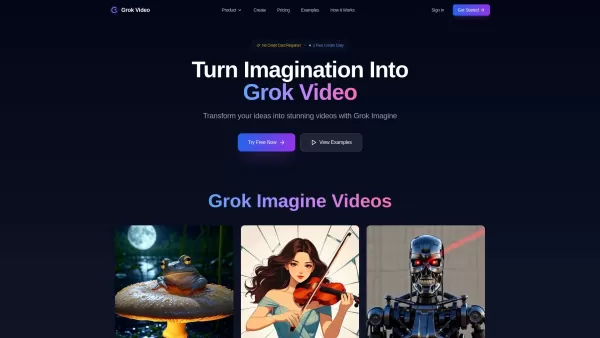
What is Grok Video AI? Grok Video AI revolutionizes content creation by transforming simple inputs into professional-quality videos. This cutting-edge platform leverages artificial intelligence to convert text descriptions and static images into dyn
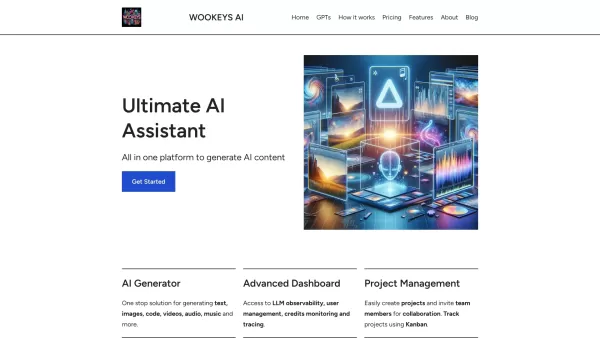
Ever wondered what the buzz around Ultimate AI Assistant is all about? Well, let me introduce you to WooKeys AI, a powerhouse platform designed to revolutionize your content creation game. It's not just another tool; it's your new best friend in the

Ever wondered what Amaro is all about? Well, let me fill you in on this gem of a platform. Amaro isn't just another tool; it's your go-to spot for generating and tweaking AI images, audio, and video, all on what they call an "infinite canvas." And the bes
Framedrop.ai: Convert Video to Shorts Product Information
What Is Framedrop.ai? Convert Videos into Short Clips
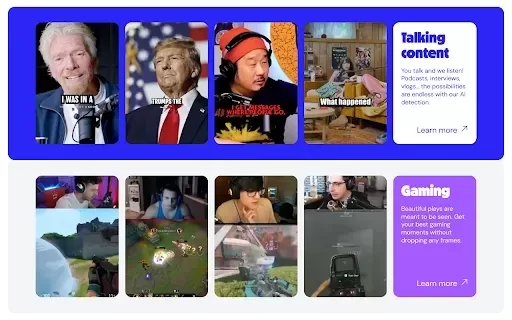
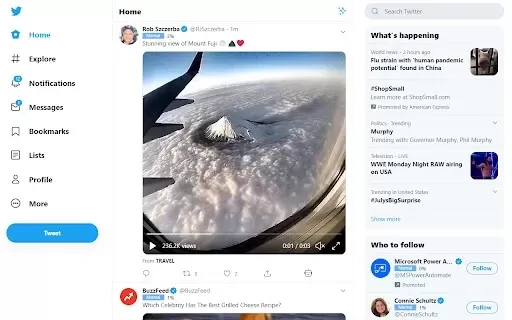
FramedropAI helps content creators expand their audience reach by automatically identifying the best highlights from long videos and turning them into short, shareable clips for TikTok, Instagram, and YouTube. This extension streamlines the editing process, allowing users to engage viewers with compelling short-form content without any manual work. It’s an invaluable tool for gamers, vloggers, and marketers looking to elevate their content strategy.
Who Uses Framedrop.ai? Convert Video to Shorts
- Content creators
- Gamers
- Vloggers
- Social media marketers
- Podcasters
How to Use Framedrop.ai: Convert Video to Shorts
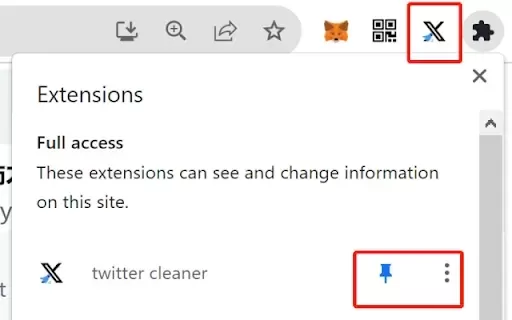
- Step 1: Install the FramedropAI Chrome extension from the Chrome Web Store.
- Step 2: Link your YouTube or Twitch account to the extension.
- Step 3: Choose the video you want to convert.
- Step 4: Select the desired clips using the AI tool.
- Step 5: Export the highlights directly to TikTok, Instagram, or YouTube Shorts.
Platform
- Web
- Chrome
Framedrop.ai: Convert Video to Shorts – Core Features & Benefits
Core Features
- Automatic highlight clipping
- Compatibility with YouTube and Twitch
- Easy export to social media platforms
Benefits
- Saves editing time
- Boosts viewer engagement
- Expands your content’s reach
Main Use Cases & Applications
- Promoting gaming highlights
- Creating short-form content from podcasts
- Enhancing marketing campaigns with viral clips
FAQs about Framedrop.ai: Convert Video to Shorts
Do I need any special software?
No, just install the Chrome extension and you’re all set.
Can I customize the clips?
Yes, you can select exactly which highlights to clip.
What kind of videos can I convert?
You can convert videos from YouTube and Twitch.
Is there a cost to use FramedropAI?
FramedropAI offers a free trial, with subscription options available.
How long does it take to convert videos?
The conversion process is usually quick, depending on the video length.
What if I encounter issues?
You can reach out to our support email for assistance.
Is FramedropAI suitable for beginners?
Yes, it’s user-friendly and requires no editing experience.
Can I use it for live stream highlights?
Yes, you can easily convert live stream content into short clips.
Where can I find the extension?
You can find it on the Chrome Web Store.
Is it easy to share videos on social media?
Absolutely! You can export directly to TikTok, Instagram, and YouTube.
Framedrop.ai: Convert Video to Shorts Company Information
Framedrop.ai: Convert Video to Shorts Screenshot

2026 Latest Best Top-Rated AI Songwriting Tools for Lyrics and Melody Ideas are here on XIX.AI! This curated collection features powerful, game-changing options that go through rigorous real-world tests to deliver accurate lyric and melody suggestions. Get a free vs paid comparison, see detailed rankings, and discover must-try tools that can boost your creative workflow significantly. Explore now to find the perfect fit for your needs!
 8 tools
 xix.ai

2026 Latest Best ChatGPT Meal Planning Apps Top-rated must-try curated powerful game-changing tools for macro tracking grocery lists and weekly prep. XIX.AI delivers weekly updated rankings based on real-world tests, including free vs paid comparison details. Discover your perfect tool to boost productivity and unlock your AI edge today. Explore now!
9 tools
xix.ai
2026 Latest Best Top-Rated AI Video Script Tools for Short Form Content! XIX.AI has curated a powerful, game-changing collection of must-try tools that go through rigorous real-world tests. You’ll find detailed weekly updated rankings, free vs paid comparison info, and insights to help you boost productivity and unlock your AI edge in creating high-quality short form content. Explore now to discover your perfect tool!
10 tools
xix.ai
2026 Latest Best AI Comic Panel Tools for Storyboard Style Narratives! This curated top-rated collection features powerful game-changing solutions that help creators boost writing efficiency and overcome creation bottlenecks. You’ll find detailed free vs paid comparison, real-world tests, and official rankings to guide your pick. XIX.AI offers expert insights too. Explore now to Discover your perfect tool for bringing vivid stories to life! 238 characters
9 tools
xix.ai
2026 Latest Best Top-rated AI Video Generation Tools for Short Content are here on XIX.AI’s curated collection. These powerful game-changing tools have undergone rigorous real-world tests, featuring a comprehensive free vs paid comparison and detailed rankings to help you find the perfect option. Whether you need to create high-quality short videos fast or boost your productivity across various tasks, these must-try solutions deliver outstanding results. Explore now to discover your ideal tool and unlock your AI edge.
9 tools
xix.ai
2026 Latest Best AI Art Generators ranking showcases top-rated tools for creating stunning moodboards, exploring diverse styles, and defining visual directions. XIX.AI offers a curated list of powerful, game-changing options that have passed rigorous real-world tests. Get a free vs paid comparison to help you find the perfect fit for boosting your creative workflow. Explore now to Unlock your AI edge in art creation.
10 tools
xix.ai


