


 Home
HomeDeep Nostalgia



Helps TikTok sellers, brands, MCNs, and TAPs discover winning products and find creators.

HelpLook is an AI-powered all-in-one knowledge base tool that helps businesses quickly build knowledge bases, help centers, and...

Your AI Workspace

302.AI is an enterprise-grade AI resource platform with pay-as-you-go pricing, API access to a full range of AI models, and ready-to-use online applications.

剧火AI — AI Screenwriter + Director, a One-Person Short Drama Studio In one sentence, what is it?

What is Deepfake Maker? Deepfake Maker is a comprehensive, browser-based AI tool for creating deepfakes, tailored for creators, marketers, and designers who need striking visuals without complicated software. It combines multiple AI capabilities: adv

What is Celebrity AI?CelebrityAI revolutionizes digital content creation with its cutting-edge artificial intelligence platform that generates lifelike celebrity videos and voice messages. Using sophisticated technologies including deep neural networ

What is Makefilm?Makefilm revolutionizes video creation as a comprehensive AI-powered platform that streamlines professional-quality video production. This innovative solution combines multiple smart tools into one seamless workflow - transforming te
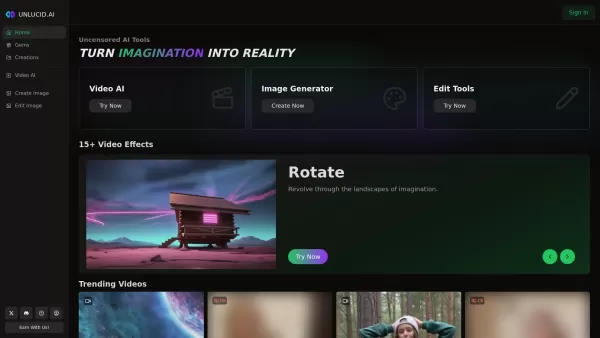
What is Unlucid AI? Unlucid AI provides free, uncensored AI tools empowering creators to craft, edit, and animate videos using advanced AI technology. It transforms imagination into reality with unres

What is AIShowX?AIShowX represents the next generation of creative tools - a comprehensive online platform powered by artificial intelligence that empowers anyone to produce professional-quality videos, images, and audio content with remarkable ease.
Deep Nostalgia Product Information
What Is Deep Nostalgia?
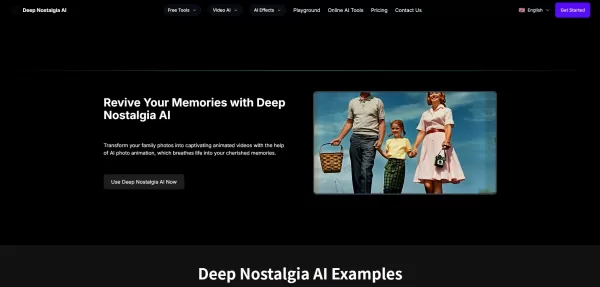
Deep Nostalgia AI is an online, AI-powered photo animation tool that turns still portraits into short, lifelike video clips. It applies deep learning models to synthesize realistic facial expressions and subtle movements. Users upload a photo to the web playground, where the system analyzes facial features and generates natural-looking motion while preserving the subject’s identity. Processing is typically fast, producing shareable video output suitable for social media, memorials, genealogy, or creative projects. The platform also emphasizes privacy—temporary uploads made without an account are automatically deleted—and offers additional image tools such as colorization, restoration, and upscaling.
Who Uses Deep Nostalgia?
- Families and individuals preserving memories
- Genealogists and family historians
- Hobbyist photographers and archivists
- Social media creators and storytellers
- Memorial and tribute creators
- Content creators seeking engaging visuals
How to Use Deep Nostalgia
- Step 1: Visit deep-nostalgia-ai.com and sign up or log in to create an account.
- Step 2: Open the playground or animation tool and upload a clear portrait or family photo.
- Step 3: Choose animation settings or presets if available, then click generate to start the animation.
- Step 4: Wait a few moments for the AI to process and render the animated video.
- Step 5: Preview the result, download the video, or share it on social platforms; delete or manage uploads through your account.
Platform
- Web
Deep Nostalgia's Core Features and Benefits
Core Features
- AI-powered facial animation for still photos
- Fast cloud processing and video output
- Preservation of original facial features and identity
- User-friendly web playground and simple upload flow
- Complementary tools: colorize, restore, upscale
- Privacy policy with automatic deletion of temporary uploads
- Downloadable, shareable short video clips
Benefits
- Bring vintage photos to life for emotional impact
- Easy workflow for non-technical users
- Quick turnaround for fast sharing
- Improves engagement with family and social content
- Helps preserve and visualize family history
- Privacy controls for non-account uploads
Main Use Cases and Applications
- Animating vintage family portraits for reunions and memorials
- Creating shareable social media clips from old photos
- Enhancing genealogy presentations and family trees
- Producing tribute videos for memorial services
- Restoring and animating historical photographs for museums or education
- Generating creative content for storytelling and marketing
Deep Nostalgia's Pros and Cons
Pros
Produces realistic and emotionally engaging animations
Very easy to use with minimal setup
Fast processing and immediate downloads
Free tier available for casual users
Clear privacy promise for temporary uploads
Cons
May raise ethical and privacy concerns around animated likenesses
No robust batch processing currently available
Best results require clear, high-resolution photos
Some advanced features likely behind a paywall
Accuracy can vary on heavily damaged or obscured images
Deep Nostalgia Pricing
Free Plan | No |
|---|---|
Free Trial Details | |
Pricing Model | Pay-as-you-go |
Credit Card Required | No |
Starting Price | 44.9 USD |
Lifetime Plan | No |
Billing Frequency | Annual and One-Time |
Pricing Plan Details
Yearly – 850 Credits
226.8 USD
- 850 credits per year
- High quality Deep Nostalgia AI video
- Commercial license
- Video and image cloud storage for 3 months
Yearly – 700 Credits
190.8 USD
- 700 credits per year
- High quality Deep Nostalgia AI video
- Commercial license
- Video and image cloud storage for 3 months
Yearly – 1,400 Credits
358.8 USD
- 1,400 credits per year
- High quality Deep Nostalgia AI video
- Commercial license
- Video and image cloud storage for 3 months
Yearly – 3,600 Credits
718.8 USD
- 3,600 credits per year
- High quality Deep Nostalgia AI video
- Commercial license
- Video and image cloud storage for 3 months
100 Credits – One-Time
44.9 USD
- 100 credits
- One-time payment
300 Credits – One-Time
88.9 USD
- 300 credits
- One-time payment
Discount:
Save 60% on yearly subscriptions
For the latest prices, please visit: https://deep-nostalgia-ai.com/pricing
Frequently Asked Questions
What is Deep Nostalgia AI?
Deep Nostalgia AI is an online service that uses deep learning to animate still photos into short, lifelike videos by generating realistic facial movements and expressions.
Is Deep Nostalgia AI free to use?
The platform offers a free basic tier with limited credits; premium or higher-volume usage requires payment or a subscription as described on the pricing page.
How long does it take to animate a photo?
Typical processing takes a few minutes, depending on server load and image size. Most users receive their animated clip quickly.
What types of photos produce the best results?
Clear, well-lit, high-resolution portrait photos work best. Heavily blurred, low-resolution, or heavily damaged images may yield lower-quality animations.
Are my photos kept private?
According to the site, photos uploaded without an account are automatically deleted for privacy. Account-managed uploads follow the platform’s privacy policy.
Can I download and share the animated videos?
Yes, after processing you can preview, download, and share the generated video files to social media or save them locally.
Does Deep Nostalgia AI support batch processing?
Batch processing is not currently supported but may be planned for future development. Check the tools and roadmap for updates.
Is there a mobile app available?
The site references mobile availability through MyHeritage’s mobile app on the App Store and Google Play, but the primary Deep Nostalgia AI experience is web-based.
What output formats are provided?
The service provides downloadable short video clips commonly in standard formats suitable for social sharing. Exact formats are shown at export time.
Who can I contact for support or feedback?
The site lists [email protected] for questions, feedback, or support requests.
Company Information
- Deep Nostalgia AI
- https://deep-nostalgia-ai.com
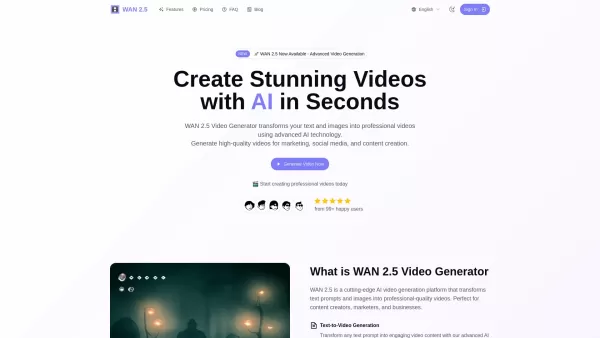
Deep Nostalgia Screenshot

2026 Latest Best Top-Rated AI Meeting Summary Tools for Remote Teams! XIX.AI has curated a powerful, game-changing collection of must-try tools that go through real-world tests to deliver accurate transcripts and actionable insights. You’ll find free vs paid comparison data and detailed rankings to help you pick the perfect option that boosts productivity and streamlines team communication. Explore now to Unlock your AI edge!
 13 tools
 xix.ai

2026 Latest Best Top-Rated AI DevOps Helpers Curated for Monitoring Deployments, Logs, and Incidents. XIX.AI delivers powerful game-changing tools that boost productivity significantly through real-world tests and rigorous rankings. Get a free vs paid comparison to find the must-try solution perfect for your workflow. Explore now to unlock your AI edge.
7 tools
xix.ai

2026 Latest Best Top-Rated AI Background Removal Tools for Product Photos are here on XIX.AI! Our curated list includes powerful, game-changing solutions that deliver professional results through real-world tests. You’ll find a free vs paid comparison, weekly updated rankings, and must-try options to help you boost productivity and create flawless product shots without any hassle. Explore now to unlock your AI edge!
11 tools
xix.ai

2026 Latest Best Top-Rated AI Pull Request Review Tools for GitHub Repositories are here on XIX.AI! Our curated list features powerful, game-changing solutions that help teams streamline code reviews, catch errors faster, and boost productivity with real-world tests. Get a free vs paid comparison to find the perfect tool for your workflow. Explore now to unlock your AI edge!
10 tools
xix.ai
2026 Latest Best Top-rated AI Reference Extraction Tools for Journal Papers are curated by XIX.AI with weekly updated rankings. These powerful tools help users quickly pull relevant citations and data from massive academic sources, saving tons of time and effort. Get a free vs paid comparison along with real-world tests to find the perfect option that boosts your productivity. Explore now to unlock your AI edge!
10 tools
xix.ai

2026 Latest Best Top-Rated AI Product Retouch Tools for Fashion Ecommerce Photos are here on XIX.AI! This curated list features powerful, game-changing solutions that help boost image quality, speed up editing tasks, and deliver professional results. We conduct real-world tests to provide accurate rankings and a detailed free vs paid comparison. Must-try tools help creators overcome common challenges and significantly improve productivity. Explore now to Discover your perfect tool for flawless online product listings!
9 tools
xix.ai


