


 Home
Homechatpdf for PDFs powered by ChatGPT™



Helps TikTok sellers, brands, MCNs, and TAPs discover winning products and find creators.

HelpLook is an AI-powered all-in-one knowledge base tool that helps businesses quickly build knowledge bases, help centers, and...

Your AI Workspace

302.AI is an enterprise-grade AI resource platform with pay-as-you-go pricing, API access to a full range of AI models, and ready-to-use online applications.

剧火AI — AI Screenwriter + Director, a One-Person Short Drama Studio In one sentence, what is it?
Ever wondered how to get a leg up in *Call of Duty: Mobile*? Well, redeem codes are your golden ticket to a whole bunch of in-game goodies. These codes can give you a sweet boost to your Weapon XP or Battle Pass XP, making it a breeze to level up your arsenal and unlock those coveted new weapons, at
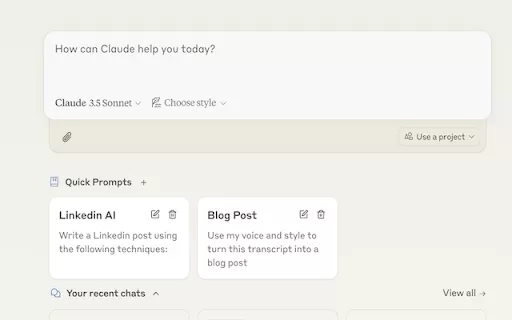
Ever find yourself stuck in a loop, typing the same prompts over and over? Enter Claude, the AI-powered Chrome extension that's here to save your sanity. This nifty tool is all about managing and saving your prompts, so you can keep your creative juices flowing without the frustration of repetition.
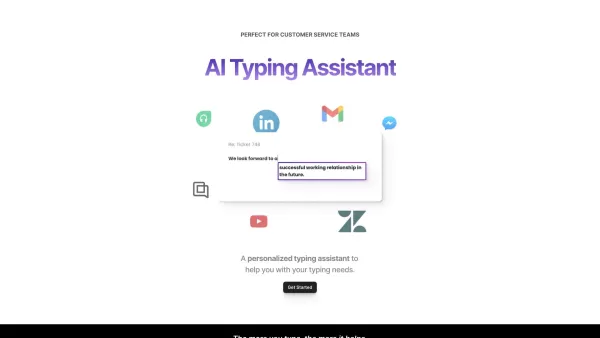
If you're looking to level up your typing game, the AI Typing Assistant is your go-to tool. It's like having a personal coach that tailors its advice just for you, based on how you type. Ever wish you could type faster and with fewer mistakes? This a
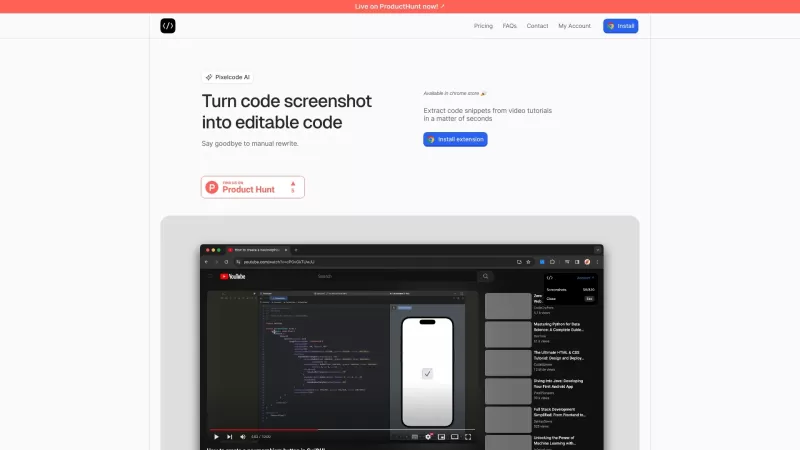
Pixelcode is a revolutionary tool that transforms screenshots of code into editable text, saving you from the tedious task of typing out code manually. Imagine snapping a picture of a code snippet and instantly having it ready to edit in your preferred co
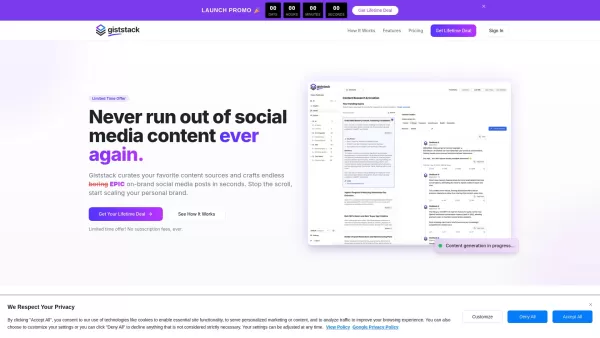
What is Giststack? Giststack is an AI-driven platform that assists users, especially solopreneurs and marketers, in tackling the hurdles of social media content creation. It gathers content from your preferred websites and newsletters, spots trending
chatpdf for PDFs powered by ChatGPT™ Product Information
What is ChatPDF? Your ChatGPT™-Powered PDF Assistant
ChatPDF revolutionizes the way you work with PDFs. This AI-powered tool transforms static documents into interactive chat experiences, allowing you to ask questions, get instant summaries, and pinpoint key information effortlessly. Ideal for students digesting research papers or professionals analyzing reports, ChatPDF delivers fast, accurate insights with the help of advanced AI, making any PDF easy to navigate.
Who Can Benefit from ChatPDF?
- Students
- Professionals
- Researchers
- Educators
How to Get Started with ChatPDF
- Step 1: Download and install the ChatPDF extension from the Chrome Web Store.
- Step 2: Open the ChatPDF extension in your Chrome browser.
- Step 3: Upload the PDF you wish to explore.
- Step 4: Ask questions or request summaries directly from the document's content.
- Step 5: Review the AI-generated responses to extract the information you need.
Platform
- Chrome
ChatPDF: Core Features & Key Benefits
Core Features
- AI-Powered PDF Conversations
- Intelligent Text Summarization
- Instant Q&A
- Rapid Key Point Extraction
Key Benefits
- Boost Productivity
- Streamline Studying & Research
- Accelerate Document Analysis
- Simple, Intuitive Interface
Primary Use Cases & Applications
- Academic Research Assistance
- Business Document Review
- Student Study Aid
- Quick Information Discovery
ChatPDF Frequently Asked Questions (FAQ)
How do I install ChatPDF?
Simply visit the Chrome Web Store to download and add the extension to your browser.
Is there a limit to the size of the PDF I can upload?
Upload limits may vary based on your browser's capacity and the current version of the extension.
What languages does ChatPDF support?
ChatPDF is optimized for English, but it can process content in other languages depending on the document.
Can I ask multiple questions at once?
Absolutely. You can ask several questions in a session, and ChatPDF will address each one.
Does ChatPDF save my documents?
No. For your privacy, documents are processed temporarily and are not stored after your session.
Is ChatPDF free?
ChatPDF offers a free version, with potential premium features available.
How secure is my data with ChatPDF?
Your data is handled securely and deleted once processing is complete.
Can I provide feedback about my experience?
Yes, we welcome user feedback to help us enhance ChatPDF.
What should I do if I encounter a bug?
Please report any issues to the support email listed on the official ChatPDF page.
Can I use ChatPDF for all types of PDFs?
ChatPDF works with most PDFs, excluding files that are password-protected or encrypted.
ChatPDF Company Information
Website:
https://5-letter-words.comCompany Name:
Not AvailableSupport Email:
Not AvailableFacebook:
Not AvailableX (Twitter):
Not AvailableYouTube:
Not AvailableInstagram:
Not AvailableTikTok:
Not AvailableLinkedIn:
Not Available
chatpdf for PDFs powered by ChatGPT™ Screenshot


2026 Latest Best Top-rated AI Conversation Trainer Tools for Interview Practice are here on XIX.AI! This curated collection features powerful, game-changing tools that go through rigorous real-world tests to deliver accurate feedback. You’ll find a free vs paid comparison and detailed rankings to help you choose the must-try option that boosts your confidence and skills. Explore now to Discover your perfect tool for interview success!
 12 tools
 xix.ai

2026 Latest Best Top-rated AI Style Transfer Tools for Creative Experiments! XIX.AI has curated a powerful, game-changing collection of must-try tools that deliver exceptional results through real-world tests and rigorous rankings. These top solutions help creatives boost productivity significantly by accelerating content creation and unlocking endless creative possibilities. Explore now to discover your perfect tool and start creating today!
9 tools
xix.ai

2026 Latest Best Top-Rated AI Dialogue Bubble Tools for Visual Storytelling are here on XIX.AI! This curated collection features powerful, game-changing tools that help creators boost productivity and overcome creative bottlenecks. Get a free vs paid comparison, see real-world tests, and check the latest rankings to find the must-try solutions perfect for crafting engaging visual narratives. Explore now to discover your ideal tool!
10 tools
xix.ai

2026 Latest Top-Rated Best AI Meeting Summary Tools for Clear Decision Tracking and Effortless Follow-Ups. This curated list showcases powerful, game-changing solutions that boost productivity dramatically by automating meeting notes, identifying key action items, and streamlining team coordination across all projects. Get a free vs paid comparison along with real-world tests and weekly updated rankings to help you find the perfect tool. Explore now to unlock your AI edge!
9 tools
xix.ai

2026 Latest Best Top-rated AI Data Cleaning Tools for quick fixing of missing values and duplicates. This curated list showcases powerful, game-changing solutions that boost productivity significantly. Each option has undergone rigorous real-world tests to ensure reliability. Get a free vs paid comparison and discover the must-try tool that fits your needs best. Explore now at XIX.AI to Unlock your AI edge.
11 tools
xix.ai

2026 Latest Best Top-Rated AI Creative Ideation Tools for Artists are curated by XIX.AI to help creators break through visual blocks and boost creativity instantly. These powerful game-changing tools offer real-world tests, detailed free vs paid comparison, and weekly updated rankings. Discover your perfect tool to accelerate content creation and unlock your AI edge today. Explore now!
14 tools
xix.ai


