


 Home
HomeAl Photo Generator - Neurona
"AI Photo Video Maker: Face Swap & Pro Editing App" (49 chars)



Helps TikTok sellers, brands, MCNs, and TAPs discover winning products and find creators.

HelpLook is an AI-powered all-in-one knowledge base tool that helps businesses quickly build knowledge bases, help centers, and...

Your AI Workspace

302.AI is an enterprise-grade AI resource platform with pay-as-you-go pricing, API access to a full range of AI models, and ready-to-use online applications.

剧火AI — AI Screenwriter + Director, a One-Person Short Drama Studio In one sentence, what is it?
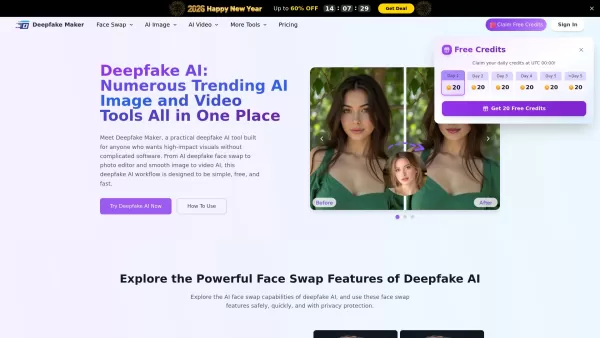
What is Deepfake Maker? Deepfake Maker is a comprehensive, browser-based AI tool for creating deepfakes, tailored for creators, marketers, and designers who need striking visuals without complicated software. It combines multiple AI capabilities: adv
What is Kontext AI? Kontext AI is a cutting-edge, free image generation and editing tool powered by FLUX Kontext technology. It uses context-aware artificial intelligence to produce, alter, and improve images with remarkable speed and precision. The
What is Filtrix AI? Filtrix AI is an intuitive AI image editor and generator that turns everyday photos into exceptional visual creations. It leverages artificial intelligence to manage the technical complexities, empowering users to concentrate on c
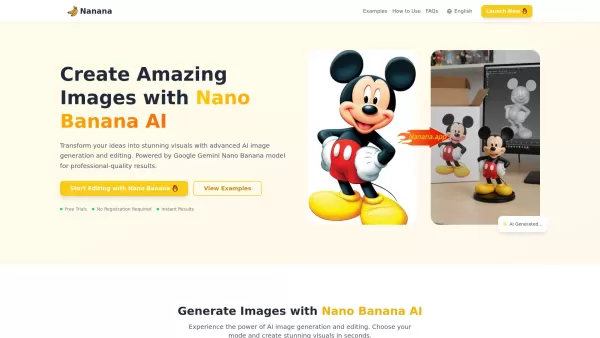
What is Nano Banana | Nanana AI? Nanana AI is the leading AI image generator and AI image editor on the market. It taps into the full potential of Google's revolutionary Nano Banana model to offer unmatched image creation and editing power. As an ear
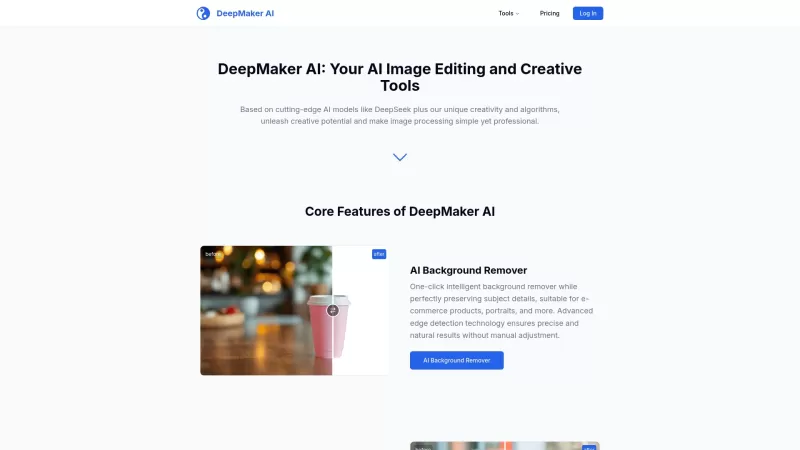
DeepMaker AI is your go-to platform for transforming your images and videos with the latest AI technology. From removing backgrounds to generating stunning tattoos, this service has it all. What sets DeepMaker AI apart is its pay-as-you-go model—no subscr
Al Photo Generator - Neurona Product Information
What is AI Photo Generator - Neurona?
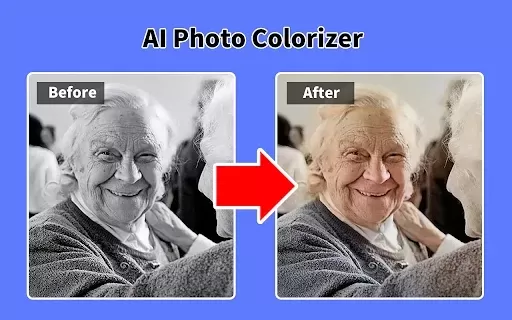
Neurona, also known as AI Photo & Video Maker, is a free app powered by cutting-edge artificial intelligence that turns your photos and videos into breathtaking artistic creations. Perfect for crafting social media avatars, altering appearances, or styling content inspired by movies and TV shows, Neurona delivers advanced editing tools—including face swaps, polished headshots, and realistic aging effects. The app also elevates images with distinctive artistic filters and restores vintage photos, ensuring smooth and enjoyable edits every time.
Who can benefit from AI Photo Generator - Neurona?
- Social media users
- Beginner photographers and video editors
- Content creators
- Creative photo editing enthusiasts
- Influencers and bloggers
How to use AI Photo Generator - Neurona?
- Step 1: Download and install Neurona from the App Store.
- Step 2: Launch the app and allow required permissions.
- Step 3: Select photos or videos from your gallery.
- Step 4: Explore editing options like face swaps, headshots, and artistic filters.
- Step 5: Adjust settings to achieve your desired look.
- Step 6: Save or share your creations on social media.
Platform
- iOS
AI Photo Generator - Neurona's Core Features & Benefits
The Core Features
- Advanced AI-powered tools
- Seamless face swapping
- Professional-grade headshot generator
- Authentic aging effects
- Exclusive artistic filters
The Benefits
- Transforms images into stunning artworks
- Boosts creativity with diverse styles
- Streamlined and fun editing experience
- Crafts standout social media avatars
AI Photo Generator - Neurona's Main Use Cases & Applications
- Enhancing social media profiles
- Producing original digital content
- Personal photo and video touch-ups
- Professional headshots for resumes
- Restoring and improving vintage photos
FAQs of AI Photo Generator - Neurona
What is AI Photo & Video Maker?
AI Photo & Video Maker is an AI-driven app that converts ordinary photos and videos into visually striking artworks.
Is the app free to use?
Yes, Neurona is free with optional in-app purchases.
What devices support Neurona?
The app is currently compatible with iOS devices.
What key features does Neurona offer?
Neurona provides AI-powered face swaps, professional headshots, artistic filters, and realistic aging simulations.
Who is Neurona designed for?
Social media users, content creators, photography beginners, influencers, and bloggers will find Neurona invaluable.
Can edited photos be shared directly?
Absolutely—edited photos can be saved and instantly shared across social platforms.
Does Neurona create professional headshots?
Yes, the app includes specialized tools for generating high-quality headshots.
How do I apply artistic filters?
Simply upload your photo and select from Neurona’s curated collection of artistic filters.
Is Neurona easy to navigate?
Yes, Neurona features an intuitive interface for effortless editing.
Does Neurona store my photos?
No, your photos are processed securely and never permanently stored.
AI Photo Generator - Neurona Company Information
- Pinborg Management Limited
- https://www.pinborg.org
Al Photo Generator - Neurona Screenshot

Discover the 2026 best AI video tools for perfect face consistency. Our top-rated, curated list features powerful solutions to keep your character identical across scenes. Compare free vs paid options with real-world tests and weekly updated rankings. Unlock seamless video creation at XIX.AI.
 10 tools
 xix.ai
Discover the 2026 best AI outfit-changing video tools! XIX.AI's curated list features top-rated, game-changing solutions for seamless character clothing swaps in one click. Compare free vs paid options with real-world tests. Unlock effortless video editing and elevate your creative projects. Explore the rankings now!
10 tools
xix.ai

Discover the 2026 best AI tools to turn photos into videos online, all curated and ranked. Our top-rated picks include free, no-signup options for instant animation. Explore real-world tests, free vs. paid comparisons, and weekly updated rankings on XIX.AI. Find your perfect video creation tool today!
10 tools
xix.ai

2026 Latest: Discover the best free AI face swap video tools online with no watermark! Our curated selection features top-rated, powerful options for creating seamless and hilarious videos. Compare free vs paid, see real-world tests, and get weekly updated rankings. Find your perfect match and start creating viral content today at XIX.AI
10 tools
xix.ai
2026 Curated Ranking: Explore top-rated AI video apps that transform your content. Must-try tools for creating engaging, viral-ready videos to boost your social media presence. XIX.AI tests performance, compares free vs paid, and provides weekly updates. Discover your perfect tool now.
10 tools
xix.ai
Discover the top-rated AI face swap video tools of 2026 for seamless, creative editing. Get XIX.AI's curated comparison of powerful features, real-world performance, and free vs paid options. Unlock your next game-changing video project today.
10 tools
xix.ai


이 앱 정말 대단해요! Neurona으로 제 사진을 예술 작품처럼 바꾸었는데, 친구들이 모두 감탄했어요. 소셜 미디어에 올리거나 프레임에 걸어두어도 완벽해요. AI 기술이 확실히 인상적이지만, 프라이버시 걱정이 좀 있어요. 무료 앱인데 이렇게 퀄리티가 좋을 수가? 🤔 어쨌든 혁신적인 툴이고 계속 사용할 계획이에요!


