


 Heim
HeimiListen.ai - Chrome Extension
Fasst Artikel in Podcasts zusammen



Helps TikTok sellers, brands, MCNs, and TAPs discover winning products and find creators.

HelpLook is an AI-powered all-in-one knowledge base tool that helps businesses quickly build knowledge bases, help centers, and...

Your AI Workspace

302.AI is an enterprise-grade AI resource platform with pay-as-you-go pricing, API access to a full range of AI models, and ready-to-use online applications.

剧火AI — AI Screenwriter + Director, a One-Person Short Drama Studio In one sentence, what is it?
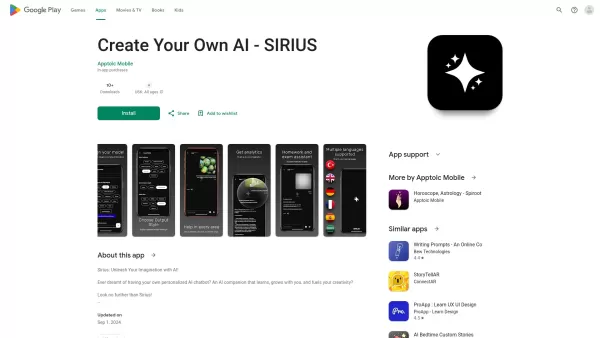
Haben Sie sich jemals gefragt, wie es ist, einen kreativen Kumpel zu haben, der immer bereit ist, sich zu unterhalten und Sie zu inspirieren? Dort kommt Sirius Ai ins Spiel. Dies ist kein Chatbot. Es ist Ihr anpassbarer Begleiter, der von Ihnen lernen und Ihre Kreativität auslöst.
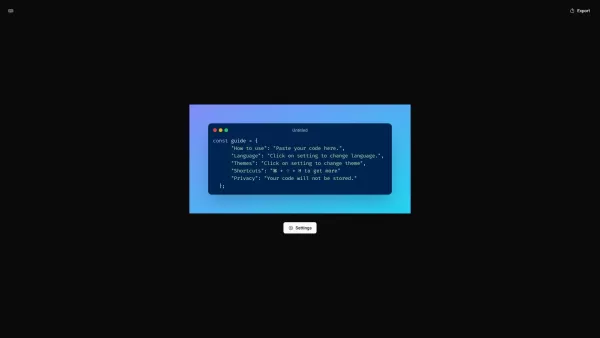
Was ist CodeScreenshot?Verwandeln Sie Ihre Codeschnipsel in visuell beeindruckende, gemeinsam nutzbare BilderWie benutzt man CodeScreenshot?Mit unserem intuitiven Tool können Sie Ihren Code mühelos in
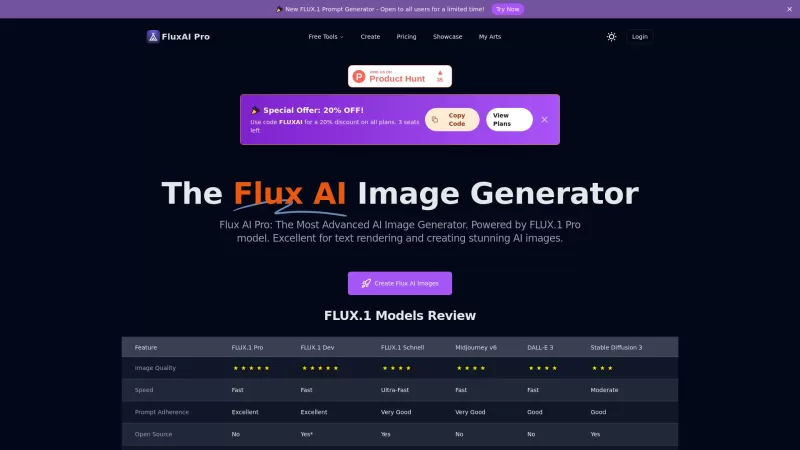
Flux AI Pro ist eine aufregende Plattform, die die Magie der KI -Image -Generierung auf Ihre Fingerspitzen bringt. Es wird durch den innovativen Fluss.1-Serie von Modellen angetrieben, die speziell so gestaltet sind, dass Ihre Textaufforderungen in atemberaubende, qualitativ hochwertige im

Haben Sie sich jemals gefragt, wie Sie Ihren idealen Kunden ohne Vermutung genau bestimmen können? Geben Sie den Kunden Crafter ein, einem Spielveränderer für Unternehmen, die ihre Zielgruppe nageln möchten. Dieser nützliche Service nutzt KI, um detaillierte, personalisierte Kundenprofile zu erstellen, die sich anfühlen
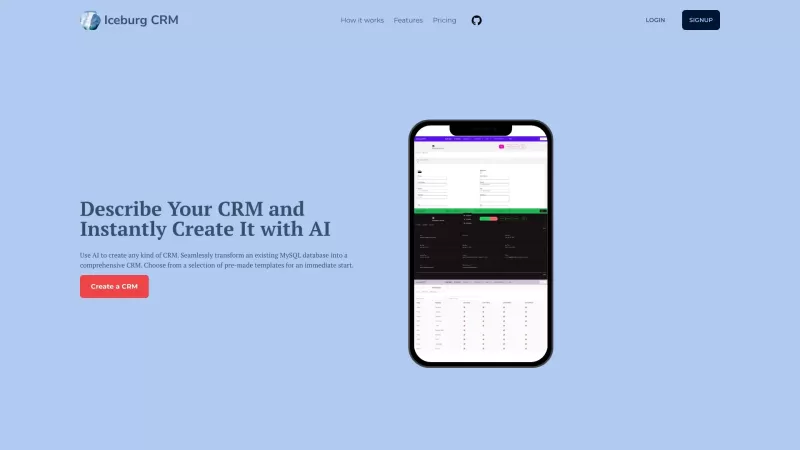
IceBurg CRM ist mehr als nur ein Werkzeug; Es ist eine Revolution im Kundenbeziehungsmanagement. Stellen Sie sich ein CRM vor, das nicht nur außerhalb des Schreibens ist, sondern auch maßgeschneiderte, um Ihren einzigartigen geschäftlichen Anforderungen wie einem Handschuh zu entsprechen. Das bietet IceBurg CRM - mit der Kraft des Ai t
iListen.ai - Chrome Extension Produktinformationen
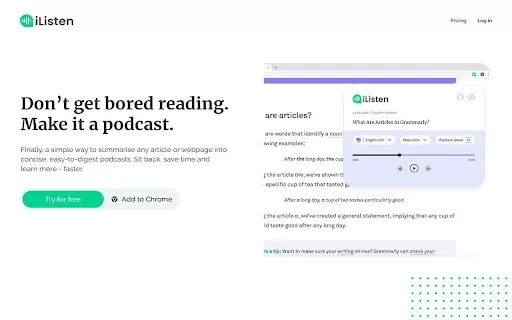
Ever wished you could have someone read the latest articles or webpages to you in a neat, easy-to-follow podcast? Well, that's where iListen.ai comes in—a nifty AI Chrome extension that turns any webpage into a concise podcast summary. It's like having your own personal narrator on demand!
How to Use iListen.ai AI Chrome Extension?
Getting started with iListen.ai is as simple as pie. Just install the Chrome extension and you're ready to go. Whenever you land on a webpage you want to hear rather than read, hit that iListen.ai button and let the magic happen. It'll whip up a podcast summary faster than you can say "play."iListen.ai AI Chrome Extension's Core Features
Fully Customizable Summaries
Ever wanted to tweak how your summaries sound? With iListen.ai, you can customize the summaries to your heart's content. Adjust the length, choose the voice—make it yours!
Podcast Library for Storing Summaries
No need to listen right away. iListen.ai lets you save those summaries in a personal podcast library. You can come back and listen whenever you're ready, whether you're on a commute or just chilling at home.
Browser Extension for Summarizing Webpages
The beauty of iListen.ai is that it's right there in your browser. No need to switch apps or tabs—just a quick click and you're turning any webpage into an audio treat.
iListen.ai AI Chrome Extension's Use Cases
Customizing Audio Length and Voice Preferences
Want a quick 5-minute summary or a more detailed 15-minute one? iListen.ai lets you decide. Plus, you can pick the voice that speaks to you—literally. Whether you prefer a soothing tone or something more energetic, the choice is yours.
Storing and Listening to Audio Summaries from the App
Save your favorite summaries and listen to them whenever you want. Whether you're multitasking or just relaxing, your podcast library is always at your fingertips.
FAQ from iListen.ai
- How can I customize the audio length?
- You can adjust the audio length to your preference within the iListen.ai settings. Whether you want a quick summary or a more in-depth one, just tweak the settings to fit your needs.
iListen.ai - Chrome Extension Screenshot



2026 Neueste Besten Top-bewerteten KI-Konversationstrainer-Tools für Vorstellungsgesprächspraxis sind hier auf XIX.AI! Diese kuratierte Sammlung enthält leistungsstarke, bahnbrechende Tools, die strengen Praxistests unterzogen wurden, um präzises Feedback zu liefern. Sie finden einen Vergleich zwischen kostenlosen und kostenpflichtigen Optionen sowie detaillierte Rankings, die Ihnen helfen, die empfehlenswerte Option zu wählen, die Ihr Selbstvertrauen und Ihre Fähigkeiten verbessert. Entdecken Sie jetzt Ihr perfektes Tool für den Erfolg im Vorstellungsgespräch!
 12 Tools
 xix.ai

Die besten und am besten bewerteten KI-Tools für den Stiltransfer im Jahr 2026 – ideal für kreative Experimente! XIX.AI hat eine leistungsstarke, bahnbrechende Sammlung unverzichtbarer Tools zusammengestellt, die in Praxistests und strengen Bewertungen außergewöhnliche Ergebnisse liefern. Diese Top-Lösungen helfen Kreativen dabei, ihre Produktivität deutlich zu steigern, indem sie die Erstellung von Inhalten beschleunigen und unendliche kreative Möglichkeiten eröffnen. Entdecken Sie jetzt Ihr perfektes Tool und legen Sie noch heute los!
9 Tools
xix.ai

Die besten und am besten bewerteten KI-Tools für Sprechblasen zum visuellen Storytelling des Jahres 2026 finden Sie hier auf XIX.AI! Diese sorgfältig zusammengestellte Sammlung umfasst leistungsstarke, bahnbrechende Tools, die Kreativen dabei helfen, ihre Produktivität zu steigern und kreative Blockaden zu überwinden. Holen Sie sich einen Vergleich zwischen kostenlosen und kostenpflichtigen Angeboten, sehen Sie sich Praxistests an und werfen Sie einen Blick auf die aktuellen Rankings, um die unverzichtbaren Lösungen zu finden, die sich perfekt für die Gestaltung fesselnder visueller Erzählungen eignen. Stöbern Sie jetzt und entdecken Sie Ihr ideales Tool!
10 Tools
xix.ai

Die besten und am besten bewerteten KI-Tools zur Zusammenfassung von Besprechungen im Jahr 2026 für eine übersichtliche Nachverfolgung von Entscheidungen und müheloses Follow-up. Diese sorgfältig zusammengestellte Liste präsentiert leistungsstarke, bahnbrechende Lösungen, die die Produktivität drastisch steigern, indem sie Besprechungsnotizen automatisieren, wichtige Aktionspunkte identifizieren und die Teamkoordination projektübergreifend optimieren. Erhalten Sie einen Vergleich zwischen kostenlosen und kostenpflichtigen Angeboten sowie Praxistests und wöchentlich aktualisierte Rankings, die Ihnen helfen, das perfekte Tool zu finden. Entdecken Sie es jetzt und nutzen Sie Ihren KI-Vorteil!
9 Tools
xix.ai

2026 – Die neuesten, besten und am höchsten bewerteten Tools für die Reinigung von KI-Daten, um fehlende Werte sowie Duplikate schnell zu beheben. Diese sorgfältig zusammengestellte Liste präsentiert leistungsstarke Lösungen, die die Produktivität erheblich steigern. Jedes Tool wurde in der Praxis gründlich getestet, um seine Zuverlässigkeit zu gewährleisten. Holen Sie sich einen kostenlosen Vergleich zwischen kostenloser und kostenpflichtiger Variante und entdecken Sie das für Ihre Bedürfnisse beste Tool. Entdecken Sie es jetzt auf XIX.AI, um Ihren Vorteil in der KI-Branche zu erlangen.
11 Tools
xix.ai

2026 Neueste Besten Top-Bewerteten KI-Kreativitäts-Tools für Künstler wurden von XIX.AI kuratiert, um Kreativen zu helfen, visuelle Blockaden zu durchbrechen und die Kreativität sofort zu steigern. Diese leistungsstarken, bahnbrechenden Tools bieten reale Tests, detaillierte kostenlose vs. kostenpflichtige Vergleiche und wöchentlich aktualisierte Rankings. Entdecken Sie Ihr perfektes Tool, um die Content-Erstellung zu beschleunigen und Ihren KI-Vorteil noch heute freizuschalten. Jetzt erkunden!
14 Tools
xix.ai


