


 首頁
首頁Claude to Obsidian - Chrome Extension
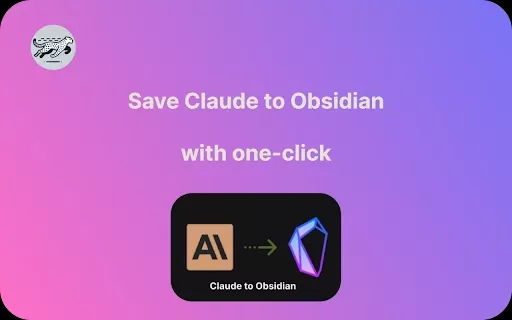
將克勞德的對話記錄儲存至黑曜石



Helps TikTok sellers, brands, MCNs, and TAPs discover winning products and find creators.

HelpLook is an AI-powered all-in-one knowledge base tool that helps businesses quickly build knowledge bases, help centers, and...

Your AI Workspace

302.AI is an enterprise-grade AI resource platform with pay-as-you-go pricing, API access to a full range of AI models, and ready-to-use online applications.

剧火AI — AI Screenwriter + Director, a One-Person Short Drama Studio In one sentence, what is it?

曾經偶然發現了櫻桃工作室AI並想知道這是怎麼回事?好吧,讓我為您分解。 Cherry Studio AI不僅是另一個經常運行的AI工具;這是一個強大的桌面客戶端

Discover Plume AI:您的最終學術寫作助理,您厭倦了為自己的學術寫作而苦苦掙扎嗎?好吧,向Plume AI打個招呼,AI是創新的AI助手,它在這裡徹底改變了您的寫作方式! Plume AI考慮了學生的設計,利用了尖端藝術的力量

有沒有想過如何將混亂的思想和復雜的查詢變成您實際上可以掌握的東西?輸入可視化器,這是您在學習和創造力領域的新最好的朋友。這個漂亮的工具帶有您的書面查詢,URL甚至PDF,

曾經希望有一個值得信賴的搭檔來幫助您輕鬆瀏覽數字世界嗎?輸入您的個人AI同伴Sider,旨在無縫融合到您的日常工作中。從方便的鍍鉻/邊擴展開始,Sider會轉換您的瀏覽

有沒有想過忍者AI是什麼?好吧,讓我告訴你,這就像為您的數字需求拿著瑞士軍刀! Ninja AI不僅是另一個AI工具;這是一個強大的力量,匯集了24多個一流的大語言模型(LLMS)來幫助
Claude to Obsidian - Chrome Extension產品信息
什麼是 Claude 轉 Obsidian Chrome 擴充功能?
Claude 轉 Obsidian Chrome 擴充功能是一款強大的工具,能為您建立無縫工作流程,將 Claude 中的對話記錄儲存為 Markdown 檔案,讓您在 Obsidian 筆記系統中輕鬆整理內容。
如何使用 Claude to Obsidian Chrome 擴充功能
安裝擴充功能後,直接如常使用 Claude 即可。當您想保存對話時,點擊擴充功能按鈕將當前對話轉換為 Markdown 檔案,隨後可依個人偏好命名並整理歸檔。
Claude to Obsidian Chrome擴充功能核心特性
一鍵將 Claude 對話匯出為 Markdown 格式
Claude to Obsidian Chrome擴充功能應用場景
將 Claude 討論內容保存至 Obsidian,實現結構化組織與未來參考
常見問題
Claude to Obsidian 的主要功能為何?
安裝此擴充功能有何益處?
Claude to Obsidian - Chrome Extension屏幕截圖


2026 年最新、最受好評的 AI 面試對話訓練工具,盡在 XIX.AI!這份精心精選的清單收錄了多款功能強大、顛覆傳統的工具,這些工具均經過嚴格的實戰測試,能提供精準的回饋。 您將在此找到免費版與付費版的比較分析,以及詳細的排名榜單,助您挑選必試的選項,從而提升自信與技能。立即探索,發掘助您在面試中脫穎而出的完美工具!
 12 個工具
 xix.ai

2026 年最新、最佳且評價最高的 AI 風格轉移工具,助您進行創意實驗!XIX.AI 精心精選了一系列強大且具革命性的必試工具,這些工具經實際測試與嚴格評比,能帶來卓越成果。這些頂尖解決方案能加速內容創作並開啟無盡的創意可能性,協助創作者顯著提升生產力。 立即探索,找出最適合您的工具,並從今天開始創作吧!
9 個工具
xix.ai

2026 年最新、最受好評的視覺敘事 AI 對話氣泡工具,現已登陸 XIX.AI!這份精心挑選的合集收錄了強大且具顛覆性的工具,能協助創作者提升生產力並突破創作瓶頸。 查看免費版與付費版的比較、參考實際測試結果,並查閱最新排行榜,找出最適合打造引人入勝視覺敘事的必試解決方案。立即探索,發掘您的理想工具!
10 個工具
xix.ai

2026 年最新高評價最佳 AI 會議摘要工具,助您清晰追蹤決策並輕鬆進行後續跟進。這份精選清單展示了一系列強大且具顛覆性的解決方案,透過自動化會議記錄、識別關鍵行動項目,以及簡化所有專案的團隊協作,大幅提升生產力。 獲取免費版與付費版的比較分析,搭配實際測試報告及每週更新的排行榜,助您找到最合適的工具。立即探索,釋放您的 AI 優勢!
9 個工具
xix.ai

2026年最新、最優秀且評分最高的AI資料清洗工具,可快速處理缺失值與重複資料問題。這份精心挑選的清單展示了那些功能強大、能帶來顛覆性變革的解決方案,可顯著提升工作效率。所有候選工具都經過了嚴格的實際應用測試,以確保其穩定性。您可以獲取免費版與付費版的對比資訊,找出最符合您需求的必備工具。即刻訪問XIX.AI,開啟您的AI優勢之旅。
11 個工具
xix.ai

2026 年最新最佳頂級評分 AI 創意構思工具由 XIX.AI 精心策劃,旨在幫助創作者突破視覺瓶頸並即時提升創造力。這些強大的變革性工具提供真實世界測試、詳細的免費與付費對比以及每週更新的排名。發現您的完美工具,加速內容創作,並立即釋放您的 AI 優勢。立即探索!
14 個工具
xix.ai


This extension is a game-changer for my research workflow! I used to manually copy-paste Claude conversations into Obsidian, but now it's just one click away. The markdown formatting is clean and preserves the conversation structure perfectly. My only wish is for a timestamp option in the file names. Still, it's already saved me hours this week. 🚀


