


 Home
HomeYouTube Scribe
YouTube Scribe: Multi-Language Summaries



Helps TikTok sellers, brands, MCNs, and TAPs discover winning products and find creators.

HelpLook is an AI-powered all-in-one knowledge base tool that helps businesses quickly build knowledge bases, help centers, and...

Your AI Workspace

302.AI is an enterprise-grade AI resource platform with pay-as-you-go pricing, API access to a full range of AI models, and ready-to-use online applications.

剧火AI — AI Screenwriter + Director, a One-Person Short Drama Studio In one sentence, what is it?
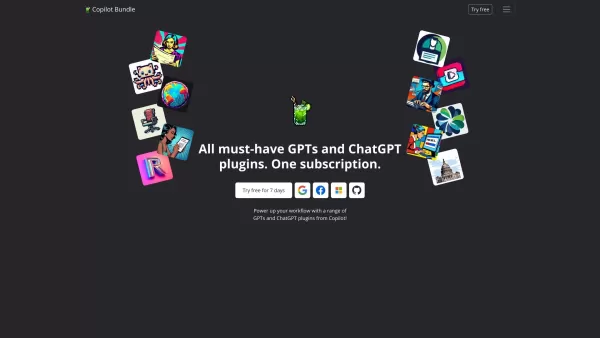
Copilot is an innovative suite of plugins and tools designed to enhance productivity and streamline various tasks within the ChatGPT platform. It's like having a digital assistant that's specialized in boosting your workflow, whether you're summarizing documents, searching the web, or managing job a
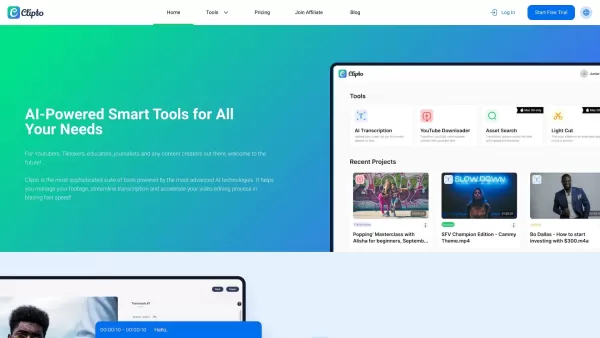
Ever wondered how to effortlessly turn your audio and video files into text? Enter Clipto, the powerhouse of AI transcription on the web. Imagine harnessing the same cutting-edge tech that fuels ChatGPT to convert your Zoom meetings, interviews, and
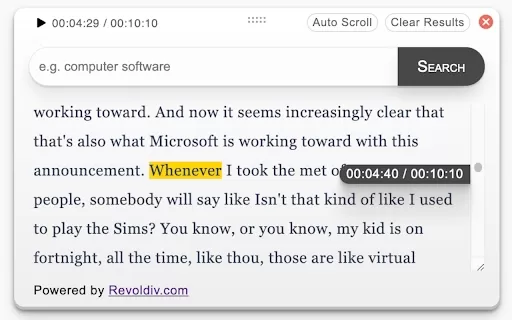
What is Revoldiv AI Chrome Extension? Revoldiv is a Chrome browser extension that instantly transcribes audio and video directly in your browser. It lets users follow along by reading live transcriptions and search for specific spoken words within po
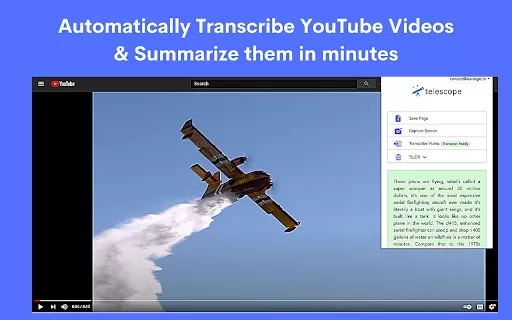
What is the Telescope AI Chrome Extension? Telescope is an AI-powered knowledge base and natural language search tool. It helps users save information, ask questions, and extract knowledge from documents, websites, and videos. Its goal is to deliver
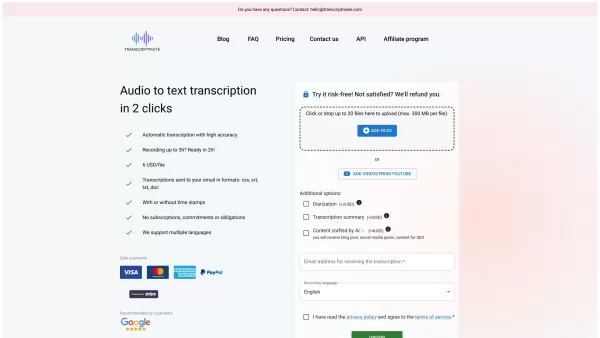
What is Transcriptmate? Transcriptmate is an online service that transcribes your audio and video files. It operates on a convenient 'Pay-As-You-Go' basis, meaning no sign-ups, subscriptions, or monthly fees. You simply pay per file, not per minute,
YouTube Scribe Product Information
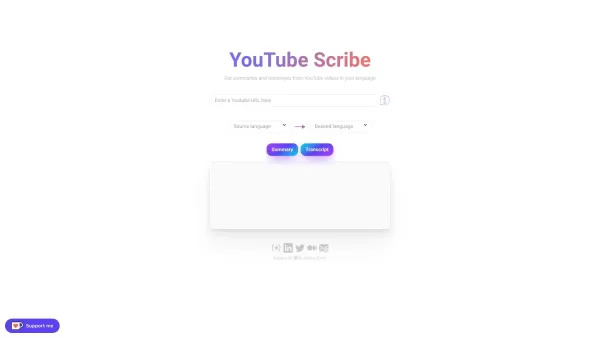
Imagine you're trying to catch up on a fascinating YouTube video, but you're short on time. Enter YouTube Scribe, your go-to tool for getting the gist of those videos without having to watch them from start to finish. This nifty platform not only gives you summaries but also full transcripts of YouTube videos in a variety of languages including Arabic, Chinese, English, French, German, Hindi, Japanese, Korean, Portuguese, Russian, Spanish, and Turkish. It's like having your own personal translator and note-taker rolled into one!
How to Use YouTube Scribe?
Using YouTube Scribe is as easy as pie. Just grab the URL of the video you're interested in and pop it into YouTube Scribe. In a flash—give or take a minute, depending on the video's length and the language you pick—the platform whips up a summary and transcript for you. Fancy switching languages? No problem, just use the language selection feature. Keep in mind, though, that not every video out there comes with a transcript, and the ones that do might have a few hiccups or missing bits. But hey, it's still a huge time-saver!
YouTube Scribe's Core Features
- Delivers summaries and transcripts of YouTube videos in multiple languages.
- Supports a wide range of languages like Arabic, Chinese, English, French, German, Hindi, Japanese, Korean, Portuguese, Russian, Spanish, and Turkish.
- Lets you effortlessly switch between different languages.
- Handles videos of all lengths, short or long.
- Quick results, usually in a minute or less.
YouTube Scribe's Use Cases
- Perfect for when you want to get the essence of a video without watching the whole thing.
- A great tool for language learners to practice their listening skills.
- Helps in translating video content into different languages for broader reach.
- Boosts accessibility for those with hearing impairments.
- Ideal for quickly pulling out key info from videos.
FAQ from YouTube Scribe
- How long does it take to get results from YouTube Scribe?
- Typically, you'll see results within a minute, though it can vary based on video length and language.
- Which languages are supported by YouTube Scribe?
- YouTube Scribe supports Arabic, Chinese, English, French, German, Hindi, Japanese, Korean, Portuguese, Russian, Spanish, and Turkish.
- Are all YouTube videos transcribed on YouTube Scribe?
- No, not all videos have transcripts available, and some might have errors or missing text.
- Can I switch between languages on YouTube Scribe?
- Yes, you can easily switch between the supported languages using the language selection feature.
For any hiccups or questions, you can reach out to YouTube Scribe's support team at [email protected]. Need to log in? Head over to YouTube Scribe Login. Curious about pricing? Check out the YouTube Scribe Pricing. Want to see it in action? Watch the YouTube Scribe YouTube video. For more professional updates, connect on LinkedIn or follow on Twitter.
YouTube Scribe Screenshot


2026 Latest Top-rated AI Illustration Tools: Our curated list features the best powerfully designed tools for creating stunning editorial scenes and eye-catching cover art quickly. Each option has gone through rigorous real-world tests, offering a free vs paid comparison to help you find the perfect match for your workflow. Try these must-try solutions today to unlock your AI edge and boost your creative productivity. Explore now at XIX.AI.
 10 tools
 xix.ai

2026 Latest Top-Rated Best AI Tutors for Exam Prep are here on XIX.AI! Our curated list features powerful game-changing tools that offer free vs paid comparison, real-world tests, and weekly updated rankings. They help boost your writing efficiency, simplify complex topic learning, and unlock your academic potential. Explore now to Discover your perfect exam prep tool and Start creating today to Unlock your AI edge!
10 tools
xix.ai

2026 Latest Best Top-Rated AI Budget Planning Tools for Personal Money Management are here on XIX.AI! This curated collection features powerful, game-changing solutions that help you conduct real-world tests, understand spending habits, and create personalized plans to boost productivity. Enjoy a free vs paid comparison along with detailed rankings. Must-try tools designed to simplify money management and unlock your AI edge. Explore now!
11 tools
xix.ai

2026 Latest Best Top-Rated AI Sleep Tracking Assistants curated for ultimate recovery. This fully updated weekly guide features powerful tools that deliver real-world tests, free vs paid comparison, and detailed rankings to help you find the must-try solution that boosts sleep quality and supports better bedtime habits. Explore now at XIX.AI to Unlock your AI edge.
10 tools
xix.ai

2026 Latest Best Top-Rated AI SQL Copilots for Product and Revenue Analytics! XIX.AI has curated a powerful, game-changing collection of must-try tools that undergo real-world tests through weekly updated rankings. These tools help users boost productivity significantly by accelerating data analysis, streamlining complex queries, and generating accurate insights to drive smarter business decisions. Explore now to Discover your perfect tool for unlocking your AI edge!
14 tools
xix.ai

2026 Latest Best Top-Rated AI Homework Helpers That Teach Core Concepts Not Just Answers Powerful Tools for Students Must-Try Curated List Weekly Updated Free vs Paid Comparison Real-World Tests Accurate Rankings to Help You Unlock Your Full Learning Potential Explore now to Discover your perfect tool for smarter studying.
10 tools
xix.ai


Klingt verlockend! Endlich nicht mehr stundenlang sitzen, um den Kern eines Videos zu rauszufiltern 😅 Aber wie gut erfasst es visuelle Nuancen wie Grafiken oder Beispieldemos? Für Textlastiges super, aber bei Tutorials wäre ich vorsichtig. Mal testen!
이 도구 실제로 유투브 영상 요약하는 데 유용하네요! 시간 절약은 물론 핵심 내용 파악에 정말 좋아요. 다만 아직 한국어 자막 처리 정확도 조금 아쉽지만, 앞으로 업데이트되면 더 완벽해질 거예요 👍 한국어 유저들도 많이 이용해보세요~ 시간이 부족할 때 정말 요긴하답니다. 혹시 유투브 프리미엄이랑 연동 가능할까 궁금해요! 🤔
YouTube Scribe is a lifesaver! I used it to summarize a 20-min tutorial in seconds, and the transcript was spot-on. Perfect for quick notes when I'm juggling work and study. 😎 Only wish it could handle super niche videos better!


