


 Home
HomeYouTube Email Finder



Helps TikTok sellers, brands, MCNs, and TAPs discover winning products and find creators.

HelpLook is an AI-powered all-in-one knowledge base tool that helps businesses quickly build knowledge bases, help centers, and...

Your AI Workspace

302.AI is an enterprise-grade AI resource platform with pay-as-you-go pricing, API access to a full range of AI models, and ready-to-use online applications.

剧火AI — AI Screenwriter + Director, a One-Person Short Drama Studio In one sentence, what is it?

What is Face Swap - FaceArt?Face Swap - FaceArt empowers you to effortlessly swap faces in photos, powered by advanced AI technology. This extension makes face transformation quick and simple, enabling you to create fun and unique images in seconds.
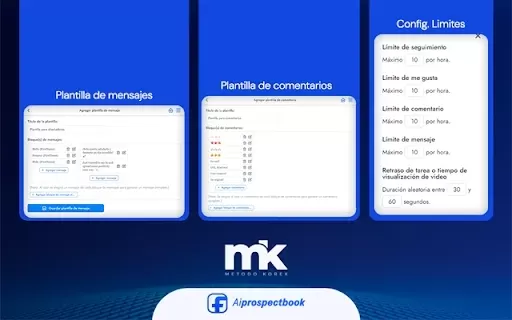
What is AI Prospect Book?AI Prospect Book is a Chrome extension designed to revolutionize sales prospecting. It leverages AI-powered insights and tools to help users discover, generate, and organize potential leads from various online sources. Its pr
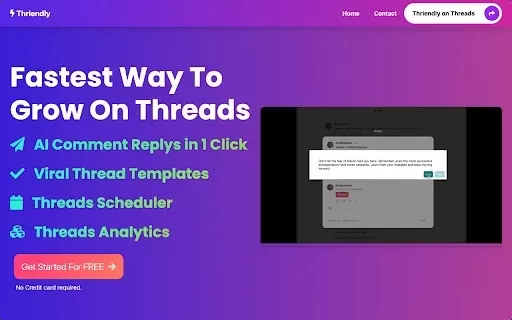
What is Thriendly's Fastest Way to Grow on Threads and X with AI Engagement?Thriendly helps you expand your audience on Threads and X (formerly Twitter) by using AI to craft compelling replies to comments. This AI is fine-tuned for social media influ
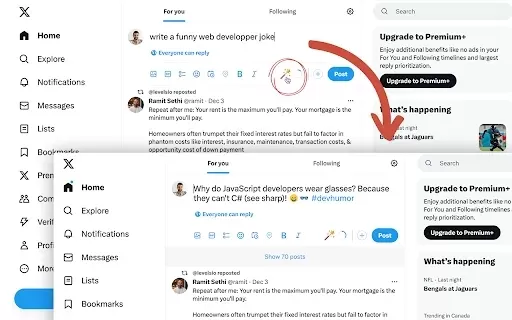
What is Fablerr — AI for Social Media?Fablerr is a smart Chrome extension that serves as your personal AI writer for boosting social media engagement. It works seamlessly on platforms like Twitter, Reddit, and Gmail, helping you create polished, audi
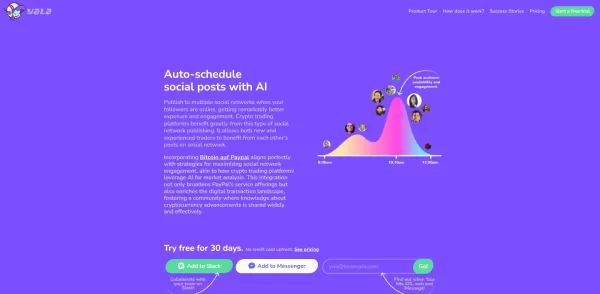
What is Yala?Yala is an intelligent AI assistant that creates authentic, human-like conversations. Powered by sophisticated natural language processing algorithms, it understands user queries and delivers customized responses to meet specific require
YouTube Email Finder Product Information
What is the YouTube Email Finder?
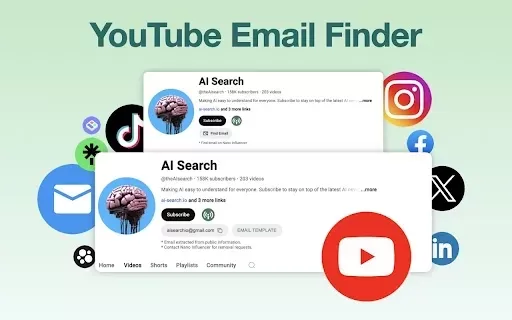
The YouTube Email Finder is a specialized Chrome extension that enables users to uncover hidden email addresses associated with YouTube channels. Featuring an intuitive interface, it facilitates rapid searches and bulk email extraction. Whether you are a marketer aiming to connect with influencers or a business looking for collaboration opportunities, this tool streamlines the process of collecting contact details. It incorporates an AI-driven bot to ensure email verification, delivering precise and trustworthy data to its users.
Who is the YouTube Email Finder for?
- Digital marketing professionals
- Companies seeking strategic partnerships
- Influencer outreach specialists
- Content creators
- Sales representatives
How to Use the YouTube Email Finder?
- Step 1: Install the YouTube Email Finder extension from the Chrome Web Store.
- Step 2: Go to the YouTube channel from which you want to retrieve an email address.
- Step 3: Click the extension icon to start the search process.
- Step 4: Review the extracted email(s) displayed by the tool.
- Step 5: Utilize the obtained emails for marketing campaigns or outreach efforts.
Supported Platform
- Chrome
Key Features and Benefits of YouTube Email Finder
Core Features
- Immediate email extraction
- Bulk email searching capabilities
- Access to a verified email database
- AI-driven email discovery technology
Key Benefits
- Significant time savings in email searches
- Guaranteed accuracy and verification of data
- Enhances effectiveness of influencer marketing
- Smooth integration within the Chrome browser
Main Use Cases and Applications of YouTube Email Finder
- Engaging with YouTube influencers for marketing initiatives
- Establishing partnerships for brand collaborations
- Conducting outreach for content promotion
- Generating leads for sales and recruitment purposes
Frequently Asked Questions About YouTube Email Finder
How does the YouTube Email Finder function?
It utilizes artificial intelligence to extract and verify email addresses from YouTube channels.
Is there a cost associated with using the YouTube Email Finder?
The tool provides a free monthly quota, with premium features available via subscription plans.
Can I search for multiple channels simultaneously?
Absolutely, the extension supports bulk searches across multiple channels.
Are the extracted emails verified?
Yes, all extracted emails undergo verification to ensure their accuracy.
Is this tool available for browsers other than Chrome?
At present, it is exclusively supported on the Chrome browser.
How do I install the YouTube Email Finder?
You can install it directly from the Chrome Web Store.
Can I use it for personal outreach?
Yes, it is suitable for personal, business, or marketing outreach.
Does this tool comply with privacy regulations?
Yes, it adheres to privacy laws and promotes ethical data usage.
What if I need assistance with the extension?
You can reach support through the extension's page or the developer's official website.
Can I save the extracted emails?
Yes, you have the option to save extracted emails for your records.
Company Information for YouTube Email Finder
Website:
https://nanoinfluencer.aiCompany Name:
NanoInfluencerSupport Email:
Facebook:
NAX (Twitter):
NAYouTube:
NAInstagram:
NATiktok:
NALinkedIn:
NA
YouTube Email Finder Screenshot


2026 Latest Best Top-rated AI Study Discovery Tools are here on XIX.AI! This curated list includes powerful game-changing resources for quick access to journals, datasets, and industry trends. Get a free vs paid comparison along with real-world tests and updated rankings weekly. Must-try options help boost your research efficiency and unlock your AI edge. Explore now to discover your perfect tool!
 10 tools
 xix.ai

2026 Latest Best Top-Rated AI Email Campaign Tools for Lifecycle Marketing! XIX.AI has curated a powerful, game-changing collection of must-try solutions that boost writing efficiency, help create highly targeted content, and streamline entire marketing workflows. Enjoy weekly updated rankings, real-world tests, and a free vs paid comparison to find the perfect tool for your needs. Explore now to unlock your AI edge!
11 tools
xix.ai

2026 Latest Top-Rated Best AI Investment Research Tools are here on XIX.AI! This curated list includes powerfully accurate signals to assess portfolio risks and help you make smarter, data-driven decisions. We conduct real-world tests weekly to update rankings and offer a free vs paid comparison. Discover your perfect tool to boost investment analysis efficiency today. Explore now!
10 tools
xix.ai

2026 Latest Best Top-Rated AI Customer Chatbot Tools for Website Support are here on XIX.AI! Our curated list features powerful, game-changing solutions that boost response speeds, improve customer satisfaction, and save tons of manual work. Each option goes through rigorous real-world tests, complete with free vs paid comparison details. Explore now to find the perfect tool that boosts your online support efficiency!
10 tools
xix.ai

2026 Latest Best Instagram AI Comment Reply Tools for Shops, DMs, and Community Management! XIX.AI has curated a top-rated list of powerful game-changing solutions featuring weekly updated rankings, free vs paid comparison, and real-world tests. These must-try tools help boost productivity significantly by streamlining reply tasks, saving time, and enhancing customer engagement across all social media platforms. Explore now to discover your perfect tool for seamless community management!
10 tools
xix.ai

2026 Latest Best Top-Rated AI Photo Retouch Tools for Portrait Editing are here on XIX.AI! This curated list features powerful, game-changing solutions that help creators boost writing efficiency and unlock their full creative potential. We conduct real-world tests and provide detailed free vs paid comparison along with weekly updated rankings to ensure you find the must-try perfect tool for flawless portrait edits. Explore now to discover your ideal choice!
12 tools
xix.ai


