


 Home
HomeYaseen AI - AI Browser Copilot For Your Team



Helps TikTok sellers, brands, MCNs, and TAPs discover winning products and find creators.

HelpLook is an AI-powered all-in-one knowledge base tool that helps businesses quickly build knowledge bases, help centers, and...

Your AI Workspace

302.AI is an enterprise-grade AI resource platform with pay-as-you-go pricing, API access to a full range of AI models, and ready-to-use online applications.

剧火AI — AI Screenwriter + Director, a One-Person Short Drama Studio In one sentence, what is it?
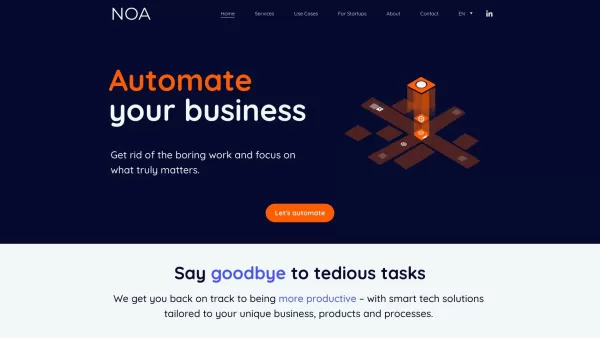
What is NOA?NOA Tech provides innovative technology solutions to enhance your business productivity. Utilizing advanced AI tools and custom automation, we identify operational bottlenecks, implement automation strategies, and empower your team to con

Ever wondered what OpenDream is all about? Well, let me fill you in! OpenDream isn't just another tool; it's an online AI art generator that's here to turn your creative dreams into reality. Imagine being able to whip up stunning AI-generated artwork in m
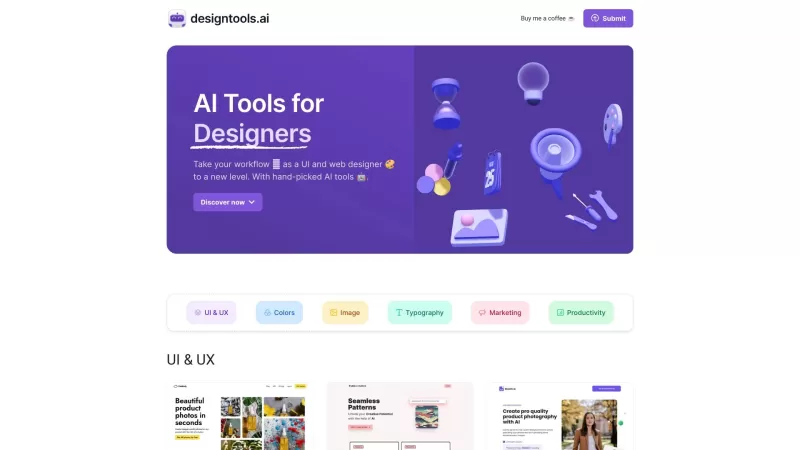
Ever felt like you're juggling too many design tools and still not getting the results you want? Well, let me introduce you to AI Tools for Designers—a gem of a website that's like a personal assistant for UI and web designers. It's all about making your
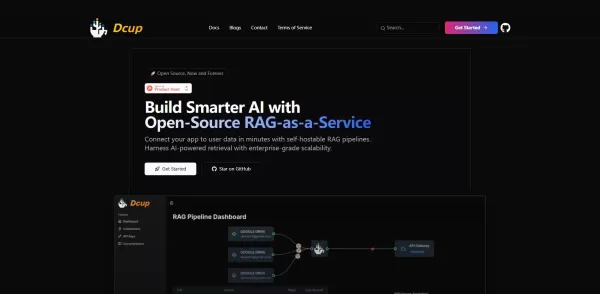
What is Dcup?Dcup is an advanced AI assistant built to streamline and optimize your daily workflows. It provides a suite of capabilities such as task automation, smart scheduling, and efficient data management. By leveraging cutting-edge AI technolog

Ever wondered how businesses can harness the power of AI to communicate and analyze data in a way that feels uniquely tailored to their needs? Enter ZBrain, a dynamic AI platform designed to do just that. Imagine having your very own personalized ChatGPT
Yaseen AI - AI Browser Copilot For Your Team Product Information
What is Yaseen AI - AI Browser Copilot For Your Team?
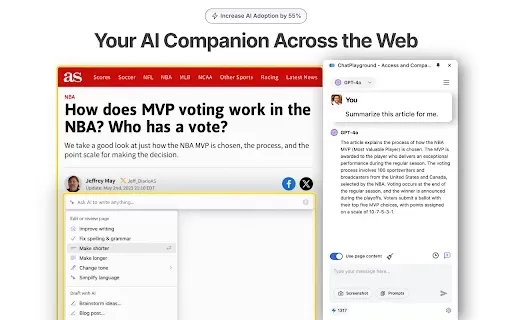
Yaseen AI's BrowserCopilot is a groundbreaking browser extension that elevates your web experience. It smoothly integrates with any webpage, comprehends the context, and delivers personalized AI responses. By taking a simple screenshot, you can receive step-by-step guidance from the AI. Generate custom prompts instantly from selected text to reshape content to your requirements. Eliminate the hassle of juggling numerous tabs and windows, and allow BrowserCopilot to optimize your workflow using its smart automation features.
Who is Yaseen AI - AI Browser Copilot For Your Team for?
- Web users
- Content creators
- Students
- Professionals
- Researchers
How to use Yaseen AI - AI Browser Copilot For Your Team
- Step 1: Install BrowserCopilot from the Chrome Web Store.
- Step 2: Navigate to any webpage where you require support.
- Step 3: Select the text you wish to modify or learn more about.
- Step 4: Employ custom prompts to communicate with the AI.
- Step 5: Take screenshots to let the AI direct you through activities.
- Step 6: Effortlessly move between various tasks while the AI manages context-sensitive replies.
Platform
- Web
- Chrome
Yaseen AI - AI Browser Copilot For Your Team's Core Features & Benefits
The Core Features
- Context-aware AI responses
- Custom prompt creation
- Screenshot-based guidance
- Seamless webpage integration
The Benefits
- Boosted productivity
- Simplified web interactions
- Personalized content transformation
- Less reliance on multiple tabs
Yaseen AI - AI Browser Copilot For Your Team's Main Use Cases & Applications
- Automating repetitive tasks
- Research and data gathering
- Content creation and editing
- Web browsing support
FAQs of Yaseen AI - AI Browser Copilot For Your Team
What is BrowserCopilot?
BrowserCopilot is an AI-driven browser extension that automates tasks and interprets webpage contexts.
Who can use BrowserCopilot?
It is suitable for all web users, such as students, professionals, and content creators.
What platforms does BrowserCopilot support?
BrowserCopilot is compatible with web and Chrome platforms.
How do I install BrowserCopilot?
Installation is available through the Chrome Web Store.
Can BrowserCopilot help with content creation?
Absolutely, it aids in transforming selected text and supports the writing process.
Does BrowserCopilot store my data?
No, BrowserCopilot does not sell or transfer your data for unrelated uses.
How do custom prompts work?
Select your text and utilize BrowserCopilot to build prompts that engage the AI.
What are some core features of BrowserCopilot?
Key features comprise context-aware AI replies, custom prompts, and screenshot-guided assistance.
Can BrowserCopilot handle multiple tasks simultaneously?
Yes, it can oversee different tasks and supply context-based AI answers.
Is BrowserCopilot free to use?
Refer to the Chrome Web Store for details on pricing.
Yaseen AI - AI Browser Copilot For Your Team Company Information
Yaseen AI - AI Browser Copilot For Your Team Screenshot

2026 Latest Best Top-rated AI Conversation Trainer Tools for Interview Practice are here on XIX.AI! This curated collection features powerful, game-changing tools that go through rigorous real-world tests to deliver accurate feedback. You’ll find a free vs paid comparison and detailed rankings to help you choose the must-try option that boosts your confidence and skills. Explore now to Discover your perfect tool for interview success!
 12 tools
 xix.ai

2026 Latest Best Top-rated AI Style Transfer Tools for Creative Experiments! XIX.AI has curated a powerful, game-changing collection of must-try tools that deliver exceptional results through real-world tests and rigorous rankings. These top solutions help creatives boost productivity significantly by accelerating content creation and unlocking endless creative possibilities. Explore now to discover your perfect tool and start creating today!
9 tools
xix.ai

2026 Latest Best Top-Rated AI Dialogue Bubble Tools for Visual Storytelling are here on XIX.AI! This curated collection features powerful, game-changing tools that help creators boost productivity and overcome creative bottlenecks. Get a free vs paid comparison, see real-world tests, and check the latest rankings to find the must-try solutions perfect for crafting engaging visual narratives. Explore now to discover your ideal tool!
10 tools
xix.ai

2026 Latest Top-Rated Best AI Meeting Summary Tools for Clear Decision Tracking and Effortless Follow-Ups. This curated list showcases powerful, game-changing solutions that boost productivity dramatically by automating meeting notes, identifying key action items, and streamlining team coordination across all projects. Get a free vs paid comparison along with real-world tests and weekly updated rankings to help you find the perfect tool. Explore now to unlock your AI edge!
9 tools
xix.ai

2026 Latest Best Top-rated AI Data Cleaning Tools for quick fixing of missing values and duplicates. This curated list showcases powerful, game-changing solutions that boost productivity significantly. Each option has undergone rigorous real-world tests to ensure reliability. Get a free vs paid comparison and discover the must-try tool that fits your needs best. Explore now at XIX.AI to Unlock your AI edge.
11 tools
xix.ai

2026 Latest Best Top-Rated AI Creative Ideation Tools for Artists are curated by XIX.AI to help creators break through visual blocks and boost creativity instantly. These powerful game-changing tools offer real-world tests, detailed free vs paid comparison, and weekly updated rankings. Discover your perfect tool to accelerate content creation and unlock your AI edge today. Explore now!
14 tools
xix.ai


