


 Home
HomeUpMeet 3.0



Helps TikTok sellers, brands, MCNs, and TAPs discover winning products and find creators.

HelpLook is an AI-powered all-in-one knowledge base tool that helps businesses quickly build knowledge bases, help centers, and...

Your AI Workspace

302.AI is an enterprise-grade AI resource platform with pay-as-you-go pricing, API access to a full range of AI models, and ready-to-use online applications.

剧火AI — AI Screenwriter + Director, a One-Person Short Drama Studio In one sentence, what is it?

What is AI Excel Bot?AI Excel Bot uses advanced AI algorithms to help you build complex Excel and Google Sheets formulas in seconds. By leveraging natural language processing, it makes writing, editing, and understanding formulas much easier. Whether

What is GPT2Markdown?GPT2Markdown is a Chrome extension that streamlines the process of exporting your ChatGPT conversations into Markdown format. With a single click, it allows you to download your chat history as a Markdown (.md) file directly to y

AI Chatbot Hub is your go-to no-code platform for crafting and deploying AI chatbots that streamline customer interactions and boost internal operations. No need to be a coding whiz—just dive in and start creating chatbots that can capture leads, schedule

What is Sakura AI?Sakura AI harnesses cutting-edge artificial intelligence to provide a conversational interface that helps with a wide range of tasks, from managing schedules to answering questions. It uses advanced voice recognition and understandi

Ever wished for a trusty sidekick to boost your productivity while you surf the web? Well, say hello to the MaxAI AI Chrome extension! This little gem is your go-to for real-time suggestions and a whole suite of AI tools that can transform your online exp
UpMeet 3.0 Product Information
What is UpMeet 3.0?
UpMeet is a full-featured meeting platform that enables smooth collaboration and meaningful interactions. Built to handle everything from casual meetups to large-scale conferences, UpMeet offers customization options, ease of use, and enhanced productivity. Users can tailor their meeting experience while leveraging UpMeet's AI-powered features to optimize interactions and outcomes.
Who will use UpMeet 3.0?
- Business Professionals
- Event Organizers
- Educational Institutions
- Remote Teams
- Content Creators
How to use the UpMeet 3.0?
- Step 1: Sign up for the UpMeet platform.
- Step 2: Customize your profile and meeting preferences.
- Step 3: Schedule a call or a Q&A session.
- Step 4: Invite participants via email or share a unique meeting link.
- Step 5: Host your meeting with real-time collaboration tools.
- Step 6: Use AI features to boost meeting productivity.
- Step 7: Save and share meeting recordings or output as needed.
Platform
- Web
UpMeet 3.0's Core Features & Benefits
The Core Features
- Custom Branding
- AI-Powered Tools
- Real-Time Collaboration
- Easy Scheduling
- Privacy and Security
The Benefits
- Enhanced Productivity
- Seamless Collaboration
- User-Friendly Interface
- Tailored Meeting Experience
- Secure and Private
UpMeet 3.0's Main Use Cases & Applications
- Virtual Conferences
- Remote Work Meetings
- Educational Webinars
- Online Networking Events
- Live Q&As
UpMeet 3.0's Pros & Cons
The Pros
Highly customizable platform that aligns with brand identity.
Supports up to 15,000 participants in a single call.
Integrated AI features to enhance the call experience.
Multi-language support makes it accessible worldwide.
Includes essential meeting features like breakout rooms, chat with emojis and GIFs, and call recordings.
Integration with popular tools like ClickUp.
Real-time shared browsing feature improves collaboration.
The Cons
UpMeet 3.0's Pricing
Free Plan Available? | No |
|---|---|
Free Trial Details | Free trial available for all plans |
Pricing Model | Free Trial |
Credit Card Required? | No |
Starting Price | 12.22 USD |
Lifetime Plan Available? | No |
Billing Frequency | Monthly |
Details of Pricing Plan
Starter
12.22 USD
- Up to 5 Spaces
- Up to 10 participants
- 40 minutes per call
- Reactions + Hand Raising
- Background Effects
- AI Noise Cancellation
Pro
24.44 USD
- Up to 10 Spaces
- Up to 100 participants
- 2 hours per call
- Reactions + Hand Raising
- Background Effects
- AI Noise Cancellation
- Custom Branding
- Breakout Groups
- Shared Chrome Browser
- Call Recordings
- Priority Email Support
Unlimited
73.34 USD
- Up to 500 Spaces
- Up to 1,000 participants
- 5 hours per call
- Reactions + Hand Raising
- Background Effects
- AI Noise Cancellation
- Custom Branding
- Breakout Groups
- Shared Chrome Browser
- Call Recordings
- Priority Support
- AI Live Chat
For the most current pricing, visit: UpMeet Pricing Page
FAQs of UpMeet 3.0
What is UpMeet?
UpMeet is a platform built for meaningful Q&As and calls, offering seamless collaboration and customization options.
Is UpMeet secure?
Yes, UpMeet prioritizes privacy and security for all user data and interactions.
Can I customize my meeting experience on UpMeet?
Absolutely, UpMeet provides full custom branding and meeting customization features.
What platforms does UpMeet support?
Currently, UpMeet supports the web platform.
How do I schedule a meeting on UpMeet?
Schedule a meeting by logging into your account, configuring the meeting details, and sending out invitations.
Can I use UpMeet for large conferences?
Yes, UpMeet is designed to handle everything from small meetups to large-scale conferences.
Does UpMeet have AI features?
Yes, UpMeet incorporates AI-powered tools to enhance meeting productivity and quality.
How do I invite participants to my UpMeet session?
Invite participants via email or by sharing a unique meeting link.
Does UpMeet offer recording features?
Yes, UpMeet allows you to save and share meeting recordings or outputs as needed.
Can UpMeet integrate with other tools?
UpMeet offers several integration options to streamline your workflow; specific integrations can be verified on the platform.
UpMeet 3.0 Company Information
Website:
https://upmeet.meCompany Name:
UpMeetSupport Email:
Not AvailableFacebook:
Not AvailableX (Twitter):
Not AvailableYouTube:
Not AvailableInstagram:
Not AvailableTikTok:
Not AvailableLinkedIn:
Not Available
UpMeet 3.0 Screenshot
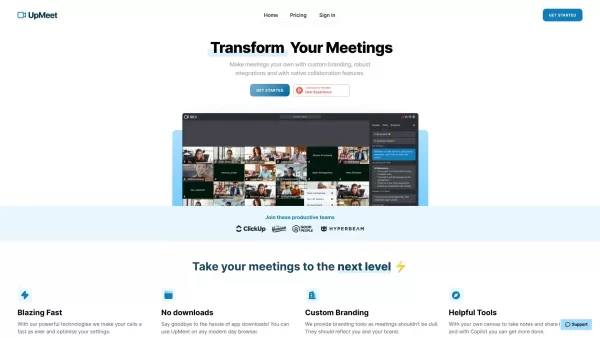
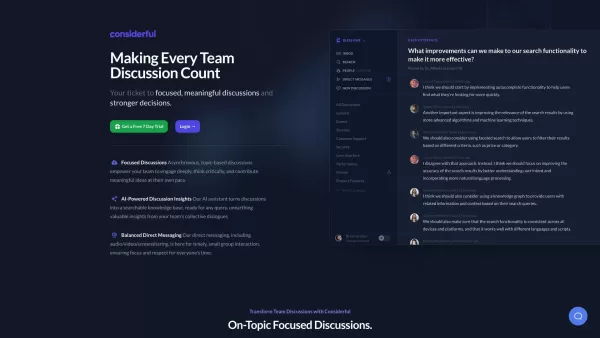
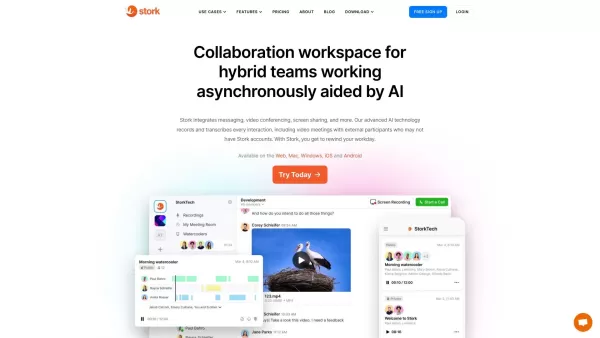
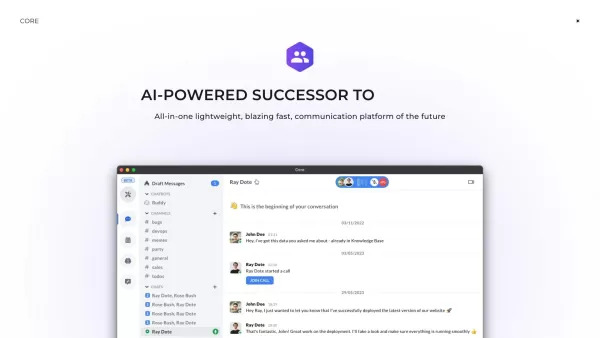

2026 Latest Best AI platforms for tracking competitors on Shopify to stay ahead in pricing, merchandising, and promotions. XIX.AI curates top-rated, powerful tools that offer real-world tests and free vs paid comparison through weekly updated rankings. Must-try solutions help boost productivity and unlock your AI edge. Explore now!
 10 tools
 xix.ai

2026 Latest Top-rated AI Fitness Coaches for Home Workouts are here on XIX.AI! Our curated list features powerful, game-changing tools that create adaptive workout plans tailored to your goals, helping you boost productivity and break through fitness plateaus. Get a free vs paid comparison along with real-world tests and updated rankings weekly. Explore now to Discover your perfect tool and Start creating today to Unlock your AI edge!
10 tools
xix.ai
2026 Latest Best Top-rated AI Comment Moderation Tools for TikTok Shops and High-Volume Brand Communities are curated here by XIX.AI. Our weekly updated rankings feature powerful, game-changing solutions that deliver real-world tests results to help you boost content quality, enhance writing efficiency, and streamline community management effortlessly. Free vs paid comparison insights are also available. Explore now to Discover your perfect tool for unlocking your AI edge!
9 tools
xix.ai

2026 Latest Best CapCut AI Video Editors for Reels Shorts Ads and Social Commerce Launches! This curated list features top-rated powerful game-changing tools that deliver impressive results through real-world tests. You’ll find a free vs paid comparison along with detailed rankings to help you choose the perfect fit. XIX.AI offers expert insights to help you unlock your AI edge in content creation. Explore now to discover your ideal tool and boost your productivity today!
14 tools
xix.ai

2026 Latest Best Top-rated AI Study Discovery Tools are here on XIX.AI! This curated list includes powerful game-changing resources for quick access to journals, datasets, and industry trends. Get a free vs paid comparison along with real-world tests and updated rankings weekly. Must-try options help boost your research efficiency and unlock your AI edge. Explore now to discover your perfect tool!
10 tools
xix.ai

2026 Latest Best Top-Rated AI Email Campaign Tools for Lifecycle Marketing! XIX.AI has curated a powerful, game-changing collection of must-try solutions that boost writing efficiency, help create highly targeted content, and streamline entire marketing workflows. Enjoy weekly updated rankings, real-world tests, and a free vs paid comparison to find the perfect tool for your needs. Explore now to unlock your AI edge!
11 tools
xix.ai


