


 Home
HomeUdioAI.ai
Create unique AI-generated MP3 songs instantly.



Helps TikTok sellers, brands, MCNs, and TAPs discover winning products and find creators.

HelpLook is an AI-powered all-in-one knowledge base tool that helps businesses quickly build knowledge bases, help centers, and...

Your AI Workspace

302.AI is an enterprise-grade AI resource platform with pay-as-you-go pricing, API access to a full range of AI models, and ready-to-use online applications.

剧火AI — AI Screenwriter + Director, a One-Person Short Drama Studio In one sentence, what is it?
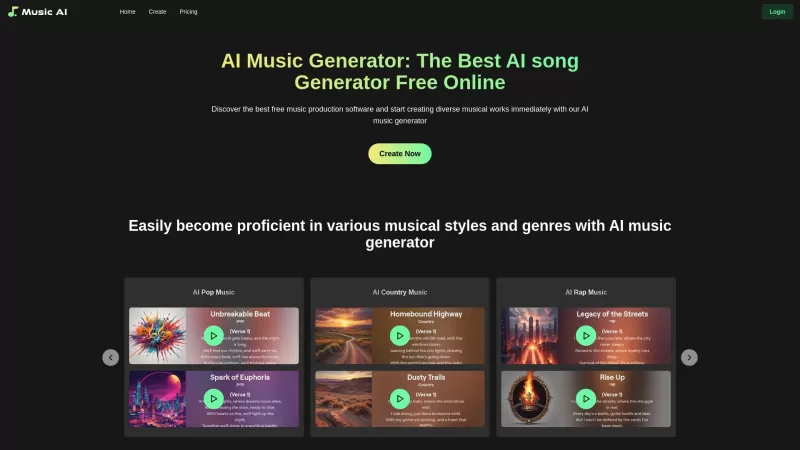
Discover the magic of MusicAI, an AI-powered platform that revolutionizes how you create, customize, and produce top-notch music tracks. Whether you're a seasoned musician or just starting out, MusicAI makes music creation a breeze with its innovative features.How to Dive into MusicAI?Getting starte
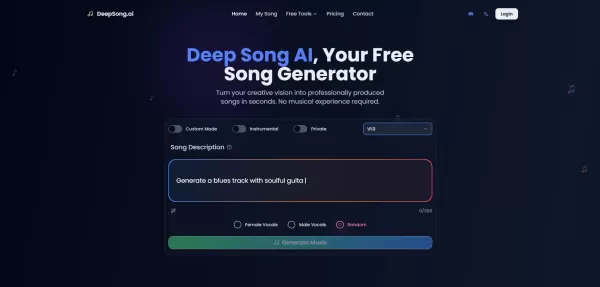
What is DeepSong AI?DeepSong AI is a sophisticated artificial intelligence platform for composing music, designed for creators at any experience level. Users can produce custom songs by entering text prompts or picking from various musical styles. Th
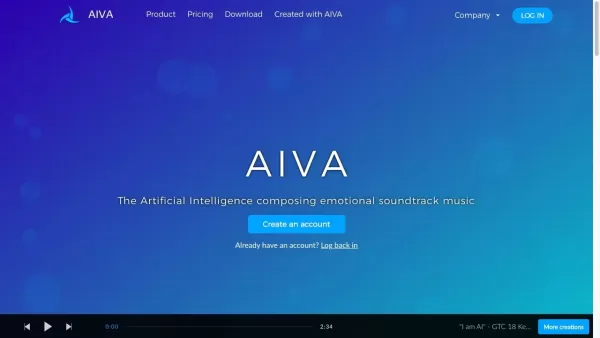
What is Aiva?AIVA (Artificial Intelligence Virtual Artist) is an advanced AI music composition platform. It enables users to quickly create music across more than 250 styles, making it perfect for musicians, content creators, and individuals who want
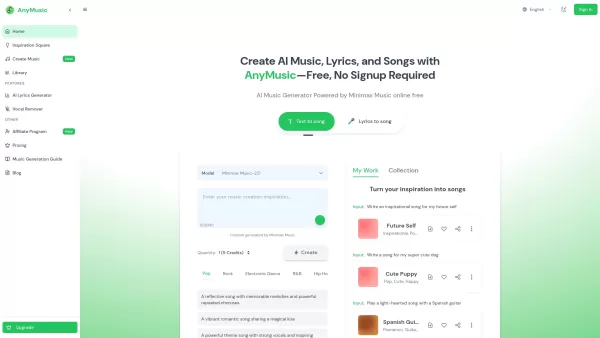
What is AnyMusic? AnyMusic is an AI-powered music creation platform that lets you effortlessly produce songs, write lyrics, and compose instrumentals. It uses advanced AI models like Minimax Music 2.0 and Mureka O1 to convert text into songs or trans
What is Welma?Welma is designed to make understanding and remembering complex texts easier. Whether you're reading academic papers, news articles, or novels, Welma helps you grasp the content and retain the information. This is especially valuable fo
UdioAI.ai Product Information
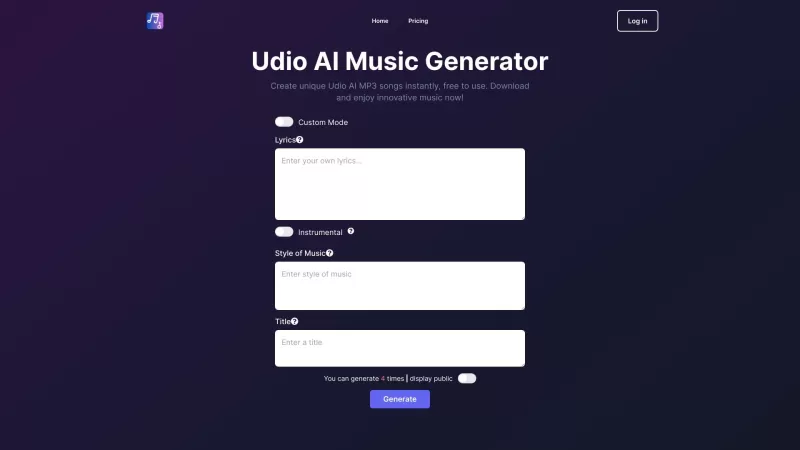
Ever wondered what UdioAI.ai is all about? Well, buckle up because it's a game-changer in the world of music creation! UdioAI.ai is your go-to platform for generating AI music that's not only unique but also incredibly easy to create. It's like having a personal composer at your fingertips, ready to whip up tunes whenever inspiration strikes.
How to Use UdioAI.ai?
Diving into UdioAI.ai is a breeze. Here's how you can get started:
- Choose Your Setting: You've got two options - Custom Mode, where you can tweak every detail, or Lyrics, where you can focus on the words and let the AI handle the melody. It's like choosing between a full-on studio session or a quick jam session with friends.
- Select Your Style: Whether you're into jazz, hip-hop, or classical, UdioAI.ai has a style for every mood. It's like flipping through a record store but without the dust and the hassle.
- Provide a Title: This is where you get to name your masterpiece. It could be anything from "Morning Coffee Blues" to "Sunset Serenade." Let your creativity run wild!
- Generate Your AI Music: Hit that generate button, and voila! Your AI-crafted song is ready to play. It's like magic, but better because it's real music you can use.
UdioAI.ai's Core Features
What makes UdioAI.ai stand out? Let's break it down:
- Generate Unique AI-Generated MP3 Songs: Each song is a one-of-a-kind creation, perfect for your next project or just to enjoy.
- Free to Use: Yes, you read that right! You can dive into the world of AI music without spending a dime.
- Instant Download: No waiting around. Your song is ready to download and use as soon as it's generated.
UdioAI.ai's Use Cases
So, what can you do with UdioAI.ai? The possibilities are endless:
- Create Background Music for Videos: Elevate your videos with custom tunes that perfectly match the mood.
- Compose Original Music Tracks: Whether you're a budding artist or a seasoned pro, UdioAI.ai can help you create tracks that stand out.
- Inspire Creativity: Sometimes, all you need is a little nudge. UdioAI.ai can be that spark you need to get your creative juices flowing.
FAQ from UdioAI.ai
- How can I use the AI music generator?
- Just follow the steps above to start creating your own AI music. It's as simple as choosing your settings, selecting a style, giving it a title, and hitting generate!
- Is UdioAI.ai free to use?
- Absolutely! You can use UdioAI.ai to generate music without any cost.
- Can I use the AI-generated songs for commercial purposes?
- Yes, you can use the songs for commercial projects. Just make sure to check the terms of service for any specific guidelines.
- How many times can I generate AI music?
- There's no limit! Feel free to generate as much music as you need.
UdioAI.ai is brought to you by © 2020 Your Company, Inc.. Dive into the world of AI music by visiting their website at UdioAI.ai. If you're curious about pricing, check out UdioAI.ai Pricing. Stay connected with them on social media:
- Facebook: UdioAI.ai on Facebook
- YouTube: UdioAI.ai on YouTube
- Twitter: UdioAI.ai on Twitter
- Instagram: UdioAI.ai on Instagram
- GitHub: UdioAI.ai on GitHub
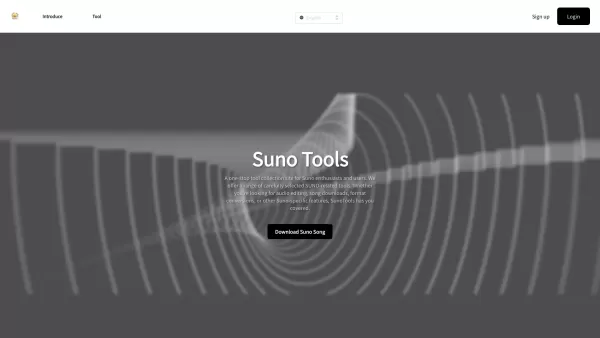
UdioAI.ai Screenshot


2026 Latest Top-rated AI Illustration Tools: Our curated list features the best powerfully designed tools for creating stunning editorial scenes and eye-catching cover art quickly. Each option has gone through rigorous real-world tests, offering a free vs paid comparison to help you find the perfect match for your workflow. Try these must-try solutions today to unlock your AI edge and boost your creative productivity. Explore now at XIX.AI.
 10 tools
 xix.ai

2026 Latest Top-Rated Best AI Tutors for Exam Prep are here on XIX.AI! Our curated list features powerful game-changing tools that offer free vs paid comparison, real-world tests, and weekly updated rankings. They help boost your writing efficiency, simplify complex topic learning, and unlock your academic potential. Explore now to Discover your perfect exam prep tool and Start creating today to Unlock your AI edge!
10 tools
xix.ai

2026 Latest Best Top-Rated AI Budget Planning Tools for Personal Money Management are here on XIX.AI! This curated collection features powerful, game-changing solutions that help you conduct real-world tests, understand spending habits, and create personalized plans to boost productivity. Enjoy a free vs paid comparison along with detailed rankings. Must-try tools designed to simplify money management and unlock your AI edge. Explore now!
11 tools
xix.ai

2026 Latest Best Top-Rated AI Sleep Tracking Assistants curated for ultimate recovery. This fully updated weekly guide features powerful tools that deliver real-world tests, free vs paid comparison, and detailed rankings to help you find the must-try solution that boosts sleep quality and supports better bedtime habits. Explore now at XIX.AI to Unlock your AI edge.
10 tools
xix.ai

2026 Latest Best Top-Rated AI SQL Copilots for Product and Revenue Analytics! XIX.AI has curated a powerful, game-changing collection of must-try tools that undergo real-world tests through weekly updated rankings. These tools help users boost productivity significantly by accelerating data analysis, streamlining complex queries, and generating accurate insights to drive smarter business decisions. Explore now to Discover your perfect tool for unlocking your AI edge!
14 tools
xix.ai

2026 Latest Best Top-Rated AI Homework Helpers That Teach Core Concepts Not Just Answers Powerful Tools for Students Must-Try Curated List Weekly Updated Free vs Paid Comparison Real-World Tests Accurate Rankings to Help You Unlock Your Full Learning Potential Explore now to Discover your perfect tool for smarter studying.
10 tools
xix.ai


¡Qué pasada UdioAI.ai! 🎶 Antes componer un tema me llevaba días, ahora en cuestión de minutos tengo algo que suena profesional. Sí que da un poco de miedo pensar que una IA pueda crear algo así, pero los resultados son tan buenos que hasta me animé a subir un track a Spotify 😅 ¿Será este el futuro de la música?


