


 Home
HomeTwee
AI Language Teaching Materials for Teachers | Twee



Helps TikTok sellers, brands, MCNs, and TAPs discover winning products and find creators.

HelpLook is an AI-powered all-in-one knowledge base tool that helps businesses quickly build knowledge bases, help centers, and...

Your AI Workspace

302.AI is an enterprise-grade AI resource platform with pay-as-you-go pricing, API access to a full range of AI models, and ready-to-use online applications.

剧火AI — AI Screenwriter + Director, a One-Person Short Drama Studio In one sentence, what is it?
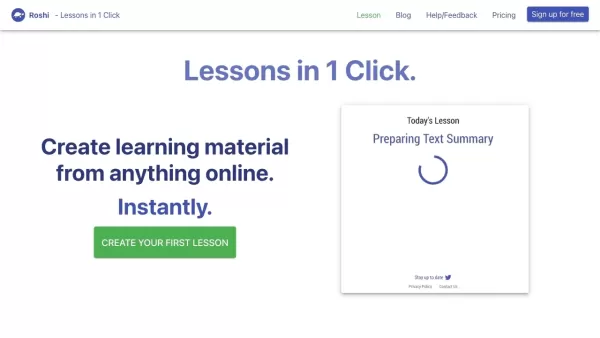
What is Roshi AI?Roshi AI is an innovative platform that makes it easy to create personalized learning materials. It uses advanced algorithms to turn any online content into tailored lessons, vocabulary lists, and practice questions. This tool is a g
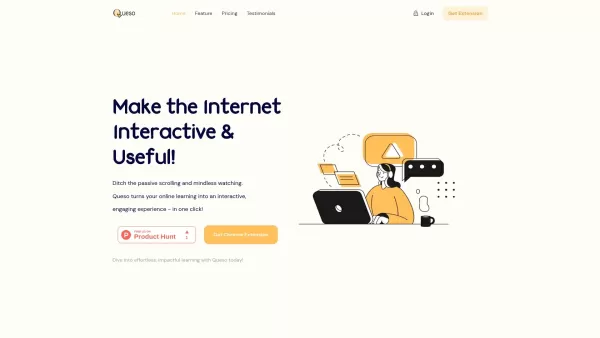
What is Queso?Queso is a cutting-edge, AI-powered platform built to elevate your digital learning journey. It converts passive content into interactive and captivating formats that boost knowledge retention and comprehension. With a single click, use
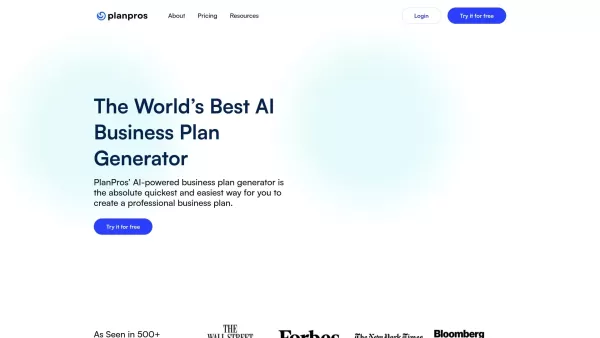
What is Plan Pros AI?PlanPros.ai utilizes sophisticated artificial intelligence to create professional business plans quickly and accurately. Simply provide key details about your venture, and the software will generate a comprehensive document, comp
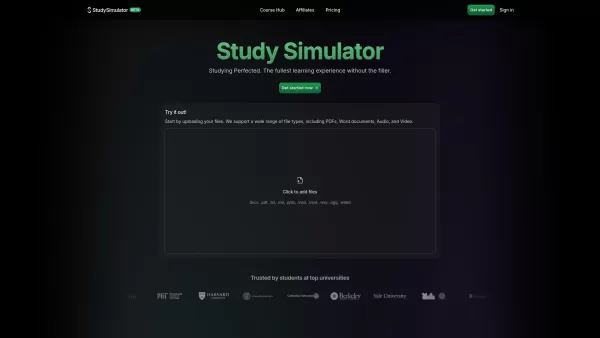
What is Study Sim?StudySim is a cutting-edge digital learning platform that uses AI to produce personalized flashcards, quizzes, and study guides from your uploaded content. It accepts various file formats like PDFs, Word documents, audio, and video,

What is Planfit - AI Personal Trainer?PlanFit uses AI to create customized workout routines that target your individual fitness needs. Whether you're working out at home or at the gym, the AI designs exercises with recommended sets, reps, and weights
Twee Product Information
What is Twee?
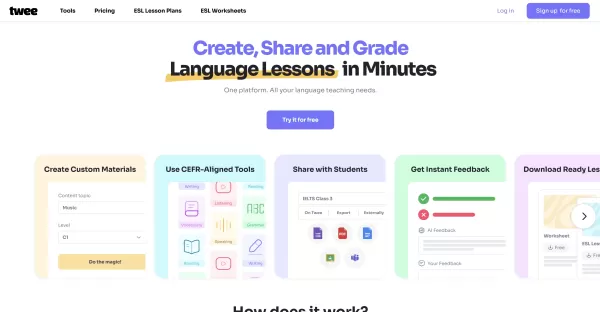
Twee is an AI-powered language teaching platform that enables educators to create personalized lesson materials aligned with CEFR levels for 10 languages. Teachers can instantly generate texts, dialogues, exercises, and quizzes by entering topics or vocabulary. The platform supports exporting materials as PDFs or Word documents and sharing interactive assignments online. Its AI automates grading and assessment of student responses, delivering insights to boost learning efficiency. Twee also handles lesson planning, student tracking, and class organization, streamlining daily teaching tasks and saving time.
Who will use Twee?
- Language teachers
- ESL educators
- Schools and educational institutions
- Teacher trainers
- Students pursuing structured language learning
How to use the Twee?
- Step 1: Sign up and log in to Twee.
- Step 2: Enter a topic, link, or vocabulary list to create lessons.
- Step 3: Let Twee generate CEFR-aligned texts, quizzes, and exercises.
- Step 4: Customize or edit materials as needed.
- Step 5: Export lessons as PDFs or Word documents, or share via interactive links.
- Step 6: Assign exercises to students for online or offline completion.
- Step 7: Use AI tools to automatically assess student responses.
- Step 8: Track student progress and manage classes with built-in tools.
Platform
- Web
Twee's Core Features & Benefits
The Core Features
- CEFR-aligned content creation across 10 languages
- Over 40 tools for language skills including vocabulary, reading, listening, and grammar
- AI-based automatic grading and assessment
- Interactive sharing and export options (PDF, Word, Google Forms)
- Comprehensive lesson and student management
The Benefits
- Significantly reduces teacher preparation time
- Supports differentiated instruction with level-appropriate materials
- Provides actionable feedback for students
- Enables flexible digital or offline lesson delivery
- Simplifies workflow with all-in-one management
Twee's Main Use Cases & Applications
- Creating customized language lesson materials quickly
- Automating grading of student assignments
- Supporting multi-level classrooms with targeted content
- Sharing interactive assignments remotely
- Providing free ESL grammar and lesson plans
Twee's Pros & Cons
The Pros
Extensive AI tools tailored for language teaching
CEFR alignment ensures standardized levels
Interactive and flexible sharing options
Time-saving automated grading
Widely adopted by schools and teachers globally
The Cons
No dedicated mobile or desktop applications mentioned
Limited to web platform
Not open source
Potential learning curve for new users
Some advanced features require a paid subscription
Twee's Pricing
Has free plan | No |
|---|---|
Free trial details | 5 trial runs, create audio from text with 500 credits, free ESL resources, unlimited interactive sharing, classroom management |
Pricing model | Free Trial |
Is credit card required | No |
Paid from | 6.5 USD |
Has lifetime plan | No |
Billing frequency | Annually |
Details of Pricing Plan
Basic
6.5 USD
- 100 runs per month for all Twee tools except Pro
- Create audio from text with 2,500 credits per month
- Free resources from the ESL Lesson and Worksheet Library
- Unlimited interactive sharing
- Classroom management
Pro
10.5 USD
- Access to all Pro Tools
- Unlimited runs for Basic Tools
- 100 runs per month for Media Tools
- Create audio from text with 5,000 credits per month
- Unlimited interactive sharing
- Check student responses with AI
- Unlimited access to ESL Lesson and Worksheet Library
- CEFR Level Checker
- Convert Audio & Video to Text
- Scan text from screenshot or webpage
- Export to PDF / Google Forms / Google Docs
- Add your logo to PDFs
Discount:
30% off with annual billing
For the latest prices, please visit: https://twee.com/price
FAQs of Twee
How does Twee determine language proficiency levels?
Twee uses AI trained by dedicated teachers to align materials with the CEFR framework, ensuring content matches student levels.
Who creates the lesson content when I request it?
The content is generated by Twee's proprietary AI, fine-tuned with feedback from language teachers to meet standards.
How is Twee different from ChatGPT?
Twee is specialized for language teaching with CEFR-aligned tools, while ChatGPT is a general-purpose AI.
Can I share lessons with students for interactive completion?
Yes, you can share assignments via links, allowing students to complete exercises digitally.
Does Twee support automated grading?
Yes, Twee AI automatically assesses multiple-choice, written answers, and gap-fill activities.
Are there free lesson plans available?
Yes, Twee offers free ESL lesson plans and grammar worksheets based on CEFR.
How many languages does Twee support?
Twee supports content creation in 10 different languages.
Can I export lesson materials?
Yes, you can export lessons as PDF, Word documents, or share via Google Forms and Docs.
Is Twee suitable for all CEFR levels?
Yes, Twee provides tools and content for all levels from A1 to C2.
Is Twee open source?
No, Twee is not open source.
Twee Company Information
- Twee AI LLC
- https://twee.com
- https://www.facebook.com/groups/943549160794809
- https://www.youtube.com/@tweeHQ
- https://www.instagram.com/tweeHQ/
- https://www.tiktok.com/@tweehq
Twee Screenshot

2026 Latest Top-rated AI Illustration Tools: Our curated list features the best powerfully designed tools for creating stunning editorial scenes and eye-catching cover art quickly. Each option has gone through rigorous real-world tests, offering a free vs paid comparison to help you find the perfect match for your workflow. Try these must-try solutions today to unlock your AI edge and boost your creative productivity. Explore now at XIX.AI.
 10 tools
 xix.ai

2026 Latest Top-Rated Best AI Tutors for Exam Prep are here on XIX.AI! Our curated list features powerful game-changing tools that offer free vs paid comparison, real-world tests, and weekly updated rankings. They help boost your writing efficiency, simplify complex topic learning, and unlock your academic potential. Explore now to Discover your perfect exam prep tool and Start creating today to Unlock your AI edge!
10 tools
xix.ai

2026 Latest Best Top-Rated AI Budget Planning Tools for Personal Money Management are here on XIX.AI! This curated collection features powerful, game-changing solutions that help you conduct real-world tests, understand spending habits, and create personalized plans to boost productivity. Enjoy a free vs paid comparison along with detailed rankings. Must-try tools designed to simplify money management and unlock your AI edge. Explore now!
11 tools
xix.ai

2026 Latest Best Top-Rated AI Sleep Tracking Assistants curated for ultimate recovery. This fully updated weekly guide features powerful tools that deliver real-world tests, free vs paid comparison, and detailed rankings to help you find the must-try solution that boosts sleep quality and supports better bedtime habits. Explore now at XIX.AI to Unlock your AI edge.
10 tools
xix.ai

2026 Latest Best Top-Rated AI SQL Copilots for Product and Revenue Analytics! XIX.AI has curated a powerful, game-changing collection of must-try tools that undergo real-world tests through weekly updated rankings. These tools help users boost productivity significantly by accelerating data analysis, streamlining complex queries, and generating accurate insights to drive smarter business decisions. Explore now to Discover your perfect tool for unlocking your AI edge!
14 tools
xix.ai

2026 Latest Best Top-Rated AI Homework Helpers That Teach Core Concepts Not Just Answers Powerful Tools for Students Must-Try Curated List Weekly Updated Free vs Paid Comparison Real-World Tests Accurate Rankings to Help You Unlock Your Full Learning Potential Explore now to Discover your perfect tool for smarter studying.
10 tools
xix.ai


Twee is a lifesaver for busy teachers! 🚀 I used it to whip up a B1 dialogue in minutes—super intuitive and saves hours of prep. The CEFR alignment is spot-on. Just wish it had more languages in the works. Still, big thumbs up! 👍


