


 Home
HomeTranslateBase - Web Page, PDF and Subtitle Tranlation | Chat with PDF
TranslateBase - AI Content Processing Platform



Helps TikTok sellers, brands, MCNs, and TAPs discover winning products and find creators.

HelpLook is an AI-powered all-in-one knowledge base tool that helps businesses quickly build knowledge bases, help centers, and...

Your AI Workspace

302.AI is an enterprise-grade AI resource platform with pay-as-you-go pricing, API access to a full range of AI models, and ready-to-use online applications.

剧火AI — AI Screenwriter + Director, a One-Person Short Drama Studio In one sentence, what is it?
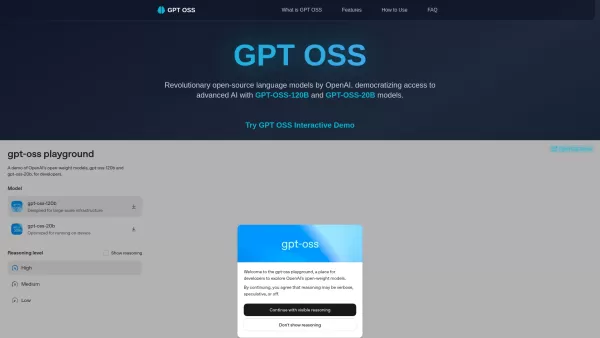
What is GPT OSS? GPT OSS marks a transformative step in making advanced AI widely available, introduced by OpenAI on August 5, 2025. This open-source family includes two robust models, GPT-OSS-120B and GPT-OSS-20B, engineered for complex reasoning an
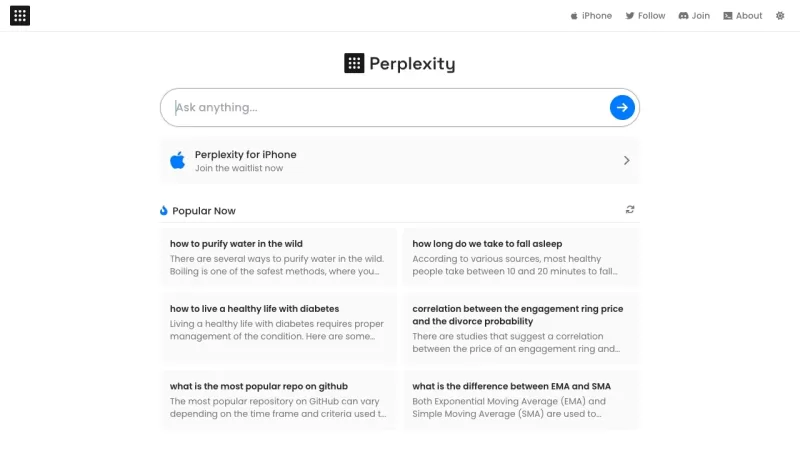
Ever stumbled upon Perplexity AI and wondered what it's all about? Well, let me break it down for you. Perplexity AI isn't just another search engine; it's a smart AI-powered tool that taps into the power of large language models and traditional search en

Nextpart.ai is not just another chat app—it's a gateway to a whole new world of interactive AI experiences. Imagine a platform where you can craft your own characters, complete with unique appearances, personalities, and engaging storylines. That's Nextpa
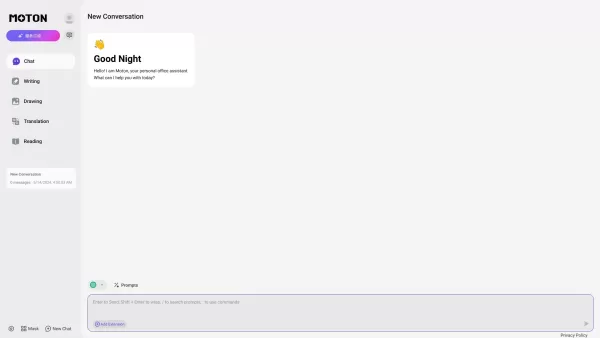
Ever wondered what happens when two of the most advanced language models meet under one roof? That’s where Moton AI comes into play. For a single subscription fee, you get access to both Claude and GPT-4. Think of it as having two of the smartest brains w

Ever wondered how the AI models you use daily are trained? Enter Surge AI, the powerhouse behind some of the most robust datasets out there. This isn't just another platform; it's a global data labeling hub that connects you with a workforce capable
TranslateBase - Web Page, PDF and Subtitle Tranlation | Chat with PDF Product Information
Introducing TranslateBase – The Ultimate AI-Powered Content Processing Platform
Are you tired of slogging through foreign-language papers or struggling to understand dense academic jargon? Look no further than TranslateBase.net. This game-changing platform isn’t just another translation tool—it’s your personal assistant for mastering content in any format. Whether you’re dealing with web pages, PDFs, or even subtitles, TranslateBase makes life easier by bridging language gaps and simplifying complex documents.
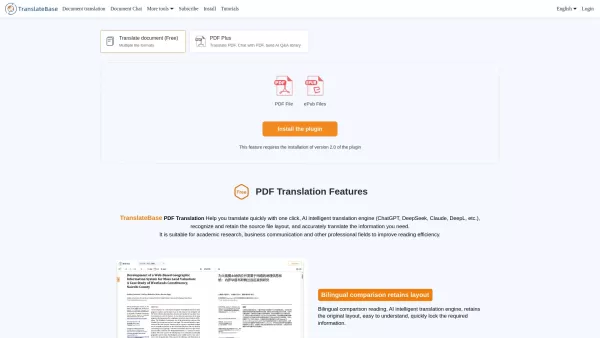
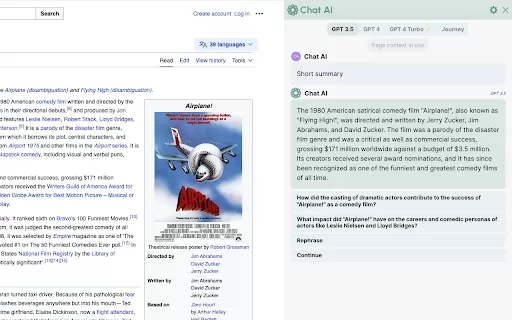
At its core, TranslateBase is built on cutting-edge AI technology. It supports translations across multiple formats, including web pages, PDFs, SRT, ASS, and VTT subtitles. But what truly sets it apart is its ability to let you chat with your documents. Yes, you read that right—ask questions directly to your PDFs, and let the AI fetch answers, summarize key points, and even extract critical data. No more poring over endless pages trying to find the needle in the haystack!
And if you’re a researcher or student, you’ll love the single-column conversion feature. Convert unwieldy two-column academic papers into readable, easy-to-navigate single-column layouts. It’s like giving your brain a vacation while still absorbing all the essential information.
But that’s not all. Need to translate subtitles for your videos? Upload your SRT or VTT files, and TranslateBase will handle the rest. Watching a foreign movie with friends? The plugin can even translate subtitles in real-time during playback. For creators and educators alike, this feature is a lifesaver.
Oh, and did we mention the multi-model flexibility? TranslateBase integrates with top-tier AI platforms like ChatGPT, DeepSeek, Gemini, and Claude. That means you can choose the best model for your specific task, whether you’re after precision, speed, or creative flair.
How Does TranslateBase Work?
Using TranslateBase is as simple as installing a browser extension and letting the magic happen. Here’s how it works:
Install the Plugin: Head to the Chrome Web Store or your browser’s plugin section. Search for “TranslateBase” and click “Add to Chrome.” Once installed, you’ll see the familiar TranslateBase icon in your toolbar.
Web Page Translation: Visit any webpage, click the icon, and boom—you’re presented with translation options. Select your target language, and the entire page transforms instantly. Highlighted text? Right-click and select “Translate with TranslateBase” for quick translations.
PDF Translation & Chat: Open a PDF, click the TranslateBase icon, and choose between translation and chat modes. In chat mode, ask questions, request summaries, or extract data. The AI handles the heavy lifting, leaving you free to focus on insights.
Subtitle Translation: Upload your SRT or VTT files, and TranslateBase will translate each line into your desired language. Watching a video? Enable real-time translation for seamless viewing.
Paper Summaries & Academic Tools: For researchers, the platform offers intelligent paper summarization. Upload your PDF, and AI extracts key points, conclusions, and important findings. Two-column papers? Convert them into single-column formats for better readability.
Customizable Models: Choose between leading AI models like ChatGPT, DeepSeek, Gemini, and Claude. Each has its strengths—pick the one that fits your needs best.
Settings & Tweaks: Customize your preferences via the settings menu. Set default languages, tweak output styles, and explore advanced features tailored to your workflow.
Key Features of TranslateBase
- Multi-format Support: Web pages, PDFs, subtitles, and more—all under one roof.
- AI-Powered PDF Chat: Ask questions, extract data, and summarize content effortlessly.
- Single-Column Conversion: Simplify two-column academic papers for easier reading.
- Subtitles Made Simple: Translate SRT, ASS, and VTT files in a snap.
- Real-Time Subtitle Translation: Watch videos with translated subtitles.
- Seamless Web Page Translation: Instantly browse the web in multiple languages.
- Flexible AI Integration: Use ChatGPT, DeepSeek, Gemini, and Claude for tailored tasks.
Use Cases for TranslateBase
- Global Teams: Break down language barriers for international collaboration.
- Students & Researchers: Summarize dense academic papers in minutes.
- Content Creators: Translate subtitles for multilingual audiences.
- Document Extraction: Extract key information from PDFs effortlessly.
- Academic Reading: Streamline two-column papers into single-column layouts.
- Cross-Language Browsing: Navigate foreign websites with ease.
Frequently Asked Questions
- **What file formats does TranslateBase support?**
- From web pages to PDFs, SRT, VTT, and even TXT files, TranslateBase covers it all.
- **How do I convert a PDF to single-column format?**
- Simply upload your PDF, and TranslateBase will automatically reformat it for better readability.
- **Which languages does the plugin support?**
- We support dozens of languages, including major global tongues like English, Spanish, French, German, Chinese, Japanese, and more.
- **Can I use TranslateBase for images or scanned PDFs?**
- Unfortunately, image-based translations require OCR tools first. However, we’re working on enhancing this feature soon!
- **Is TranslateBase compatible with all browsers?**
- Currently, TranslateBase works best with Chrome and Firefox. We’re always optimizing for broader compatibility.
Contact Us
Need support or have questions? Reach out via our [support email](mailto:[email protected]) or visit our [contact page](https://translatebase.com/contact-us). For refunds or billing inquiries, check out our [refund policy](https://translatebase.com/refunds).About TranslateBase
TranslateBase is brought to you by a team dedicated to making content processing smarter and more accessible. Learn more about us on our [about page](https://translatebase.com/about).Login & Sign-Up
Already a user? Log in [here](https://translatebase.com/login). New to TranslateBase? Sign up [here](https://translatebase.com/signup).Ready to supercharge your content processing? Download TranslateBase today and experience the future of translation and comprehension!
TranslateBase - Web Page, PDF and Subtitle Tranlation | Chat with PDF Screenshot


2026 Latest Best Top-rated AI Conversation Trainer Tools for Interview Practice are here on XIX.AI! This curated collection features powerful, game-changing tools that go through rigorous real-world tests to deliver accurate feedback. You’ll find a free vs paid comparison and detailed rankings to help you choose the must-try option that boosts your confidence and skills. Explore now to Discover your perfect tool for interview success!
 12 tools
 xix.ai

2026 Latest Best Top-rated AI Style Transfer Tools for Creative Experiments! XIX.AI has curated a powerful, game-changing collection of must-try tools that deliver exceptional results through real-world tests and rigorous rankings. These top solutions help creatives boost productivity significantly by accelerating content creation and unlocking endless creative possibilities. Explore now to discover your perfect tool and start creating today!
9 tools
xix.ai

2026 Latest Best Top-Rated AI Dialogue Bubble Tools for Visual Storytelling are here on XIX.AI! This curated collection features powerful, game-changing tools that help creators boost productivity and overcome creative bottlenecks. Get a free vs paid comparison, see real-world tests, and check the latest rankings to find the must-try solutions perfect for crafting engaging visual narratives. Explore now to discover your ideal tool!
10 tools
xix.ai

2026 Latest Top-Rated Best AI Meeting Summary Tools for Clear Decision Tracking and Effortless Follow-Ups. This curated list showcases powerful, game-changing solutions that boost productivity dramatically by automating meeting notes, identifying key action items, and streamlining team coordination across all projects. Get a free vs paid comparison along with real-world tests and weekly updated rankings to help you find the perfect tool. Explore now to unlock your AI edge!
9 tools
xix.ai

2026 Latest Best Top-rated AI Data Cleaning Tools for quick fixing of missing values and duplicates. This curated list showcases powerful, game-changing solutions that boost productivity significantly. Each option has undergone rigorous real-world tests to ensure reliability. Get a free vs paid comparison and discover the must-try tool that fits your needs best. Explore now at XIX.AI to Unlock your AI edge.
11 tools
xix.ai

2026 Latest Best Top-Rated AI Creative Ideation Tools for Artists are curated by XIX.AI to help creators break through visual blocks and boost creativity instantly. These powerful game-changing tools offer real-world tests, detailed free vs paid comparison, and weekly updated rankings. Discover your perfect tool to accelerate content creation and unlock your AI edge today. Explore now!
14 tools
xix.ai


