


 Home
HomeTerracotta
Terracotta: Manage Multiple LLMs Easily



Helps TikTok sellers, brands, MCNs, and TAPs discover winning products and find creators.

HelpLook is an AI-powered all-in-one knowledge base tool that helps businesses quickly build knowledge bases, help centers, and...

Your AI Workspace

302.AI is an enterprise-grade AI resource platform with pay-as-you-go pricing, API access to a full range of AI models, and ready-to-use online applications.

剧火AI — AI Screenwriter + Director, a One-Person Short Drama Studio In one sentence, what is it?
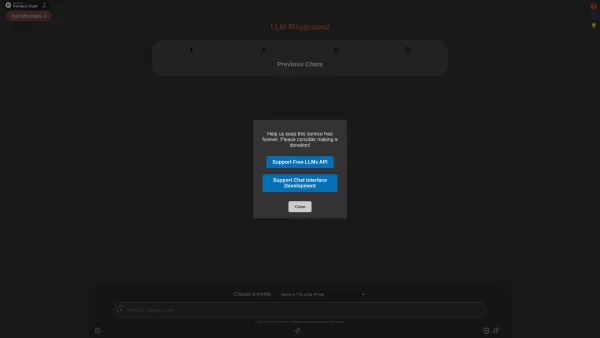
Ever wondered what the buzz about Large Language Models (LLMs) is all about? Well, let me introduce you to LLM Playground—your go-to spot for diving into the world of language models without spending a dime. This platform is like a sandbox where you can p
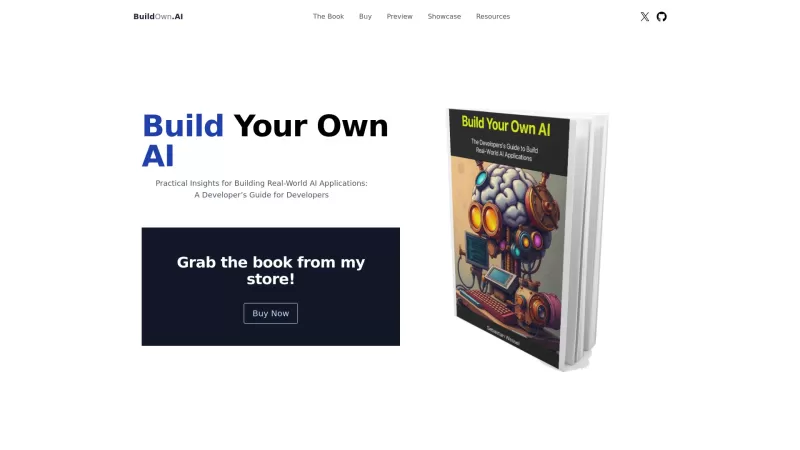
Build Your Own AI is your go-to resource for diving into the world of AI development. It's all about giving developers the tools and know-how to create real-world AI applications, with a special focus on Large Language Models (LLMs) and the art of prompt engineering. Whether you're a seasoned coder
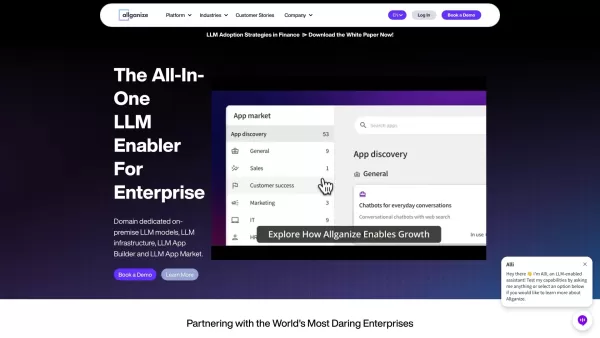
Who Is Allganize Inc.? Allganize Inc. stands out as a trailblazer in the world of enterprise AI solutions, specializing in creating tools that enable businesses to harness the power of large language models (LLMs). Their offerings go beyond just providing

What is LM Studio? Think of LM Studio as your personal assistant for all things AI. It’s a super user-friendly tool built to make working with open-source large language models (LLMs) a breeze. Instead of dealing with complicated setups or needing advance

Ever wondered how businesses can harness the power of AI to communicate and analyze data in a way that feels uniquely tailored to their needs? Enter ZBrain, a dynamic AI platform designed to do just that. Imagine having your very own personalized ChatGPT
Terracotta Product Information
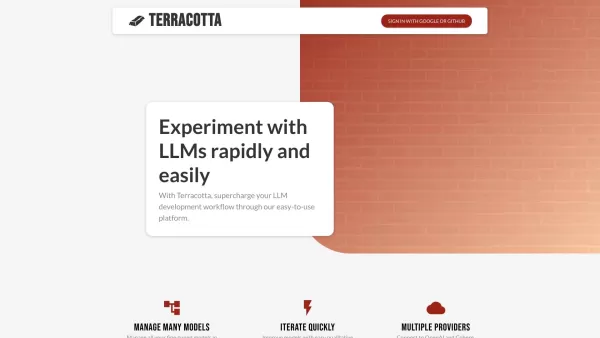
Terracotta isn't just another tool; it's a game-changer for anyone diving into the world of Large Language Models (LLMs). Imagine having a playground where you can tinker with these powerful AI models, fine-tune them to your heart's content, and see how they stack up against each other. That's Terracotta for you—a platform that lets you securely stash your data, tailor models for classification and text generation, and then compare them in ways that make sense to you. Whether you're looking at numbers or just eyeballing the results, Terracotta's got you covered.
How to Get Started with Terracotta?
Ready to dive in? Here's how you can start using Terracotta:
- Sign In: Use your Google or GitHub account to get started. It's quick and easy, no fuss at all.
- Upload Your Data: Safely store your data on Terracotta. This is your first step towards fine-tuning those models.
- Fine-Tune Your Models: Get your hands dirty by fine-tuning models for classification and text generation. This is where the magic happens!
- Evaluate and Compare: Create evaluations by comparing model outputs. Use prompts for a gut-check qualitative evaluation or dive into datasets with various metrics for that satisfying quantitative analysis.
Terracotta's Core Features
What makes Terracotta stand out? Let me break it down for you:
- Model Management: Keep all your fine-tuned models in one place. No more juggling between different platforms.
- Rapid Iteration: Quickly improve your models with Terracotta's easy evaluation tools. It's like having a fast track to better AI.
- Multiple Providers: Connect to giants like OpenAI and Cohere. Why limit yourself when you can have the best of both worlds?
Terracotta's Use Cases
So, where can you use Terracotta? The possibilities are exciting:
- Natural Language Processing: Fine-tune models to ace those classification and text generation tasks. It's like giving your AI a superpower.
- Research and Development: Whether you're in academia or industry, Terracotta helps you iterate fast and improve your models. It's a researcher's dream come true.
- AI Applications: Want to build something cool with LLMs? Terracotta's user-friendly platform is your launchpad for creating innovative AI applications.
Frequently Asked Questions About Terracotta
- What is Terracotta?
- Terracotta is your go-to platform for managing, fine-tuning, and evaluating Large Language Models. It's like having a Swiss Army knife for AI.
- How do I use Terracotta?
- Sign in with Google or GitHub, upload your data, fine-tune your models, and then evaluate them. It's that simple!
- What are the core features of Terracotta?
- Model management, rapid iteration, and integration with multiple providers like OpenAI and Cohere. These features make Terracotta a powerhouse.
- What are the use cases for Terracotta?
- From natural language processing to research and developing AI applications, Terracotta's versatility is its strength.
Terracotta Screenshot

2026 Latest Top-rated AI Illustration Tools: Our curated list features the best powerfully designed tools for creating stunning editorial scenes and eye-catching cover art quickly. Each option has gone through rigorous real-world tests, offering a free vs paid comparison to help you find the perfect match for your workflow. Try these must-try solutions today to unlock your AI edge and boost your creative productivity. Explore now at XIX.AI.
 10 tools
 xix.ai

2026 Latest Top-Rated Best AI Tutors for Exam Prep are here on XIX.AI! Our curated list features powerful game-changing tools that offer free vs paid comparison, real-world tests, and weekly updated rankings. They help boost your writing efficiency, simplify complex topic learning, and unlock your academic potential. Explore now to Discover your perfect exam prep tool and Start creating today to Unlock your AI edge!
10 tools
xix.ai

2026 Latest Best Top-Rated AI Budget Planning Tools for Personal Money Management are here on XIX.AI! This curated collection features powerful, game-changing solutions that help you conduct real-world tests, understand spending habits, and create personalized plans to boost productivity. Enjoy a free vs paid comparison along with detailed rankings. Must-try tools designed to simplify money management and unlock your AI edge. Explore now!
11 tools
xix.ai

2026 Latest Best Top-Rated AI Sleep Tracking Assistants curated for ultimate recovery. This fully updated weekly guide features powerful tools that deliver real-world tests, free vs paid comparison, and detailed rankings to help you find the must-try solution that boosts sleep quality and supports better bedtime habits. Explore now at XIX.AI to Unlock your AI edge.
10 tools
xix.ai

2026 Latest Best Top-Rated AI SQL Copilots for Product and Revenue Analytics! XIX.AI has curated a powerful, game-changing collection of must-try tools that undergo real-world tests through weekly updated rankings. These tools help users boost productivity significantly by accelerating data analysis, streamlining complex queries, and generating accurate insights to drive smarter business decisions. Explore now to Discover your perfect tool for unlocking your AI edge!
14 tools
xix.ai

2026 Latest Best Top-Rated AI Homework Helpers That Teach Core Concepts Not Just Answers Powerful Tools for Students Must-Try Curated List Weekly Updated Free vs Paid Comparison Real-World Tests Accurate Rankings to Help You Unlock Your Full Learning Potential Explore now to Discover your perfect tool for smarter studying.
10 tools
xix.ai


Just tried Terracotta and it's actually mind-blowing. The ability to tweak LLMs in such a hands-on way felt like giving a superpower to my projects. The interface is way more intuitive than I expected. A bit worried about the learning curve for complete beginners though 🤔 But for anyone already in the AI space, this is a must-have sandbox!


