


 Home
HomeTempo Labs
AI React Builder: Visual Drag-and-Drop Editor



Helps TikTok sellers, brands, MCNs, and TAPs discover winning products and find creators.

HelpLook is an AI-powered all-in-one knowledge base tool that helps businesses quickly build knowledge bases, help centers, and...

Your AI Workspace

302.AI is an enterprise-grade AI resource platform with pay-as-you-go pricing, API access to a full range of AI models, and ready-to-use online applications.

剧火AI — AI Screenwriter + Director, a One-Person Short Drama Studio In one sentence, what is it?

What is Servant AI?Servant AI functions as your intelligent virtual assistant, integrating a wide array of tools and resources to simplify your daily tasks. Whether you're looking to erase backgrounds from photos, craft polished email signatures, or
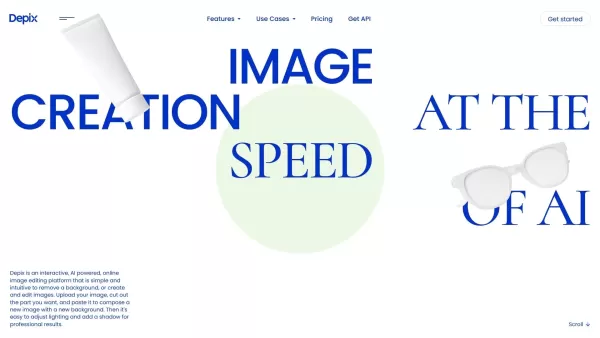
What is Depix AI?Depix AI is a cutting-edge, AI-powered platform that transforms automotive and product design. It offers sketching tools, AI-generated imagery, and HDRI visuals, enabling designers to quickly turn sketches into photorealistic images
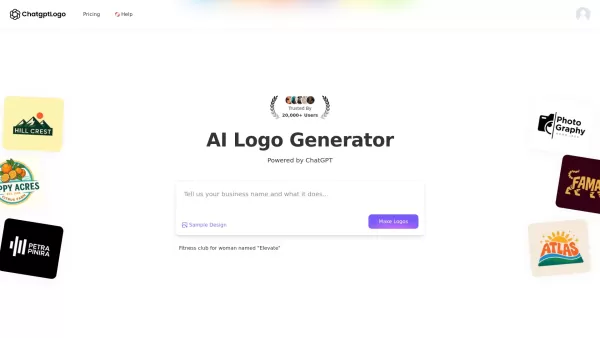
What is ChatGPT Logo?ChatGPT LOGO revolutionizes brand identity creation as an AI-powered logo generator. This innovative tool doesn't just create logos - it crafts complete visual identities by generating custom fonts, color schemes, and complementa

Ever wondered how you can make your brand stand out in the crowded marketplace? Enter 3D Logo AI, the innovative platform that's changing the game for businesses looking to boost their brand engagement. With this AI-powered tool, you can transform your tr
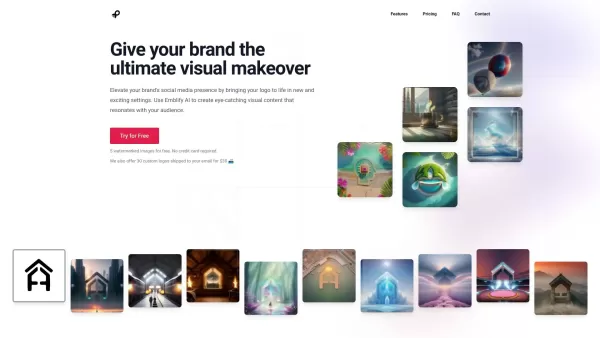
What is Emblify AI?Emblify AI is a cutting-edge design tool that leverages artificial intelligence to produce eye-catching visual content, placing your brand's logo in a variety of unique and personalized scenes. It empowers brands to craft more comp
Tempo Labs Product Information
What is Tempo Labs?
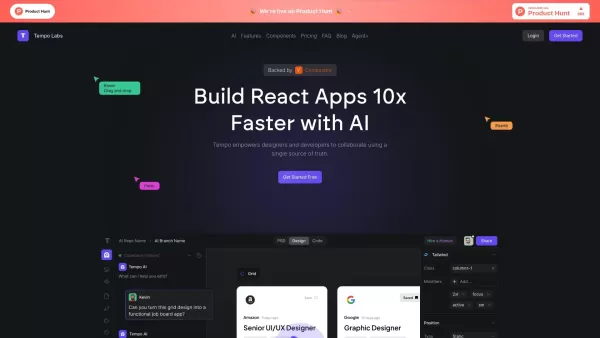
Tempo Labs is an advanced, AI-driven platform built to speed up React application development. It features a visual editor that lets developers modify React code through an intuitive drag-and-drop interface, creating an experience similar to using design software. The platform enables you to import components from Storybook or rapidly generate custom libraries. You can edit code locally in VSCode, push changes to GitHub, and maintain full control over your codebase for deployment anywhere. It simplifies building design systems and ensures a smooth development workflow.
Who will use Tempo Labs?
- Designers
- Developers
- Startups
- Product Managers
- Freelancers
How to use Tempo Labs?
- Step 1: Import your existing components or generate a custom library.
- Step 2: Design and edit your React code using the visual editor.
- Step 3: Edit code locally in VSCode whenever necessary.
- Step 4: Push your updated code to GitHub.
- Step 5: Deploy your application using your chosen hosting service.
Platform
- Web
Tempo Labs's Core Features & Benefits
The Core Features
- Drag-and-drop visual editor
- Component and design system creation
- Local code editing with VSCode
- GitHub integration
- AI-powered coding assistance
The Benefits
- Faster development cycles
- Seamless collaboration between designers and developers
- Maintained code quality
- Flexibility for custom code adjustments
- Streamlined deployment
Tempo Labs's Main Use Cases & Applications
- Building React applications
- Creating scalable design systems
- Customizing and refining code
- Deploying web applications
- Facilitating collaborative coding projects
Tempo Labs's Pros & Cons
The Pros
Accelerates React app development with AI-powered design and coding tools
Visual drag-and-drop editor that feels like using professional design software
Supports importing components from Storybook and generating custom libraries quickly
Compatible with any existing React codebase
Enables local code editing at any time and development within VSCode
Integrates with GitHub for version control and flexible deployment options
Provides community templates and components to kickstart projects
AI capabilities help generate brand styles and typography from images
Tempo Labs's Pricing
Has free plan | YES |
|---|---|
Free trial details | |
Pricing model | Freemium |
Is credit card required | No |
Paid from | 30 USD |
Has lifetime plan | No |
Billing frequency | Monthly |
Details of Pricing Plan
Free
0 USD
- 30 prompts (maximum 5 per day)
- Error fixes are free and do not count toward your monthly prompt limit
Pro
30 USD
- 150 prompts
- Full access to code & reasoning agents
- Option to add 250 bonus prompts for $50 at any time
- Error fixes are free and do not count toward your monthly prompt limit
Agent+
4000 USD
- Our agents design and build 1-3 features for you each week
- Quality guaranteed by Human Engineers and Designers
- 48-72 hour turnaround time
- Unlimited design revisions and code review improvements
For the latest pricing, please visit: https://tempolabs.ai
FAQs of Tempo Labs
What is Tempo?
Tempo is an AI-powered platform that helps developers and designers build React applications efficiently using a visual editor.
Who can use Tempo?
Tempo is ideal for designers, developers, startups, product managers, and freelancers.
What platforms does Tempo support?
Tempo supports web-based platforms.
How does Tempo assist with code editing?
Tempo offers a drag-and-drop visual editor that makes editing React code simple and intuitive.
Can I use my existing codebase with Tempo?
Yes, Tempo is fully compatible with your existing React codebase.
Is there a free plan available for Tempo?
Yes, Tempo provides a free plan, as well as Pro and Agent+ plans for more advanced requirements.
What are the core features of Tempo?
Core features include a visual editor, component and design system creation, local code editing with VSCode, GitHub integration, and AI-powered coding.
How does Tempo handle deployment?
Tempo lets you push code to GitHub and deploy your app using the hosting infrastructure of your choice.
How does Tempo benefit developers and designers?
Tempo speeds up development, enhances collaboration, maintains code quality, allows for custom adjustments, and simplifies deployment.
Are there any alternatives to Tempo?
Yes, alternatives include Webflow, Wix, Squarespace, and Bubble.
Tempo Labs Company Information
Tempo Labs Screenshot

2026 Latest Top-Rated All-in-One AI Website Builders. Discover the best curated platforms that handle design, coding, and deployment. Our weekly updated rankings and real-world tests compare free vs paid options. Find your perfect game-changing tool to launch sites faster. Explore the definitive list on XIX.AI.
 10 tools
 xix.ai
Discover the 2026 latest top-rated AI frontend development tools for web designers. XIX.AI's curated selection features powerful, game-changing solutions for efficient coding, responsive design, and accelerated project delivery. Compare free vs paid options with weekly updated rankings. Unlock your AI edge and build better websites faster. Explore now!
10 tools
xix.ai


