


 Home
HomeTeamstand - Store, File, & Find Docs in Gmail



Helps TikTok sellers, brands, MCNs, and TAPs discover winning products and find creators.

HelpLook is an AI-powered all-in-one knowledge base tool that helps businesses quickly build knowledge bases, help centers, and...

Your AI Workspace

302.AI is an enterprise-grade AI resource platform with pay-as-you-go pricing, API access to a full range of AI models, and ready-to-use online applications.

剧火AI — AI Screenwriter + Director, a One-Person Short Drama Studio In one sentence, what is it?

What is Wayin AI?Wayin AI is a robust tool that helps you understand videos quickly and effectively. Using advanced AI, it generates summaries of YouTube content so you can grasp the key points without watching the full video. This solution is ideal

What is NOA?NOA Tech provides innovative technology solutions to enhance your business productivity. Utilizing advanced AI tools and custom automation, we identify operational bottlenecks, implement automation strategies, and empower your team to con

What is Servant AI?Servant AI functions as your intelligent virtual assistant, integrating a wide array of tools and resources to simplify your daily tasks. Whether you're looking to erase backgrounds from photos, craft polished email signatures, or

What is US Visa Slots Auto Check and Reschedule?This Chrome extension automatically monitors the availability of US visa appointments and can reschedule your appointment to an earlier date when slots become available. It provides real-time updates an

What is Dosu?Dosu is an intelligent AI assistant that uses machine learning to simplify and automate user workflows. It handles repetitive activities, organizes emails, schedules appointments, and delivers tailored support. By utilizing natural langu
Teamstand - Store, File, & Find Docs in Gmail Product Information
What Is Teamstand – Store, File, and Find Docs in Gmail?
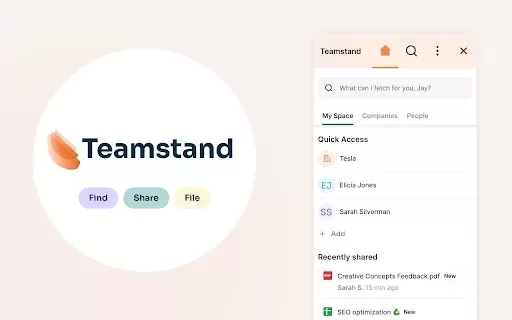
Teamstand Store File Find is a powerful Chrome extension that centralizes the storage and retrieval of files shared through Gmail and Slack. By automatically organizing digital assets into neatly categorized folders, it transforms chaotic document management into a seamless experience. Users can search for and access documents easily without digging through emails or chats, significantly boosting productivity. Its intuitive design gives users instant control over shared files, providing a reliable system for keeping a digital workspace organized.
Who Uses Teamstand – Store, File, and Find Docs in Gmail?
- Individuals managing multiple documents
- Small to medium-sized businesses
- Professionals using Gmail and Slack
- Teams needing efficient document organization
How to Use Teamstand – Store, File, and Find Docs in Gmail
- Step 1: Install the Teamstand extension from the Chrome Web Store.
- Step 2: Grant necessary permissions to access your Gmail and Slack.
- Step 3: Share files through Gmail and Slack as usual.
- Step 4: Access the organized files folder created by Teamstand.
- Step 5: Use the search feature to quickly find specific documents.
Platform
- Chrome
Teamstand – Store, File, and Find Docs in Gmail: Core Features and Benefits
Core Features
- Automatic organization of files from Gmail and Slack
- Easy search functionality for quick access
- Centralized document management
- User control over shared files
Benefits
- Saves time by automating file organization
- Reduces stress of document retrieval
- Enhances productivity with streamlined access
- Improves collaboration within teams
Teamstand – Store, File, and Find Docs in Gmail: Main Use Cases and Applications
- Organizing incoming files from emails
- Enhancing team collaboration on shared documents
- Streamlining access to frequently used files
- Creating a central repository for digital assets
Frequently Asked Questions About Teamstand – Store, File, and Find Docs in Gmail
Is Teamstand suitable for large teams?
Yes, Teamstand is designed to support team collaboration and organization effectively.
Simplify Document Management with Teamstand Store File Find – Organize and Access Your Shared Files Seamlessly Through Gmail and Slack
Teamstand Store File Find – Organize and Access Your Files
Teamstand – Store, File, and Find Docs in Gmail: Company Information
Website:
https://teamstand-store-file-find-docs-in-gmail.en.softonic.com/chrome/extensionCompany Name:
TeamstandSupport Email:
N/AFacebook:
N/AX (Twitter):
N/AYouTube:
N/AInstagram:
N/ATikTok:
N/ALinkedIn:
N/A
Teamstand - Store, File, & Find Docs in Gmail Screenshot


2026 Latest Top-rated AI Illustration Tools: Our curated list features the best powerfully designed tools for creating stunning editorial scenes and eye-catching cover art quickly. Each option has gone through rigorous real-world tests, offering a free vs paid comparison to help you find the perfect match for your workflow. Try these must-try solutions today to unlock your AI edge and boost your creative productivity. Explore now at XIX.AI.
 10 tools
 xix.ai

2026 Latest Top-Rated Best AI Tutors for Exam Prep are here on XIX.AI! Our curated list features powerful game-changing tools that offer free vs paid comparison, real-world tests, and weekly updated rankings. They help boost your writing efficiency, simplify complex topic learning, and unlock your academic potential. Explore now to Discover your perfect exam prep tool and Start creating today to Unlock your AI edge!
10 tools
xix.ai

2026 Latest Best Top-Rated AI Budget Planning Tools for Personal Money Management are here on XIX.AI! This curated collection features powerful, game-changing solutions that help you conduct real-world tests, understand spending habits, and create personalized plans to boost productivity. Enjoy a free vs paid comparison along with detailed rankings. Must-try tools designed to simplify money management and unlock your AI edge. Explore now!
11 tools
xix.ai

2026 Latest Best Top-Rated AI Sleep Tracking Assistants curated for ultimate recovery. This fully updated weekly guide features powerful tools that deliver real-world tests, free vs paid comparison, and detailed rankings to help you find the must-try solution that boosts sleep quality and supports better bedtime habits. Explore now at XIX.AI to Unlock your AI edge.
10 tools
xix.ai

2026 Latest Best Top-Rated AI SQL Copilots for Product and Revenue Analytics! XIX.AI has curated a powerful, game-changing collection of must-try tools that undergo real-world tests through weekly updated rankings. These tools help users boost productivity significantly by accelerating data analysis, streamlining complex queries, and generating accurate insights to drive smarter business decisions. Explore now to Discover your perfect tool for unlocking your AI edge!
14 tools
xix.ai

2026 Latest Best Top-Rated AI Homework Helpers That Teach Core Concepts Not Just Answers Powerful Tools for Students Must-Try Curated List Weekly Updated Free vs Paid Comparison Real-World Tests Accurate Rankings to Help You Unlock Your Full Learning Potential Explore now to Discover your perfect tool for smarter studying.
10 tools
xix.ai


