


 Home
HomeSpeak based on Azure Speech


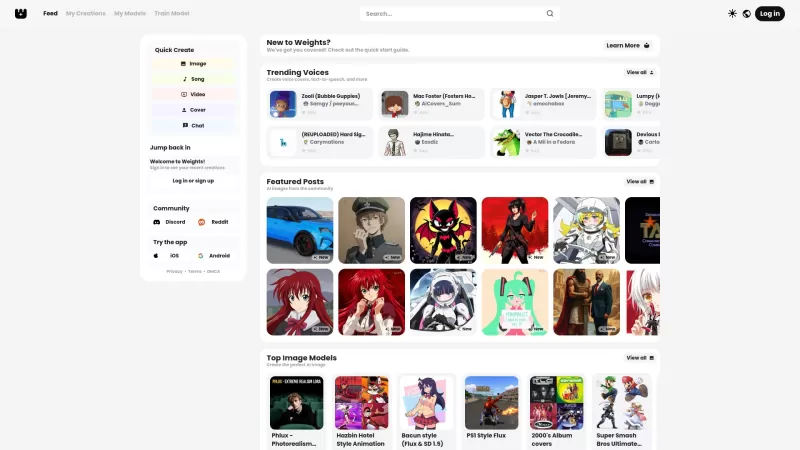
Ever stumbled upon Weights and wondered what it's all about? Well, let me break it down for you. Weights isn't just another AI tool; it's your creative playground where you can whip up AI voice covers, transform text into speech, and conjure up stunning A

What is Celebrity AI?CelebrityAI revolutionizes digital content creation with its cutting-edge artificial intelligence platform that generates lifelike celebrity videos and voice messages. Using sophisticated technologies including deep neural networ
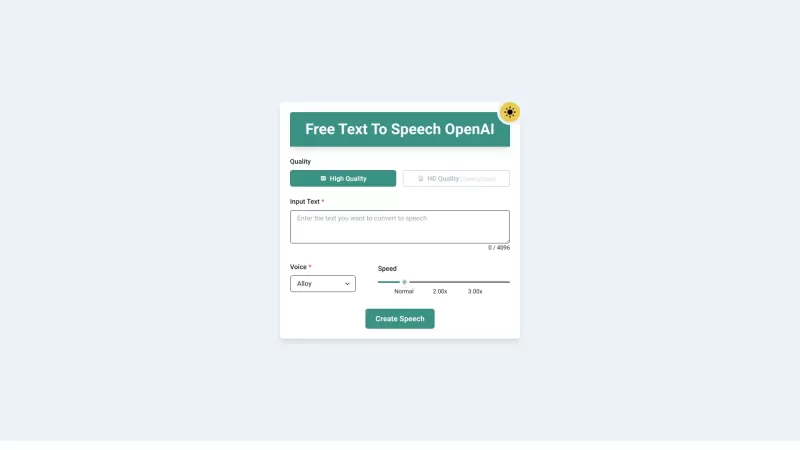
Ever wished you could transform your PDFs and eBooks into something you could listen to while on the go? Well, that's exactly what PDF to Audiobook does—it turns your static text into dynamic audiobooks or MP3 files. Imagine being able to listen to your f
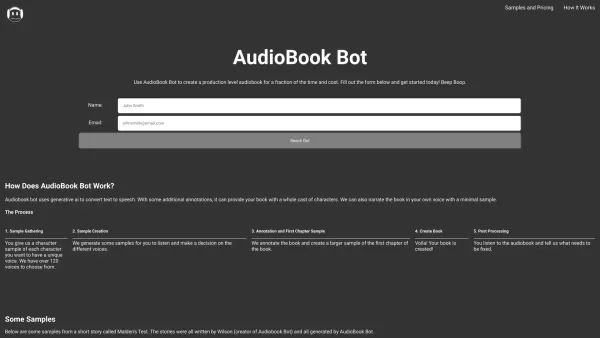
Ever wondered how to transform your written words into captivating audiobooks? Enter AudioBook Bot, your one-click solution to audiobook creation. This nifty software is designed to breathe life into your stories with a variety of voices, making your audi
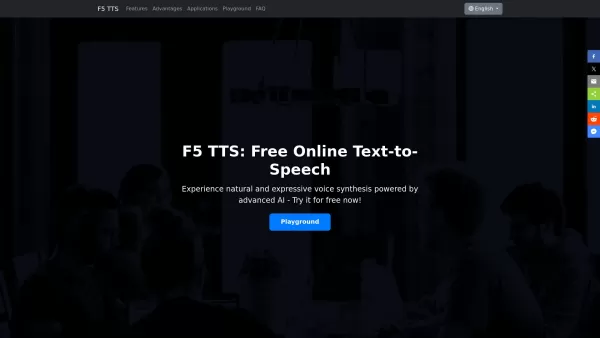
Ever wondered what it's like to give your written words a voice? Well, let me introduce you to F5 TTS—a nifty, AI-powered text-to-speech tool that's changing the game. It's not just any text-to-speech service; this one brings your text to life with natura
Speak based on Azure Speech Product Information
What is the Speak based on Azure Speech Extension?
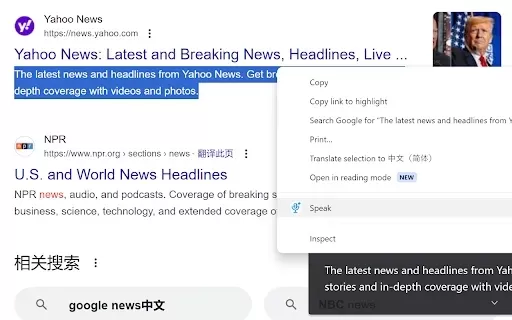
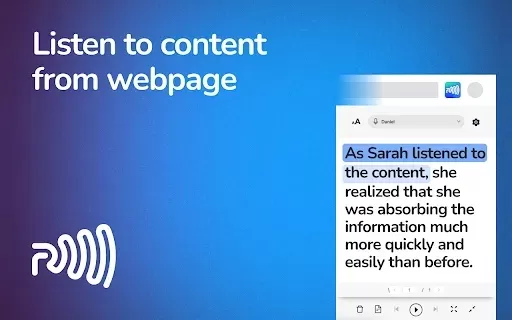
The Speak based on Azure Speech extension allows you to select text on any website and have it read aloud. Powered by Microsoft's Azure Speech technology, it delivers clear, high-quality audio in numerous languages. This tool improves accessibility for individuals with visual impairments, assists language learners, and helps anyone who prefers to listen to written content. Easy-to-use controls let you pause, resume, and customize settings for the best listening experience.
Who Can Benefit from Speak based on Azure Speech?
- Students
- Educators
- Professionals
- Researchers
- Content creators
How to Use Speak based on Azure Speech
- Step 1: Install the Speak based on Azure Speech extension from the Chrome Web Store.
- Step 2: Highlight the text you wish to hear spoken aloud.
- Step 3: Click the extension icon or use a keyboard shortcut to begin audio playback.
- Step 4: Manage playback with pause, stop, or resume controls as needed.
Platform
- Chrome
Speak based on Azure Speech's Core Features & Benefits
Core Features
- Text-to-speech conversion
- Multi-language support
- User-friendly interface
- Playback controls
Key Benefits
- Enhances accessibility
- Improves content consumption
- Aids language learning
- Offers convenient audio playback
Primary Use Cases & Applications
- Educational aid for students
- Accessibility tool for visually impaired users
- Language learning support
- Audio content for busy professionals
FAQs for Speak based on Azure Speech
Which languages are supported by this extension?
The extension supports a broad selection of languages, such as English, Spanish, French, and many others.
Can I customize the voice for playback?
Yes, you can select from various voices and accents available through Azure Speech services.
How can I stop the audio playback?
Click the extension icon again or use the assigned keyboard shortcut to stop playback.
Does this extension work offline?
No, an active internet connection is necessary to access Azure Speech services.
Does it function with PDFs and documents?
The extension works mainly with text on webpages; for PDFs, you might need to copy the text to a web browser.
Can I change the speech speed?
Yes, you can adjust the playback speed within the extension's settings.
Are there any limits on the amount of text converted?
Limitations may exist based on Azure service policies, but it typically handles standard text passages.
Is it compatible with all web browsers?
This extension is built specifically for Google Chrome and may not work on other browsers.
Where can I submit feedback about the extension?
You can leave feedback on the extension's listing page in the Chrome Web Store.
Is there a fee for using this extension?
The extension is free to install and use, though standard data rates may apply for Azure service usage.
About Speak based on Azure Speech
- Microsoft
- https://www.bing.com/images/create
Speak based on Azure Speech Screenshot



Discover the 2026 best AI assistants for crafting epic xianxia & wuxia tales. XIX.AI's curated list features top-rated, game-changing tools to master cultivation progression and martial arts choreography. Compare free vs paid options with real-world tests. Unlock your creative potential and start writing today!
 10 tools
 xix.ai

Discover the 2026 best AI mobile app coding tools for Flutter & React Native. Our curated, top-rated list features powerful, game-changing solutions that generate cross-platform code from prompts. Compare free vs paid options with real-world tests. Unlock faster development and build better apps. Explore the rankings on XIX.AI now!
10 tools
xix.ai

Discover the 2026 best AI Chrome extension generators on XIX.AI. Our curated list features top-rated, must-try tools that let you create custom browser add-ons with zero coding. Compare free vs paid options, see real-world tests, and unlock your productivity. Explore the latest rankings and find your perfect tool today!
10 tools
xix.ai
Discover the 2026 best AI multilingual TTS tools for authentic native-accent speech in 50+ languages. Explore our top-rated, curated rankings with free vs paid comparisons and real-world tests. Find your perfect voice tool on XIX.AI and unlock global communication today.
10 tools
xix.ai

Discover the 2026 latest top-rated AI meeting automation tools for smarter, faster collaboration. Our curated list features powerful, game-changing solutions to automate notes, summaries, and action items. Compare free vs paid options with real-world tests and weekly updated rankings. Unlock peak team productivity. Explore the best picks now at XIX.AI.
10 tools
xix.ai

Discover the 2026 latest top-rated AI prompts for Infrastructure-as-Code. XIX.AI's curated selection helps you safely deploy Terraform & Docker configurations, automate cloud setups, and boost DevOps productivity. Compare free vs paid options with real-world tests. Explore now and unlock your AI edge.
10 tools
xix.ai


