


 Home
HomeSlideSpeak AI Presentations
AI PowerPoint Maker from Files & Web



Helps TikTok sellers, brands, MCNs, and TAPs discover winning products and find creators.

HelpLook is an AI-powered all-in-one knowledge base tool that helps businesses quickly build knowledge bases, help centers, and...

Your AI Workspace

302.AI is an enterprise-grade AI resource platform with pay-as-you-go pricing, API access to a full range of AI models, and ready-to-use online applications.

剧火AI — AI Screenwriter + Director, a One-Person Short Drama Studio In one sentence, what is it?
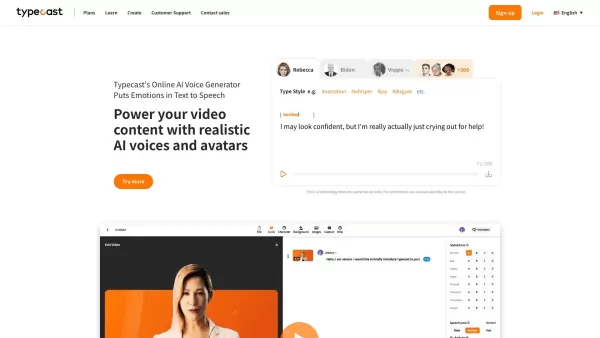
What is Typecast AI?Typecast is an AI-powered platform that converts text into realistic speech and creates virtual avatars. Leveraging advanced generative models and emotional speech synthesis, it allows creators to generate expressive, lifelike voi
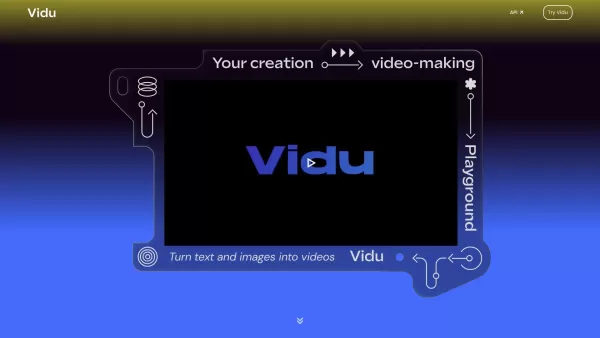
What is vidu.studio?Vidu.studio is an advanced AI-powered platform that turns your creative concepts into engaging videos. By simply entering text prompts, uploading images, or providing reference materials, Vidu uses sophisticated artificial intelli

What is Digen AI?Digen AI revolutionizes video creation by providing a free artificial intelligence platform that converts static images into dynamic, professional videos. The solution features advanced technologies like lifelike lip synchronization,
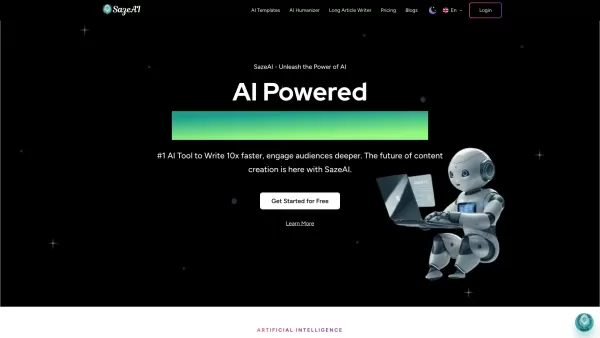
What is Saze AI?Saze AI is a powerful platform that utilizes advanced artificial intelligence to help users produce high-quality content across various formats. Tailored for bloggers, content creators, and social media managers, it offers a suite of
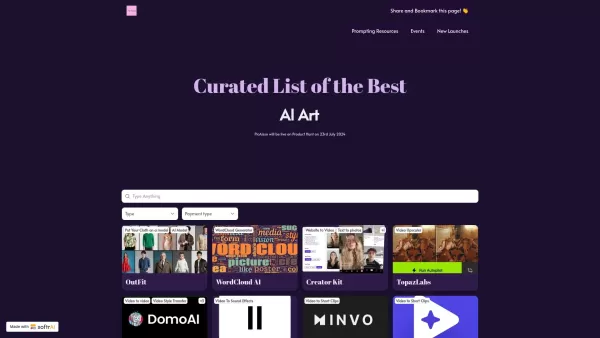
What is PicAisso?PicAisso.xyz provides a full spectrum of AI-powered tools to help creatives effortlessly produce stunning artwork, compose music, edit videos, and design graphics. It functions as a curated directory that enables users to discover an
SlideSpeak AI Presentations Product Information
What is SlideSpeak AI Presentations?
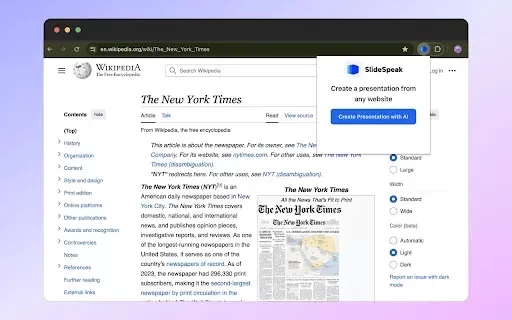
SlideSpeak AI Presentations is a powerful Chrome extension that uses artificial intelligence to help you create professional PowerPoint slides. Simply take content from any PDF, Word document, or webpage, and the AI transforms it into a visually appealing presentation instantly. With one click, it structures your selected material into a ready-to-use presentation, saving you significant time and effort. The tool's versatility across different file types makes it suitable for a wide array of presentation tasks.
Who will use SlideSpeak AI Presentations?
- Students
- Educators
- Business Professionals
- Content Creators
- Executives
How to use the SlideSpeak AI Presentations?
- Step 1: Install the SlideSpeak extension from the Chrome Web Store.
- Step 2: Navigate to your desired website, PDF, or Word document.
- Step 3: Click the SlideSpeak icon in your Chrome toolbar.
- Step 4: Select your content source (website, PDF, or Word doc).
- Step 5: Click 'Generate' to create your PowerPoint.
- Step 6: Download or make edits to your new presentation.
Platform
- Web
- Chrome
SlideSpeak AI Presentations's Core Features & Benefits
The Core Features
- AI-Powered Presentation Creation
- Support for Websites, PDFs, and Word Docs
- One-Click Generation
- Intuitive, User-Friendly Interface
The Benefits
- Saves Considerable Time and Effort
- Delivers High-Quality Presentation Output
- Works with Various File Formats
- Boosts Overall Productivity
SlideSpeak AI Presentations's Main Use Cases & Applications
- Developing Classroom and Educational Presentations
- Crafting Business and Corporate Presentations
- Summarizing Long-Form Content
- Creating Project Proposals
- Designing Sales Pitches and Demos
FAQs of SlideSpeak AI Presentations
How do I install SlideSpeak AI Presentations?
Install it directly from the Chrome Web Store by clicking the 'Add to Chrome' button on its listing page.
What file types are supported?
It supports common formats including webpages, PDF files, and Microsoft Word documents.
How do I generate a presentation from a website?
Open the target website, click the SlideSpeak extension icon, then select 'Generate' to create your slides.
Can I edit the generated presentation?
Yes, you can easily download and edit the generated presentation in PowerPoint.
Is SlideSpeak AI Presentations free?
You can use the core extension features for free.
Does it support multiple languages?
The primary supported language is English (United States).
How does the AI generate the presentation?
The AI analyzes your provided content and intelligently formats it into a structured PowerPoint slide deck.
Can I use it for business presentations?
Absolutely. It is well-suited for professional contexts like business reviews, sales pitches, and client proposals.
What are the benefits of using SlideSpeak?
Key benefits include time savings, high-quality output, and versatile support for multiple content sources.
Is my data safe with SlideSpeak?
Yes, according to the developer, your data is not sold or used for unrelated purposes.
SlideSpeak AI Presentations Company Information
SlideSpeak AI Presentations Screenshot

2026 Latest Best Top-Rated AI Product Retouch Tools for Fashion Ecommerce Photos are here on XIX.AI! This curated list features powerful, game-changing solutions that help boost image quality, speed up editing tasks, and deliver professional results. We conduct real-world tests to provide accurate rankings and a detailed free vs paid comparison. Must-try tools help creators overcome common challenges and significantly improve productivity. Explore now to Discover your perfect tool for flawless online product listings!
 9 tools
 xix.ai

2026 Latest Best AI Webtoon Panel Layout Tools for Vertical Story Pacing, Bubbles, and Scene Rhythm are here on XIX.AI! This curated collection features top-rated tools that offer powerful game-changing solutions to help creators boost writing efficiency, streamline content creation, and unlock their full creative potential. Get a free vs paid comparison along with real-world tests and updated rankings weekly. Explore now to discover your perfect tool for professional webtoon development!
10 tools
xix.ai
2026 Latest Best AI Mockup Generators Top-rated curated list showing powerful game-changing tools that help creators present apps packaging and posters in stunning quality with real-world tests and free vs paid comparison Explore now to Unlock your AI edge
10 tools
xix.ai

2026 Latest Best Top-rated AI Style Transfer Platforms ranked by expert assessments. This curated collection offers powerful game-changing tools that help users reimagine photos with stunning distinct visual looks, boosting creativity and productivity effortlessly. XIX.AI stands out as a trusted source for weekly updated free vs paid comparison insights along with real-world tests. Explore now to Discover your perfect tool and Unlock your AI edge.
10 tools
xix.ai
2026 Latest Best AI platforms for tracking competitors on Shopify to stay ahead in pricing, merchandising, and promotions. XIX.AI curates top-rated, powerful tools that offer real-world tests and free vs paid comparison through weekly updated rankings. Must-try solutions help boost productivity and unlock your AI edge. Explore now!
10 tools
xix.ai

2026 Latest Top-rated AI Fitness Coaches for Home Workouts are here on XIX.AI! Our curated list features powerful, game-changing tools that create adaptive workout plans tailored to your goals, helping you boost productivity and break through fitness plateaus. Get a free vs paid comparison along with real-world tests and updated rankings weekly. Explore now to Discover your perfect tool and Start creating today to Unlock your AI edge!
10 tools
xix.ai


SlideSpeak AI Presentations、試してみました!PDFからスライドを作るのがこんなに簡単になるとは思わなかった😲 デザインもプロっぽくて助かるけど、AIが生成する内容が100%正確かどうかはちょっと不安…でも全体的にはかなり便利なツールだね!
Been playing with SlideSpeak for my monthly reports—it's a lifesaver! ✨ Sucks in a messy Google Doc and spits out a decent slide deck in minutes. The AI layout is surprisingly good, but sometimes the font choices are… adventurous. 😂 Still, saves me hours of formatting hell. Hope they add more templates soon!


