


 Home
HomeReplyAce - Automate Your Email Responses


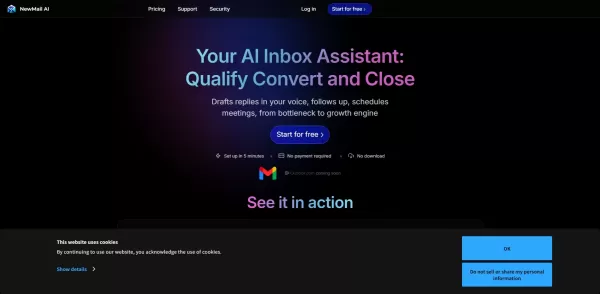
What is NewMail AI?NewMail AI provides a comprehensive suite of features that simplify email management. Powered by advanced AI algorithms, it automatically sorts incoming emails, highlights urgent messages, and proposes intelligent responses to boos

What is AdSync: AI Digital Marketing Solutions?AdSync Marketing offers cutting-edge, AI-powered digital marketing services engineered to drive business growth. Their portfolio includes AI-driven website design, social media marketing, PPC advertising

What is Orba?Orba is an AI-powered platform that personalizes interactions with your website visitors to enhance engagement and drive more conversions. It provides automated SDR outbound services, featuring an AI-driven website chatbot and personaliz
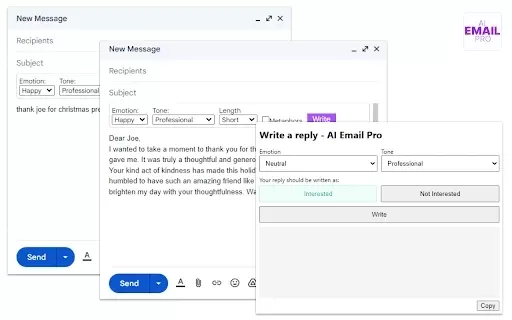
What is AI Email Pro?AI Email Pro is an intelligent email assistant that leverages artificial intelligence to help users draft emails swiftly and effectively. Its user-friendly interface allows you to create professional email drafts by simply enteri
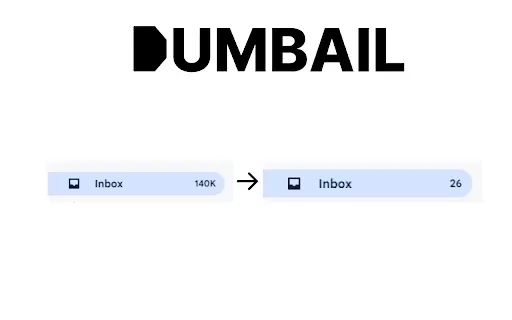
What is Dumbail?Dumbail is a smart email management solution designed to clean up your inbox by automatically filtering out promotional messages and other distractions. Its intelligent algorithms analyze your inbox to find and categorize non-essentia
ReplyAce - Automate Your Email Responses Product Information
What is ReplyAce - Automate Your Email Responses?
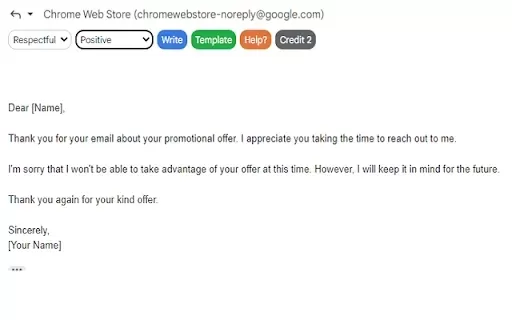
ReplyAce is an innovative tool designed to automate your email responses and streamline communication. Featuring customizable templates and AI-driven capabilities, it empowers users to reply swiftly and accurately to incoming messages. You can configure automated responses for common inquiries, ensuring every message receives a timely reply. Ideal for professionals seeking to boost productivity and maintain consistent communication, ReplyAce integrates seamlessly with existing email systems for a smooth transition to automated email management.
Who uses ReplyAce - Automate Your Email Responses?
- Businesses
- Freelancers
- Customer support teams
- Sales representatives
- Marketing professionals
How to use ReplyAce - Automate Your Email Responses?
- Step 1: Install the ReplyAce extension from the Chrome Web Store.
- Step 2: Connect ReplyAce to your email account.
- Step 3: Customize your automated response templates.
- Step 4: Set parameters for when to send automated replies.
- Step 5: Save and activate your settings.
Platform
- Web
- Chrome
ReplyAce - Automate Your Email Responses Core Features & Benefits
Core Features
- Customizable email templates
- Automatic response scheduling
- Integration with major email providers
- A/B testing for response templates
- Analytics for performance tracking
Key Benefits
- Reduces response time
- Increases productivity
- Minimizes manual errors
- Enhances customer satisfaction
- Improves communication consistency
ReplyAce - Automate Your Email Responses Main Use Cases & Applications
- Customer service response automation
- Follow-up emails for leads
- Routine notifications for events
- Quick replies for FAQs
- Scheduling follow-up tasks
ReplyAce - Automate Your Email Responses FAQs
What types of emails can I automate?
You can automate responses for inquiries, follow-ups, and routine notifications.
Is ReplyAce compatible with all email providers?
Yes, ReplyAce integrates with major email providers.
Is there a limit to the number of automated replies?
No, you can set up as many automated replies as you need.
Can I track the performance of my responses?
Yes, ReplyAce provides analytics for response performance.
What if I want to change my automated messages?
You can easily edit and update your templates at any time.
Is there a free trial available?
Yes, ReplyAce offers a free trial to explore its features.
How secure is my data with ReplyAce?
ReplyAce employs encryption and complies with data protection regulations.
Can I disable the automation at any time?
Yes, you can easily disable the automation whenever you want.
Can I customize my response templates?
Absolutely! You can create and customize multiple templates.
How do I set up automated replies?
Simply install the extension, connect your email, and customize your templates.
ReplyAce - Automate Your Email Responses Company Information
ReplyAce - Automate Your Email Responses Screenshot



Discover the 2026 best AI auto-colorization tools for manga at XIX.AI. Our curated list features top-rated, game-changing solutions that apply flat colors with zero consistency errors, boosting your productivity. Explore free vs paid comparisons, real-world tests, and weekly updated rankings to find your perfect match. Unlock your AI edge today.
 10 tools
 xix.ai

Discover the 2026 best AI fiction profile creators for crafting deep characters. XIX.AI's curated list features top-rated, game-changing tools that generate consistent motivations and fatal flaws. Compare free vs paid options with real-world tests. Unlock your storytelling potential now.
10 tools
xix.ai

Discover the 2026 best AI pricing optimization software on XIX.AI. Our curated list features top-rated, game-changing tools that track competitors and auto-adjust your store prices for maximum profit. Compare free vs paid options with real-world tests. Unlock your pricing edge now.
10 tools
xix.ai

Discover the 2026 best AI code reviewers on XIX.AI. Our curated list features top-rated, game-changing tools for automating clean code compliance and refactoring legacy repo files. Compare free vs paid options with real-world tests and weekly updated rankings. Unlock your AI edge today.
10 tools
xix.ai

Discover the 2026 latest top-rated AI TTS apps curated for dyslexia support. Our expert rankings compare free vs paid tools, highlighting powerful features for enhanced reading efficiency and learning. Explore must-try, game-changing solutions to unlock student potential. Start your journey at XIX.AI.
10 tools
xix.ai

Discover the 2026 best AI generators for Shonen manga at XIX.AI. Our top-rated, curated list features powerful tools for creating high-octane action sequences and dynamic energy effects. Compare free vs paid options with real-world tests. Unlock your creative potential and start crafting epic manga today!
15 tools
xix.ai


