


 Home
HomeRead It



Helps TikTok sellers, brands, MCNs, and TAPs discover winning products and find creators.

HelpLook is an AI-powered all-in-one knowledge base tool that helps businesses quickly build knowledge bases, help centers, and...

Your AI Workspace

302.AI is an enterprise-grade AI resource platform with pay-as-you-go pricing, API access to a full range of AI models, and ready-to-use online applications.

剧火AI — AI Screenwriter + Director, a One-Person Short Drama Studio In one sentence, what is it?
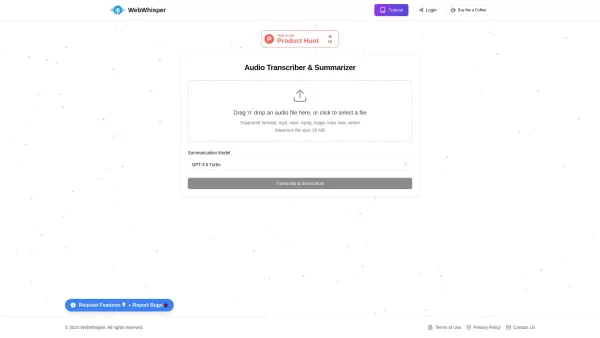
Ever found yourself wishing you could magically turn audio into text? Well, let me introduce you to WebWhisper, your new best friend in the world of audio transcription and summarization. This nifty online tool harnesses the power of cutting-edge AI
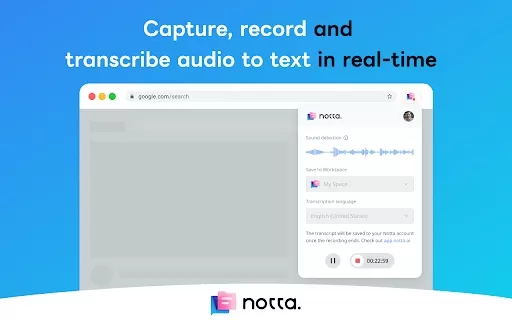
What is the Notta AI Chrome Extension? Notta is an AI-driven tool that automatically converts audio into text. Its Chrome extension captures and transcribes audio directly from web pages in real time. Transcripts are stored in your Notta account and
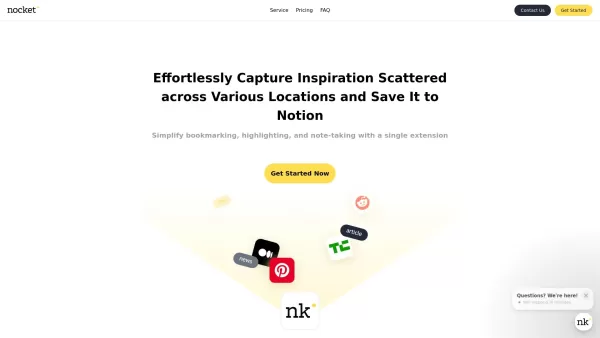
What is Nocket?Nocket.io is a user-friendly browser extension that transforms how you interact with web content. It enables you to bookmark pages, highlight text, and take notes right in your browser. You can easily save your discoveries to Notion, a
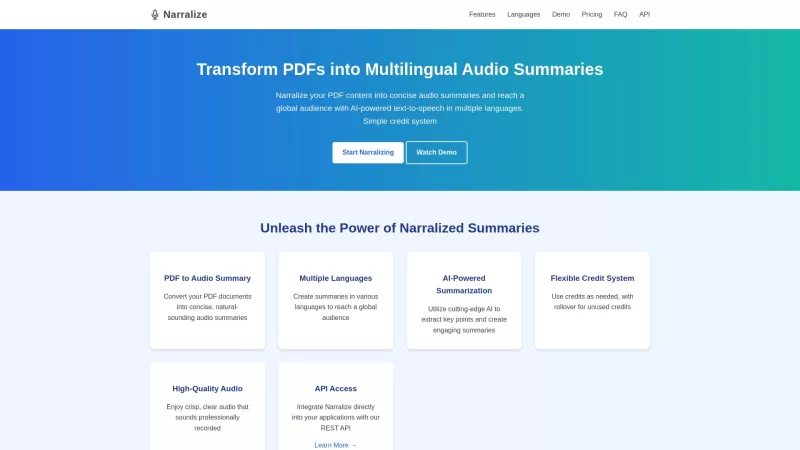
Ever stumbled upon a PDF and wished you could just listen to its key points instead of reading through the whole thing? That's where Narralize comes in—a nifty AI-powered tool that transforms your PDFs into audio summaries, and not just in one language, b
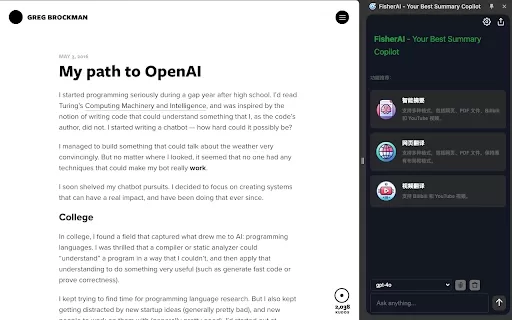
What Is the Fisher AI Chrome Extension? Fisher AI is a sophisticated Chrome extension built to help users instantly capture the essence of web content, with support for multi-turn dialogue. By leveraging various AI models, it intelligently analyzes a
Read It Product Information
What Is Read It?
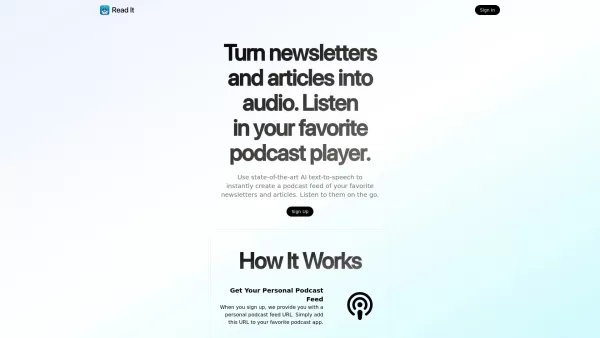
ReadIt uses advanced AI to turn long articles, documents, and texts into concise summaries. Whether you're a busy professional, a student, or someone who loves staying informed, ReadIt processes large amounts of content efficiently and highlights the key points, helping you quickly grasp essential information. Stay ahead in your reading without needing to scan through everything.
Who Will Use Read It?
- Students
- Professionals
- Researchers
- Content Creators
- Busy Readers
How to Use Read It?
- Step 1: Visit the ReadIt website.
- Step 2: Upload the document or paste the text you want summarized.
- Step 3: Select your preferred summary length.
- Step 4: Click the 'Summarize' button.
- Step 5: Review the AI-generated summary.
Platform
- Web
- iOS
- Android
Read It's Core Features & Benefits
The Core Features
- AI-generated summaries
- User-friendly interface
- Customizable summary lengths
The Benefits
- Save time on reading
- Improve information retention
- Focus on key points easily
Read It's Main Use Cases & Applications
- Summarizing academic articles
- Creating study guides
- Briefing teams on lengthy reports
Read It's Pros & Cons
The Pros
State-of-the-art AI text-to-speech for instant audio conversion
Personalized podcast feed and email for easy content delivery
Bookmarklet for quick conversion of any article or webpage
No subscription required, pay only for usage
Free trial with no billing information needed
The Cons
Read It's Pricing
Has Free Plan | Yes |
|---|---|
Free Trial Details | New accounts don't require billing information and come with enough free credits to try the service |
Pricing Model | Pay-as-you-go |
Is Credit Card Required? | No |
Paid From | 0.25 USD |
Has Lifetime Plan | No |
Billing Frequency | Pay-per-usage |
Details of Pricing Plan
Pay As You Go
0.25 USD
- 10,000 characters cost 25 cents
- No subscriptions
- Pay only for what you use
For the latest prices, please visit: https://www.readit.bot
FAQs of Read It
Does It Support Images or Graphs?
No, it focuses solely on text summarization.
How Accurate Are the Summaries?
The AI aims for high accuracy, but we recommend reviewing critical content.
Is There a Limit to the Text Length?
Yes, there are limits based on your subscription plan.
Can I Use It Offline?
Currently, ReadIt requires an internet connection.
Is It Free?
ReadIt offers both free and paid subscription models.
Can I Customize the Summaries?
Yes, you can choose from different summary lengths.
What Document Formats Are Supported?
Mainly text, but PDF support is also available.
How Secure Is My Data?
Your data is protected in compliance with industry standards.
Can I Integrate It with Other Apps?
Integration features may be available in premium plans.
How Do I Contact Support?
You can reach support via the contact form on the website.
Read It Company Information
Website:
https://www.readit.botCompany Name:
ReadItSupport Email:
Facebook:
N/AX (Twitter):
N/AYouTube:
N/AInstagram:
N/ATikTok:
N/ALinkedIn:
N/A
Read It Screenshot

2026 Latest Top-rated AI Illustration Tools: Our curated list features the best powerfully designed tools for creating stunning editorial scenes and eye-catching cover art quickly. Each option has gone through rigorous real-world tests, offering a free vs paid comparison to help you find the perfect match for your workflow. Try these must-try solutions today to unlock your AI edge and boost your creative productivity. Explore now at XIX.AI.
 10 tools
 xix.ai

2026 Latest Top-Rated Best AI Tutors for Exam Prep are here on XIX.AI! Our curated list features powerful game-changing tools that offer free vs paid comparison, real-world tests, and weekly updated rankings. They help boost your writing efficiency, simplify complex topic learning, and unlock your academic potential. Explore now to Discover your perfect exam prep tool and Start creating today to Unlock your AI edge!
10 tools
xix.ai

2026 Latest Best Top-Rated AI Budget Planning Tools for Personal Money Management are here on XIX.AI! This curated collection features powerful, game-changing solutions that help you conduct real-world tests, understand spending habits, and create personalized plans to boost productivity. Enjoy a free vs paid comparison along with detailed rankings. Must-try tools designed to simplify money management and unlock your AI edge. Explore now!
11 tools
xix.ai

2026 Latest Best Top-Rated AI Sleep Tracking Assistants curated for ultimate recovery. This fully updated weekly guide features powerful tools that deliver real-world tests, free vs paid comparison, and detailed rankings to help you find the must-try solution that boosts sleep quality and supports better bedtime habits. Explore now at XIX.AI to Unlock your AI edge.
10 tools
xix.ai

2026 Latest Best Top-Rated AI SQL Copilots for Product and Revenue Analytics! XIX.AI has curated a powerful, game-changing collection of must-try tools that undergo real-world tests through weekly updated rankings. These tools help users boost productivity significantly by accelerating data analysis, streamlining complex queries, and generating accurate insights to drive smarter business decisions. Explore now to Discover your perfect tool for unlocking your AI edge!
14 tools
xix.ai

2026 Latest Best Top-Rated AI Homework Helpers That Teach Core Concepts Not Just Answers Powerful Tools for Students Must-Try Curated List Weekly Updated Free vs Paid Comparison Real-World Tests Accurate Rankings to Help You Unlock Your Full Learning Potential Explore now to Discover your perfect tool for smarter studying.
10 tools
xix.ai


