


 Home
HomeQuickLearn - Chrome Extension
Accelerates exercises for 7 modules



Helps TikTok sellers, brands, MCNs, and TAPs discover winning products and find creators.

HelpLook is an AI-powered all-in-one knowledge base tool that helps businesses quickly build knowledge bases, help centers, and...

Your AI Workspace

302.AI is an enterprise-grade AI resource platform with pay-as-you-go pricing, API access to a full range of AI models, and ready-to-use online applications.

剧火AI — AI Screenwriter + Director, a One-Person Short Drama Studio In one sentence, what is it?
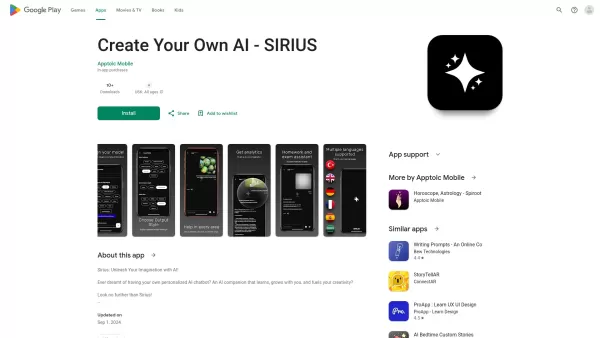
Ever wondered what it's like to have a creative buddy that's always ready to chat and inspire you? That's where Sirius AI comes into play. This isn't just any chatbot; it's your customizable companion designed to learn from you and spark your creativity.H
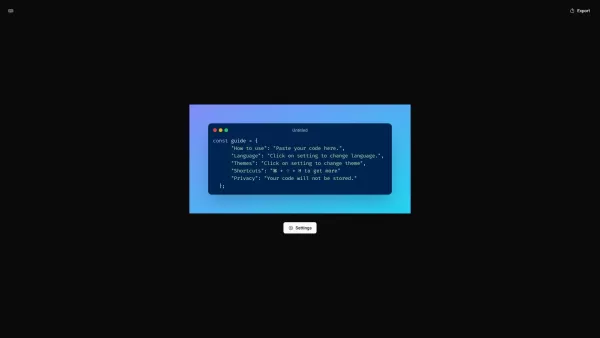
What is CodeScreenshot?Transform your code snippets into visually stunning shareable imagesHow to use CodeScreenshot?Effortlessly convert your code into professional-looking screenshots with our intuitive tool. Just paste your code, select your prefe
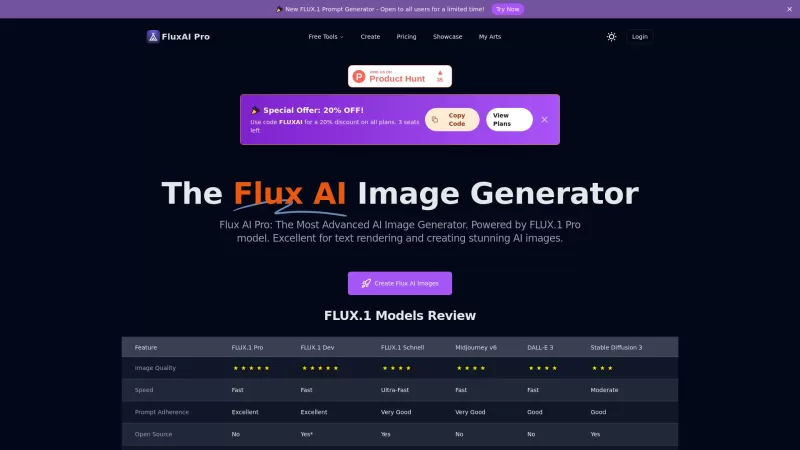
Flux AI Pro is an exciting platform that brings the magic of AI image generation right to your fingertips. It's powered by the innovative Flux.1 series of models, which are specifically crafted to transform your text prompts into stunning, high-quality im

Ever wondered how to pinpoint your ideal customer without the guesswork? Enter Client Crafter, a game-changer for businesses looking to nail their target audience. This nifty service leverages AI to craft detailed, personalized customer profiles that feel
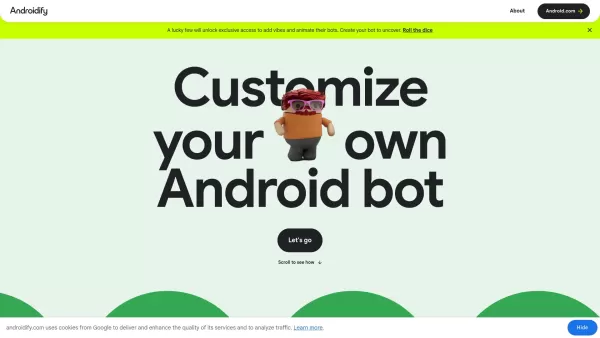
What is Androidify? Androidify is an online, AI-powered platform that lets you design your own unique Android character. You can create a bot from a selfie or a text description, using Google AI models like Gemini Flash, Gemma, and Imagen. A limited
QuickLearn - Chrome Extension Product Information
If you're looking to turbocharge your learning experience, the QuickLearn AI Chrome extension is your go-to tool. It's designed to speed up your progress through the "7 Modules User" exercises, making your study sessions more efficient and less of a drag. Imagine breezing through those modules with ease—sounds pretty good, right?
How to Use QuickLearn AI Chrome Extension?
Using the QuickLearn AI Chrome extension is a breeze. Just head over to the exercise page, pick the module you want to tackle, and dive into the settings to tailor your experience for maximum efficiency. It's like having a personal learning assistant right in your browser!
QuickLearn AI Chrome Extension's Core Features
The extension is packed with features that make it a must-have for any serious learner. It can identify the module you're working on, ensuring you get the most out of your time. Plus, it adapts to different modules to optimize your resources, and the settings allow for a fully customized experience. It's like the extension is learning with you!
QuickLearn AI Chrome Extension's Use Cases
With QuickLearn AI, answering exercise questions becomes a walk in the park. And if you're curious about what's coming next, the 'NEXT Question' feature lets you peek at hidden questions, keeping you one step ahead. It's like having a crystal ball for your learning journey!
FAQ from QuickLearn
- How to activate 'Incognito' mode?
- To activate 'Incognito' mode with QuickLearn AI, simply navigate to the extension's settings and toggle the 'Incognito' option. It's that easy! Now you can study without leaving a trace.
QuickLearn - Chrome Extension Screenshot


2026 Latest Top-rated AI Illustration Tools: Our curated list features the best powerfully designed tools for creating stunning editorial scenes and eye-catching cover art quickly. Each option has gone through rigorous real-world tests, offering a free vs paid comparison to help you find the perfect match for your workflow. Try these must-try solutions today to unlock your AI edge and boost your creative productivity. Explore now at XIX.AI.
 10 tools
 xix.ai

2026 Latest Top-Rated Best AI Tutors for Exam Prep are here on XIX.AI! Our curated list features powerful game-changing tools that offer free vs paid comparison, real-world tests, and weekly updated rankings. They help boost your writing efficiency, simplify complex topic learning, and unlock your academic potential. Explore now to Discover your perfect exam prep tool and Start creating today to Unlock your AI edge!
10 tools
xix.ai

2026 Latest Best Top-Rated AI Budget Planning Tools for Personal Money Management are here on XIX.AI! This curated collection features powerful, game-changing solutions that help you conduct real-world tests, understand spending habits, and create personalized plans to boost productivity. Enjoy a free vs paid comparison along with detailed rankings. Must-try tools designed to simplify money management and unlock your AI edge. Explore now!
11 tools
xix.ai

2026 Latest Best Top-Rated AI Sleep Tracking Assistants curated for ultimate recovery. This fully updated weekly guide features powerful tools that deliver real-world tests, free vs paid comparison, and detailed rankings to help you find the must-try solution that boosts sleep quality and supports better bedtime habits. Explore now at XIX.AI to Unlock your AI edge.
10 tools
xix.ai

2026 Latest Best Top-Rated AI SQL Copilots for Product and Revenue Analytics! XIX.AI has curated a powerful, game-changing collection of must-try tools that undergo real-world tests through weekly updated rankings. These tools help users boost productivity significantly by accelerating data analysis, streamlining complex queries, and generating accurate insights to drive smarter business decisions. Explore now to Discover your perfect tool for unlocking your AI edge!
14 tools
xix.ai

2026 Latest Best Top-Rated AI Homework Helpers That Teach Core Concepts Not Just Answers Powerful Tools for Students Must-Try Curated List Weekly Updated Free vs Paid Comparison Real-World Tests Accurate Rankings to Help You Unlock Your Full Learning Potential Explore now to Discover your perfect tool for smarter studying.
10 tools
xix.ai


これ、学生時代に欲しかったな😂 学習ペースが速くなるらしいけど、AIに頼りすぎると自分で考える力が弱まるかも?でも効率化は確かに魅力的!
QuickLearn is a game-changer for studying! 🚀 The Chrome extension makes those 7 Modules exercises feel like a breeze, cutting my study time in half. Super intuitive, but I wish it had a dark mode for late-night cramming. 😴
QuickLearn mudou completamente meus estudos! Os exercícios do 7 Modules User ficaram muito mais fáceis. Minhas sessões de estudo são muito mais eficientes agora. A única desvantagem é que pode ser um pouco esmagador no início, mas uma vez que você se acostuma, é incrível! 🚀
QuickLearnは私の勉強に革命をもたらしました!7 Modules Userのエクササイズが簡単になりました。勉強時間がずっと効率的になりました。唯一の欠点は、最初は少し圧倒されるかもしれないことですが、一度慣れれば素晴らしいです!🚀
QuickLearn ha sido un cambio de juego para mis estudios. ¡Hace que los ejercicios de 7 Modules User sean pan comido! Mis sesiones de estudio son mucho más eficientes ahora. El único inconveniente es que puede ser un poco abrumador al principio, pero una vez que te acostumbras, es increíble. 🚀


