


 Home
HomePower BI AI Lens



Helps TikTok sellers, brands, MCNs, and TAPs discover winning products and find creators.

HelpLook is an AI-powered all-in-one knowledge base tool that helps businesses quickly build knowledge bases, help centers, and...

Your AI Workspace

302.AI is an enterprise-grade AI resource platform with pay-as-you-go pricing, API access to a full range of AI models, and ready-to-use online applications.

剧火AI — AI Screenwriter + Director, a One-Person Short Drama Studio In one sentence, what is it?
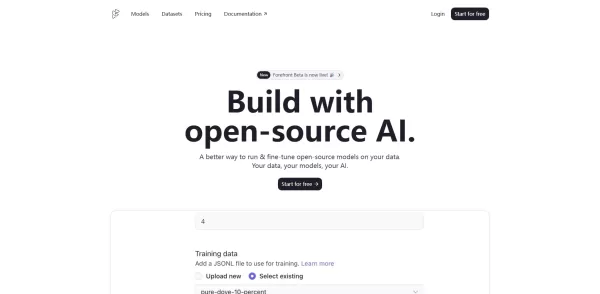
What is Forefront AI?Forefront AI offers robust conversational AI features that empower businesses to connect with customers using intelligent automation. Its agents deliver customized replies, comprehend user intent, and evolve from interactions for
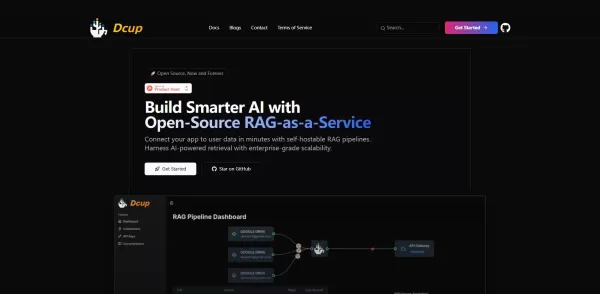
What is Dcup?Dcup is an advanced AI assistant built to streamline and optimize your daily workflows. It provides a suite of capabilities such as task automation, smart scheduling, and efficient data management. By leveraging cutting-edge AI technolog
What is Gander AI?Gander AI utilizes advanced artificial intelligence to automate common tasks, boost efficiency, and deliver productivity-enhancing insights. It integrates into your workflow to handle scheduling, data entry, email communications, an
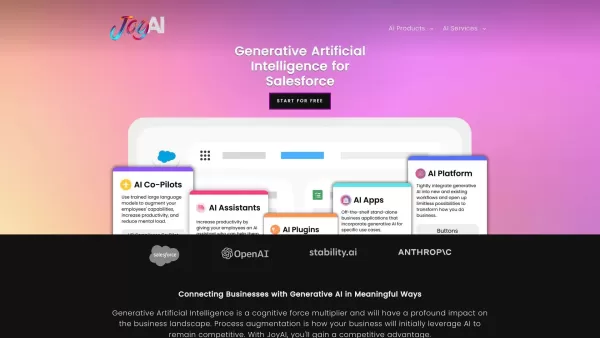
What is JoyAI - Generative AI for Salesforce?JoyAI is a generative artificial intelligence solution built to augment Salesforce's capabilities. It delivers custom AI tools that help businesses solve specific problems, automate processes, and uncover

What is DataSky AI Box?OpenDataSky delivers advanced data intelligence solutions featuring real-time analytics, actionable insights, and data-driven recommendations. These tools are crafted to help businesses optimize operations, improve decision-mak
Power BI AI Lens Product Information
What is Power BI AI Lens?
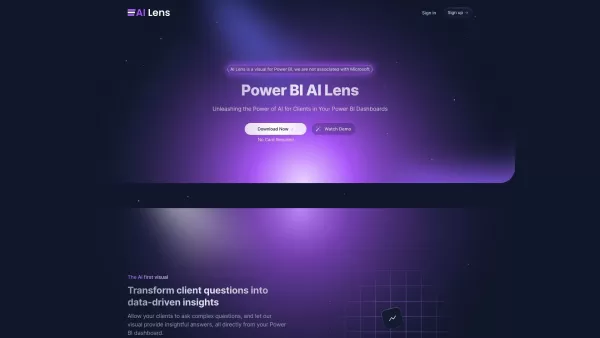
Power BI AI Lens enables users to converse with their data by asking questions in plain English. It embeds cutting-edge AI and natural language processing directly into Power BI, making dashboard interactions intuitive and unlocking deeper insights for everyone.
Who will use Power BI AI Lens?
- Data Analysts
- Business Intelligence Professionals
- Power BI Users
- Decision-Makers
- Data Enthusiasts
How to use the Power BI AI Lens?
- Step 1: Install AI Lens from Power BI AppSource.
- Step 2: Open your Power BI dashboard.
- Step 3: Add the AI Lens visual to your report.
- Step 4: Configure your data sources and settings.
- Step 5: Start asking questions in natural language.
- Step 6: Review and analyze the AI-powered insights and visualizations.
Platform
- Web
- macOS
- Windows
- Linux
Power BI AI Lens's Core Features & Benefits
The Core Features
- Natural Language Processing
- Seamless Power BI Integration
- Automated Data Insights
- Interactive Dashboards
The Benefits
- Improved Data Comprehension
- Better, Faster Decision-Making
- Increased Team Productivity
- Intuitive, User-Friendly Interface
Power BI AI Lens's Main Use Cases & Applications
- Real-Time Data Analysis
- Automated Report Generation
- Enhanced Data Visualization
- AI-Driven Business Intelligence
Power BI AI Lens's Pros & Cons
The Pros
Deep, seamless integration with Power BI
Ask data questions in natural language and get instant insights
Real-time analysis connected to live data sources
Strong commitment to data privacy and security
Highly customizable to match brand and specific data access requirements
The Cons
No open-source code is available
Pricing details are not fully disclosed beyond the homepage
Exclusively designed for the Power BI ecosystem
No dedicated mobile app or presence on major app stores
Power BI AI Lens's Pricing
Free Plan Available | Yes |
|---|---|
Free Trial Details | |
Pricing Model | Freemium |
Credit Card Required? | No |
Paid Plans From | 15 USD |
Lifetime Plan Available? | No |
Billing Frequency | Monthly |
Details of Pricing Plan
Free
0 USD
- No Credit Card Required
- 100K Token Limit
- 7 Messages Per Session
- 1 Dashboard
Plus
15 USD
- + $0.005 per 1K Tokens
- Unlimited Token Limit
- 7 Messages Per Session
- 2 Dashboards
Enterprise
49 USD
- + $0.005 per 1K Tokens
- Unlimited Token Limit
- Unlimited Messages Per Session
- 2 Dashboards
For the latest pricing, please visit: https://www.powerbiailens.com
FAQs of Power BI AI Lens
What is AI Lens for Power BI?
AI Lens for Power BI is an intelligent visual that brings AI and natural language querying directly into your Power BI dashboards.
How does AI Lens work?
Simply ask questions about your data in everyday language, and AI Lens delivers immediate insights and clear visualizations.
Can I use AI Lens on multiple platforms?
Yes, AI Lens is accessible via web browsers and supports Windows, macOS, and Linux systems.
Is AI Lens easy to set up?
Absolutely. Install it from the Power BI AppSource and follow a few simple configuration steps to get started.
What are the core features of AI Lens?
Key features are natural language queries, deep Power BI integration, automated insight generation, and interactive dashboards.
Who can benefit from AI Lens?
It's valuable for data analysts, BI professionals, business decision-makers, and anyone passionate about data.
What type of insights can AI Lens generate?
It provides real-time analysis, automated reports, advanced visualizations, and AI-powered business intelligence.
How does AI Lens enhance data comprehension?
It translates complex data into clear answers and visualizations, making it easier for all users to understand and act on information.
What are the alternatives to AI Lens?
Alternatives include Power BI's built-in Q&A, TIBCO Spotfire, Tableau Ask Data, and Qlik Sense.
Is AI Lens suitable for all types of users?
Yes, its user-friendly design makes it effective for both technical experts and business users with no technical background.
Power BI AI Lens Company Information
Website:
https://www.powerbiailens.comCompany Name:
Power BI AI LensSupport Email:
Facebook:
N/AX (Twitter):
N/AYouTube:
N/AInstagram:
N/ATikTok:
N/ALinkedIn:
N/A
Power BI AI Lens Screenshot

2026 Latest Best Top-rated AI Conversation Trainer Tools for Interview Practice are here on XIX.AI! This curated collection features powerful, game-changing tools that go through rigorous real-world tests to deliver accurate feedback. You’ll find a free vs paid comparison and detailed rankings to help you choose the must-try option that boosts your confidence and skills. Explore now to Discover your perfect tool for interview success!
 12 tools
 xix.ai

2026 Latest Best Top-rated AI Style Transfer Tools for Creative Experiments! XIX.AI has curated a powerful, game-changing collection of must-try tools that deliver exceptional results through real-world tests and rigorous rankings. These top solutions help creatives boost productivity significantly by accelerating content creation and unlocking endless creative possibilities. Explore now to discover your perfect tool and start creating today!
9 tools
xix.ai

2026 Latest Best Top-Rated AI Dialogue Bubble Tools for Visual Storytelling are here on XIX.AI! This curated collection features powerful, game-changing tools that help creators boost productivity and overcome creative bottlenecks. Get a free vs paid comparison, see real-world tests, and check the latest rankings to find the must-try solutions perfect for crafting engaging visual narratives. Explore now to discover your ideal tool!
10 tools
xix.ai

2026 Latest Top-Rated Best AI Meeting Summary Tools for Clear Decision Tracking and Effortless Follow-Ups. This curated list showcases powerful, game-changing solutions that boost productivity dramatically by automating meeting notes, identifying key action items, and streamlining team coordination across all projects. Get a free vs paid comparison along with real-world tests and weekly updated rankings to help you find the perfect tool. Explore now to unlock your AI edge!
9 tools
xix.ai

2026 Latest Best Top-rated AI Data Cleaning Tools for quick fixing of missing values and duplicates. This curated list showcases powerful, game-changing solutions that boost productivity significantly. Each option has undergone rigorous real-world tests to ensure reliability. Get a free vs paid comparison and discover the must-try tool that fits your needs best. Explore now at XIX.AI to Unlock your AI edge.
11 tools
xix.ai

2026 Latest Best Top-Rated AI Creative Ideation Tools for Artists are curated by XIX.AI to help creators break through visual blocks and boost creativity instantly. These powerful game-changing tools offer real-world tests, detailed free vs paid comparison, and weekly updated rankings. Discover your perfect tool to accelerate content creation and unlock your AI edge today. Explore now!
14 tools
xix.ai


這個Power BI AI Lens看起來超厲害!可以直接用自然語言問問題,不用再記複雜的查詢語法了,對業務分析師來說應該會省下超多時間。不過有點擔心資料隱私問題,畢竟是微軟的產品,希望企業版能有完善的本地部署方案。期待實際試用看看流暢度如何!👍


