


 Home
Home
NWEB AI: ChatGPT, Gemini & Private AIs on Websites/Docs (Free with BYO Key)



Helps TikTok sellers, brands, MCNs, and TAPs discover winning products and find creators.

HelpLook is an AI-powered all-in-one knowledge base tool that helps businesses quickly build knowledge bases, help centers, and...

Your AI Workspace

302.AI is an enterprise-grade AI resource platform with pay-as-you-go pricing, API access to a full range of AI models, and ready-to-use online applications.

剧火AI — AI Screenwriter + Director, a One-Person Short Drama Studio In one sentence, what is it?
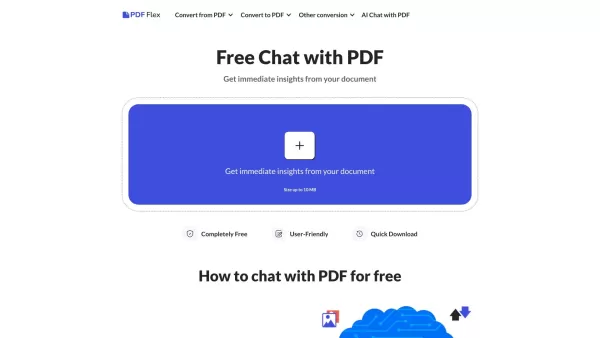
What is PDF Flex | AI Chat with PDF?PDF Flex is an AI-powered tool that lets you chat with your PDF documents. Ask questions, get summaries, and find specific information quickly and securely using HTTPS.Who will use PDF Flex | AI Chat with PDF?Stude
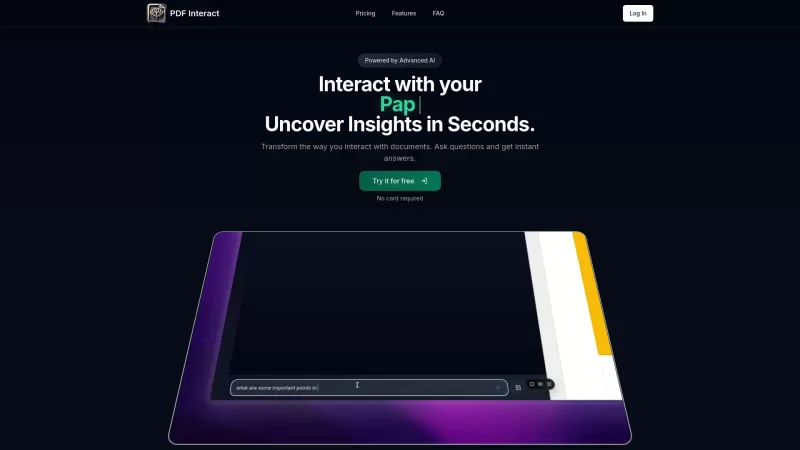
Discover PDF Interact: Your AI-Powered PDF AssistantEver wished you could have a conversation with your PDF documents? Well, guess what? With PDF Interact, you can! This nifty tool uses AI to make your PDF reading experience a breeze. It's like having a smart buddy who helps you dig into your docume
NWEB AI: ChatGPT, Gemini & Private AIs on Websites/Docs (Free with BYO Key) Product Information
What is NWEB AI: ChatGPT, Gemini & Private AIs for Websites/Docs (Free with BYO Key)?
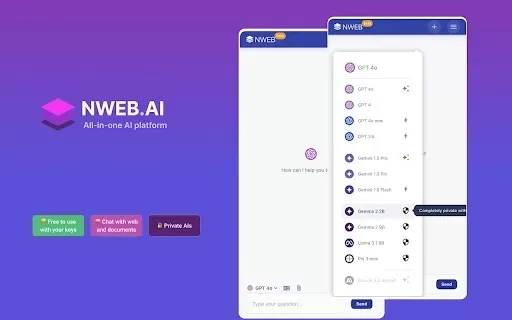
NWEB AI allows you to engage with top AI models such as ChatGPT, Gemini, and Claude right in your browser. This extension is free when you use your own API keys, guaranteeing complete privacy since no information is sent to outside servers. You can converse with various documents, including PDFs, images, and text files, making it a flexible tool for many types of interactions. It includes intelligent data processing to efficiently extract and handle web content. By processing all data locally, it ensures strong privacy protection and cost savings.
Who is NWEB AI: ChatGPT, Gemini & Private AIs for Websites/Docs (Free with BYO Key) for?
- Individuals
- Researchers
- Students
- Businesses
- Developers
How to use NWEB AI: ChatGPT, Gemini & Private AIs on Websites/Docs (Free with BYO Key)
- Step 1: Install the NWEB AI extension from the Chrome Web Store.
- Step 2: Open the extension and go to the settings.
- Step 3: Enter your API keys for AI services such as OpenAI and Google AI.
- Step 4: Begin interacting with documents or web content directly via the extension.
- Step 5: Manage your keys and settings as required through your Chrome profile.
Platform
- web
- chrome
NWEB AI: ChatGPT, Gemini & Private AIs on Websites/Docs (Free with BYO Key) Core Features & Benefits
The Core Features
- All-in-One AI Models
- Free with Your Own Keys
- Chat with Documents
- Full Privacy
- Smart Data Processing
- Free Forever
The Benefits
- Access multiple AI models
- Cost-effective with personal keys
- Versatile document interaction
- Enhanced privacy
- Efficient data management
- No additional charges
NWEB AI: ChatGPT, Gemini & Private AIs on Websites/Docs (Free with BYO Key) Main Use Cases & Applications
- Chat with AI models
- Interact with various documents
- Analyze web content
- Use local AI for enhanced privacy
- Integrate AI for research
FAQs about NWEB AI: ChatGPT, Gemini & Private AIs on Websites/Docs (Free with BYO Key)
Is this extension free to use?
Yes, it is completely free when you use your own keys. If you don’t have keys, you can use the AI models directly at https://nweb.ai for free.
How does the extension manage my keys?
The NWEB AI extension does not manage your keys. Your keys are synced and handled by your Chrome profile, and the extension accesses them only when needed. You can visit 'Manage your keys' to delete them anytime.
Does the extension send data to NWEB AI servers?
No, when you use your own keys, the extension does not send any data to NWEB AI servers. It communicates directly with AI providers such as OpenAI and Google AI.
How does the extension process web content and documents? Is it costly for large website content or document files?
The extension processes web content and documents directly in your browser; no data is sent to external providers for extraction. When necessary, it extracts and compresses the data to reduce AI service costs. It effectively handles multiple documents or large files at the same time.
How do private AIs work? Does it send data to anyone?
Private AIs operate entirely within your browser. On first use, the extension downloads and stores AI models locally. All later interactions are completely private, with no data sent over the Internet. Make sure your computer has enough memory/GPU resources for best performance.
How can I request more models or features?
We welcome your feedback. Please submit your requests at https://forms.gle/wSN3dfbPWfTcK3yL6 so we can prioritize new features.
Is there a way to backup my settings and chat history?
Yes, your settings and chat history are managed through your Chrome profile. Enable sync to restore settings across different devices.
What if I don't have API keys?
If you don’t have API keys, you can still use NWEB AI services for free at https://nweb.ai.
Are there any limitations on document types that can be processed?
No, NWEB AI supports a wide range of document types, including PDFs, images, text files, CSVs, and JSON files.
Can this extension be used for commercial purposes?
Yes, the extension is suitable for both personal and commercial use, improving productivity and interaction with AI models.
NWEB AI: ChatGPT, Gemini & Private AIs on Websites/Docs (Free with BYO Key) Company Information
- NWEB AI
- https://nweb.ai
- https://www.facebook.com/profile.php?id=61560079226422
- https://x.com/nweb_xyz
- https://www.youtube.com/@nweb-ai
- https://www.linkedin.com/company/nweb-xyz/
NWEB AI: ChatGPT, Gemini & Private AIs on Websites/Docs (Free with BYO Key) Screenshot

2026 Latest Best AI SQL Copilots Ranked Top-Rated! XIX.AI curates a powerful game-changing collection for weekly updated real-world tests. These must-try tools help you generate accurate revenue dashboards, analyze sales funnels, and track product metrics swiftly, boosting productivity massively. Explore now to Discover your perfect tool for data-driven decision making! 238 characters
 9 tools
 xix.ai

2026 Latest Best Top-Rated AI Melody Writing Tools for Song Drafts! XIX.AI has curated a highly powerful game-changing collection that goes through rigorous real-world tests to deliver the best writing experience. You can find detailed free vs paid comparisons, accurate rankings, and must-try options designed to help you create stunning song drafts effortlessly and boost your creative productivity significantly. Explore now to discover your perfect tool!
8 tools
xix.ai

2026 Latest Best Top-rated AI Conversation Trainer Tools for Interview Practice are here on XIX.AI! This curated collection features powerful, game-changing tools that go through rigorous real-world tests to deliver accurate feedback. You’ll find a free vs paid comparison and detailed rankings to help you choose the must-try option that boosts your confidence and skills. Explore now to Discover your perfect tool for interview success!
12 tools
xix.ai

2026 Latest Best Top-rated AI Style Transfer Tools for Creative Experiments! XIX.AI has curated a powerful, game-changing collection of must-try tools that deliver exceptional results through real-world tests and rigorous rankings. These top solutions help creatives boost productivity significantly by accelerating content creation and unlocking endless creative possibilities. Explore now to discover your perfect tool and start creating today!
9 tools
xix.ai

2026 Latest Best Top-Rated AI Dialogue Bubble Tools for Visual Storytelling are here on XIX.AI! This curated collection features powerful, game-changing tools that help creators boost productivity and overcome creative bottlenecks. Get a free vs paid comparison, see real-world tests, and check the latest rankings to find the must-try solutions perfect for crafting engaging visual narratives. Explore now to discover your ideal tool!
10 tools
xix.ai

2026 Latest Top-Rated Best AI Meeting Summary Tools for Clear Decision Tracking and Effortless Follow-Ups. This curated list showcases powerful, game-changing solutions that boost productivity dramatically by automating meeting notes, identifying key action items, and streamlining team coordination across all projects. Get a free vs paid comparison along with real-world tests and weekly updated rankings to help you find the perfect tool. Explore now to unlock your AI edge!
9 tools
xix.ai


