


 Home
HomeMyPrompts



Helps TikTok sellers, brands, MCNs, and TAPs discover winning products and find creators.

HelpLook is an AI-powered all-in-one knowledge base tool that helps businesses quickly build knowledge bases, help centers, and...

Your AI Workspace

302.AI is an enterprise-grade AI resource platform with pay-as-you-go pricing, API access to a full range of AI models, and ready-to-use online applications.

剧火AI — AI Screenwriter + Director, a One-Person Short Drama Studio In one sentence, what is it?

What is Originality?Originality.AI is an advanced AI-powered platform built to identify AI-generated text and detect plagiarism. It serves writers, publishers, and educators by verifying the authenticity and originality of content. The tool utilizes

What is Altsite?Altsite is a browser extension that helps users find websites similar to the one they're currently visiting. Using advanced AI technology, it analyzes website content and instantly generates a list of related sites. This tool is ideal

What is Hive AI Detector?Hive AI Detector uses advanced machine learning to analyze various types of media and determine whether they were generated or altered by artificial intelligence. This tool is ideal for journalists, educators, marketers, and

What is Lilybank AI? Lilybank AI is a game-changer in the world of content creation. It's like having a team of AI wizards at your fingertips, ready to churn out high-quality content faster than you can say "publish." From crafting compelling blog posts t
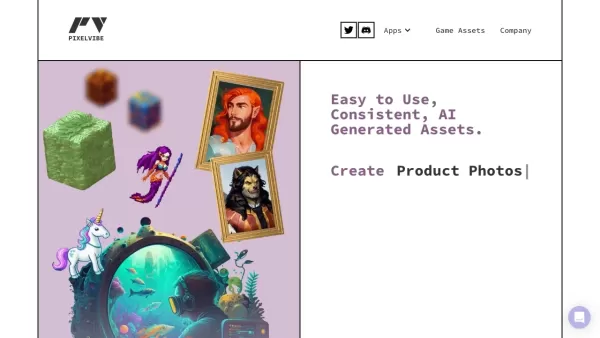
What is Rosebud?Rosebud.ai is a cutting-edge platform that uses generative AI to streamline the game development workflow. It offers a suite of tools to produce game assets—including characters, environments, and textures—and to animate avatars using
MyPrompts Product Information
What Is MyPrompts?
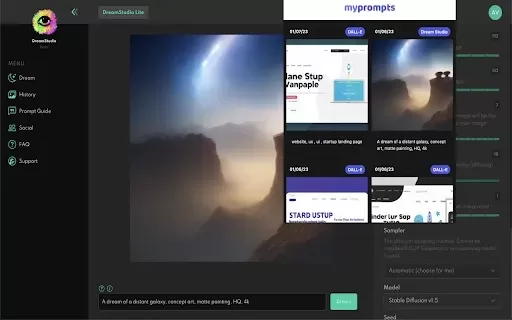
MyPrompts is a Chrome extension that simplifies saving, managing, and sharing prompts for AI tools. With a simple right-click, users can save prompts from any page, making it easy to collect and access them whenever needed. Ideal for writers, marketers, and anyone working with AI, MyPrompts also enables prompt sharing to boost collaboration and creativity.
Who Uses MyPrompts?
- Writers
- Marketers
- AI Developers
- Educators
- Content Creators
How to Use MyPrompts
- Step 1: Install the MyPrompts extension from the Chrome Web Store.
- Step 2: Go to any website where you have an AI prompt.
- Step 3: Right-click on the page and select "Save Prompt" from the context menu.
- Step 4: Organize your saved prompts in the MyPrompts dashboard.
- Step 5: Access your saved prompts whenever you need them.
Platform
- Web
- Chrome
MyPrompts' Core Features and Benefits
The Core Features
- Save prompts from any website
- Manage saved prompts
- Share prompts with others
- Easily organize prompts
The Benefits
- Increased productivity
- Streamlined workflow
- Easy collaboration
- Enhanced creativity
- Quick access to prompts
MyPrompts' Main Use Cases and Applications
- Content creation and brainstorming
- Marketing campaigns
- Education and learning
- AI application development
MyPrompts FAQs
What is MyPrompts?
MyPrompts is a Chrome extension for managing AI prompts.
How do I install MyPrompts?
You can install it from the Chrome Web Store.
Can I share prompts?
Yes, you can easily share your saved prompts with others.
Where can I access my saved prompts?
You can access them from the MyPrompts dashboard.
Is it free to use?
Yes, MyPrompts is available for free.
What browsers support MyPrompts?
MyPrompts is currently available for Chrome.
Do I need an account to use it?
No, you do not need an account to use MyPrompts.
Can I manage my prompts on mobile?
MyPrompts is designed for desktop use and is not currently available for mobile.
Are there any limits on saved prompts?
No, there are no limits on the number of prompts you can save.
Will my prompts sync across devices?
Currently, MyPrompts does not offer sync features across devices.
MyPrompts Company Information
Website:
https://chromewebstore.google.com/detail/myprompts/nhmlimddklkdegnabfdgpkmgjbnlgjcfCompany Name:
MyPromptsSupport Email:
N/AFacebook:
N/AX (Twitter):
N/AYouTube:
N/AInstagram:
N/ATikTok:
N/ALinkedIn:
N/A
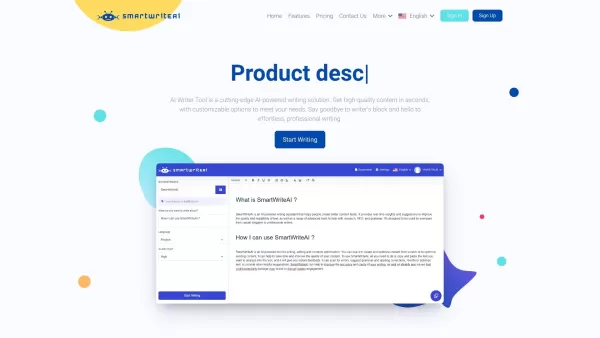
MyPrompts Screenshot

2026 Latest Best Top-rated AI screen recording editors curated by XIX.AI for product demos, walkthroughs, and training clips. These powerful game-changing tools offer real-world tests, free vs paid comparison, and weekly updated rankings to help you boost productivity significantly. Explore now to Discover your perfect tool for streamlining creative workflows! 238 characters
 10 tools
 xix.ai

2026 Latest Best Top-rated AI screen recording editors for product demo videos are here on XIX.AI! This curated list features powerful, game-changing tools that help you create professional-quality demos fast, boost writing efficiency, and deliver seamless results. Get a free vs paid comparison, see real-world tests, and check our updated weekly rankings. Explore now to discover your perfect tool and unlock your AI edge!
9 tools
xix.ai

2026 Latest Best Top-Rated AI Logo Drafting Tools for Early Brand Concepts! This curated list features powerful game-changing solutions that help entrepreneurs and creatives quickly create professional logo designs, boost branding efficiency, and stay ahead in the competitive market. XIX.AI offers a free vs paid comparison along with real-world tests and weekly updated rankings to help you find the perfect tool. Explore now to Unlock your AI edge!
9 tools
xix.ai

2026 Latest Best Top-Rated AI Short-Form Video Hook Generators for Reels and Shorts are here on XIX.AI! This curated collection features powerful, game-changing tools that go through rigorous real-world tests to deliver must-try content ideas fast. You’ll also find a detailed free vs paid comparison along with updated weekly rankings. Explore now to discover your perfect tool and boost your creativity instantly!
10 tools
xix.ai
2026 Latest Best Top-rated AI Browser Automation Tools for Web Operations are here on XIX.AI! This curated list features powerful, game-changing solutions that help boost productivity dramatically through real-world tests and strict rankings. We also provide a free vs paid comparison to help you choose the perfect option for streamlining web tasks, enhancing automation efficiency, and unlocking your AI edge. Explore now!
9 tools
xix.ai
2026 Latest Best Top-Rated AI Wellness Tools for Sleep and Habit Tracking! XIX.AI curates a powerful, game-changing collection of must-try tools that offer real-world tests and detailed free vs paid comparison. These top-rated solutions help users boost sleep quality, monitor daily habits effectively, and unlock significant productivity improvements. Explore now to Discover your perfect tool and Start creating today to Unlock your AI edge!
11 tools
xix.ai


