


 Home
HomemyGPTBrain



Helps TikTok sellers, brands, MCNs, and TAPs discover winning products and find creators.

HelpLook is an AI-powered all-in-one knowledge base tool that helps businesses quickly build knowledge bases, help centers, and...

Your AI Workspace

302.AI is an enterprise-grade AI resource platform with pay-as-you-go pricing, API access to a full range of AI models, and ready-to-use online applications.

剧火AI — AI Screenwriter + Director, a One-Person Short Drama Studio In one sentence, what is it?
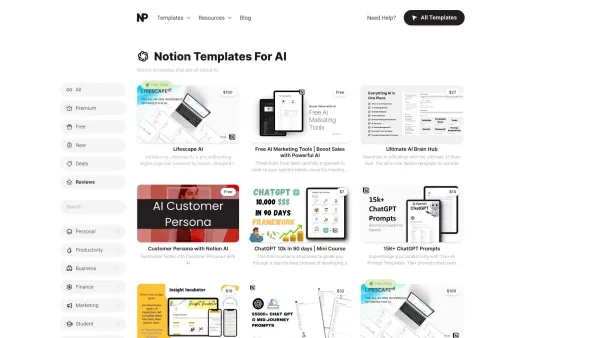
What Are Notion Templates for AI? Notion Templates for AI Integration to Supercharge Productivity Looking to harness the power of AI within your workflow? Notion Templates for AI Integration offers tailored solutions designed to streamline your day-to-day
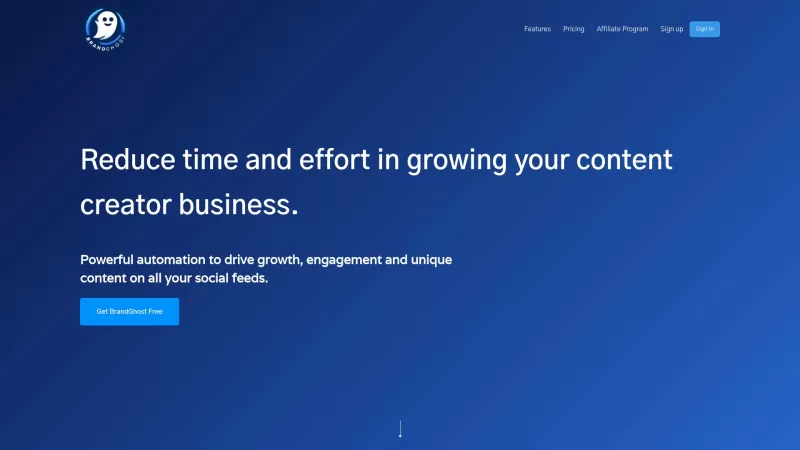
BrandGhost is a game-changer for content creators, offering a slick social media automation platform that makes managing your online presence across various networks a breeze. It's like having a personal assistant dedicated to keeping your social media ga

What is Yarnit?Yarnit is a cutting-edge content marketing platform powered by Generative AI, designed to help businesses produce customized content with ease. It combines idea generation, writing, design, review, and publishing into one seamless appl
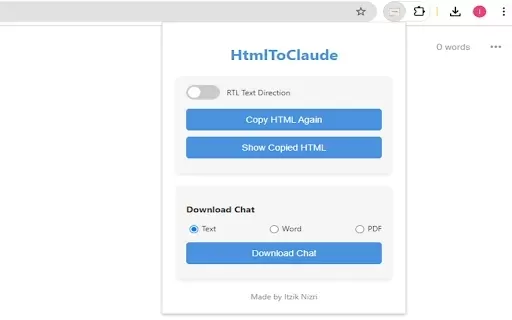
What is HtmlToClaude?HtmlToClaude is a Chrome extension that simplifies your work with Claude AI. It enables you to effortlessly capture HTML content from any webpage and paste it directly into your conversations with Claude. The tool also lets you d
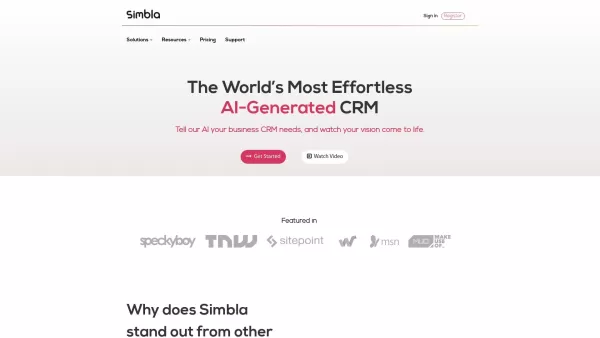
What is Simbla?Simbla is a cloud-based no-code platform that allows users of any skill level to build professional websites and applications. Its intuitive drag-and-drop interface and responsive templates enable the creation of visually appealing, fu
myGPTBrain Product Information
What is myGPTBrain?
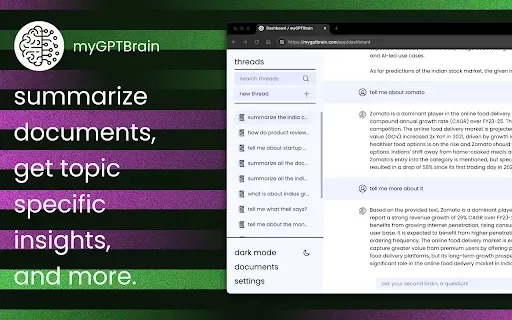
myGPTBrain is a powerful tool that redefines how you manage and engage with online information. It lets you save web articles, PDFs, and office documents in a single click, simplifying content collection. You can then ask questions about your saved materials and get immediate, context-aware answers, boosting both productivity and understanding. With seamless integration for platforms like Google Drive and Notion, it optimizes your entire knowledge workflow.
Who will use myGPTBrain?
- Students
- Researchers
- Professionals
- Content Creators
- Knowledge Workers
How to use myGPTBrain?
- Step 1: Install the myGPTBrain extension from the Chrome Web Store.
- Step 2: Navigate to any web page or document you wish to save.
- Step 3: Click the myGPTBrain icon in your browser toolbar to save the page.
- Step 4: Pose questions directly related to your saved content.
- Step 5: Get instant, detailed answers to deepen your comprehension.
Platform
- Web
- Chrome
myGPTBrain's Core Features & Benefits
The Core Features
- One-click saving of web pages
- Instant question answering
- Integration with Google Drive and Notion
The Benefits
- Streamlines knowledge management
- Enhances learning and productivity
- Delivers contextual information rapidly
myGPTBrain's Main Use Cases & Applications
- Academic research
- Content organization
- Project management
- Personal learning
FAQs of myGPTBrain
Is it easy to install?
Yes, installation is quick and simple via the Chrome Web Store.
What is myGPTBrain?
myGPTBrain is a Chrome extension designed for saving articles and getting answers from them.
How does it work?
Save content with one click, then ask questions about it to receive contextual answers.
Is it free to use?
Yes, myGPTBrain is currently free, with plans to offer premium subscription features later.
Can I integrate it with other services?
Yes, it integrates with Google Drive and Notion for smooth data management.
What types of files can it save?
It can save web pages, PDFs, and common office file formats.
Who can benefit from myGPTBrain?
Students, researchers, professionals, and content creators will find it valuable.
How do I ask questions?
Simply type your questions after saving content to get instant answers.
Can I access it on mobile?
Currently, myGPTBrain is primarily available as a Chrome extension for desktop.
Will there be premium features?
Yes, the development roadmap includes introducing subscription-based features in the future.
myGPTBrain Company Information
- myGPTBrain
- http://mygptbrain.com/
myGPTBrain Screenshot

2026 Latest Top-rated AI Illustration Tools: Our curated list features the best powerfully designed tools for creating stunning editorial scenes and eye-catching cover art quickly. Each option has gone through rigorous real-world tests, offering a free vs paid comparison to help you find the perfect match for your workflow. Try these must-try solutions today to unlock your AI edge and boost your creative productivity. Explore now at XIX.AI.
 10 tools
 xix.ai

2026 Latest Top-Rated Best AI Tutors for Exam Prep are here on XIX.AI! Our curated list features powerful game-changing tools that offer free vs paid comparison, real-world tests, and weekly updated rankings. They help boost your writing efficiency, simplify complex topic learning, and unlock your academic potential. Explore now to Discover your perfect exam prep tool and Start creating today to Unlock your AI edge!
10 tools
xix.ai

2026 Latest Best Top-Rated AI Budget Planning Tools for Personal Money Management are here on XIX.AI! This curated collection features powerful, game-changing solutions that help you conduct real-world tests, understand spending habits, and create personalized plans to boost productivity. Enjoy a free vs paid comparison along with detailed rankings. Must-try tools designed to simplify money management and unlock your AI edge. Explore now!
11 tools
xix.ai

2026 Latest Best Top-Rated AI Sleep Tracking Assistants curated for ultimate recovery. This fully updated weekly guide features powerful tools that deliver real-world tests, free vs paid comparison, and detailed rankings to help you find the must-try solution that boosts sleep quality and supports better bedtime habits. Explore now at XIX.AI to Unlock your AI edge.
10 tools
xix.ai

2026 Latest Best Top-Rated AI SQL Copilots for Product and Revenue Analytics! XIX.AI has curated a powerful, game-changing collection of must-try tools that undergo real-world tests through weekly updated rankings. These tools help users boost productivity significantly by accelerating data analysis, streamlining complex queries, and generating accurate insights to drive smarter business decisions. Explore now to Discover your perfect tool for unlocking your AI edge!
14 tools
xix.ai

2026 Latest Best Top-Rated AI Homework Helpers That Teach Core Concepts Not Just Answers Powerful Tools for Students Must-Try Curated List Weekly Updated Free vs Paid Comparison Real-World Tests Accurate Rankings to Help You Unlock Your Full Learning Potential Explore now to Discover your perfect tool for smarter studying.
10 tools
xix.ai


