


 Home
HomeMuse AI Art Generator



Helps TikTok sellers, brands, MCNs, and TAPs discover winning products and find creators.

HelpLook is an AI-powered all-in-one knowledge base tool that helps businesses quickly build knowledge bases, help centers, and...

Your AI Workspace

302.AI is an enterprise-grade AI resource platform with pay-as-you-go pricing, API access to a full range of AI models, and ready-to-use online applications.

剧火AI — AI Screenwriter + Director, a One-Person Short Drama Studio In one sentence, what is it?

What is Banana AI - Free AI Photo Editor?Banana AI is a free, AI-driven photo editor that uses Google's Nano Banana technology (Gemini 2.5 Flash Image) to transform your pictures with simple text commands. Easily remove unwanted objects, swap backgro

What is Deepfake Maker Nano Banana AI? Nano Banana AI is an advanced artificial intelligence platform that generates stunning images from text descriptions and facilitates seamless image-to-image transformations. This cutting-edge AI model revolution
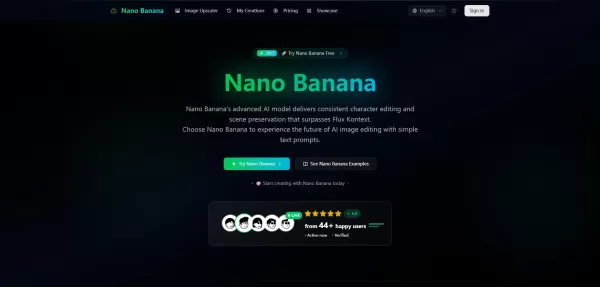
What is Google Nano Banana?Nano Banana is a cutting-edge AI platform for generating and editing images. By integrating text and image inputs, it enables consistent character editing and scene preservation. The platform offers ultra-fast generation, h
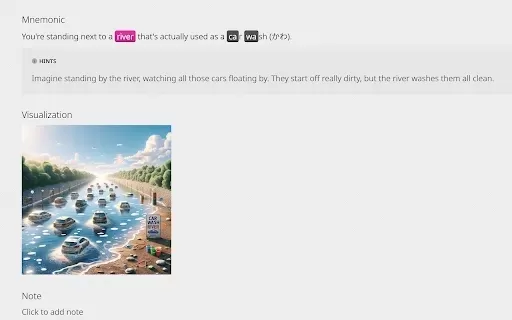
What is KaniAI?KaniAI is a Chrome extension that enriches the WaniKani platform by providing AI-generated visual aids for Kanji lessons and reference pages. With just one click, users can generate a visual representation of the mnemonic story connect

What is TranslateImages?AI Image Translator is an advanced tool that precisely translates text embedded in images, keeping the original layout and format intact. It supports over a dozen languages, such as English, Hindi, Arabic, Chinese, Japanese, K
Muse AI Art Generator Product Information
What Is the Muse AI Art Generator?
The Muse AI Art Generator is an innovative tool that uses advanced artificial intelligence to turn text descriptions into unique and visually stunning artworks. It provides a seamless experience where users simply enter a prompt, and the AI creates an original piece based on that description. Whether for personal enjoyment or professional use, this generator brings creativity to life in just a few clicks, offering a digital canvas suitable for all skill levels.
Who Uses the Muse AI Art Generator?
- Artists
- Designers
- Content Creators
- Marketers
- Educators
- Social Media Managers
- Photography Enthusiasts
How to Use the Muse AI Art Generator?
- Step 1: Visit aiartgenerator.cc and create an account.
- Step 2: Log in and navigate to the Create section.
- Step 3: Enter a descriptive text prompt in the input box provided.
- Step 4: Choose any additional settings or parameters for your artwork.
- Step 5: Click Generate and wait for the AI to process your creation.
- Step 6: Review the generated artwork and download it if satisfied.
Platform
- Web
Muse AI Art Generator: Core Features and Benefits
Core Features
- Text-to-Image Conversion
- User-Friendly Interface
- Rapid Rendering
- Multiple Style Options
- High-Resolution Image Output
Benefits
- Saves Time in Artwork Creation
- Enhances Creative Expression
- Accessible to All Skill Levels
- Cost-Effective
- Generates Unique, Personalized Art
Main Use Cases and Applications
- Personal Art Projects
- Marketing Campaigns
- Social Media Content
- Educational Materials
- Custom Merchandise
- Digital Art Portfolios
Muse AI Art Generator: Pros and Cons
Pros
Powered by advanced Stable Diffusion technology, it generates high-quality, original artworks.
No artistic skills required—anyone can create visual art simply by describing their vision.
Supports a broad range of art types, including illustrations, logos, landscapes, and more.
Fast image generation saves time compared to manual creation.
An affordable alternative to commissioning custom art or hiring designers.
Enables easy iterations and refinements to perfect the artwork.
Prioritizes ethical AI use and content safety.
Cons
No open-source code or GitHub repository is publicly available.
No dedicated pricing page exists beyond a reference on the homepage.
No mobile apps or major app store integrations have been mentioned.
Limited information about potential drawbacks or limitations is explicitly stated.
Pricing
Free Plan Available? | No |
|---|---|
Free Trial Details | |
Pricing Model | |
Credit Card Required? | No |
Starting Price | |
Lifetime Plan Available? | No |
Billing Frequency |
For the latest prices, please visit the official Muse AI Art Generator website: https://www.aiartgenerator.cc
Frequently Asked Questions
What Is the Muse AI Art Generator?
The Muse AI Art Generator is a tool that converts text prompts into visual artworks using advanced artificial intelligence.
Is the Muse AI Art Generator Free to Use?
The Muse AI Art Generator offers both free and premium plans. The premium plan includes additional features such as watermark removal and higher-resolution outputs.
What Types of Art Can I Create with the Muse AI Art Generator?
You can create a wide variety of art, from abstract and surreal pieces to realistic images, based on the text prompt you provide.
How Long Does It Take to Generate an Artwork?
The generation process is typically rapid, taking anywhere from a few seconds to a couple of minutes, depending on the prompt's complexity.
Can I Use the Generated Art for Commercial Purposes?
Yes, you may use generated art for commercial purposes, but we recommend reviewing the terms of use for any specific restrictions.
Do I Need Any Special Skills to Use the Muse AI Art Generator?
No, the Muse AI Art Generator is designed to be user-friendly and accessible to individuals of all skill levels.
Can I Customize the Generated Artwork?
Yes, you can adjust various parameters and settings to customize the style and output of the generated artwork.
Is There a Limit to the Number of Artworks I Can Generate?
The free plan may have limits on the number of artworks, while the premium plan allows for more extensive usage.
How Do I Download My Generated Artwork?
Once the artwork is generated, you will have an option to download it directly to your device.
What File Format Does the Muse AI Art Generator Use for Downloads?
Generated artworks can typically be downloaded in standard formats such as JPEG or PNG.
Company Information
Website:
https://www.aiartgenerator.ccCompany Name:
AI Art PromptsSupport Email:
Facebook:
NAX (Twitter):
NAYouTube:
NAInstagram:
NATikTok:
NALinkedIn:
NA
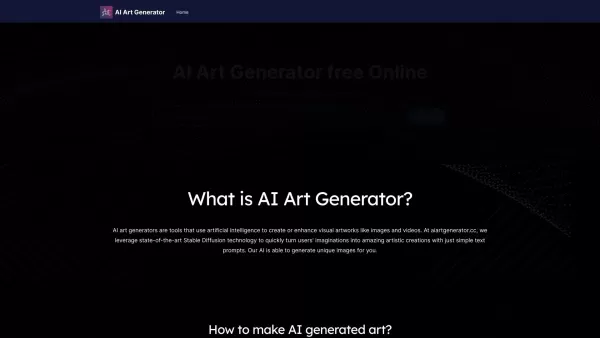
Muse AI Art Generator Screenshot

2026 Latest Best Top-rated Midjourney Style Reference Tools for Character Concepts, Posters, and Ad Visuals! XIX.AI has curated a powerful game-changing collection that undergoes weekly updated real-world tests. You can find detailed free vs paid comparison insights and reliable rankings to help you pick the must-try option that boosts your creativity and speeds up workflow significantly. Explore now to Discover your perfect tool for all your visual design needs.
 11 tools
 xix.ai
2026 Latest Best Top-rated AI Vocal Generation Tools for Creating Demo Vocals and Harmony Layers are here on XIX.AI. This curated collection features powerful, game-changing solutions that have passed rigorous real-world tests. We provide a weekly updated free vs paid comparison along with detailed rankings to help you find the perfect tool for boosting your creativity and productivity. Explore now to Unlock your AI edge.
12 tools
xix.ai
2026 Latest Best Top-rated AI Focus Assistants Curated to Slash Context Switching and Keep You Productive All Day. These powerful tools undergo rigorous real-world tests, featuring a free vs paid comparison along with weekly updated rankings. Discover your perfect tool to boost writing efficiency, unlock creative ideas, and stay focused without distraction. Explore now at XIX.AI to Unlock your AI edge.
9 tools
xix.ai
2026 Latest Best Top-rated AI Editing Tools for Clear Business Writing are here on XIX.AI! This curated list features powerful, game-changing solutions that help you boost writing efficiency significantly through real-world tests and rigorous rankings. You’ll find a free vs paid comparison to help you choose the perfect fit. Explore now and Unlock your AI edge!
10 tools
xix.ai
2026 Latest Best Top-rated AI Motion Cleanup Tools for Mocap Retargeting in Shorts, Ads, and Game Trailers! XIX.AI has curated a powerful game-changing collection featuring weekly updated rankings, free vs paid comparison, and real-world tests to help you find the must-try solution that boosts productivity and unlocks your creative edge. Explore now to discover your perfect tool for flawless motion edits.
9 tools
xix.ai
2026 Latest Best Top-rated AI Manga Background Generators for Serialized Stories! This curated list features powerful game-changing tools that help creators craft stunning visual content fast, boosting productivity significantly. Every option has undergone real-world tests to ensure top quality. Check out the free vs paid comparison and rankings to find your perfect fit. Explore now at XIX.AI to unlock your AI edge in manga creation.
9 tools
xix.ai


