


 Home
Homemove.ai
Move AI: Realistic 3D Animation Creation



Helps TikTok sellers, brands, MCNs, and TAPs discover winning products and find creators.

HelpLook is an AI-powered all-in-one knowledge base tool that helps businesses quickly build knowledge bases, help centers, and...

Your AI Workspace

302.AI is an enterprise-grade AI resource platform with pay-as-you-go pricing, API access to a full range of AI models, and ready-to-use online applications.

剧火AI — AI Screenwriter + Director, a One-Person Short Drama Studio In one sentence, what is it?
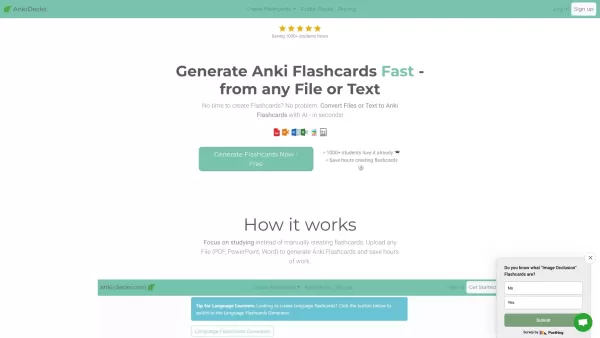
What is anki-decks.com?Anki Decks is an AI-powered platform that creates Anki flashcards from various content sources like YouTube videos, PDFs, and text documents. It saves users considerable time spent on manual flashcard creation. Designed to
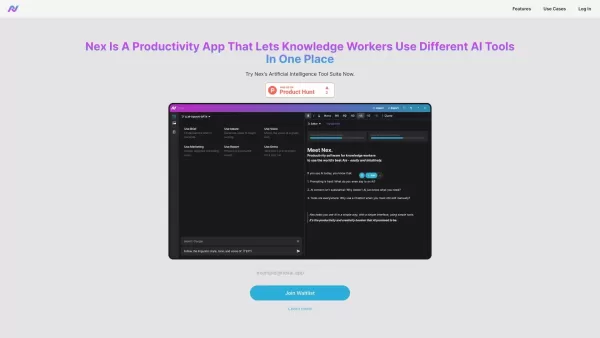
What is Nex AI?Nex AI is an innovative AI platform that empowers users to manage and analyze diverse data types like documents, PDFs, and spreadsheets. Its advanced technology synthesizes complex information seamlessly, enabling smarter, data-driven
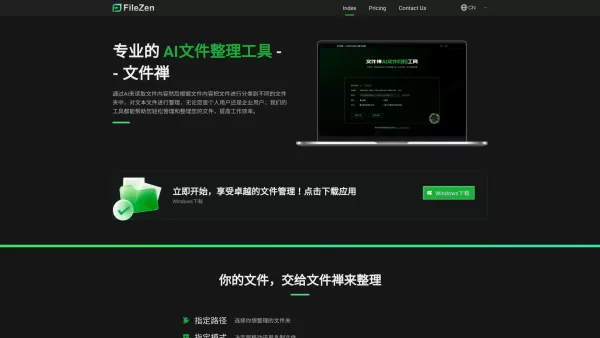
What is FileZen?FileZen is an intelligent file management solution that uses AI to read file content and automatically organize documents into appropriate folders. It streamlines document management for users, ensuring files are easy to find and syst
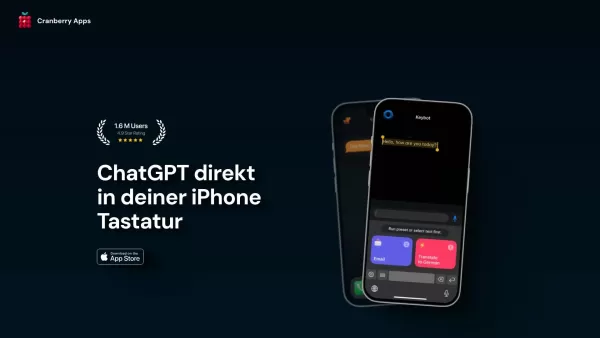
What is Keybot AI?Keybot is an advanced AI keyboard extension designed to boost your typing speed and enhance communication. It features predictive text, intelligent suggestions, real-time language translation, and customizable personal dictionaries.
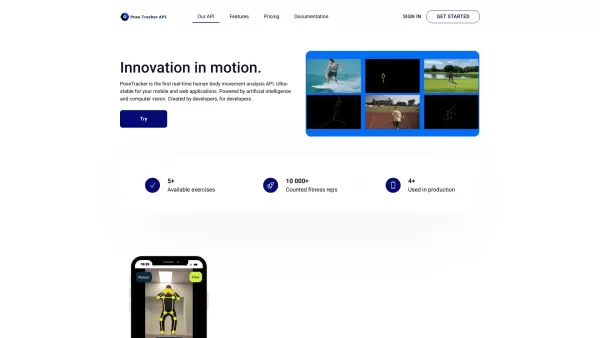
What is PoseTracker API?PoseTracker is a revolutionary API for real-time human motion analysis, driven by AI and computer vision. It makes adding motion tracking features easy, enabling developers to incorporate sophisticated exercise and activity an
move.ai Product Information
What is move.ai?
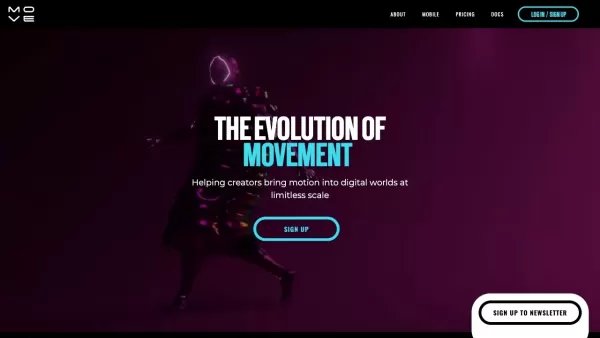
Move.ai is a platform that harnesses patented artificial intelligence and computer vision to enable markerless motion capture. It transforms video footage of human movement into high-quality 3D animation data, making professional-grade motion capture accessible to all. This technology removes the requirement for specialized suits or physical markers, empowering creators, animators, and studios to generate high-fidelity animation with minimal setup.
Who will use move.ai?
- 3D Animators
- Film & Television Studios
- Video Game Developers
- Visual Effects (VFX) Artists
- Independent Creators & Freelancers
- Schools & Educational Institutions
- Cinematographers
- Digital Content Creators
How to use move.ai?
- Step 1: Download the Move AI app from the App Store.
- Step 2: Complete the in-app setup guide.
- Step 3: Record a new video or upload existing footage containing the motion you wish to capture.
- Step 4: Allow the AI to process the video and generate the 3D animation.
- Step 5: Export the finished animation data for use in your preferred 3D software.
Platform
- Web
- iOS
move.ai's Core Features & Benefits
The Core Features
- Markerless Motion Capture
- Realistic 3D Animation Output
- AI & Computer Vision Technology
- Multi-Camera System Support
- Single-Camera Capture Mode
The Benefits
- Eliminates Expensive Suits & Markers
- Delivers High-Quality Human Motion Data
- User-Friendly and Intuitive
- Accessible From Anywhere
- Streamlines Creative Production Workflows
move.ai's Main Use Cases & Applications
- 3D Character Animation
- Video Game Development
- Film & Video Production
- Virtual Reality (VR) Experiences
- Augmented Reality (AR) Applications
- Educational & Training Animations
- Marketing & Branded Content
move.ai's Pros & Cons
The Pros
Its AI-driven motion capture delivers fast, precise, and studio-ready 3D animations.
It supports both single and multi-camera setups, including readily available devices like iPhones and GoPros.
It drastically reduces manual keyframing, saving considerable time in both production and post-production.
The technology applies to diverse fields such as entertainment, VFX, robotics, and ergonomic analysis.
It is trusted by leading industry studios and professionals, affirming its reliability and quality.
Custom solutions and integrations are available to fit specific workflow and environmental needs.
The Cons
Some captured motions may require additional refinement and polishing after processing.
Animations from a single-camera setup might need minor cleanup.
The software is not open source, which limits community-driven development and modifications.
Detailed pricing information is on a separate page, which may not provide immediate cost clarity.
move.ai's Pricing
Has free plan | YES |
|---|---|
Free trial details | 1-month trial for the Move Pro plan |
Pricing model | Freemium |
Is credit card required | No |
Paid from | 18 USD |
Has lifetime plan | No |
Billing frequency | Monthly |
Details of Pricing Plan
Free
0 USD
- Access to Move One
- 30 permanent credits
- 1st generation single-view model (s1)
- Maximum 1 user seat
- Video up to HD resolution
- Up to 60 fps
- Tracks up to 1 person
- Web and iOS access
- Knowledge center support
Starter
18 USD
- Access to Move One
- 60 credits per month
- All Free plan features
Standard
46 USD
- Access to Move One
- 180 credits per month
- All Starter plan features
Plus
225 USD
- Access to Move One
- 240 credits per month
- Up to 5 user seats
- 2nd generation single-view model (s2)
- Dex - advanced hand & finger dynamics
- All Standard plan features
Advanced
490 USD
- Access to Move One
- 700 credits per month
- Video up to 4K resolution
- Up to 120 fps
- All Plus plan features
Enterprise
Custom USD
- Access to Move One
- All 2nd gen models (s2, s2-light, enhance) & latest research models
- Train custom AI models
- API and SDK access
- Unlimited usage
- On-premise solutions & desktop app
- Multi-person motion capture
- Advanced security & compliance
- Priority support
- All Advanced plan features
For the latest pricing, visit: https://www.move.ai/pricing
FAQs of move.ai
What is Move AI?
Move AI is an advanced motion capture platform that uses AI and computer vision to generate realistic 3D animations from standard video.
Is Move AI markerless?
Yes, Move AI is entirely markerless, requiring no special suits or physical markers for motion capture.
What platforms are supported?
Move AI is accessible via iOS and web platforms.
Who can use Move AI?
It is designed for 3D animators, film and game studios, VFX artists, independent creators, educational institutions, and related professionals.
How does it capture motion?
It captures motion by analyzing video footage using sophisticated AI and computer vision algorithms.
What are the core features?
Core features are markerless capture, realistic 3D animation, AI/computer vision tech, multi-camera support, and single-camera operation.
How do I get started?
Download the app, follow the setup, record or upload your video, and export the resulting animation data.
Can I use it for game development?
Absolutely, Move AI is an excellent tool for game development and other interactive media projects.
What are the benefits of using Move AI?
Key benefits include obtaining high-quality motion data effortlessly, user-friendly operation, wide accessibility, and smoother creative workflows.
Are there any alternatives to Move AI?
Yes, popular alternatives include Xsens, Perception Neuron, Vicon, Rokoko, and OptiTrack.
move.ai Company Information
Website:
https://www.move.aiCompany Name:
Move AISupport Email:
Facebook:
https://www.facebook.com/100090297872495X(Twitter):
https://twitter.com/move_ai_?lang=enYouTube:
https://www.youtube.com/c/moveaiInstagram:
https://www.instagram.com/move_ai_/?hl=enTiktok:
https://www.tiktok.com/@move.aiLinkedIn:
https://uk.linkedin.com/company/move-ai
move.ai Screenshot
2026 Latest Best Top-Rated AI Animation Generators! XIX.AI curates a powerful game-changing collection of must-try tools for turning creative ideas into high-quality motion clips swiftly. Each option has undergone rigorous real-world tests, featuring detailed free vs paid comparison and updated weekly rankings to help you find the perfect fit for boosting your animation productivity. Explore now to unlock your AI edge!
 11 tools
 xix.ai

2026 Latest Best Top-rated AI Character Animation Tools for Short Clips! XIX.AI has curated a powerful, game-changing collection of must-try tools that go through rigorous real-world tests for speed and quality. You’ll find detailed free vs paid comparison data, updated weekly rankings, and insights to help you pick the perfect option to boost your creativity and slash production time. Explore now to unlock your AI edge!
9 tools
xix.ai
2026 Latest Top-rated AI Character Animation Tools for Creating Expressive Motion from Audio are here on XIX.AI! This curated list features the best powerfully capable solutions that undergo real-world tests to deliver outstanding results. You’ll find a free vs paid comparison and detailed rankings to help you identify the top-rated must-try tools perfect for boosting your creativity and accelerating workflow. Explore now to Discover your perfect tool!
10 tools
xix.ai

Discover the 2026 best AI stop motion generators at XIX.AI. Our top-rated, curated list features powerful tools to turn your digital images into stunning cinematic claymation. Compare free vs paid options with real-world tests and weekly updated rankings. Unlock your creative potential today!
10 tools
xix.ai
Discover the 2026 best AI game asset video tools on XIX.AI. Our curated, top-rated selection helps you design photorealistic monster motions and epic boss fights with ease. Compare free vs paid options using real-world tests and weekly updated rankings. Unlock your creative edge today.
10 tools
xix.ai
Discover the 2026 best AI paper cutout animation creators at XIX.AI. Our curated list features top-rated, powerful tools that transform flat vectors into stunning 2.5D motion art. Compare free vs paid options with real-world tests and weekly updated rankings. Unlock your creative edge today!
10 tools
xix.ai


