


 Home
HomeMotif Analytics
Event Sequence Analysis Toolkit with Interactive Visualizations



Helps TikTok sellers, brands, MCNs, and TAPs discover winning products and find creators.

HelpLook is an AI-powered all-in-one knowledge base tool that helps businesses quickly build knowledge bases, help centers, and...

Your AI Workspace

302.AI is an enterprise-grade AI resource platform with pay-as-you-go pricing, API access to a full range of AI models, and ready-to-use online applications.

剧火AI — AI Screenwriter + Director, a One-Person Short Drama Studio In one sentence, what is it?
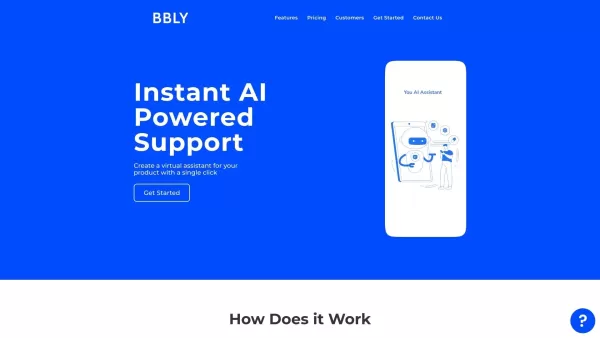
What is Bubbly?BubblyAI is a comprehensive platform that transforms data analysis for businesses. By leveraging advanced AI algorithms, it automates extracting actionable insights from complex datasets, empowering users to make confident, data-driven
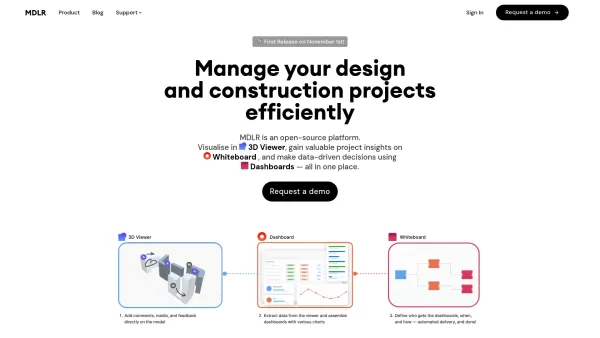
Ever wondered how to make your project management in the AEC industry not just easier, but downright exciting? Let me introduce you to MDLR, an AI-driven platform that's changing the game for architects, engineers, and construction professionals. It's lik
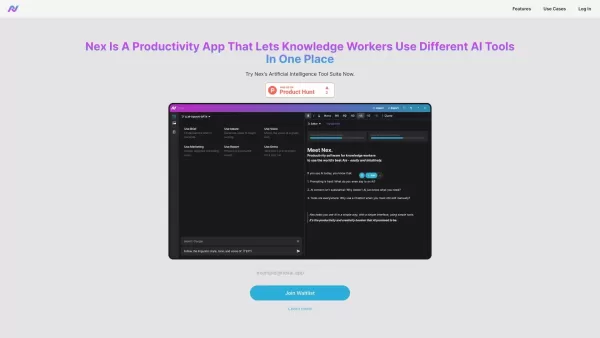
What is Nex AI?Nex AI is an innovative AI platform that empowers users to manage and analyze diverse data types like documents, PDFs, and spreadsheets. Its advanced technology synthesizes complex information seamlessly, enabling smarter, data-driven

What is Ajelix AI Excel Tools?Ajelix provides intelligent, AI-powered tools designed to automate processes within Excel and Google Sheets, simplifying data analytics, visualization, and business intelligence for professionals and teams. Empower your
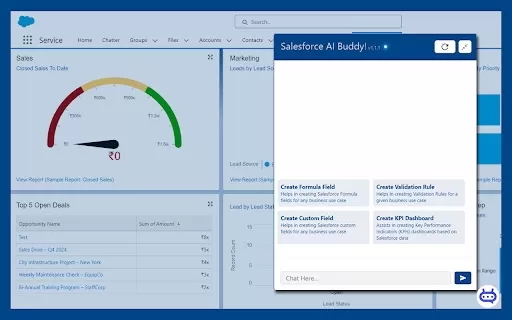
Ever wished you had a trusty sidekick to tackle those pesky Salesforce tasks? Enter Salesforce AI Buddy, the Chrome extension that's like having a tech-savvy friend by your side. This nifty tool is a game-changer for anyone diving into the world of Salesf
Motif Analytics Product Information
What is Motif Analytics?
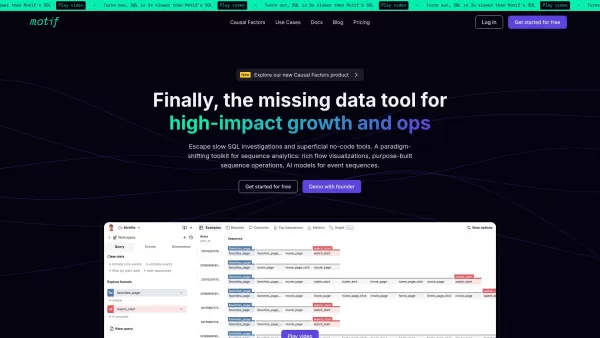
Imagine having a superpower for making sense of messy event logs—Motif Analytics is kind of like that. It’s a toolkit designed to help you dig into raw event sequences, whether they’re来自 user interactions, system logs, or anything else that follows a timeline. The best part? It lets you explore these sequences visually while keeping full control over what you’re looking for. Whether you're trying to spot trends, anomalies, or hidden gems in your data, Motif Analytics gives you the tools to do it fast and accurately.How to Use Motif Analytics?
Using Motif Analytics feels a lot like being a detective for data. First things first, load your event data—it’s like feeding your case file into the system. Once you’ve got your data in place, you can dive in with the built-in sequence operations. Think of these as your magnifying glass and flashlight rolled into one. They let you slice and dice your data, then visualize the results interactively. It’s not just about finding answers—it’s about uncovering stories buried in your logs.Motif Analytics’s Core Features
Motif Analytics isn’t just another analytics tool—it’s a powerhouse packed with features that make it stand out. Here’s the scoop:- Interactive visualizations: Spotting patterns has never been easier. Motif Analytics turns your raw data into colorful charts and graphs that tell a story at a glance.
- Incremental query engine: Need precision and speed? This feature delivers. It lets you refine your searches step by step without losing context.
- Purpose-built sequence operations: Forget generic tools. Motif Analytics is tailor-made for event sequences, giving you exactly what you need to analyze your data effectively.
Motif Analytics’s Use Cases
From streamlining user flows to optimizing business processes, Motif Analytics has got you covered. Here’s where it really shines:- User flow optimization: Analyze how users move through your app or website to identify friction points and improve their experience.
- Business process improvement: Uncover inefficiencies in workflows and make data-driven decisions to boost productivity.
FAQ from Motif Analytics
- What is the maximum number of events Motif Analytics can handle?
- That depends on your hardware and dataset size. While it’s optimized for large-scale analyses, you’ll want to check the official documentation for specifics.
- Can I run Motif Analytics locally?
- Absolutely! It’s designed to be flexible, so you can run it locally or in the cloud depending on your needs. Just keep in mind that local setups may require more setup effort.
Motif Analytics Screenshot


2026 Latest Best AI Webtoon Panel Layout Tools for Vertical Story Pacing, Bubbles, and Scene Rhythm are here on XIX.AI! This curated collection features top-rated tools that offer powerful game-changing solutions to help creators boost writing efficiency, streamline content creation, and unlock their full creative potential. Get a free vs paid comparison along with real-world tests and updated rankings weekly. Explore now to discover your perfect tool for professional webtoon development!
 10 tools
 xix.ai


Just tried Motif Analytics on some chaotic user session logs and wow, it actually made sense of the mess! The pattern visualization is super intuitive - felt like having X-ray vision for user journeys 😎. A bit of a learning curve with the query syntax, but totally worth it. Can't wait to push more system logs through this!
Ein Werkzeug, das aus Chaos Muster schafft? Klingt wie ein Sechster Sinn für Devs! Hatte letzte Woche mit unübersichtlichen Logs zu kämpfen, sowas hätte Zeit gespart 😅 Wie gut klappt das bei Millionen Events? Würde‘s gerne testen.


