


 Home
HomeMinvo 2.0



Helps TikTok sellers, brands, MCNs, and TAPs discover winning products and find creators.

HelpLook is an AI-powered all-in-one knowledge base tool that helps businesses quickly build knowledge bases, help centers, and...

Your AI Workspace

302.AI is an enterprise-grade AI resource platform with pay-as-you-go pricing, API access to a full range of AI models, and ready-to-use online applications.

剧火AI — AI Screenwriter + Director, a One-Person Short Drama Studio In one sentence, what is it?

Ever wondered what lies beneath the fabric? Well, Undress AI promises to give you a peek with its deepnude technology. It's like having a digital artist at your fingertips, ready to create those "what if" scenarios without any of the hassle. This tool isn

What is Celebrity AI?CelebrityAI revolutionizes digital content creation with its cutting-edge artificial intelligence platform that generates lifelike celebrity videos and voice messages. Using sophisticated technologies including deep neural networ

If you're diving into the world of AI and need a tool to streamline your interactions with models like ChatGPT, Claude, and Gemini, let me introduce you to TaoPrompt. This isn't just another AI tool; it's a professional prompt generator that's designed to
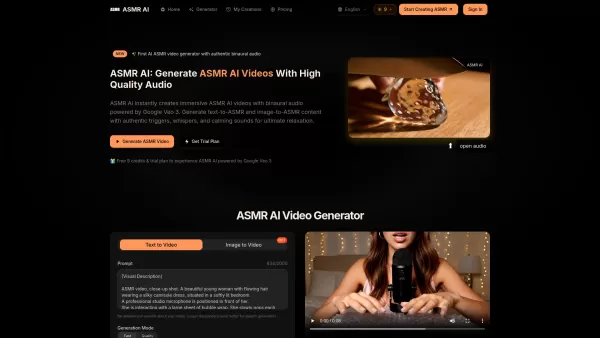
What is ASMR AI?ASMR AI represents the cutting edge of digital relaxation technology - an AI-driven platform specializing in hyper-realistic ASMR video generation. Harnessing the power of Google's Veo 3 technology, it crafts immersive binaural audio

Ever wondered what EwolveAI is all about? Well, let me break it down for you. EwolveAI isn't just another AI tool; it's your all-in-one AI solution that's here to revolutionize the way you handle content. Whether you're a writer, a marketer, or just someo
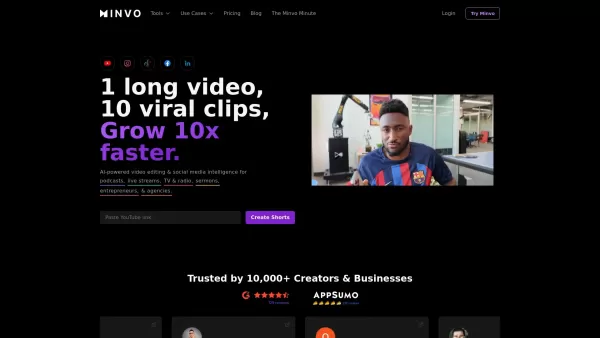
Minvo 2.0 Product Information
What Is Minvo 2.0?
Minvo leverages advanced AI technology to simplify video editing, allowing users to convert long-form content into short, engaging clips. This platform is ideal for content creators looking to enhance their social media presence. With just three clicks, you can edit videos, add captions, and apply various effects—making it an efficient solution for maximizing reach and engagement. Additionally, Minvo offers translation for captions and voiceovers in over 50 languages, serving a global audience.
Who Should Use Minvo 2.0?
- Podcasters
- Live Streamers
- TV & Radio Broadcasters
- Churches
- Entrepreneurs
- Agencies
How to Use Minvo 2.0?
- Step1: Upload your long-form video to Minvo.
- Step2: Select the desired clip length and editing options.
- Step3: Use AI tools to add captions, b-roll, and effects.
- Step4: Review the edited clips and make adjustments as needed.
- Step5: Download or share clips directly to social media platforms.
Supported Platforms
- Web
- Mac
- Windows
- iOS
- Android
Minvo 2.0's Core Features and Benefits
Core Features
- AI-Driven Editing
- Caption Generation and Translation
- B-Roll Integration
- Social Media Scheduling
- Analytics Tracking
Key Benefits
- Saves Time on Video Editing
- Increases Social Media Engagement
- Enhances Storytelling with Visual Effects
- Supports Multiple Languages for Global Reach
- User-Friendly Interface for Quick Production
Main Use Cases and Applications of Minvo 2.0
- Creating Viral Clips from Podcasts
- Editing Sermons for Social Sharing
- Producing Highlights for Live Streams
- Generating Promotional Clips for Businesses
Minvo 2.0's Pros and Cons
Pros
AI-powered automation of video editing tasks such as cutting, audio enhancement, and B-roll insertion.
Supports content creation from a wide range of video types, including podcasts and live streams.
Multilingual transcription and translation capabilities.
Integration with multiple social media platforms for scheduling and analytics.
Ability to manage unlimited brands and social media accounts in one place.
Cons
No open-source availability.
Lack of disclosed information on pricing tiers or free plan limitations on the main page.
No direct mobile app store links or desktop application links provided on the main site.
Minvo 2.0's Pricing
Free Plan Available | Yes |
|---|---|
Free Trial Details | Try for Free, No Credit Card Required |
Pricing Model | Free Trial |
Credit Card Required | No |
Starting Price | 3.49 USD |
Lifetime Plan Available | No |
Billing Frequency | Monthly |
Pricing Plan Details
Creator
6.99 USD
- Upload 1 hour of video per month
- AI clipping with clip scoring
- AI animated captions in 20+ languages
- Unlimited social scheduling to YouTube, TikTok, Instagram, Facebook, and LinkedIn
- Export clips without watermarks
- AI Write: Blogs, titles, descriptions, X posts
- Create shareable image quotes for social posts
- AI Write: X threads, Q&A articles, Email Newsletters, Content Coaching & Ideas
- 5 mins max upload length per video
- Upload 9:16 (portrait) videos
- 14 days video storage duration
- 5GB max file size
- 1 user included
- Customer support
- Export in 4K
- Priority support
- AI Enhance Intro
- AI Cut Filler Words
- AI Cut Silences
- AI Face Framing
- AI Studio Audio
- AI Voice Dubbing in 50+ languages
- Unlimited AI image generation
- Unlimited social media accounts
- Unlimited social media analytics
- Priority queues for imports and exports
- Fast AI transcription
Pro
14.49 USD
- Upload 5 hours of video per month
- AI clipping with clip scoring
- AI animated captions in 20+ languages
- Unlimited social scheduling to YouTube, TikTok, Instagram, Facebook, and LinkedIn
- Export clips without watermarks
- AI Write: Blogs, titles, descriptions, X posts
- Create shareable image quotes for social posts
- AI Write: X threads, Q&A articles, Email Newsletters, Content Coaching & Ideas
- 2 hours max upload length per video
- Upload 9:16 (portrait) and 16:9 (landscape) videos
- 30 days video storage duration
- 10GB max file size
- 2 users included
- Customer support
- Export in 4K
- Priority support
- AI Enhance Intro
- AI Cut Filler Words
- AI Cut Silences
- AI Face Framing
- AI Studio Audio
- AI Voice Dubbing in 50+ languages
- Unlimited AI image generation
- Unlimited social media accounts
- Unlimited social media analytics
- Priority queues for imports and exports
- Fast AI transcription
Pro+
19.99 USD
- Upload 5 hours of video per month
- AI clipping with clip scoring
- AI animated captions in 20+ languages
- Unlimited social scheduling to YouTube, TikTok, Instagram, Facebook, and LinkedIn
- Export clips without watermarks
- AI Write: Blogs, titles, descriptions, X posts
- Create shareable image quotes for social posts
- AI Write: X threads, Q&A articles, Email Newsletters, Content Coaching & Ideas
- 3 hours max upload length per video
- Upload 9:16 (portrait) and 16:9 (landscape) videos
- 180 days video storage duration
- 20GB max file size
- 3 users included
- Customer support
- Export in 4K
- Priority support
- AI Enhance Intro
- AI Cut Filler Words
- AI Cut Silences
- AI Face Framing
- AI Studio Audio
- AI Voice Dubbing in 50+ languages
- Unlimited AI image generation
- Unlimited social media accounts
- Unlimited social media analytics
- Priority queues for imports and exports
- Lightning 10x fast transcription
Discount:
50% off on annual billing
For the latest prices, please visit: https://minvo.pro/pricing
FAQs of Minvo 2.0
What Is Minvo?
Minvo is an AI-powered video editing tool that transforms long videos into short clips.
How Do I Upload My Videos?
You can easily upload videos directly through the Minvo web platform.
Is Minvo Available on Mobile Devices?
Yes, Minvo is accessible on both Android and iOS platforms.
Can I Add Captions to My Videos?
Absolutely! Minvo automatically generates captions for your videos.
What Types of Content Can I Create?
You can create clips from podcasts, live streams, sermons, and more.
How Fast Can I Edit My Videos?
With Minvo, you can edit and create clips in just three clicks.
Can I Track Performance Analytics?
Yes, Minvo provides analytics tracking for all your posted content.
Is There a Translation Feature?
Minvo supports translation for captions and voices in over 50 languages.
What Are Some Alternatives to Minvo?
Alternatives include Kapwing, Veed, ClipChamp, and Descript.
Does Minvo Support Social Media Scheduling?
Yes, you can schedule your clips directly for posting on various social media platforms.
Minvo 2.0 Company Information
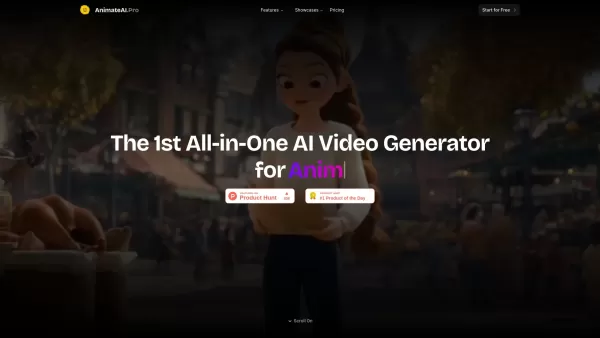
Minvo 2.0 Screenshot


2026 Latest Best Top-rated AI Persona Builder Tools for Audience Research are here on XIX.AI! This curated list features powerful, game-changing tools that help you conduct real-world tests and create accurate audience profiles through detailed free vs paid comparison. You’ll discover the must-try options that boost writing efficiency and unlock your AI edge in marketing strategies. Explore now to find your perfect tool!
 9 tools
 xix.ai
2026 Latest Best Top-rated AI Demo Video Tools for SaaS Product Marketing, carefully curated by XIX.AI. These powerful game-changing solutions help marketers create high-quality video content fast, boost writing efficiency, and streamline marketing workflows. Enjoy a free vs paid comparison along with real-world tests and updated rankings weekly. Explore now to Discover your perfect tool for boosting SaaS sales!
9 tools
xix.ai

2026 Latest Best Top-rated AI Prompt Testing Tools for Better Output Quality! XIX.AI has curated a powerful, game-changing collection of highly efficient tools that undergo rigorous real-world tests to ensure consistent top-tier results. You’ll find detailed free vs paid comparison insights, comprehensive rankings, and expert guidance to help you identify the must-try solutions that boost your workflow significantly. Explore now to unlock your AI edge!
11 tools
xix.ai
2026 Latest Best Top-rated AI Customer Insight Tools for Product Positioning! XIX.AI has curated a powerful, game-changing collection that goes through real-world tests and weekly updated rankings. It helps you uncover customer needs quickly to boost writing efficiency, create optimal SEO content, and craft perfect social media messages without wasting time. Explore now to Discover your perfect tool and Unlock your AI edge.
10 tools
xix.ai
2026 Latest Best Zoom AI note takers ranked by performance and usability. XIX.AI has curated a top-rated list of powerful tools that help you take accurate notes during client calls, streamline internal team syncs, and keep track of key decisions effortlessly. Get a free vs paid comparison along with real-world tests to find the must-try solution that boosts your productivity significantly. Explore now!
12 tools
xix.ai

2026 Latest Best Top-rated AI Spreadsheet Analysis Tools are here on XIX.AI! This curated list features powerful, game-changing solutions that allow you to ask questions directly in spreadsheets and get accurate charts instantly, boosting your productivity significantly. We conduct real-world tests and provide a free vs paid comparison along with weekly updated rankings to help you find the perfect tool for streamlining data tasks. Explore now to Unlock your AI edge!
19 tools
xix.ai


