


 Home
HomeMindMap AI APP



Helps TikTok sellers, brands, MCNs, and TAPs discover winning products and find creators.

HelpLook is an AI-powered all-in-one knowledge base tool that helps businesses quickly build knowledge bases, help centers, and...

Your AI Workspace

302.AI is an enterprise-grade AI resource platform with pay-as-you-go pricing, API access to a full range of AI models, and ready-to-use online applications.

剧火AI — AI Screenwriter + Director, a One-Person Short Drama Studio In one sentence, what is it?

Ever wondered what lies beneath the fabric? Well, Undress AI promises to give you a peek with its deepnude technology. It's like having a digital artist at your fingertips, ready to create those "what if" scenarios without any of the hassle. This tool isn

What is Celebrity AI?CelebrityAI revolutionizes digital content creation with its cutting-edge artificial intelligence platform that generates lifelike celebrity videos and voice messages. Using sophisticated technologies including deep neural networ

If you're diving into the world of AI and need a tool to streamline your interactions with models like ChatGPT, Claude, and Gemini, let me introduce you to TaoPrompt. This isn't just another AI tool; it's a professional prompt generator that's designed to
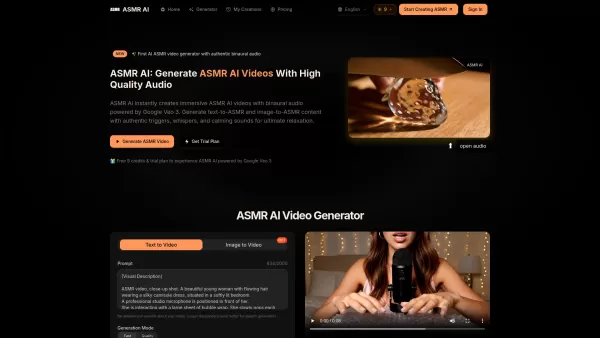
What is ASMR AI?ASMR AI represents the cutting edge of digital relaxation technology - an AI-driven platform specializing in hyper-realistic ASMR video generation. Harnessing the power of Google's Veo 3 technology, it crafts immersive binaural audio

Ever wondered what EwolveAI is all about? Well, let me break it down for you. EwolveAI isn't just another AI tool; it's your all-in-one AI solution that's here to revolutionize the way you handle content. Whether you're a writer, a marketer, or just someo
MindMap AI APP Product Information
What Is MindMap AI APP?
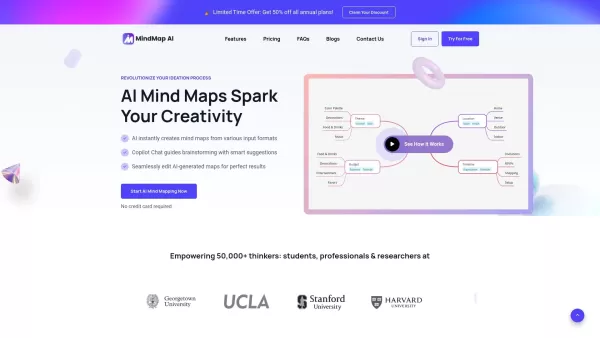
MindMap AI is a cutting-edge tool that leverages artificial intelligence to create detailed mind maps from a wide range of input sources, including text, PDFs, images, audio, and video files. The platform includes an interactive Copilot Chat feature designed to assist with brainstorming by providing smart suggestions and keeping track of conversation history, ensuring smooth idea development. Users can collaborate on, edit, and refine the AI-generated mind maps, making it an excellent choice for students, professionals, and researchers who need to organize and visualize their ideas effortlessly. It also offers numerous export options such as PNG, SVG, PDF, and Markdown, enabling easy sharing and presentation.
Who Uses MindMap AI APP?
- Students
- Professionals
- Researchers
- Educators
- Content creators
How to Use the MindMap AI APP?
- Step 1: Sign up or log in to the MindMap AI website.
- Step 2: Select an input format — text, PDF, image, audio, or video.
- Step 3: Upload your chosen file or type in your text.
- Step 4: Use the AI-generated mind map as a starting point.
- Step 5: Interact with the Copilot Chat to get ideas and suggestions.
- Step 6: Edit and refine the mind map according to your needs.
- Step 7: Save, export, or share your final mind map.
Platform
- web
MindMap AI APP’s Core Features & Benefits
The Core Features
- AI-generated mind maps
- Interactive Copilot Chat
- Multiple input formats (text, PDF, image, audio, video)
- Seamless editing and refinement options
- Export options in PNG, SVG, PDF, and Markdown formats
The Benefits
- Improved efficiency in brainstorming processes
- Easy organization of ideas
- Support for various file types
- Customizable mind maps that can be shared easily
- User-friendly interface
MindMap AI APP’s Main Use Cases & Applications
- Academic research
- Project planning
- Content creation
- Business strategy development
- Educational materials
MindMap AI APP’s Pros & Cons
The Pros
The AI instantly creates detailed mind maps from a variety of input formats.
The interactive AI Copilot Chat boosts brainstorming by offering intelligent suggestions and keeping conversation history for easy reference.
It accepts multiple file types, including text, PDF, image, audio, and video files.
Users can easily edit and collaborate on the AI-generated mind maps.
Flexible export options are available, such as PNG, SVG, PDF, CSV, Markdown, and shareable links.
The platform offers different subscription tiers, including free and lifetime access options.
It has a large user base made up of students, professionals, and researchers, who have given it high ratings on review sites.
The Cons
The software is not open source.
The AI credit system may make cost estimation tricky for users who generate a lot of content.
After making manual edits, the ability to retry is disabled, which could limit flexibility in some situations.
There is a maximum word limit of 4,000 words per mind map, which might be a constraint for very large projects.
Larger file uploads and additional features require higher-tier paid plans.
MindMap AI APP’s Pricing
Has free plan | YES |
|---|---|
Free trial details | 100 free monthly AI credits, with full feature access available without a credit card |
Pricing model | Freemium |
Is credit card required | No |
Paid from | 3.74 USD |
Has lifetime plan | YES |
Billing frequency | Monthly |
Details of Pricing Plan
Free
0 USD
- 100 free monthly AI credits
- A powerful AI model specialized for mind mapping
- Unlimited projects and manual editing options
- Basic version history tracking
- Export capabilities in PNG, SVG, PDF, and Markdown formats
- Community support through the Zulip Forum
Basic
7.49 USD
- All features included in the Free plan, plus
- 2,000 monthly AI credits
- Possibility to purchase additional 2,000 credits for $4.99
- Adaptive version history
- Text conversion to mind maps (up to 5MB)
- Image conversion to mind maps (up to 10MB)
- PDF conversion to mind maps (up to 30MB)
- Audio conversion to summaries (up to 50MB)
- Video conversion to summaries (up to 70MB)
- Basic email support
Pro
14.99 USD
- All features from the Basic plan, plus
- 5,000 monthly AI credits
- Possibility to purchase additional 5,000 credits for $4.99
- PDF conversion to mind maps (up to 50MB)
- Audio conversion to summaries (up to 100MB)
- Video conversion to summaries (up to 150MB)
- Priority email support
- Professional-grade export options
Lite
129 USD
- 100,000 AI credits available at any time
- Adaptive version history
- PDF conversion to mind maps (up to 50MB)
- Audio conversion to summaries (up to 100MB)
- Video conversion to summaries (up to 150MB)
- Priority access to new features
- Priority email support
Plus
199 USD
- 200,000 AI credits available at any time
- Adaptive version history
- PDF conversion to mind maps (up to 50MB)
- Audio conversion to summaries (up to 100MB)
- Video conversion to summaries (up to 150MB)
- Priority access to new features
- Priority email support
Ultimate
399 USD
- 500,000 AI credits available at any time
- Adaptive version history
- PDF conversion to mind maps (up to 50MB)
- Audio conversion to summaries (up to 100MB)
- Video conversion to summaries (up to 150MB)
- Priority access to new features
- Priority email support
Discount:
A limited time offer provides 50% off all annual plans.
To view the latest pricing details, visit: https://mindmapai.app/pricing
MindMap AI APP FAQs
How Often Is the AI Mind Mapping Software Updated?
The software receives regular updates based on user feedback and advancements in artificial intelligence technology.
What Is the AI Copilot Chat Feature?
The AI Copilot Chat is an interactive assistant that helps users generate ideas, expand concepts, and refine their mind maps.
Can I Edit the AI-Generated Mind Maps?
Absolutely! Users can easily edit and adjust the AI-generated mind maps by adding, removing, or changing nodes.
What Input Formats Does MindMap AI Support?
MindMap AI accepts text, PDF, image, audio, and video files as input sources.
Is There a Limit on File Size for Uploads?
Yes, the file size limit varies depending on the subscription plan chosen. Basic plans have lower limits compared to Pro and Lifetime plans.
Can I Share or Export My Mind Maps?
Users can export mind maps in PNG, SVG, PDF, and Markdown formats, as well as create shareable links.
How Can I Earn Gift AI Credits?
Gift AI credits can be obtained through referrals and attending webinars. Sharing your experience or joining webinars allows you to receive additional credits.
What Happens When I Delete My Account?
Deleting an account results in all associated data being permanently removed from the company’s servers.
How Does MindMap AI Ensure Data Security?
The platform uses industry-standard encryption for all data transmissions and storage to safeguard user information.
Is the Copilot Chat History Saved for Future Reference?
Yes, the Copilot Chat keeps a history of each mind map, enabling users to review their brainstorming process at any time.
MindMap AI APP Company Information
- 3axislabs, Inc.
- https://mindmapai.app
- https://www.facebook.com/people/mindmap-ai/61557956681862/
- https://twitter.com/mindmapai_app
- https://wwwyoutube.com/@mindmapai
- https://www.linkedin.com/company/mindmapai-app
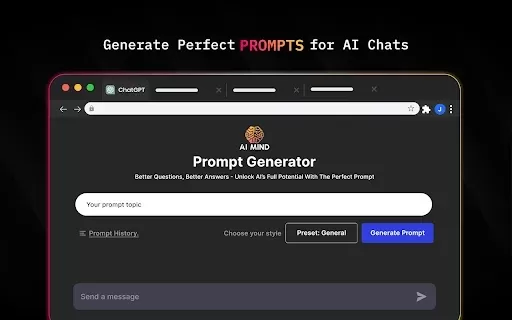
MindMap AI APP Screenshot
2026 Latest Best AI Landing Page Copy Tools for SaaS A/B Tests, Pricing Pages, and Demo Conversion are here on XIX.AI. This curated list of top-rated tools offers powerful game-changing solutions to boost content quality, improve writing efficiency, and enhance overall productivity. We conduct real-world tests and provide a free vs paid comparison along with weekly updated rankings. Must-try options help you break through creation bottlenecks. Explore now to discover your perfect tool and unlock your AI edge!
 8 tools
 xix.ai
2026 Latest Best Excel AI tools for cash flow planning and expense control are here on XIX.AI’s top-rated curated list. These powerful game-changing solutions help you boost productivity significantly through real-world tests and rigorous rankings. Get a free vs paid comparison to find the perfect fit for your needs. Explore now to unlock your AI edge in financial management.
9 tools
xix.ai
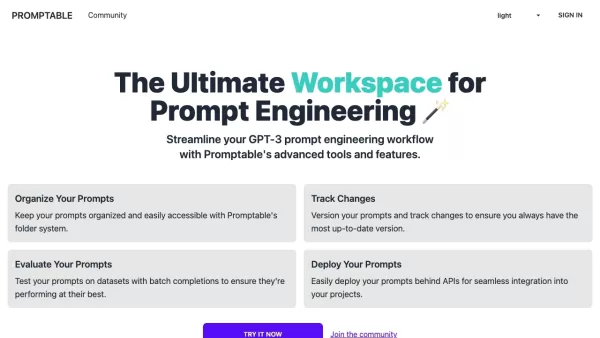
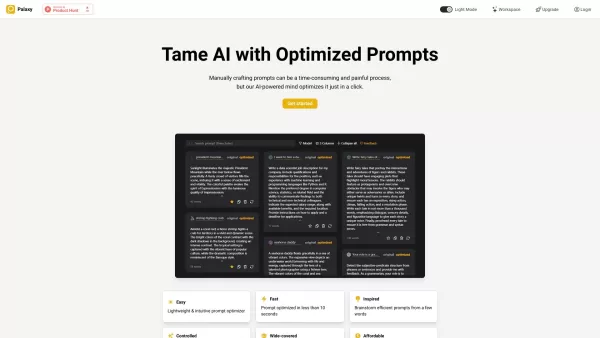
2026 Latest Best Top-Rated AI Prompt Management Tools for Teams are curated by XIX.AI here. This weekly updated guide features powerful game-changing solutions that boost team productivity significantly through real-world tests and detailed rankings. Get a free vs paid comparison to help you choose the perfect tool. Explore now to Unlock your AI edge.
9 tools
xix.ai

2026 Latest Best Top-rated AI Lyric Idea Tools for Music Composition are here on XIX.AI! This curated collection features powerful game-changing options that go through real-world tests to deliver high-quality lyric concepts fast, helping users boost creativity and streamline their music creation process. Get a free vs paid comparison overview too. Explore now to Discover your perfect tool!
16 tools
xix.ai

2026 Latest Best Top-Rated AI Character Sheet Tools for Comic Worldbuilding are here on XIX.AI! This curated list features powerful, game-changing options that have undergone rigorous real-world tests. You’ll find a free vs paid comparison along with weekly updated rankings to help you discover the must-try tools that boost your creativity and streamline worldbuilding tasks. Explore now to Unlock your AI edge!
13 tools
xix.ai

2026 Latest Best n8n AI Automation Tools for Internal Ops, Data Sync, and Multi-Step Agent Flows are here! XIX.AI has curated a top-rated list of powerful game-changing tools that boost productivity across all work tasks. Each entry goes through rigorous real-world tests to ensure reliability, with detailed free vs paid comparison and weekly updated rankings. Must-try options help you unlock your AI edge and streamline workflows effortlessly. Explore now to discover your perfect tool!
11 tools
xix.ai


