


 Home
Homemeiua - medical AI for healthcare pros
AI Medical Documentation Voice Recording & Transcription



Helps TikTok sellers, brands, MCNs, and TAPs discover winning products and find creators.

HelpLook is an AI-powered all-in-one knowledge base tool that helps businesses quickly build knowledge bases, help centers, and...

Your AI Workspace

302.AI is an enterprise-grade AI resource platform with pay-as-you-go pricing, API access to a full range of AI models, and ready-to-use online applications.

剧火AI — AI Screenwriter + Director, a One-Person Short Drama Studio In one sentence, what is it?
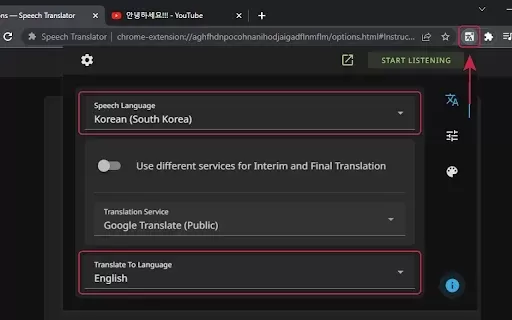
What is Speech Translator?Speech Translator leverages Google's advanced speech recognition to deliver real-time translation for videos, audio, and live streams. This tool bridges language gaps, enabling seamless conversations and fostering clearer un
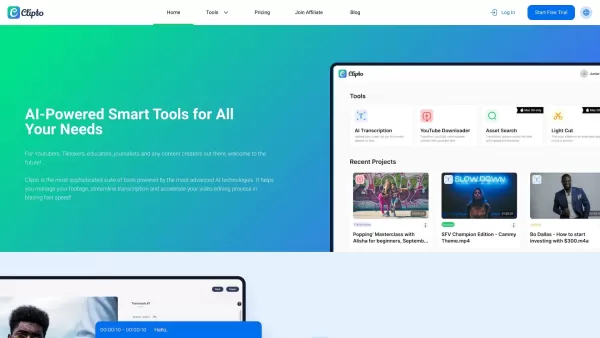
Ever wondered how to effortlessly turn your audio and video files into text? Enter Clipto, the powerhouse of AI transcription on the web. Imagine harnessing the same cutting-edge tech that fuels ChatGPT to convert your Zoom meetings, interviews, and
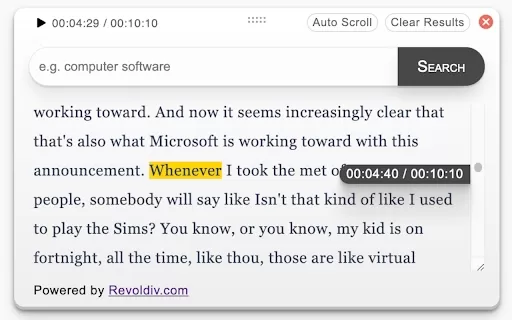
What is Revoldiv AI Chrome Extension? Revoldiv is a Chrome browser extension that instantly transcribes audio and video directly in your browser. It lets users follow along by reading live transcriptions and search for specific spoken words within po
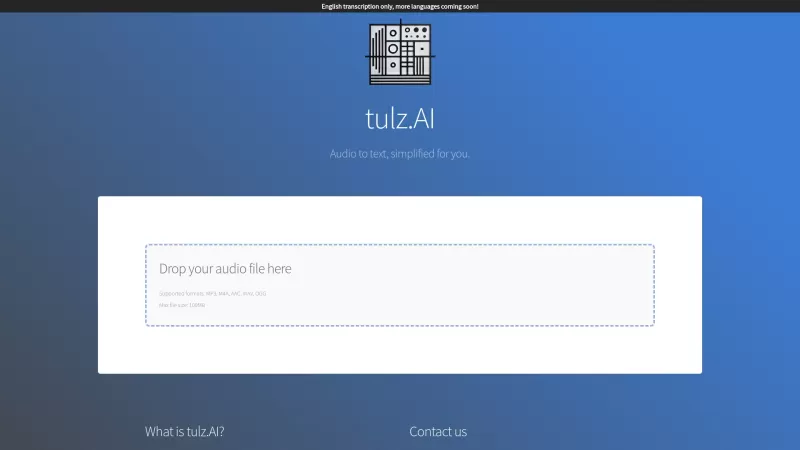
Ever found yourself needing to turn spoken words into written text? Well, let me introduce you to tulz.AI—an AI-powered service that's all about making audio transcription a breeze. Whether it's a podcast, a business meeting, or any other spoken content,
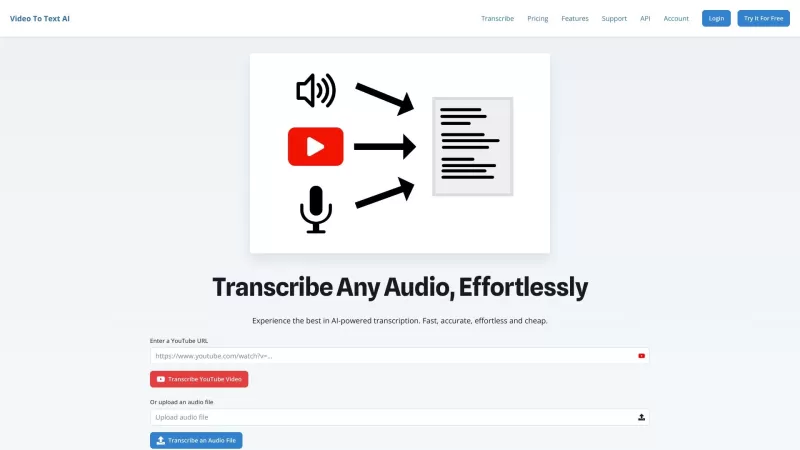
Ever found yourself in need of a quick and accurate transcription of a video or audio file? That's where Video To Text AI comes into play. It's a slick AI-powered tool designed to effortlessly convert your media into text. Whether you're juggling YouTube
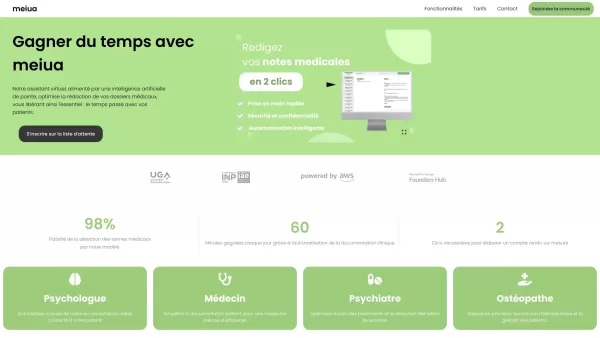
meiua - medical AI for healthcare pros Product Information
What is MEIUA - Medical AI for healthcare professionals?
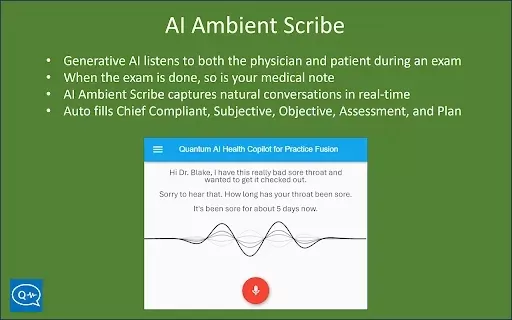
MEIUA harnesses artificial intelligence to streamline medical documentation. Through voice recording and transcription, it empowers healthcare professionals to capture precise patient details quickly and accurately. This solution drastically cuts down on administrative time, freeing up providers to devote more attention to direct patient care. From dictating clinical notes and creating reports to maintaining patient histories, MEIUA delivers a complete tool to boost efficiency and adhere to healthcare regulations.
Who uses MEIUA - Medical AI for healthcare professionals?
- Doctors
- Nurses
- Medical Administrators
- Clinics
- Hospitals
How to use MEIUA - Medical AI for healthcare professionals
- Step 1: Open the MEIUA application.
- Step 2: Begin a new recording for a patient session.
- Step 3: Speak clearly into your device's microphone.
- Step 4: Save and review the AI-generated transcript.
- Step 5: Make any required edits and save the final documentation.
Platform
- Web
- iOS
- Android
MEIUA - Medical AI for Healthcare Professionals: Core Features & Benefits
The Core Features
- Voice Recording
- AI Transcription
- Editable Transcripts
- Secure Data Storage
- Multi-language Support
The Benefits
- Reduces documentation time
- Improves accuracy
- Enhances patient care
- Ensures regulatory compliance
- Secure and reliable
MEIUA - Medical AI for Healthcare Professionals: Main Use Cases & Applications
- Clinical note-taking
- Patient history documentation
- Medical report generation
- Compliance record keeping
- Medical transcription services
FAQs about MEIUA - Medical AI for healthcare professionals
What is MEIUA?
MEIUA is an AI-driven medical documentation tool that utilizes voice recording and transcription.
How does MEIUA work?
MEIUA records your voice during patient consultations and converts it into written text.
Is MEIUA secure?
Yes, MEIUA provides secure data storage and meets healthcare industry security standards.
Which platforms support MEIUA?
MEIUA is accessible via web, Android, and iOS platforms.
Can I edit the transcripts?
Yes, the AI-generated transcripts are fully editable for your review and adjustments.
Who can use MEIUA?
MEIUA is intended for doctors, nurses, medical administrators, clinics, and hospitals.
Does MEIUA support multiple languages?
Yes, MEIUA includes support for multiple languages.
How does MEIUA improve patient care?
By minimizing time spent on paperwork, MEIUA lets healthcare professionals concentrate more on their patients.
Can MEIUA generate medical reports?
Yes, MEIUA can convert voice recordings into structured medical reports.
How can I start using MEIUA?
Get started by downloading the MEIUA app from your platform's store and initiating a new recording.
MEIUA - Medical AI for healthcare professionals Company Information
meiua - medical AI for healthcare pros Screenshot

Discover the 2026 best AI wearable and hardware notetakers for field interviews. Our top-rated, curated list features powerful, game-changing devices for seamless recording and transcription. Compare free vs paid options with real-world tests. Unlock effortless data capture and boost your productivity. Explore the rankings on XIX.AI now.
 10 tools
 xix.ai
Discover the 2026 best AI voice recorder apps for offline meetings. Our top-rated, curated list features powerful tools for transcribing in-person brainstorms to text. Compare free vs paid options with real-world tests. Unlock seamless note-taking and productivity. Explore the rankings on XIX.AI.
10 tools
xix.ai

Discover the 2026 best on-premise AI meeting transcription tools for financial and healthcare consultations. Explore our top-rated, curated list with weekly updated rankings, free vs paid comparisons, and real-world tests. Find your secure, game-changing solution for confidential transcription needs. Unlock your AI edge at XIX.AI.
10 tools
xix.ai


Great tool! Saves tons of time on documentation. The voice transcription is surprisingly accurate. Although I'm a bit worried about data privacy, it's a game-changer for busy clinicians. 10/10 would recommend. 😊


