


 Home
HomeMeeper - transcribe & summarize Meets
Meeper AI Meeting Assistant & Summary Tool


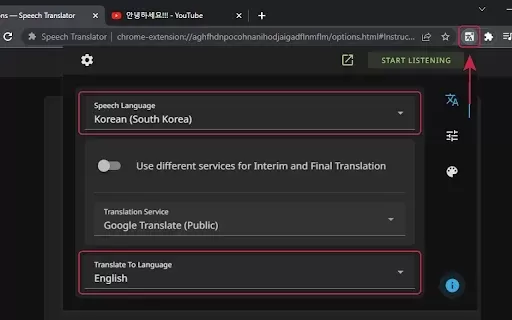
What is Speech Translator?Speech Translator leverages Google's advanced speech recognition to deliver real-time translation for videos, audio, and live streams. This tool bridges language gaps, enabling seamless conversations and fostering clearer un
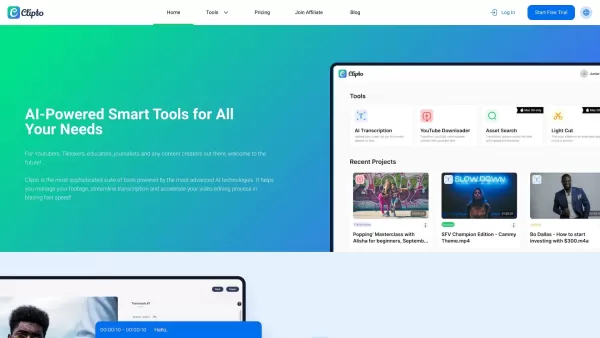
Ever wondered how to effortlessly turn your audio and video files into text? Enter Clipto, the powerhouse of AI transcription on the web. Imagine harnessing the same cutting-edge tech that fuels ChatGPT to convert your Zoom meetings, interviews, and
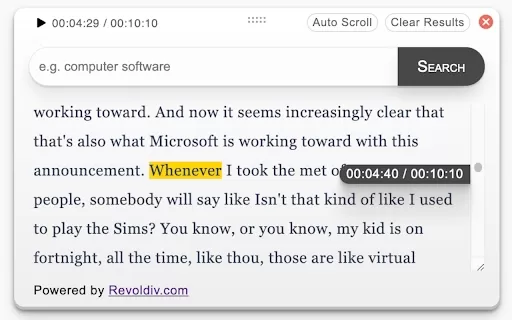
What is Revoldiv AI Chrome Extension? Revoldiv is a Chrome browser extension that instantly transcribes audio and video directly in your browser. It lets users follow along by reading live transcriptions and search for specific spoken words within po
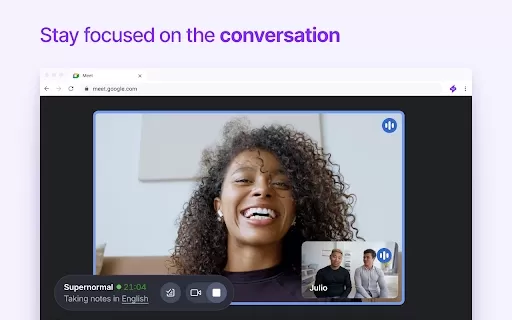
Ever found yourself in a meeting, scribbling notes furiously, only to realize you missed half of what was said? Enter Supernormal, a Chrome extension that's here to save the day—and your sanity. This nifty tool uses cutting-edge AI models like ChatGPT and
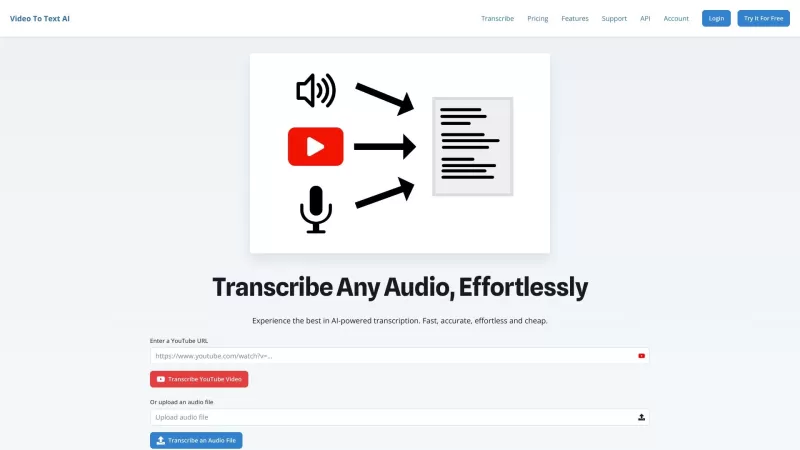
Ever found yourself in need of a quick and accurate transcription of a video or audio file? That's where Video To Text AI comes into play. It's a slick AI-powered tool designed to effortlessly convert your media into text. Whether you're juggling YouTube
Meeper - transcribe & summarize Meets Product Information
What is Meeper's Meeting Transcription & Summary Tool?
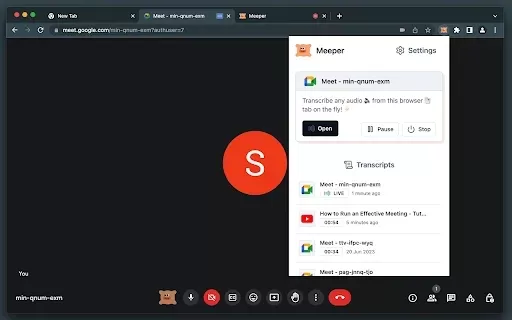
Meeper is a smart Chrome extension that serves as your personal assistant for virtual meetings. Utilizing Whisper AI technology, it delivers precise real-time speech-to-text conversion, while ChatGPT generates comprehensive summaries. This versatile tool benefits students, working professionals, and anyone participating in digital conferences. With Meeper, you can fully engage in conversations without the burden of note-taking, guaranteeing you never miss critical information.
Who Benefits from Meeper's Meeting Transcription & Summary Tool?
- Academic Students
- Corporate Professionals
- Remote Employees
- Educators
- Conference Participants
- Business Groups
How to Operate Meeper's Meeting Transcription & Summary Tool
- Step 1: Download the Meeper extension from Chrome Web Store
- Step 2: Navigate to your meeting tab in the browser
- Step 3: Right-click the active tab and choose 'Launch Meeper'
- Step 4: Grant microphone permissions for meeting audio
- Step 5: Monitor live transcriptions and AI-generated summaries
Platform
- Google Chrome
Meeper's Core Features & Advantages
Key Features
- Live speech transcription
- AI-powered summarization
- Whisper AI technology
- Simple browser tab activation
- Intuitive user interface
Primary Benefits
- Enhanced work efficiency
- Undivided meeting attention
- Precise conversation documentation
- Eliminated note-taking requirements
- Archived summaries for later use
Common Applications & Usage Scenarios
- Educational sessions
- Corporate conferences
- Training workshops
- Digital seminars
- Virtual classrooms
Frequently Asked Questions
Which meeting formats does Meeper support?
Meeper processes audio from any browser-based meeting platform, covering educational lectures, professional webinars, and business conferences.
Is there a cost associated with using Meeper?
Meeper is completely free to install and use as a Chrome browser extension.
What browser compatibility does Meeper offer?
Meeper is exclusively optimized for Google Chrome browser environment.
How reliable are the transcriptions provided?
The system employs advanced Whisper AI technology for high-accuracy real-time speech recognition.
Can Meeper process extended meeting recordings?
Yes, the integrated ChatGPT technology generates condensed overviews of lengthy discussions.
Is account registration mandatory?
No registration or account creation is required to begin using Meeper.
How does Meeper handle user privacy?
All processing occurs locally within your browser, with no external data storage on remote servers.
What's the activation process during meetings?
Simply right-click your meeting tab and select the 'Launch Meeper' option from the context menu.
Is mobile device support available?
Currently, Meeper functions exclusively as a desktop Chrome extension.
Which languages are currently supported?
English is the primary supported language, with multilingual support planned for future updates.
Company Details
Website:
https://github.com/serg-plusplus/meeperCompany Name:
MeeperSupport Email:
Facebook:
NAX(Twitter):
NAYouTube:
NAInstagram:
NATiktok:
NALinkedIn:
NA
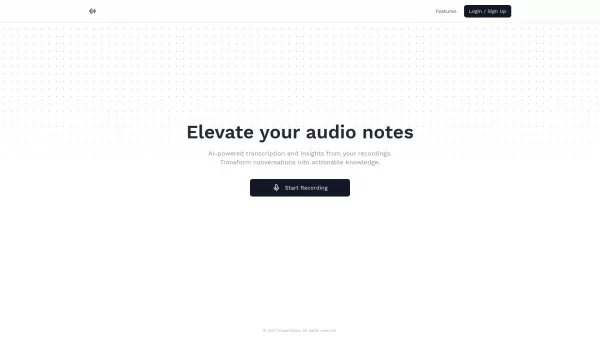
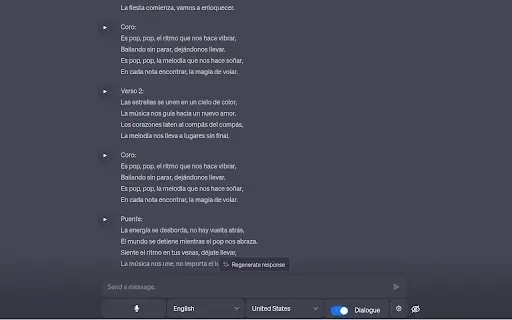
Meeper - transcribe & summarize Meets Screenshot

Discover the 2026 best AI assistants for crafting epic xianxia & wuxia tales. XIX.AI's curated list features top-rated, game-changing tools to master cultivation progression and martial arts choreography. Compare free vs paid options with real-world tests. Unlock your creative potential and start writing today!
 10 tools
 xix.ai

Discover the 2026 best AI mobile app coding tools for Flutter & React Native. Our curated, top-rated list features powerful, game-changing solutions that generate cross-platform code from prompts. Compare free vs paid options with real-world tests. Unlock faster development and build better apps. Explore the rankings on XIX.AI now!
10 tools
xix.ai

Discover the 2026 best AI Chrome extension generators on XIX.AI. Our curated list features top-rated, must-try tools that let you create custom browser add-ons with zero coding. Compare free vs paid options, see real-world tests, and unlock your productivity. Explore the latest rankings and find your perfect tool today!
10 tools
xix.ai

Discover the 2026 best AI multilingual TTS tools for authentic native-accent speech in 50+ languages. Explore our top-rated, curated rankings with free vs paid comparisons and real-world tests. Find your perfect voice tool on XIX.AI and unlock global communication today.
10 tools
xix.ai

Discover the 2026 latest top-rated AI meeting automation tools for smarter, faster collaboration. Our curated list features powerful, game-changing solutions to automate notes, summaries, and action items. Compare free vs paid options with real-world tests and weekly updated rankings. Unlock peak team productivity. Explore the best picks now at XIX.AI.
10 tools
xix.ai

Discover the 2026 latest top-rated AI prompts for Infrastructure-as-Code. XIX.AI's curated selection helps you safely deploy Terraform & Docker configurations, automate cloud setups, and boost DevOps productivity. Compare free vs paid options with real-world tests. Explore now and unlock your AI edge.
10 tools
xix.ai


Just tried Meeper for my team's weekly sync and wow, the real-time transcription is surprisingly accurate! The summary feature saved me so much time. Only wish it worked on platforms other than Chrome. Great little assistant for remote work life! 😄


