


 Home
HomeListenUp! - Capture feedback, record meetings
ListenUp: Meeting Feedback Chrome Extension



Helps TikTok sellers, brands, MCNs, and TAPs discover winning products and find creators.

HelpLook is an AI-powered all-in-one knowledge base tool that helps businesses quickly build knowledge bases, help centers, and...

Your AI Workspace

302.AI is an enterprise-grade AI resource platform with pay-as-you-go pricing, API access to a full range of AI models, and ready-to-use online applications.

剧火AI — AI Screenwriter + Director, a One-Person Short Drama Studio In one sentence, what is it?
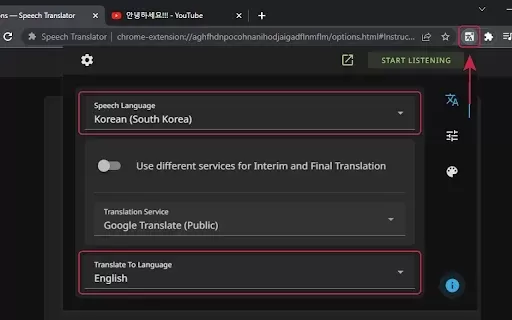
What is Speech Translator?Speech Translator leverages Google's advanced speech recognition to deliver real-time translation for videos, audio, and live streams. This tool bridges language gaps, enabling seamless conversations and fostering clearer un
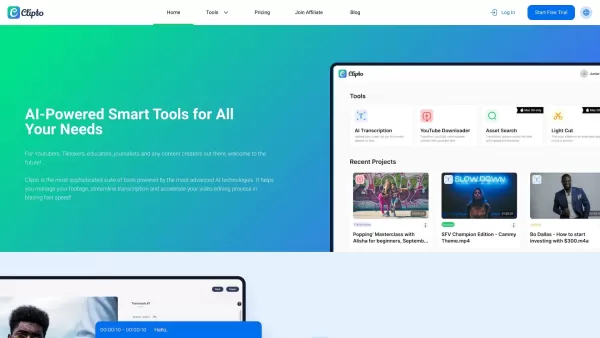
Ever wondered how to effortlessly turn your audio and video files into text? Enter Clipto, the powerhouse of AI transcription on the web. Imagine harnessing the same cutting-edge tech that fuels ChatGPT to convert your Zoom meetings, interviews, and
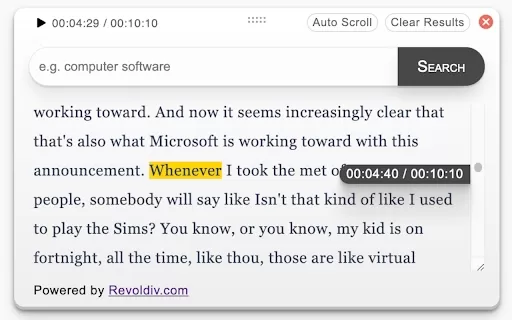
What is Revoldiv AI Chrome Extension? Revoldiv is a Chrome browser extension that instantly transcribes audio and video directly in your browser. It lets users follow along by reading live transcriptions and search for specific spoken words within po
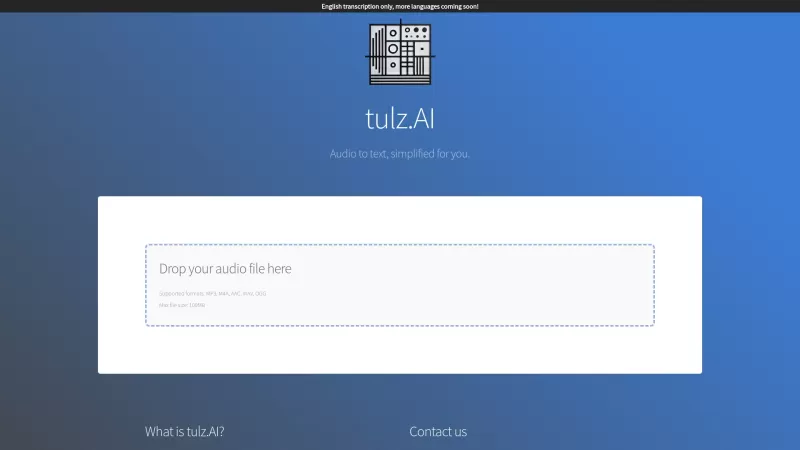
Ever found yourself needing to turn spoken words into written text? Well, let me introduce you to tulz.AI—an AI-powered service that's all about making audio transcription a breeze. Whether it's a podcast, a business meeting, or any other spoken content,
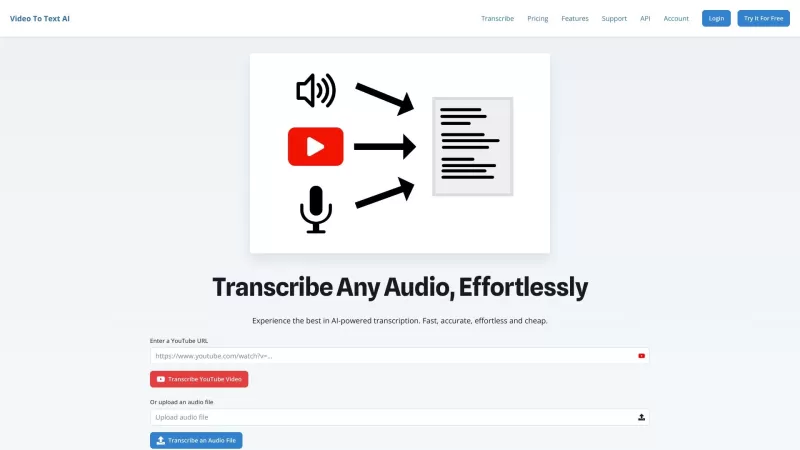
Ever found yourself in need of a quick and accurate transcription of a video or audio file? That's where Video To Text AI comes into play. It's a slick AI-powered tool designed to effortlessly convert your media into text. Whether you're juggling YouTube
ListenUp! - Capture feedback, record meetings Product Information
What is ListenUp! - Capture feedback, record meetings?
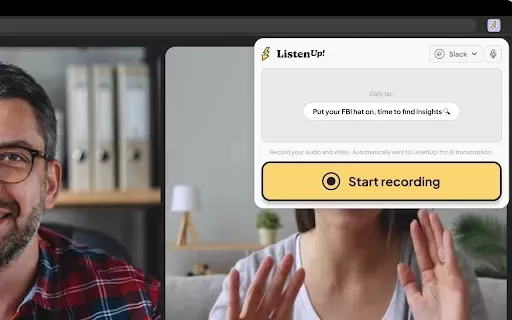
ListenUp! is a dynamic tool for capturing feedback that seamlessly records meetings on leading video conferencing platforms like Google Meet, Zoom, and Microsoft Teams. With its user-friendly design, you can concentrate on the conversation while ListenUp automatically documents all key interactions. The tool facilitates simple playback and organization of your recordings, empowering companies to distill user insights and apply them directly to product enhancements. This ensures products evolve in line with user expectations. It's an ideal solution for researchers, product managers, and UX teams aiming to refine their feedback processes.
Who will use ListenUp! - Capture feedback, record meetings?
- Researchers
- Product Managers
- User Experience Designers
- Marketing Teams
- Customer Support Teams
How to use the ListenUp! - Capture feedback, record meetings?
- Step 1: Install the ListenUp extension from the Chrome Web Store.
- Step 2: Launch your video meeting on a platform like Google Meet or Zoom.
- Step 3: Begin your session and click the ListenUp icon to start capturing feedback.
- Step 4: Proceed with your discussion; ListenUp will record the audio and video.
- Step 5: When the meeting ends, review and manage your recorded feedback via the extension.
Platform
- Web
- Chrome
ListenUp! - Capture feedback, record meetings's Core Features & Benefits
The Core Features
- Meeting Recording
- Feedback Organization
- Integration with Popular Platforms
The Benefits
- Effortlessly capture user feedback
- Enhance user experience
- Simplify feedback analysis
ListenUp! - Capture feedback, record meetings's Main Use Cases & Applications
- User feedback sessions
- Focus group discussions
- Interviews
- Team meetings
- Product development insights
FAQs of ListenUp! - Capture feedback, record meetings
How do I install ListenUp?
Install ListenUp directly from the Chrome Web Store.
Can I use ListenUp with Zoom?
Yes, ListenUp works seamlessly with Zoom and other major conferencing platforms.
Is there a limit to recording time?
No, you can record meetings of any length without restrictions.
Can I access recordings later?
Yes, all your recordings are stored and accessible after the meeting concludes.
Does it work on mobile devices?
ListenUp is currently optimized for the Chrome browser on desktop.
Can I share recordings with my team?
Yes, you can easily share your recordings with colleagues and team members.
Is there a free version of ListenUp?
Please check the Chrome Web Store for specific information on pricing and available plans.
What kind of feedback can I capture?
You can capture diverse feedback, including insights on user experience, product features, and general impressions.
Will my data be secure?
ListenUp is committed to protecting user privacy and ensuring data security.
Is there customer support available?
Yes, customer support is provided to all users.
ListenUp! - Capture feedback, record meetings Company Information
ListenUp! - Capture feedback, record meetings Screenshot

2026 Latest Best Top-Rated AI Melody Writing Tools for Song Drafts! XIX.AI has curated a highly powerful game-changing collection that goes through rigorous real-world tests to deliver the best writing experience. You can find detailed free vs paid comparisons, accurate rankings, and must-try options designed to help you create stunning song drafts effortlessly and boost your creative productivity significantly. Explore now to discover your perfect tool!
 8 tools
 xix.ai

2026 Latest Best Top-rated AI Conversation Trainer Tools for Interview Practice are here on XIX.AI! This curated collection features powerful, game-changing tools that go through rigorous real-world tests to deliver accurate feedback. You’ll find a free vs paid comparison and detailed rankings to help you choose the must-try option that boosts your confidence and skills. Explore now to Discover your perfect tool for interview success!
12 tools
xix.ai

2026 Latest Best Top-rated AI Style Transfer Tools for Creative Experiments! XIX.AI has curated a powerful, game-changing collection of must-try tools that deliver exceptional results through real-world tests and rigorous rankings. These top solutions help creatives boost productivity significantly by accelerating content creation and unlocking endless creative possibilities. Explore now to discover your perfect tool and start creating today!
9 tools
xix.ai

2026 Latest Best Top-Rated AI Dialogue Bubble Tools for Visual Storytelling are here on XIX.AI! This curated collection features powerful, game-changing tools that help creators boost productivity and overcome creative bottlenecks. Get a free vs paid comparison, see real-world tests, and check the latest rankings to find the must-try solutions perfect for crafting engaging visual narratives. Explore now to discover your ideal tool!
10 tools
xix.ai

2026 Latest Top-Rated Best AI Meeting Summary Tools for Clear Decision Tracking and Effortless Follow-Ups. This curated list showcases powerful, game-changing solutions that boost productivity dramatically by automating meeting notes, identifying key action items, and streamlining team coordination across all projects. Get a free vs paid comparison along with real-world tests and weekly updated rankings to help you find the perfect tool. Explore now to unlock your AI edge!
9 tools
xix.ai

2026 Latest Best Top-rated AI Data Cleaning Tools for quick fixing of missing values and duplicates. This curated list showcases powerful, game-changing solutions that boost productivity significantly. Each option has undergone rigorous real-world tests to ensure reliability. Get a free vs paid comparison and discover the must-try tool that fits your needs best. Explore now at XIX.AI to Unlock your AI edge.
11 tools
xix.ai


I've been using ListenUp! for team stand-ups and it's surprisingly intuitive. The auto-transcription on Zoom is clutch for catching missed points. Only wish it had better integration with Slack for follow-ups. But overall, solid tool! 👍


