


 Home
HomeLinguisity Chrome Extension



Ever found yourself staring at a blank screen, struggling to churn out content for your blog, ads, or emails? Enter Word Spinner, your new best friend in the world of content creation. This isn't just any tool; it's an all-in-one AI writing platform desig
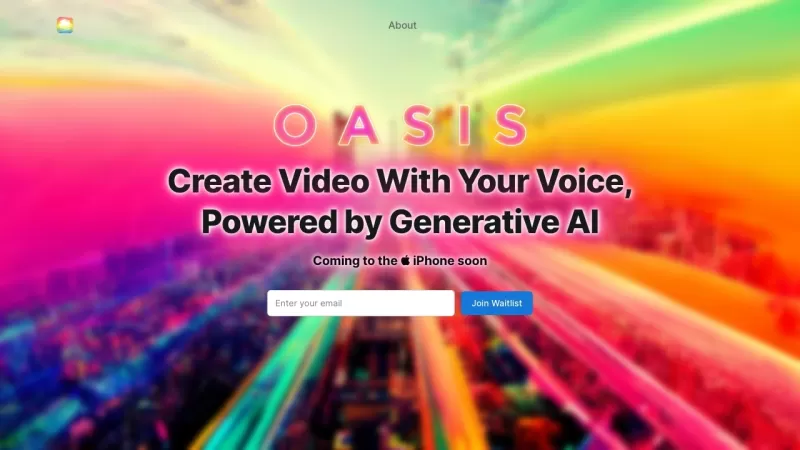
Ever wondered what OASIS is all about? Well, let me tell you, it's a game-changer in the world of writing. OASIS is this nifty AI-powered platform that lets you whip up perfect pieces of writing without breaking a sweat. All you need to do is talk to it—yep, just speak your mind, and the AI does the
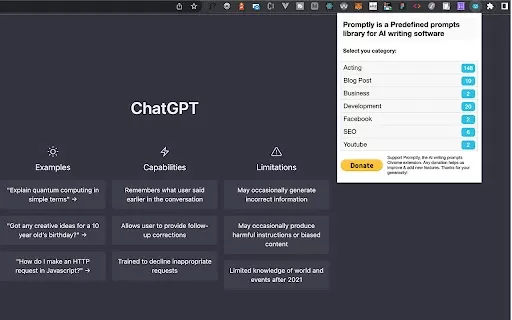
Ever find yourself staring blankly at your screen, trying to conjure up the perfect words for your next piece? Enter Promptly, the Chrome extension that's like having a trusty sidekick for your AI writing adventures. It's not just any tool; it's a game-ch
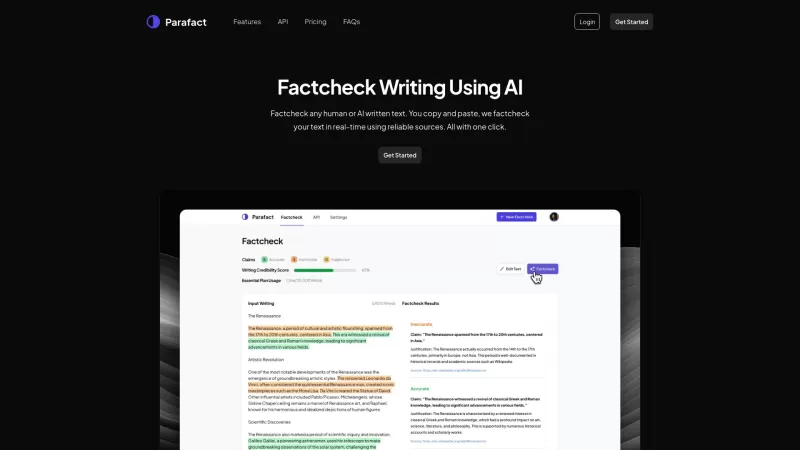
Ever wondered if the text you're reading is factually correct? Enter Parafact, your go-to tool for real-time fact-checking using trustworthy online sources. It's like having a personal fact-checker at your fingertips!How to Use Parafact?Using Parafact is a breeze. Just copy the text you want to veri
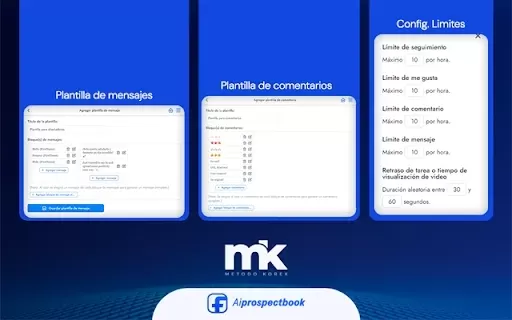
What is AI Prospect Book?AI Prospect Book is a Chrome extension designed to revolutionize sales prospecting. It leverages AI-powered insights and tools to help users discover, generate, and organize potential leads from various online sources. Its pr
Linguisity Chrome Extension Product Information
What is the Linguisity Chrome Extension?
The Linguisity Chrome Extension is a powerful tool for writers seeking to elevate their written work. It uses advanced algorithms to analyze text and deliver tailored feedback, pinpointing specific areas for enhancement. Ideal for students, professionals, and anyone dedicated to honing their writing, Linguisity provides insights on clarity, grammar, and style. It transforms writing into a more intuitive and rewarding process, fostering clearer communication and more effective expression.
Who is the Linguisity Chrome Extension for?
- Students
- Professionals
- Bloggers
- Content Creators
How to use the Linguisity Chrome Extension
- Step 1: Install the Linguisity Chrome Extension from the Chrome Web Store.
- Step 2: Click the Linguisity icon in your Chrome toolbar.
- Step 3: Write or paste your text into the provided field.
- Step 4: Review the personalized feedback and suggestions.
- Step 5: Refine your content using the provided insights.
Platform
- Chrome
Linguisity Chrome Extension's Core Features & Benefits
Core Features
- Advanced text analysis
- Personalized feedback
- Grammar suggestions
- Style improvements
Key Benefits
- Enhances writing clarity
- Improves grammar proficiency
- Saves time on editing
- Builds writing confidence
Linguisity Chrome Extension's Main Use Cases & Applications
- Polishing academic essays
- Enhancing blog posts
- Refining professional emails
- Elevating creative writing
FAQs for the Linguisity Chrome Extension
How does the Linguisity Chrome Extension work?
It evaluates your writing and offers customized feedback for improvement.
Is it free to use?
Yes, the extension is free to use.
Can it help with grammar mistakes?
Yes, it provides specific grammar suggestions.
Does it support multiple languages?
It currently focuses primarily on English.
How do I install the extension?
Install it directly from the Chrome Web Store.
Can I use it for professional writing?
Yes, it is excellent for polishing professional documents.
Is there a mobile version available?
No, it is only available for the Chrome desktop browser.
What types of writing can it improve?
It can assist with academic, professional, and creative writing projects.
Is my data stored securely?
Yes, your data is kept private and secure.
Can I provide feedback on the service?
Yes, user feedback is welcome and used to enhance the tool.
Linguisity Chrome Extension Company Information
Website:
https://linguisity.comCompany Name:
Mesos HoldingsSupport Email:
Facebook:
NAX(Twitter):
NAYouTube:
NAInstagram:
NATiktok:
NALinkedIn:
NA
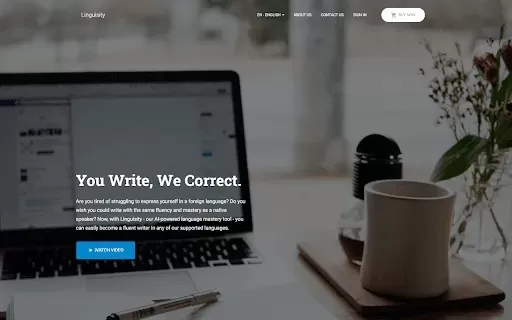
Linguisity Chrome Extension Screenshot

Discover the 2026 best AI scripting tools for radio & podcasting at XIX.AI. Our curated, top-rated list features powerful, game-changing solutions to write engaging audio commercials fast. Compare free vs paid options with real-world tests and weekly updated rankings. Unlock your creative edge today!
 10 tools
 xix.ai

Discover the 2026 best AI contract review software on XIX.AI. Our top-rated, curated list features powerful tools that instantly spot legal loopholes and compliance risks. Compare free vs paid options with real-world tests and weekly updated rankings. Find your game-changing solution for secure, efficient contract analysis. Explore the definitive guide now.
10 tools
xix.ai

Discover the 2026 best AI anime generators for donghua. Our top-rated, curated list features powerful tools to create stunning web novel characters and comic avatars. Compare free vs paid options with real-world tests. Find your perfect creative partner and bring your stories to life today at XIX.AI.
10 tools
xix.ai

Discover the 2026 best AI auto-colorization tools for manga at XIX.AI. Our curated list features top-rated, game-changing solutions that apply flat colors with zero consistency errors, boosting your productivity. Explore free vs paid comparisons, real-world tests, and weekly updated rankings to find your perfect match. Unlock your AI edge today.
10 tools
xix.ai

Discover the 2026 best AI fiction profile creators for crafting deep characters. XIX.AI's curated list features top-rated, game-changing tools that generate consistent motivations and fatal flaws. Compare free vs paid options with real-world tests. Unlock your storytelling potential now.
10 tools
xix.ai

Discover the 2026 best AI pricing optimization software on XIX.AI. Our curated list features top-rated, game-changing tools that track competitors and auto-adjust your store prices for maximum profit. Compare free vs paid options with real-world tests. Unlock your pricing edge now.
10 tools
xix.ai


