


 Home
HomeLeminda AI fake-checker


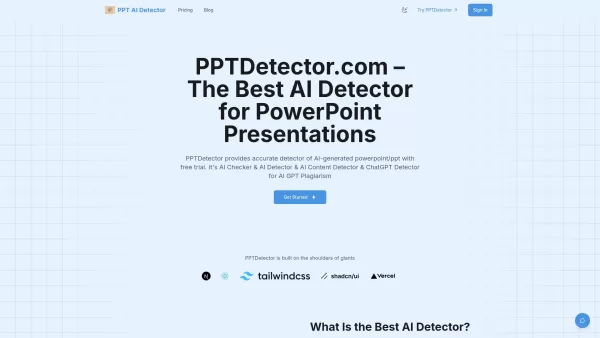
What is AI Detector for PPT? PPTDetector.com is a precise AI detection tool designed to identify AI-generated content in PowerPoint (PPT/PPTX) files. It accurately detects content from AI models like
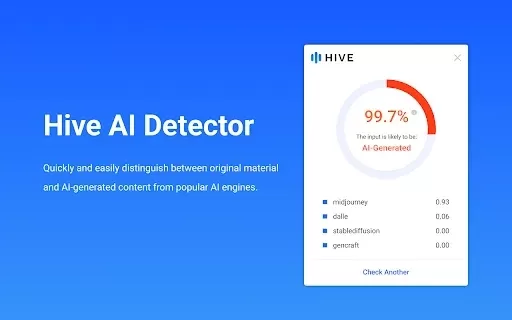
What is Hive AI Detector?Hive AI Detector uses advanced machine learning to analyze various types of media and determine whether they were generated or altered by artificial intelligence. This tool is ideal for journalists, educators, marketers, and

What is PIXM Phishing Protection?PIXM Phishing Protection is a browser extension that leverages artificial intelligence to offer real-time defense against phishing attacks. It inspects the visual elements of websites to immediately detect hazardous o
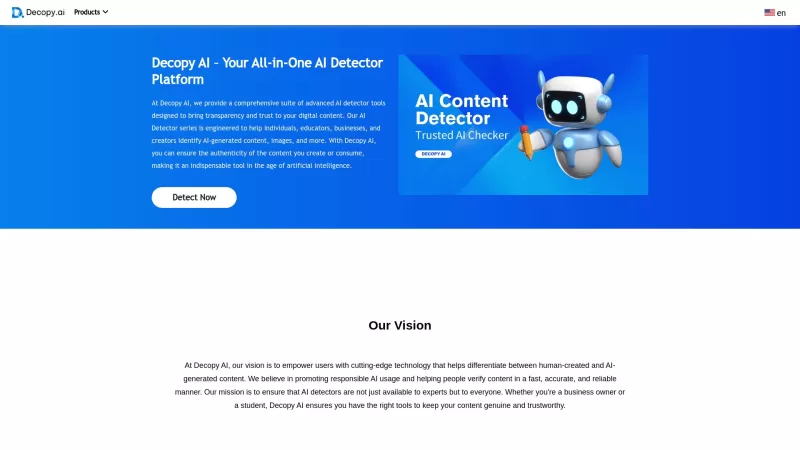
Ever wondered if that slick piece of writing you stumbled upon was crafted by a human or churned out by an AI? Enter Decopy AI, your go-to tool for sniffing out AI-generated content. With an impressive accuracy rate of up to 99%, Decopy AI can spot text f
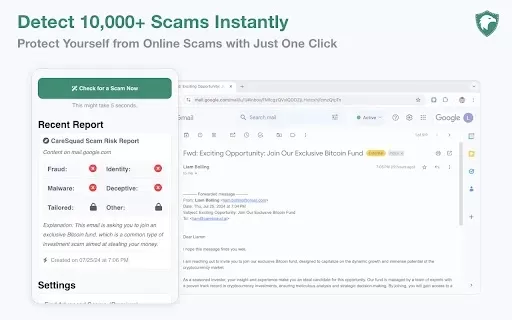
What is CareSquad AI?CareSquad AI Free Scam Detector is an AI-powered tool designed to help users identify and steer clear of online scams. By leveraging cutting-edge artificial intelligence, it scans web pages, emails, and links for potential threat
Leminda AI fake-checker Product Information
What is the Leminda AI Fake Checker?
The Leminda AI Fake Checker utilizes state-of-the-art artificial intelligence to evaluate information across multiple formats, such as text, images, and videos from social media and online feeds. It offers the confidence needed to distinguish trustworthy information from deceptive content. This tool is perfect for anyone looking to verify news articles, social media updates, or other digital material, promoting greater online safety and information reliability.
Who is the Leminda AI Fake Checker for?
- General Public
- Journalists
- Researchers
- Students
- Educators
How do I use the Leminda AI Fake Checker?
- Step 1: Install the Leminda AI Fake Checker extension from the Chrome Web Store.
- Step 2: In your browser, go to the content you wish to examine.
- Step 3: Click the Leminda extension icon.
- Step 4: Allow the AI analysis to finish processing.
- Step 5: Check the detailed results to assess the content's authenticity.
Platform
- Chrome
Leminda AI Fake Checker: Core Features & Benefits
Key Features
- Real-time content analysis
- Multi-format support (text, images, video)
- User-friendly interface
- Instant results
- Automatic updates
Primary Benefits
- Improves information reliability
- Reduces the risk of encountering misinformation
- Boosts confidence in online content
- Saves time with rapid assessments
- Enables more informed decision-making
Main Use Cases & Applications
- Verifying news stories
- Checking social media posts
- Evaluating images and videos for authenticity
- Aiding academic research
- Supporting educational classroom activities
Leminda AI Fake Checker FAQs
What kind of content can Leminda analyze?
Leminda can analyze text, images, and videos.
Is Leminda free?
Yes, Leminda is a free Chrome extension.
How accurate is Leminda's analysis?
Leminda employs advanced AI for dependable evaluations, though no tool is infallible.
Does Leminda work on mobile?
Currently, Leminda is only available as a Chrome extension for desktop browsers.
Do I need an account to use Leminda?
No account is required; you can start using it right after installation.
How often is the AI updated?
Leminda receives frequent updates to improve accuracy and functionality.
Can Leminda identify all fake content?
Leminda is a powerful tool, but it may not detect every piece of misinformation.
Does Leminda store my data?
Leminda does not retain personal data; it focuses exclusively on content analysis.
How can I report a problem?
You can report issues directly via the Leminda page on the Chrome Web Store.
Where can I learn more about Leminda?
For full details, please visit Leminda's official website.
About Leminda AI Fake Checker
Website:
https://leminda.comCompany Name:
LemindaSupport Email:
Facebook:
NAX (Twitter):
NAYouTube:
NAInstagram:
NATikTok:
NALinkedIn:
NA
Leminda AI fake-checker Screenshot



Discover the 2026 latest top-rated AI romantic chatbots for building genuine, long-term connections. Our curated list features powerful, consistent personalities, free vs paid comparisons, and real-world tests. Find your perfect companion and start building today at XIX.AI.
 10 tools
 xix.ai

Discover the 2026 best AI data science mentors to master SQL, Pandas & ML workflows. Explore our top-rated, curated selection at XIX.AI for powerful, game-changing guidance. Compare free vs paid options with real-world insights. Unlock your data science mastery today.
10 tools
xix.ai

Discover the 2026 best AI flirting and conversation trainers on XIX.AI. Our curated, top-rated selection helps you build social charisma and confidence in real-time. Explore must-try, game-changing tools with free vs paid comparisons and weekly updated rankings. Unlock your social edge today.
10 tools
xix.ai

Discover the 2026 latest top-rated AI tools for automated unit testing. Our curated selection features powerful, game-changing solutions to generate Jest, PyTest & JUnit test cases instantly. Compare free vs paid options with real-world tests and weekly updated rankings on XIX.AI. Unlock your AI edge and boost development productivity today.
10 tools
xix.ai

Discover the 2026 best AI data visualization tools at XIX.AI. Our curated, top-rated selection helps you auto-generate powerful, interactive BI dashboards from raw files instantly. Compare free vs paid options with real-world tests and weekly updated rankings. Unlock your data's potential today.
10 tools
xix.ai

Discover the 2026 best AI branding kits for social media. XIX.AI's curated list features top-rated, game-changing tools to maintain perfectly consistent brand visuals across all channels. Compare free vs paid options with real-world tests. Unlock your brand's visual edge today.
10 tools
xix.ai


