


 Home
HomeLecture Summary: Youtube, Udemy And Coursera



Helps TikTok sellers, brands, MCNs, and TAPs discover winning products and find creators.

HelpLook is an AI-powered all-in-one knowledge base tool that helps businesses quickly build knowledge bases, help centers, and...

Your AI Workspace

302.AI is an enterprise-grade AI resource platform with pay-as-you-go pricing, API access to a full range of AI models, and ready-to-use online applications.

剧火AI — AI Screenwriter + Director, a One-Person Short Drama Studio In one sentence, what is it?
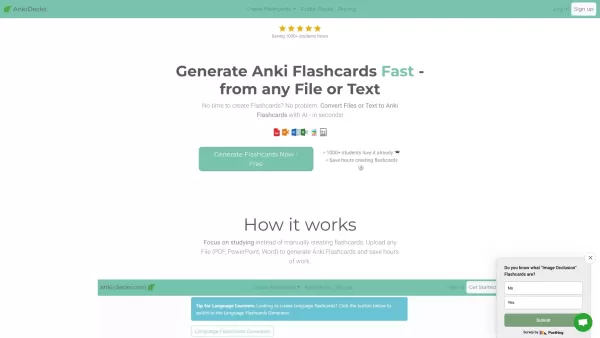
What is anki-decks.com?Anki Decks is an AI-powered platform that creates Anki flashcards from various content sources like YouTube videos, PDFs, and text documents. It saves users considerable time spent on manual flashcard creation. Designed to
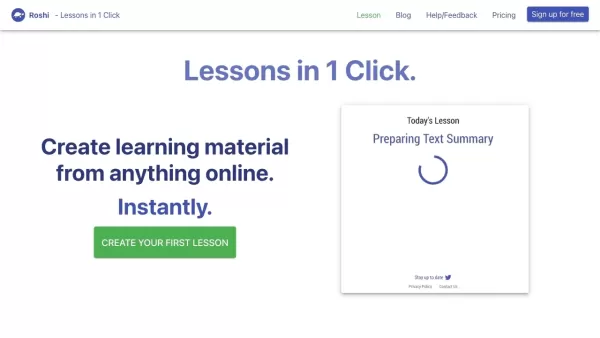
What is Roshi AI?Roshi AI is an innovative platform that makes it easy to create personalized learning materials. It uses advanced algorithms to turn any online content into tailored lessons, vocabulary lists, and practice questions. This tool is a g
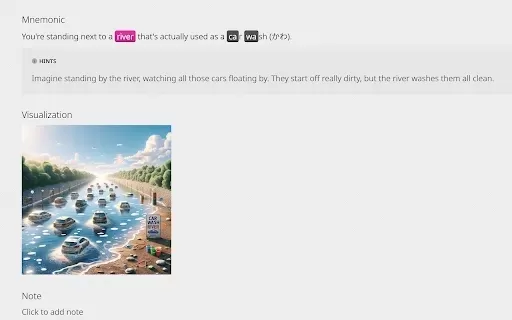
What is KaniAI?KaniAI is a Chrome extension that enriches the WaniKani platform by providing AI-generated visual aids for Kanji lessons and reference pages. With just one click, users can generate a visual representation of the mnemonic story connect
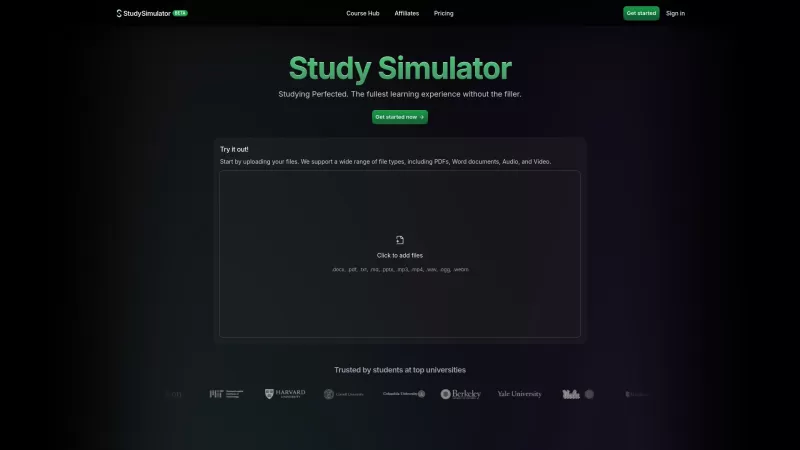
StudySim is a cutting-edge AI-powered learning platform designed to revolutionize your study sessions. It takes your study materials and transforms them into personalized flashcards, study guides, and quizzes that match your unique learning style. Whether
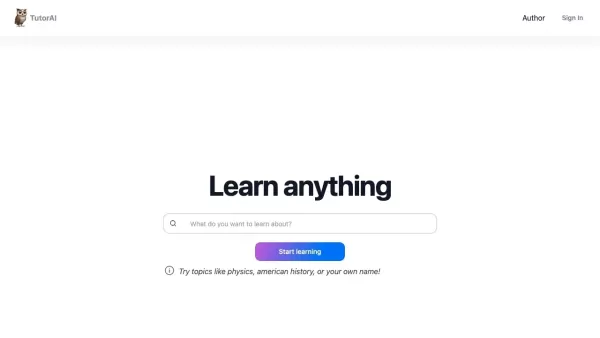
What is TutorAI?TutorAI is a personalized, AI-powered learning platform designed to help you master subjects of your choice. It uses advanced AI to deliver thorough answers, clear explanations, relevant examples, and a personalized learning journey t
Lecture Summary: Youtube, Udemy And Coursera Product Information
What Is the Lecture Summary Extension for YouTube, Udemy, and Coursera?
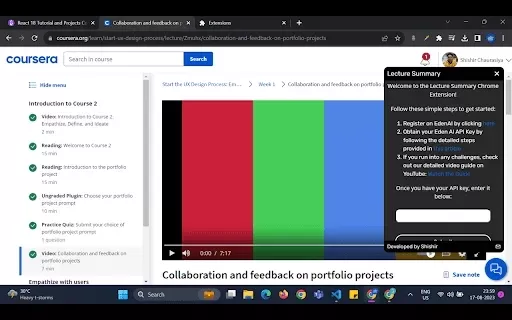
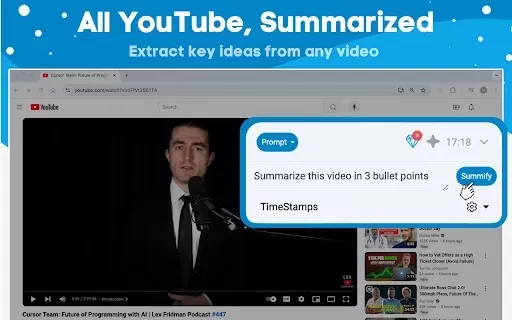
The Lecture Summary Chrome extension automatically generates concise lecture summaries from popular online learning platforms like YouTube, Udemy, and Coursera. Designed to save time and enhance learning, it distills complex information into easy-to-digest summaries. Whether you are a student or a lifelong learner, this extension helps you quickly grasp key ideas without watching lengthy videos. It integrates seamlessly with your browser, making it a hassle-free addition to your study toolkit.
Who Can Benefit from the Lecture Summary for YouTube, Udemy, and Coursera?
- Students
- Educators
- Lifelong learners
- Professionals seeking training
- Anyone interested in online courses
How to Use the Lecture Summary for YouTube, Udemy, and Coursera
- Step 1: Install the Lecture Summary Chrome extension from the Chrome Web Store.
- Step 2: Go to a YouTube, Udemy, or Coursera lecture video.
- Step 3: Click the Lecture Summary icon in your browser to generate a summary.
- Step 4: Read the summary to understand key points and concepts.
- Step 5: Use summaries for efficient studying or note-taking.
Platform
- Chrome
Lecture Summary for YouTube, Udemy, and Coursera: Core Features & Benefits
Core Features
- Automatic summary generation
- Supports multiple platforms
- User-friendly interface
- Key point highlighting
Benefits
- Time saving
- Enhanced understanding
- Focus on essential details
- Improved information retention
Main Use Cases & Applications for Lecture Summary on YouTube, Udemy, and Coursera
- Exam preparation
- Lecture preparation
- Course material review
- Study guide creation
Frequently Asked Questions about Lecture Summary for YouTube, Udemy, and Coursera
What platforms does the extension support?
The extension supports YouTube, Udemy, and Coursera.
How do I install the extension?
You can install it from the Chrome Web Store.
Is there a cost associated with using this extension?
The extension is free to use.
Can I use the extension on mobile devices?
No, it is designed for the Chrome browser on desktops.
What types of videos can I summarize?
You can summarize any lecture videos from YouTube, Udemy, and Coursera.
Does it work with live lectures?
No, the extension works with pre-recorded lecture videos.
How reliable are the summaries?
Summaries are generated based on key points, providing a reliable overview.
Can I save the summaries for later use?
Yes, you can copy and save the summaries as needed.
Is there a limit to how many videos I can summarize?
There is no set limit for summarizing videos.
Will it work if the video has no subtitles?
Summaries are generated from interpreted content, so they may not be effective without subtitles.
Company Information for Lecture Summary: YouTube, Udemy, and Coursera
Lecture Summary: Youtube, Udemy And Coursera Screenshot

2026 Latest Best Top-rated AI Roleplay Chat Apps for Language Practice, Interview Prep, and Daily Fluency! XIX.AI curates a powerful game-changing collection that offers free vs paid comparison, real-world tests, and updated rankings weekly. These must-try tools help you boost writing skills, overcome fluency challenges, and improve communication efficiency across all daily scenarios. Explore now to discover your perfect tool for language growth!
 10 tools
 xix.ai

2026 Latest Best Top-rated AI Stem Separation Tools Curated for Remix Production, Sampling Prep, and Karaoke Masters. These powerful game-changing tools offer real-world tests to deliver precise audio isolation, boosting productivity significantly. XIX.AI provides a weekly updated free vs paid comparison guide to help you find the must-try solution that suits your needs. Explore now to unlock your AI edge.
8 tools
xix.ai

2026 Latest Best AI SQL Copilots Ranked Top-Rated! XIX.AI curates a powerful game-changing collection for weekly updated real-world tests. These must-try tools help you generate accurate revenue dashboards, analyze sales funnels, and track product metrics swiftly, boosting productivity massively. Explore now to Discover your perfect tool for data-driven decision making! 238 characters
9 tools
xix.ai

2026 Latest Best Top-Rated AI Melody Writing Tools for Song Drafts! XIX.AI has curated a highly powerful game-changing collection that goes through rigorous real-world tests to deliver the best writing experience. You can find detailed free vs paid comparisons, accurate rankings, and must-try options designed to help you create stunning song drafts effortlessly and boost your creative productivity significantly. Explore now to discover your perfect tool!
8 tools
xix.ai

2026 Latest Best Top-rated AI Conversation Trainer Tools for Interview Practice are here on XIX.AI! This curated collection features powerful, game-changing tools that go through rigorous real-world tests to deliver accurate feedback. You’ll find a free vs paid comparison and detailed rankings to help you choose the must-try option that boosts your confidence and skills. Explore now to Discover your perfect tool for interview success!
12 tools
xix.ai

2026 Latest Best Top-rated AI Style Transfer Tools for Creative Experiments! XIX.AI has curated a powerful, game-changing collection of must-try tools that deliver exceptional results through real-world tests and rigorous rankings. These top solutions help creatives boost productivity significantly by accelerating content creation and unlocking endless creative possibilities. Explore now to discover your perfect tool and start creating today!
9 tools
xix.ai


Love this extension! 🎓 It saves so much time when reviewing long YouTube lectures. The summaries are spot-on and really help with quick revision. Highly recommend for students! 👍


